
GameBrief · General
SimplePlanes 2 Guide: First Build, NACA Wings, Multiplayer

Reviewing
SimplePlanes 2
Jundroo LLC
This SimplePlanes 2 guide covers the gaps the launcher doesn't explain. The building interface is deep, the NACA wing system borrows from real aerospace design, and "just build something" isn't useful advice when you don't know where to start.
SP2 entered Early Access on April 23, 2026 (moved up from an originally planned April 28 to avoid clashing with s&box's launch). Jundroo LLC, the developer behind the original SimplePlanes, built the sequel with full backwards compatibility: every craft the community uploaded to SimplePlanes.com since 2014 works in SP2. That library has over 1 million crafts. It's also your most underutilized tutorial.
TL;DR: Build simple first (fuselage, wings, one engine, basic gear. Use SP1 community crafts as study material (1M+ available, all compatible). NACA wing profiles control lift/drag shape) leave at default until you understand flight basics. Multiplayer supports up to 10 players in public lobbies. Mobile targeted for late 2026 or 2027, no firm date; PC-only Early Access for now.
Is SimplePlanes 2 on mobile? Does it have multiplayer? (quick answer)
SimplePlanes 2 is PC-only in Early Access for now. Multiplayer is available right now: public lobbies support up to 10 players in a shared physics sandbox, with no competitive structure. Jundroo has said mobile is planned for late 2026 or 2027, though without a firm date yet. The original SimplePlanes launched on iOS and Android before arriving on Steam, so a post-1.0 mobile release fits that pattern.
SimplePlanes 2 guide: Key Takeaways
- SimplePlanes 2 is a PC Early Access simulation by Jundroo LLC: $19.99, launched April 23, 2026
- Do the tutorial missions before opening the sandbox
- SP1 backwards compatibility is your best tutorial resource: download community crafts, study how they're built
- NACA wing profiles let you shape the wing's aerodynamic cross-section; beginners can leave these at default
- Multiplayer: up to 10 players in public lobbies, expandable in private sessions
- Mobile is planned for late 2026 or 2027 (no firm date yet): PC-only through Early Access for now
SimplePlanes 2 guide: Overview
SimplePlanes 2 is the sequel to Jundroo's 2015 aircraft-builder. You build aircraft, cars, missiles, and spacecraft using a part-based system governed by a real physics simulation. The aerodynamics are specific enough that design choices matter: a wing mounted too far back produces a different failure mode than a wing too far forward. This is what differentiates SP2 from assembly-toy builders: the simulation has opinions, and it will express them on your first attempt.
For the full breakdown of what Jundroo added versus the original game, the SimplePlanes 2 platform and roadmap overview has the feature list. This guide is for using what's there.
The Early Access build has the core loop intact: build, fly, iterate, share. What's still coming is the roadmap content: VR support, full localization, official modding tools, more environment areas. The EA period is approximately one year before 1.0.
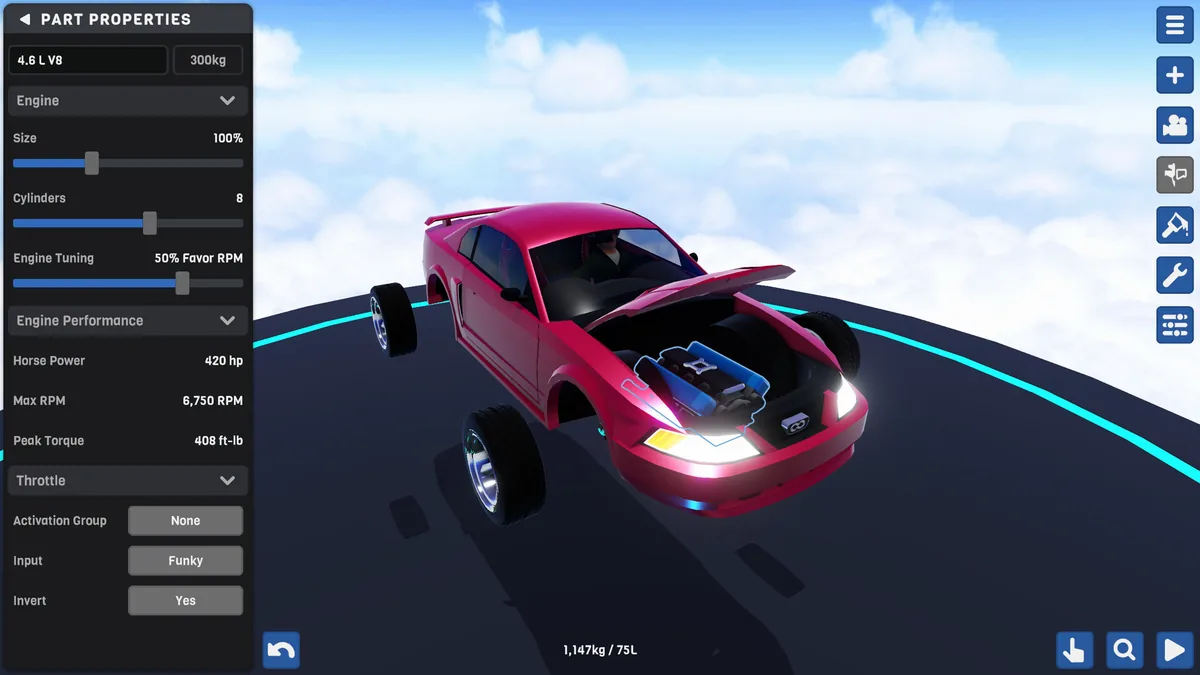
Tips That Actually Help
Step-by-Step: Getting Your First Aircraft Off the Ground
The build interface has a lot of panels. The way through is to ignore most of them on the first build and work through a deliberate sequence.
Tip 1: Complete the tutorials before opening the sandbox
SimplePlanes 2 has tutorial missions. They cover part attachment, how center of mass affects flight behavior, and what each control surface does. The aerodynamic simulation is specific enough that these fundamentals change whether your first build crashes on the runway or in the air.
If you've put significant time into SP1, you can skip. If you're new to the series, the tutorials are thirty minutes that prevent hours of confused crashing.
Tip 2: Build in this order: fuselage, wings, engine, landing gear, control surfaces
Each element affects whether the next one sits correctly.
- Fuselage first: The spine of the aircraft. Get the body length right before attaching anything. A longer fuselage gives more room for weight distribution.
- Wings second: Attach them at the center of mass: the game shows a visual CoM indicator. Symmetric placement is required. A wing mounted unevenly on one side produces a roll the sim won't let you correct.
- Engine third: One nose-mounted engine is the most stable first-build configuration. Rear-mounted or over-wing engines require careful CoM balancing that's harder to diagnose when something goes wrong.
- Landing gear fourth: Three-point gear (two main wheels under the wings, one nose wheel) is stable for ground handling. Check that the plane sits level. Tilted gear means a tilted takeoff roll.
- Control surfaces last: Ailerons on wing tips for roll, elevator on the rear horizontal for pitch, rudder on the rear vertical for yaw. Connect them in the control binding menu before first flight.
Get this combination flying before adding anything else. A plain plane that flies is a better foundation than a complex one that doesn't.
Tip 3: Treat the SP1 community library as a tutorial, not just a shortcut
This is the tip most guides skip. SimplePlanes 2 is fully backwards compatible with every craft from the original game. The SimplePlanes.com library has over 1 million community uploads: all of them work in SP2.
Download a highly-rated aircraft in a category you're interested in: say, a turboprop with good user reviews for stability. Fly it once to understand how it handles. Then open it in the builder and examine how it's built: where the wings attach relative to the center of mass, how many control surfaces it uses, how the landing gear is positioned.
Experienced SP1 builders spent years solving specific aerodynamic problems. Their solutions are in the file. Disassembling a well-built SP1 craft teaches more about weight distribution than any written explanation. Call it a tutorial with a million samples.
GODEEPER: For everything added in SP2 versus the original, NACA wings, procedural powertrains, the 787 km² world, see the launch breakdown. SimplePlanes 2 Mobile Release Date: Everything We Know →
Tip 4: NACA wing profiles: what they do and when to touch them
NACA airfoil profiles are a real aerospace engineering standard for cross-section wing shapes. The NACA designation system describes three properties of an airfoil: camber (curve of the mid-line), maximum camber position, and thickness. In SimplePlanes 2, the NACA customization system lets you adjust your wing's profile shape to change how it generates lift and drag.
Higher camber means more lift at low speeds but more drag at cruise: good for slow, heavy builds. A symmetric profile generates equal lift in both directions with lower drag, which suits aerobatics and high-speed aircraft. Thicker wings add structural strength but increase drag. You don't need to memorize any of this for a first build.
For a first build, leave the NACA profiles at default. The default is a general-purpose profile that works across most aircraft types. You'll know when to dig into NACA customization: when your aircraft is flying, you've identified a specific behavior you want to change, and adjusting control surfaces alone isn't enough.
Tip 5: Check the center of mass before every flight
The center of mass indicator is the display most beginners ignore and then wish they hadn't. Your wings need to attach near the CoM for stable flight. Engines, fuel tanks, and heavy parts shift it. After any significant part addition, check where the CoM sits.
Too far forward: the aircraft pitches nose-down and won't recover without significant elevator input. Too far back: the aircraft is aerodynamically unstable: it wants to flip.
The indicator makes this visual. Check it before flying anything new.
Tip 6: Multiplayer is a sandbox, not a competition
Public multiplayer lobbies hold up to 10 players. Private sessions can expand beyond that. To join, browse the multiplayer lobby list and pick an open session. For a private group, create a session and share the invite.
There's no competitive structure. Multiplayer is a shared physics sandbox: you spawn your build into a space where other players have spawned theirs. Formation flying, dogfighting, and showing off finished crafts are the typical activities. It's a good environment for testing a build under conditions more interesting than solo flying.
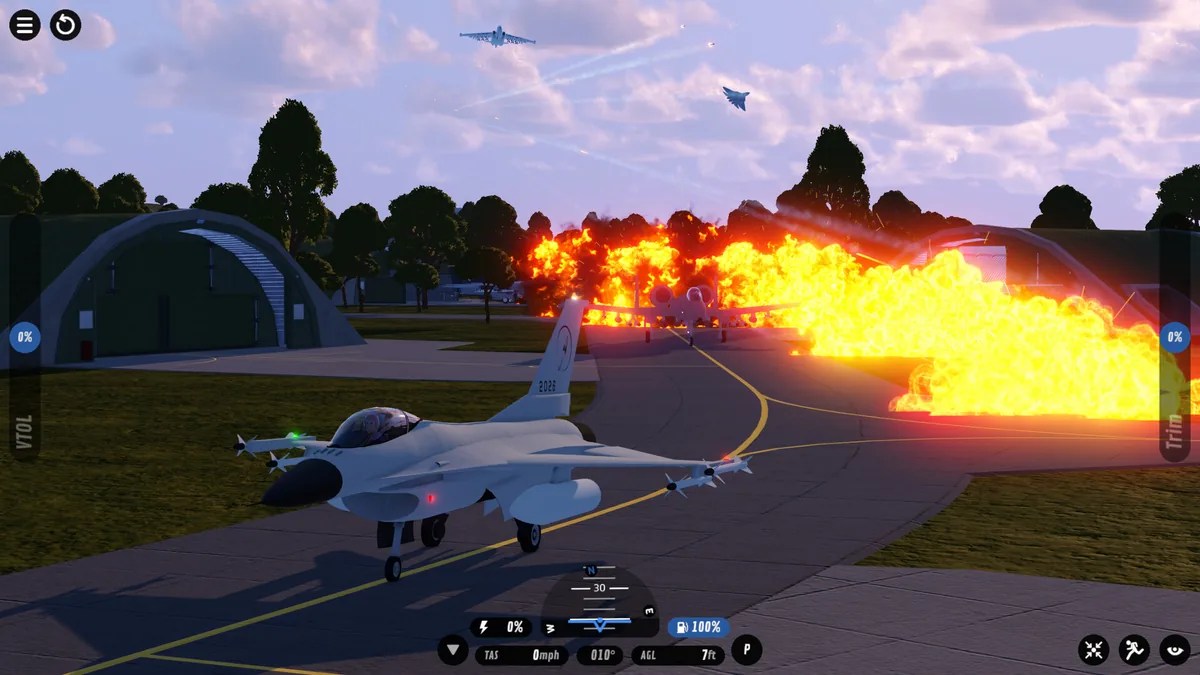
Tips
Don't start with a helicopter. Rotary-wing aircraft require understanding rotor pitch control, anti-torque, and gyroscopic effects: concepts that are much harder to diagnose when something goes wrong. Build a fixed-wing aircraft first. Helicopters are a second-game project.
Symmetry mode is not optional. The builder has a symmetry toggle that mirrors any part you place. Turn it on for wings, landing gear, and wing-tip control surfaces. One unmirrored landing gear leg and the plane veers on every takeoff roll.
Recheck CoM after adding engines. Engines are the heaviest single component on most builds. Adding or moving an engine changes your center of mass. Recheck the indicator after every engine addition before you fly.
SP1 craft compatibility has edge cases. Most SP1 crafts fly in SP2 without issues, but highly complex builds with unusual part combinations may behave differently. If a downloaded craft handles oddly, SP2's physics is probably reading the old part geometry differently: not a sign the original builder didn't know what they were doing.
The EA build is complete for the core experience. Build, fly, share, multiplayer: all of it works. VR, full localization, and official modding tools are on the roadmap but not yet in. Don't wait for 1.0 to start building.
SP2 is $19.99, currently $17.99 with a 10% discount still running. If you're deciding whether to pick it up alongside other sim titles, the best indie games under $20 list for 2026 has the comparison.
GODEEPER: If you're new to simulation builders that have real physics rules, the same build-order logic applies in factory games with complex constraints. Shapez 2 first factory tips for beginners →
Frequently Asked Questions
Q: How do I get started in SimplePlanes 2? A: Complete the tutorial missions first, then build the simplest functional aircraft you can: fuselage, symmetric wings, single nose engine, three-point landing gear, basic control surfaces. Fly that before adding anything. Incremental builds reveal what's wrong faster than complex first attempts.
Q: What are NACA wings in SimplePlanes 2? A: NACA profiles are aerospace standards for airfoil cross-section shape. In SP2, you can adjust the wing profile to tune the balance between lift and drag. High-camber profiles generate more lift at low speeds; symmetric profiles suit high-speed and aerobatic builds. Leave the default in place for your first few aircraft.
Q: Can I use SimplePlanes 1 crafts in SP2? A: Yes, full backwards compatibility. Over 1 million SP1 crafts are available on SimplePlanes.com, all usable in SP2. Download, fly, and disassemble them in the builder: it's the most practical way to study how experienced builders handle weight distribution and control surface ratios.
Q: How does multiplayer work? A: Public lobbies hold up to 10 players; private sessions can go higher. No competitive structure: it's a shared sandbox for flying alongside other players' builds. Browse open lobbies in the multiplayer screen or join via invite.
Q: Is SimplePlanes 2 coming to mobile? A: Jundroo has said mobile is planned for late 2026 or 2027, but without a firm date. The current EA release is PC-only via Steam for now. See the SimplePlanes 2 mobile release date guide for the full picture.
Q: How long is the Early Access period? A: Jundroo targets roughly one year before 1.0. Roadmap items include VR, localization, modding tools, more parts, and additional world areas. Community feedback shapes what comes first.
Q: What does SP2 cost? A: $19.99 on Steam, currently $17.99 with a 10% discount still running as of this update.
Related Reading
- Paralives Tips: 10 Things to Know for Early Access: Paralives tips for early access: career upgrade paths, trait synergies, and the money traps new Parafolk players hit....
References
- SimplePlanes 2 on Steam: store page, patch notes, and EA updates
- Jundroo developer site: official announcements and roadmap
- SimplePlanes community library: 1M+ community crafts, all compatible with SP2
Was this guide helpful?
About the author

Senior Critic & Analyst
Former game data analyst turned critic with 11 years covering indie and mid-tier games. Based in Austin. Runs spreadsheets on games most people just play.
- 11 years games criticism
- Former game economy analyst
- Roguelike and strategy specialist
Keep reading



Disclaimer
This article is published for informational and entertainment purposes. It does not constitute professional financial, legal, or technical advice. Game performance, online services, patch schedules, and store listings change. Verify critical details (pricing, system requirements, regional availability) with publishers and storefronts before you buy. Affiliate links, where present, help support our editorial work and are labelled in our affiliate disclosure.
Comments
Loading comments…