
GameBrief · General
Windrose SSD Bug Fixed: What the Hotfix Actually Changed

Reviewing
Windrose
Kraken Express · Kraken Express, Pocketpair Publishing (Japan)
The windrose ssd bug story broke on every major PC hardware outlet this week, and the headline was accurate: the game was writing 108GB of data per hour to your storage drive during normal play. The developers pushed a fix on April 30. Here's what the windrose ssd bug actually was, what changed, and whether you need to do anything.
What the Windrose SSD bug was
The windrose ssd bug came from how Windrose stored player progression data. Kraken Express built the game's save system on RocksDB, a database engine commonly used for fast key-value storage. The issue: they ran three separate RocksDB instances with a cache budget that was far too small.
When the cache fills, RocksDB writes data to disk to make room. With a tiny cache, this happened constantly. During roaming near a base, the game generated 90,000 to 130,000 write operations per second. Over an active play session, that added up to roughly 108GB per hour of disk writes.
SSDs have a rated TBW (terabytes written) value: the total amount of data they can write before the flash cells degrade. A standard consumer SSD might be rated for 300-600TBW. Windrose, at its worst, could burn through that rating in a few hundred hours of play. Not immediate damage, but a real acceleration of wear over weeks and months.
The windrose ssd bug story went viral on TechSpot, Tom's Hardware, PC Gamer, and GamesRadar. It's the kind of invisible problem players can't detect without dedicated monitoring software.
What Changed in the Windrose SSD Bug Patch
Kraken Express pushed a "housekeeping" update on April 30 that addressed the core issue: the RocksDB cache size was increased substantially. With more cache, the databases hold data in memory rather than constantly flushing to disk.
Post-patch numbers from community testing show 20-30 write operations per second during normal play, with peaks under 60 writes/sec during intensive sailing segments. That's a reduction of roughly 3,000x from the pre-patch peak.
The same update also fixed connectivity issues, missing building blocks, and several smaller bugs. The SSD issue was the most visible problem, but it was part of a broader stability pass.
GODEEPER: For a full picture of what the April 30 and May 5 patches changed and what Kraken Express is still working on, the patch notes tracker covers both updates. Windrose Patch Notes May 2026: Full Changelog →
Update (May 5): Windrose hotfix 0.10.0.5.120 addressed additional issues including comfort level bugs and faction quest edge cases. See the full Windrose patch notes tracker for the complete list.
What players need to do
Nothing, if your game is up to date. Steam patches automatically. If you haven't launched Windrose since April 30, let the update download before your next session.
If you're concerned about SSD health from prior play, tools like CrystalDiskInfo (Windows) or smartmontools (Linux) can check your drive's current wear indicator. For most players who haven't logged hundreds of hours pre-patch, the wear impact was probably minimal.
The Windrose complete guide covers everything else about the game's current state, including the latest content and what the early access roadmap looks like for the rest of 2026.
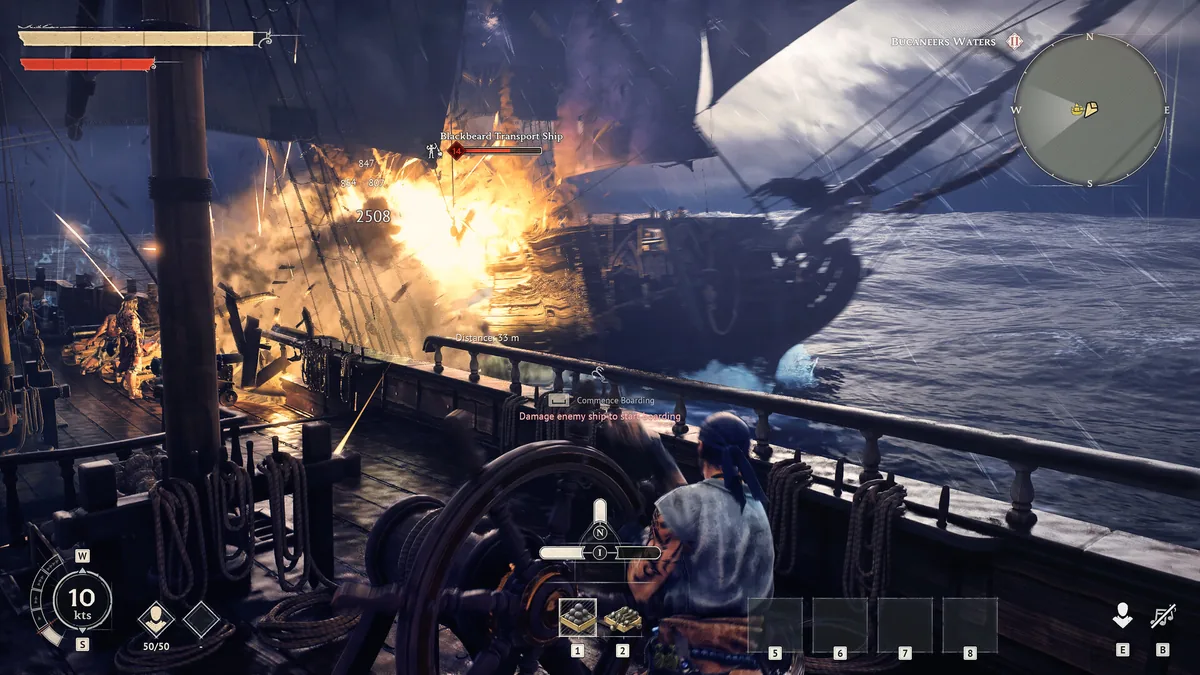 Windrose: the SSD write issue affected all play modes. Post-patch, the game runs normally with standard disk activity.
Context and what happens next
The windrose ssd bug turned out to be a configuration mistake rather than a broken architecture. RocksDB is a legitimate database engine used in production systems. Running it with an undersized cache is the kind of error that's easy to miss during development and obvious in retrospect. Kraken Express found the problem, fixed it in days, and shipped a patch before most players noticed their drives were stressed.
That speed matters. Early access games live and die by how developers handle the first serious problem. Kraken Express handled this one well. For comparison, Deep Rock Galactic: Rogue Core launches May 20 under Ghost Ship Games, who have a long track record of catching and fixing problems fast in EA.
With over 500,000 copies sold in its first two days and continued strong sales since launch, Windrose has a large enough player base to surface these things quickly. The windrose ssd bug is fixed. The game is otherwise in good shape, and the Windrose boss guide covers where to take that SSD read/write budget now that it isn't being wasted.
GODEEPER: With the SSD bug behind it, Windrose is tracking well (here's where the Early Access roadmap stands and what Kraken Express has committed to building next. Windrose Update Tracker: All Patches and What's Next →
Frequently asked questions
Did the windrose ssd bug damage my drive? Not permanently for most players. The April 30 patch ended the excessive write activity. If you played heavily before the patch, your SSD is likely fine. A health monitor like CrystalDiskInfo will show your current wear level.
What caused the windrose ssd bug? Three RocksDB databases with undersized cache, causing constant disk writes instead of holding data in memory.
How bad was the windrose ssd bug write rate? 108GB per hour of writes at the worst, generated by 90,000-130,000 write operations per second.
What did the patch do? Increased RocksDB cache size substantially. Write activity dropped to 20-30 operations per second post-patch.
Do I need to reinstall? No. The patch applies automatically through Steam.
Is the game still worth playing? Yes. The SSD issue was real but is resolved. The core game is unchanged and the community is active.
Related Reading
- Windrose Next Update: 40+ Building Pieces & 50 QoL Fixes: The Windrose next update isn't Ashlands. It's an interim patch adding 40+ new building pieces and 50+ QoL....
- Windrose Ashlands: Everything Confirmed So Far (2026): Windrose Ashlands release date: Kraken Express said 'at least 6 months' on April 29, so.
- Windrose Endgame Guide: What to Do After the Story: Windrose endgame guide: faction Level 3 priority order, Frigate build-out, Steel gear farming loops, and.
- Windrose Best Weapons Tier List 2026: All Tiers Ranked: Windrose best weapons tier list 2026: Steel Halberd S-tier, Copper Sword B, Stone tools F.
- Windrose Max Level 15: Fastest XP Paths in Early Access: Windrose max level is 15 in Early Access.
References
About the author

News Reporter
Games journalist and news hound with 7 years covering industry moves, studio announcements, and patch notes. Chilean. Writes tight, edits tighter.
- 7 years games journalism
- Industry and esports specialist
- Early access coverage
Keep reading




Disclaimer
This article is published for informational and entertainment purposes. It does not constitute professional financial, legal, or technical advice. Game performance, online services, patch schedules, and store listings change. Verify critical details (pricing, system requirements, regional availability) with publishers and storefronts before you buy. Affiliate links, where present, help support our editorial work and are labelled in our affiliate disclosure.
Comments
Loading comments…