
GuideWARDOGS
WARDOGS FOB Guide: How to Build One and What Supplies Do
This WARDOGS FOB guide starts with the one thing most players assume wrong: a Forward Operating Base will not respawn you. That single misunderstanding sends more new players wandering a battlefield confused than almost anything else about the build system. This guide covers what a FOB actually gives your team, the three hammer tiers that gate what you can build, and the four supply types that pay for all of it.
Sponsored

About the game
WARDOGS
BULKHEAD · Team17
TL;DR: A FOB gives your team construction space and supply storage, not a spawn point, you still need an HQ or APC to respawn near the fight. Three hammer tiers gate what you can build: Small (sandbags, barbed wire, no FOB required), Medium (HESCO, doors, gates), and Large (mortars, anti-air, Drill Rig, Repair Station). Four supply types power everything: Build, Ammo, Fuel, and Mechanical, each tied to a different category of structure.
BESTPRICE: Want WARDOGS? Eneba sells a Steam key: Buy on Eneba →
What does a FOB actually do in WARDOGS? (quick answer)
A Forward Operating Base is a construction and supply hub, not a spawn point. Once placed, it gives your team a stock of Build, Ammo, Fuel, and Mechanical Supplies to draw from, and it's the prerequisite for placing anything beyond a Small Hammer's basic fortifications. To actually respawn near the fight, your team still needs an HQ or an APC-based spawn vehicle, the FOB itself does neither.
Sponsored

WARDOGS FOB status: September 2026
The current Steam snapshot still lists WARDOGS in Early Access at $39.99, with 64,043 all-language reviews labeled "Very Positive." Team17's official feed recently marked 2 million copies sold, while Patch 0.11 focused on the server browser and community-server discoverability. Those updates do not change the basic FOB loop, but they are a reminder that prices and unlocks are still live-service values rather than immutable launch data. The WARDOGS beginner guide covers the wider economy. The current deployables reference itself contains a price contradiction, so this article intentionally sends readers to the live vendor panel instead of repeating a false fixed cost.
Key takeaways
- A FOB does not grant a respawn point, that's an HQ or APC's job
- Three hammer tiers exist: Small (no FOB needed), Medium, and Large, each unlocking more structure types
- Four supply types power construction: Build, Ammo, Fuel, and Mechanical
- The Large Hammer is required for mortars, anti-air emplacements, the Drill Rig, and the Repair Station
- A damaged vehicle can be repaired at a Repair Station using Mechanical Supplies instead of buying a new one
Overview
This guide covers the FOB and hammer system as reported in the current deployables reference and player documentation, cross-checked against the official Steam page and announcement feed. Four supply pools, a 20,000 capacity for each pool, and $10 per purchased supply unit are the useful current numbers. The FOB price is contested even inside the current reference: its table says $2,500 while its prose says the item is free, and the official Season 1 notes say vendor prices changed. Use the live in-game panel for the final price.
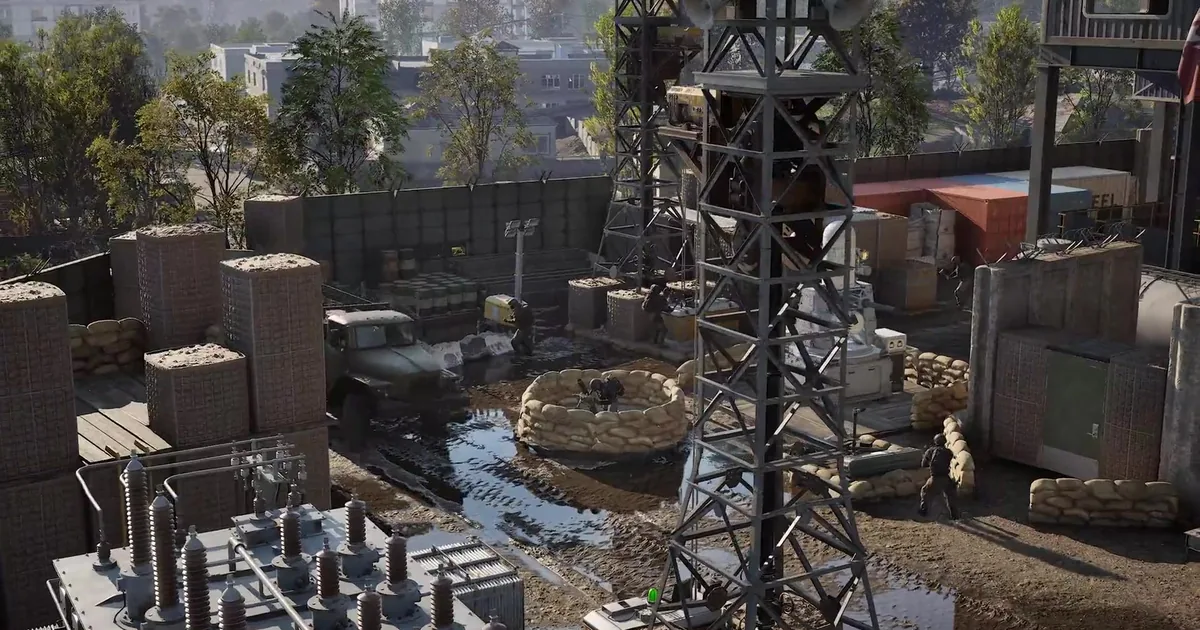 Caption: A defended position built around HESCO stacks and a circular sandbag emplacement, the exact structure types a Medium and Large Hammer unlock once a FOB is nearby.
Step-by-Step: setting up a FOB
1. Buy the FOB kit and check your hammer inventory. Do not budget from a static web price: the current deployables reference contradicts itself on whether the FOB is free or $2,500. The Small Hammer handles basic fortifications, while the Medium and Large tiers gate heavier structures. Check the live unlock panel before spending because WARDOGS is still in Early Access and vendor prices can move between economy passes.
2. Place the FOB itself before upgrading your hammer. The FOB kit unlocks everything beyond basic fortifications, HESCO blocks, doors, gates, mortars, and the rest all require one nearby. Placement matters: put it somewhere your team can actually defend, not just somewhere convenient, since losing the FOB early loses the construction options it unlocked for everyone.
3. Stock the right supply pool before you start swinging. The current reference lists Build, Ammo, Fuel, and Mechanical Supplies, each with a 20,000 capacity and a $10 purchase price per unit. Structures and repairs draw from the relevant pool, so buy in bulk rather than piecemeal if you're planning a real defensive setup. Our WARDOGS classes and progression tracks guide covers how building and repairing feeds the Support track specifically.
4. Upgrade to a Medium Hammer once you can afford the unlock. This tier adds HESCO blocks, proper doors, gates, and loudspeakers, the difference between a scattered sandbag line and an actual defended perimeter. It's also meaningfully faster to swing than the Small Hammer, which matters when you're building under fire.
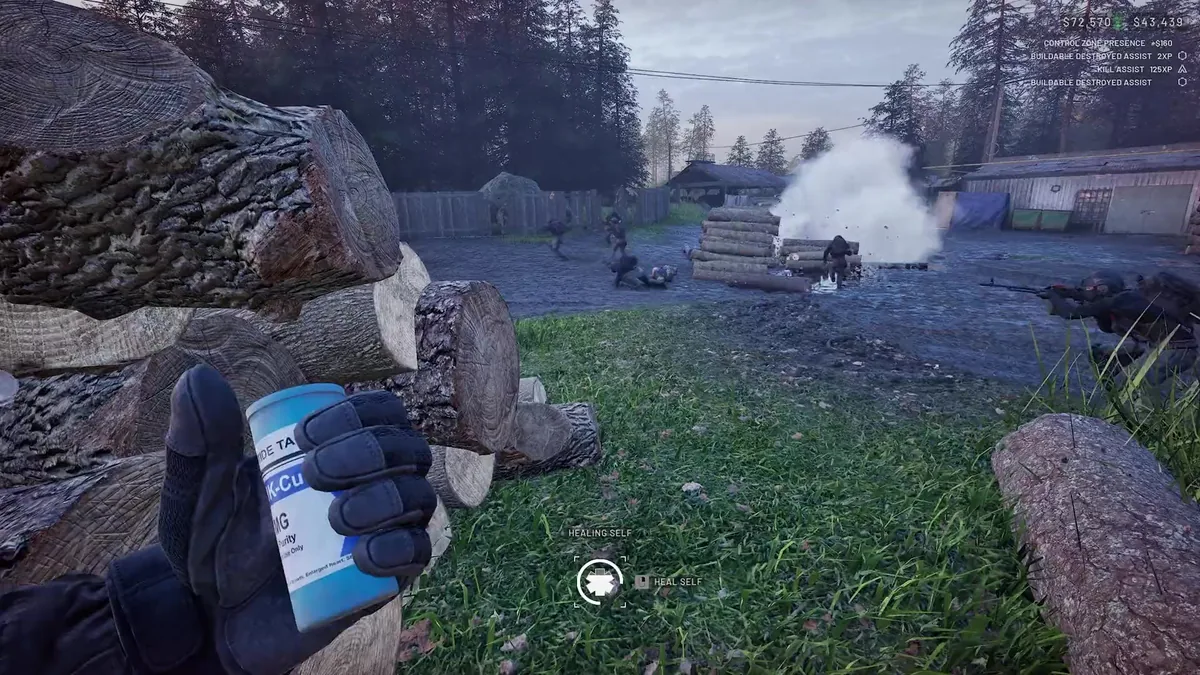 Caption: Defending a built position under fire, the HUD's "Buildable Destroyed Assist" reward confirms your structures are real, breakable targets the enemy team can and will destroy.
GODEEPER: For the exact dollar amounts behind transport runs, pallet delivery, and Hot Zone camping that fund your next hammer unlock, our WARDOGS money guide has the fastest confirmed cash routes.
5. Save for the Large Hammer once your team is committing to a real defensive position. This is the tier associated with heavy emplacements such as mortars and anti-air, plus stations such as the Drill Rig and Repair Station in the current deployables reference. It is a coordinated-team investment, not a first-life purchase. Confirm the blueprint's required tier in-game before buying.
6. Learn the four supply types before you waste a trip back to the FOB. Build Supplies pay for structures and construction work. Ammo Supplies feed weaponized emplacements. Fuel Supplies support refueling and fuel-hungry systems. Mechanical Supplies cover vehicle repair and mechanical systems. Carrying the wrong type to a construction site means a wasted trip, so check what the blueprint requests before hauling crates.
Tips
Leave a firing arc around heavy emplacements. A pretty wall that blocks the barrel is still a bad FOB. Keep the mortar or anti-air blueprint's firing direction clear, then add cover outside that arc. Exact spacing depends on the blueprint and can change with patches, so test one shell before sealing the position.
Defend the FOB itself, not just what's built around it. Losing the FOB removes the team anchor that supports the construction network and costs the cash used to place it. Treat it as a priority target to protect, the same way the enemy team will treat it as a priority target to destroy. Ground Branch's objective-based modes make the same general lesson: a defended point is only useful while the team can hold it.
Don't buy the Large Hammer before your team has a Medium-tier plan. The cash jump is real, and a lone Large Hammer with no perimeter or FOB supply stock to draw from is less useful than a coordinated position. Build the perimeter, then build heavy.
Building solo works, but it is slower than a crew. Split the work: one player places and checks blueprints, another hauls supplies, and a third watches the approach. The WARDOGS money guide covers the payout side of the same logistics-over-solo-effort design.
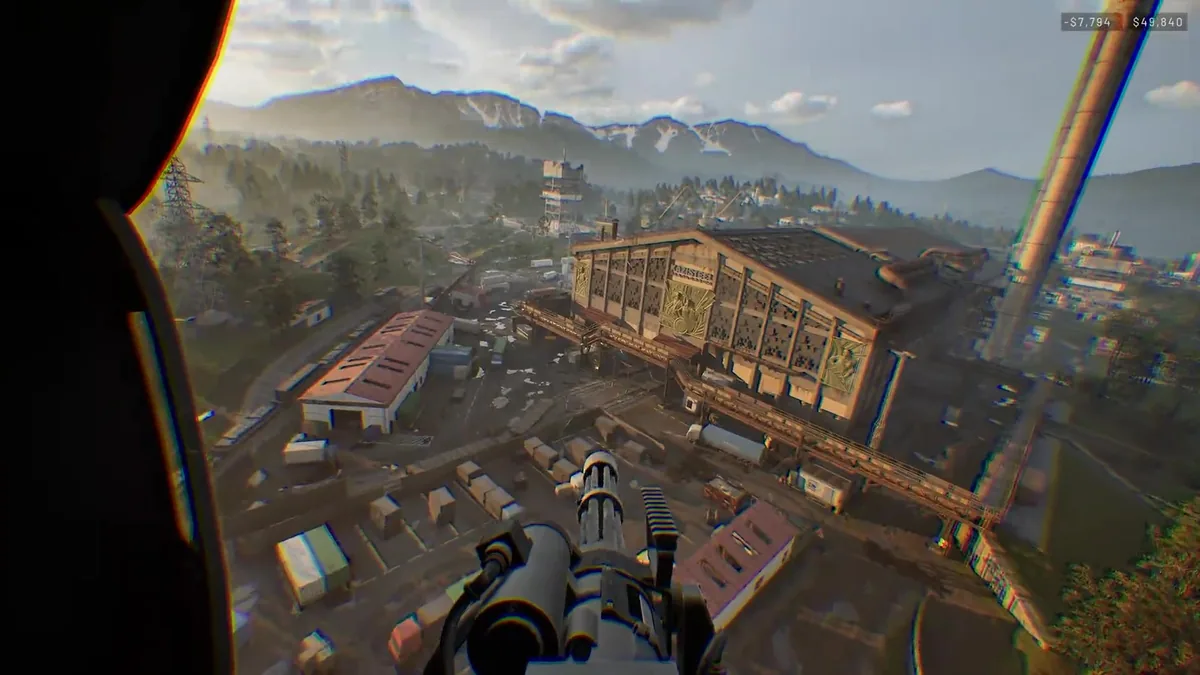 Caption: An industrial complex like this, with hard cover, chokepoints, and multiple approach angles, is the kind of terrain that makes a FOB investment pay off over open ground.
Frequently Asked Questions
Does a FOB give you a respawn point in WARDOGS? No. A Forward Operating Base gives your team construction space and supply storage, but it does not act as a spawn point. You still need an HQ or an APC-based spawn vehicle to respawn near the fight.
What does a Small Hammer build in WARDOGS? Basic fortifications only: sandbag walls, barbed wire, hedgehogs, and Recon Tents. Unlike the Medium and Large Hammers, a Small Hammer can place these without needing a FOB nearby first.
How many supply types are there in WARDOGS? Four: Build Supplies for structures and repairs, Ammo Supplies for mortar and emplacement reloads, Fuel Supplies for vehicle refueling and the Drill Rig, and Mechanical Supplies for vehicle repairs and systems like the Stingray.
How much does a FOB cost in WARDOGS? The current deployables reference contains a $2,500 table entry and a conflicting statement that the FOB is free. Official Season 1 notes also record vendor-price changes. Verify the live purchase panel instead of treating either static figure as permanent.
What's the difference between a Medium and Large Hammer? The Medium Hammer adds HESCO blocks, doors, gates, and loudspeakers on top of the Small Hammer's basics. The Large Hammer swings fastest and is required for heavy systems: mortars, anti-air, and the Drill Rig and Repair Station.
References
- WARDOGS on Steam: official store page confirming the "fortify a strategic chokepoint by building your own forward operating base" design pillar this guide covers in detail.
- WARDOGS Steam key on Eneba: often cheaper than the direct Steam price.
- WARDOGS official announcements: Patch 0.11 server-browser update and current launch announcements.
- WARDOGS deployables reference: current community-maintained FOB, supply-pool, and hammer documentation; use the in-game panel for final prices.
- WARDOGS Steam Community discussions: active player discussion of current FOB and hammer pricing.
Related Reading
- WARDOGS Maps Guide: 3 Playable Maps and Rotation (2026): what to expect from each Control Zone map.
- WARDOGS Complete Guide: the full hub for classes, the cash economy, vehicles, and the current patch state.
- WARDOGS Vehicles Guide: Every Tank, Heli, and Truck: the Fuel and Mechanical Supplies covered here also keep your vehicles running, this guide covers the vehicles themselves.
- WARDOGS Queue Crisis: How 428K Players Broke Launch: WARDOGS queue crisis explained: overactive anticheat and a 428,000-player surge nearly broke launch. Here's what
- WARDOGS Early Access Preview: What the Open Beta Showed: WARDOGS Early Access launches Sep 10: 100-player tactical FPS with a persistent cash economy, backed
- WARDOGS Review: 100-Player Chaos Worth the Rocky Launch: WARDOGS review: a 100-player tactical FPS with real systemic depth, held back only by a
Was this guide helpful?
About the author

Indie & JRPG Desk
GameBrief's byline for indie, JRPG, visual novel and cozy games. Warm, direct, and willing to say which one to buy.
- Indie, JRPG and visual novels
- Early access and survival
- Sources listed per article
Keep reading
WARDOGS Classes Guide: 6 Role Tracks and Career Level
Guides · 12 min
WARDOGS Vehicles Guide: Every Tank, Heli, and Truck
Guides · 14 min
WARDOGS Complete Guide: Classes, Vehicles, and Cash
General · 13 min
WARDOGS Money Guide: Fastest Cash and Best Loadouts
Guides · 9 min
WARDOGS Beginner Guide: Your First Match, Explained
Guides · 9 min
WARDOGS Review: 100-Player Chaos Worth the Rocky Launch
Reviews · 8 min
Sponsored
More game deals
Disclaimer
This article is published for informational and entertainment purposes. It does not constitute professional financial, legal, or technical advice. Game performance, online services, patch schedules, and store listings change. Verify critical details (pricing, system requirements, regional availability) with publishers and storefronts before you buy. Affiliate links, where present, help support our editorial work and are labelled in our affiliate disclosure.
Comments
Loading comments…