Sponsored
Sponsored post written by DealsHUB; edited by GameBrief for accuracy. How sponsored articles work
GuideSteam
Cheap Steam Key Won't Activate? Regional Pricing Explained
Most failed keys are not scams. They were sold for a different region, and the listing usually says so if you know where to look.
VerdictBuy a Global key or one that names your Steam account's country, from a seller that will refund a mislabelled key.
Sponsored post by DealsHUB. DealsHUB paid GameBrief to publish this guest article on why a Steam key won't activate. GameBrief checked its facts against Valve's own pages before publishing.
Sponsored

You found the game for half price, paid, pasted the code into Steam, and Steam told you the game is not available in your territory. In most cases nothing is broken and nobody scammed you: you bought a key priced and licensed for a different region.
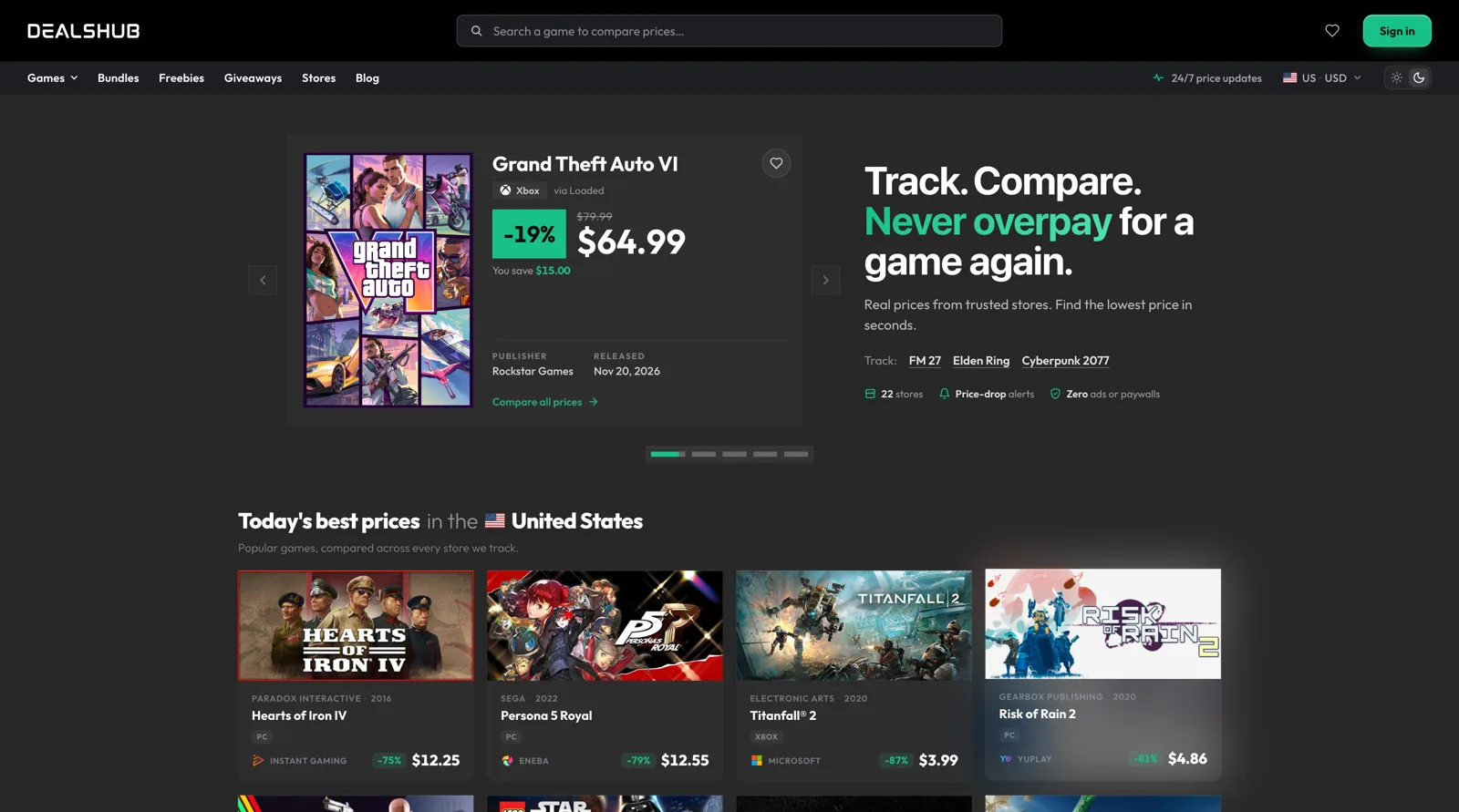 Screenshot: DealsHUB, supplied by the sponsor
Sponsored
What regional pricing actually is
A game doesn't have one price. Publishers set a separate price for each country or currency on Steam, usually lower where incomes are lower. A $29.99 game in the US might cost noticeably less in Brazil, India or parts of Eastern Europe.
This is good for players. Without it, a big part of the world simply couldn't afford new releases. DealsHUB adds that it also gives publishers more sales in markets they'd otherwise lose to piracy.
Prices also shift over time. In late 2023, for example, Steam moved Turkey and Argentina from local currency to US-dollar pricing on November 20, and prices for many players there jumped overnight. Changes like that ripple through the whole key market.
The catch is simple. If the same key costs much less in one country, someone will try to buy it there and resell it everywhere else. Region locks exist to stop that, and that's where activation errors come from. Steam's own sales are a separate question; our Steam Black Friday guide covers how to check a discount on the store itself.
Worldwide, regional and region-locked keys
When a publisher creates a batch of Steam keys, it can decide which countries are allowed to activate them. Valve's own support page says region restrictions on keys "vary by each individual publisher", with no standard rule. Store listings usually describe the result with one of a few labels:
| Label you'll see | Where it activates | What to know |
|---|---|---|
| Global or Worldwide | Any country | The safest choice. DealsHUB says these usually cost closer to the US or EU price. |
| Regional (e.g. EU, ROW, North America, LATAM) | Only countries in that group | Fine if you live there. An "EU" key may not include the UK or Turkey. |
| Single country (e.g. Turkey, India) | Only that one country | Often the cheapest. Will fail on an account from anywhere else. |
| Activates anywhere, plays only in some countries | Activation works, play is limited | Rare, but it exists. Read the small print. |
Two details trip people up. First, "region" means your Steam account's country, which can differ from where you happen to be right now. Second, a VPN won't reliably fix a locked key.
Steam's Subscriber Agreement says you will not use "IP proxying or other methods" to get around geographical restrictions, and Valve may terminate your account if you do. Retailers check too: Fanatical's terms say its site reads your IP address to detect your country and that VPNs are "strictly forbidden". Get around that check and you may end up with a key that doesn't work and can't be returned.
The good news is that most major stores now check whether your country is eligible before you pay. It still isn't foolproof. DealsHUB says it has seen an official retailer sell a AAA title as worldwide when it wasn't, and location checks get the country wrong on some IPv6 connections.
If it happens to you, contact the store's support right away with your order details and the activation error. A reputable retailer will usually refund you or send a replacement key.
Why a key fails at activation
When Steam rejects a code, it's almost always one of these:
- Wrong region. The most common cause. Steam says the game is not available in your territory.
- Already used. Keys are single-use. If someone redeemed it before you, Steam shows a duplicate key error.
- Revoked. The publisher banned the key, usually because it was bought with a stolen card or leaked from a batch that was never meant for sale.
- Wrong platform. It's an Epic, GOG or console code, not a Steam key.
- Missing base game. DLC keys need the main game on your account first.
- Typo. Codes mix similar characters like 0 and O, so copy and paste instead of typing.
If the region is the problem, contact the place you bought the key. Valve's support page tells buyers outside the key's region to ask the seller for a refund, because Steam Support cannot refund keys bought from other stores. If the seller is a stranger on a marketplace, your chances are much lower.
How to check a listing before you buy
Thirty seconds of checking saves most of these headaches:
- Find the region line. Look for "Global", "Worldwide", or a country or region name near the price. No region line at all is a warning sign.
- Match it to your account. Check your Steam account's country under Account details, and make sure the key covers it.
- Confirm the platform. Steam, Epic, Xbox and PlayStation versions often sit side by side with very different prices.
- Check who's selling. An official store or authorized retailer will stand behind a mislabelled key. An anonymous marketplace seller might not.
- Compare prices for your region only. A cheap key that won't activate isn't a deal. Make sure you're comparing prices in the same currency, too.
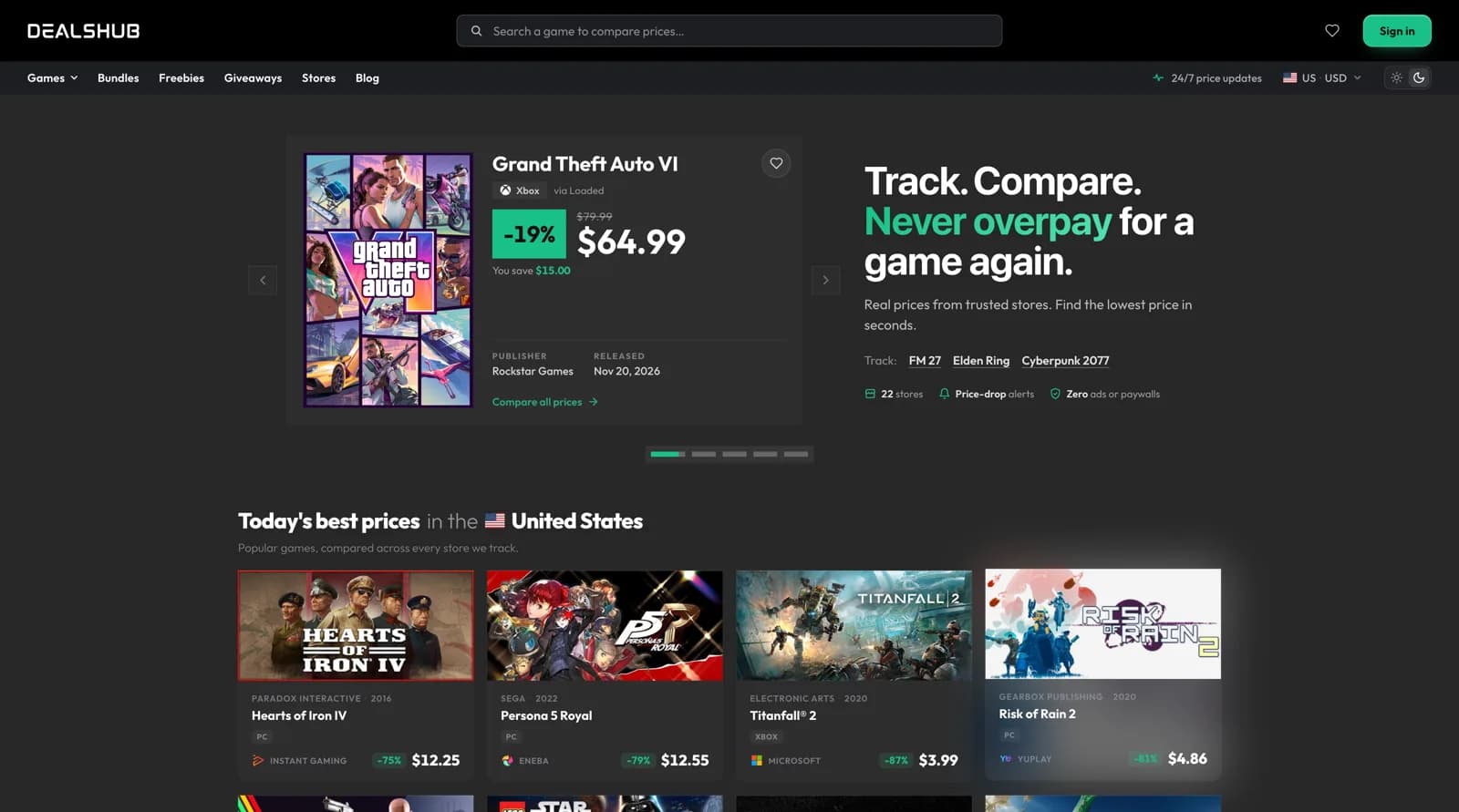
If checking every listing by hand sounds tedious, price-comparison sites can do most of it for you. DealsHUB, for example, only shows offers that can be activated in the region or country you pick. And when a store sells a key that works in your region but lists it in another currency, DealsHUB converts the price to your local currency, so you can compare every offer fairly.
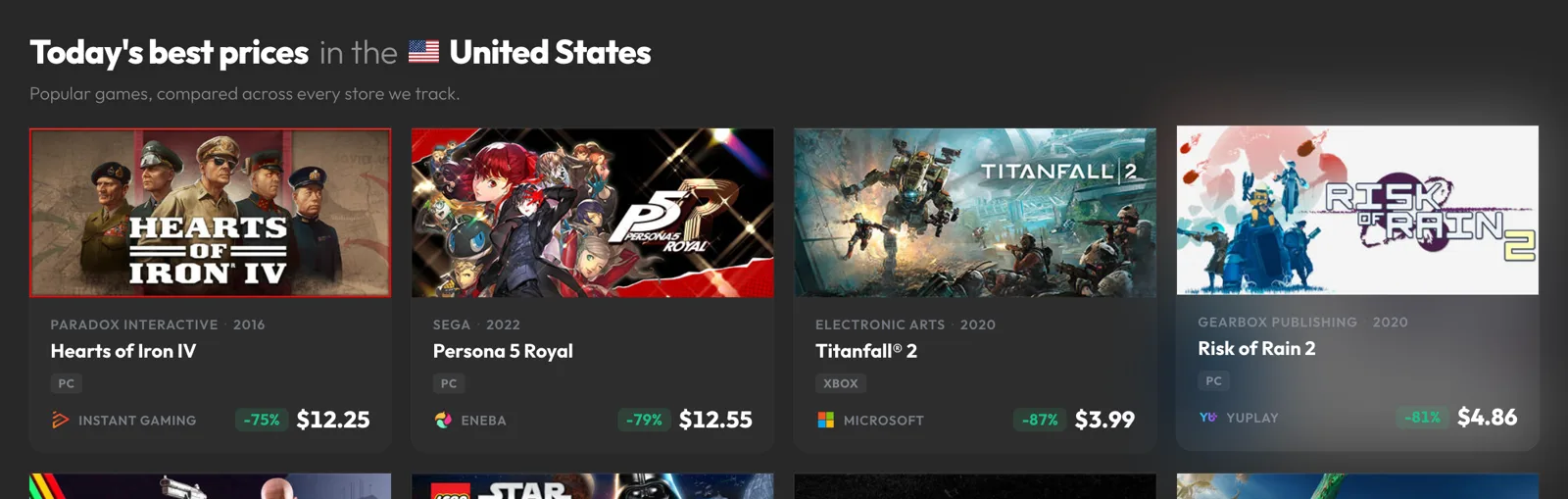 Screenshot: DealsHUB price list with the United States picked as the region, supplied by the sponsor
Quick answers
What does "Global" mean on a Steam key? It activates on a Steam account from any country, with no region restriction.
Can I activate a region-locked key with a VPN? Not reliably, and it breaks Steam's terms. Buy a key for your own region instead.
Does an EU key work in the UK? Not always. Some EU keys exclude the UK, so check the listing's country list.
Why are some keys so much cheaper than Steam? Often because they're priced for a lower-cost region. That's fine if you live there, and a problem if you don't.
What should I do if my key won't activate? Take a screenshot of the exact error with the time and date visible, then contact the vendor or seller with your order details. Reputable stores and marketplaces will replace or refund a mislabelled key.
Before your next key purchase
Regional pricing helps players everywhere afford games, but it also means a key's price only matters if it works where you live. The cheapest key is the one that actually activates, so before you pay for the next one, match the listing's region line to the country shown under Account details on your Steam account, then confirm the platform and the seller.
Checked: November 29, 2026, by GameBrief against Steam Support's region restrictions and duplicate key pages, the Steam Subscriber Agreement, Steamworks' Steam Keys documentation, Valve's November 2023 notice on USD pricing for Argentina and Turkey, and Fanatical's terms. Not checked: GameBrief did not buy or activate any keys for this article and did not test DealsHUB's region filter.
References
- Steam Support: Region Restrictions on Steam
- Steam Support: Steam Store Country
- Steam Support: New USD Pricing for Argentina and Turkey
- Steam Subscriber Agreement
- Steamworks: Steam Keys
- Steamworks: Pricing
- Fanatical: Terms and Conditions
Related Reading
- Nintendo eShop Black Friday 2026: 24 Deals vs Steam
- Why Is Fatekeeper So Cheap? $9.99 to $14.99 Explained
- No Man's Sky Worth It? Steam Is $59.99 After the Sale
- Best Indie Games Under $15: September 2026 Steam Picks
- Do Steam Next Fest Demos Expire? What Valve's Rules Say
- Beyond The Dark malware: Valve removes free horror game
- Steam Remote Play Together: Play Local Co-op Online
Was this guide helpful?
About the author

Action & Design Desk
GameBrief's byline for platformers, horror and action games. Dry, short paragraphs, strong opinions about tutorials and boss design.
- Action, platformers and horror
- Tutorials, onboarding, boss design
- Sources listed per article
Keep reading
Steam Awards 2026 Nominations: Categories, How to Nominate
Guides · 7 min
Steam Remote Play Together: Play Local Co-op Online
Guides · 6 min

Beyond The Dark malware: Valve removes free horror game
General · 5 min
Steam Black Friday Sale 2026: Rules to Check Before You Buy
Guides · 9 min
When Is the Next Steam Sale? Every 2026 Date Listed
General · 9 min
Game Awards 2026 Nominees on Steam: 59 Games and How to Vote
Guides · 12 min
Sponsored
More game deals
Disclaimer
This article is published for informational and entertainment purposes. It does not constitute professional financial, legal, or technical advice. Game performance, online services, patch schedules, and store listings change. Verify critical details (pricing, system requirements, regional availability) with publishers and storefronts before you buy. Affiliate links, where present, help support our editorial work and are labelled in our affiliate disclosure.