
GuideWinter Burrow
Winter Burrow Beginner Guide: 7 Tips for Your First Days
This Winter Burrow beginner guide exists because the game itself skips the tutorial pop-ups. It hands you an axe, a pickaxe, and a quest banner that says "Bring your old burrow back to life," and lets you work out the rest by walking around. That's charming for about ten minutes and mildly stressful the first time your warmth meter dips into the red with no idea why.
Sponsored

About the game
Winter Burrow
Updated 2026-10-15: Removed first-person play anecdotes we couldn't back with a source; the advice itself is unchanged.
TL;DR: Grab your starting axe and pickaxe, follow the opening quest marker, and check the warmth meter (bottom-left HUD, the orange bar) before you wander far. There's no combat to worry about; insect wildlife is listed as a hazard but the danger is really the cold. If you wake up stuck on the bed, open the pause menu and hit Get Unstuck. A free demo covers this exact opening stretch if you want to test the pacing before buying.
BESTPRICE: Want Winter Burrow? Eneba sells a Steam key: Buy on Eneba →
Winter Burrow beginner guide: what to do first (quick answer)
Do the starting quest in order: collect the pebbles and twigs it asks for, follow the marker back to the burrow, and get your first room settled before you range far into the snow. Keep half an eye on the four-meter HUD in the bottom-left corner the entire time. That's the whole opening loop. Everything else, knitting, cooking, the deeper crafting tree, builds on top of it once you're back home.
Sponsored

Current status: September 2026
Winter Burrow is a released Steam game with a demo, 32 achievements, controller support, and a current snapshot of 91% positive from about 1,459 English reviews. The official announcement feed documents the May "Tidy Up" quality-of-life update, which added separate storage, four backpack slots, and furniture benefits. That post-launch context matters when an older guide tells you to treat storage as permanently tight.
Key Takeaways
- Your starting inventory already has an axe and a pickaxe; you don't need to craft or find either one
- The HUD tracks four meters at once: health, hunger, warmth, and breath, all visible from the first screen
- There's no combat. The store page flags insect wildlife as a hazard, but nothing fights back
- A known bug can trap you on the bed after waking up; the pause menu has a built-in "Get Unstuck" fix
- Winter Burrow is single-player on Steam, with a free demo covering the same early hours; the current store page also lists 32 achievements and controller support
Overview: what you're actually managing in your first session
Winter Burrow puts you in control of a mouse coming home to a childhood burrow that's fallen apart while an aunt who was supposed to be looking after it has gone missing. Pine Creek Games built the opening around exploration and light resource gathering. There's no fail state from combat and no timer pushing you to hurry.
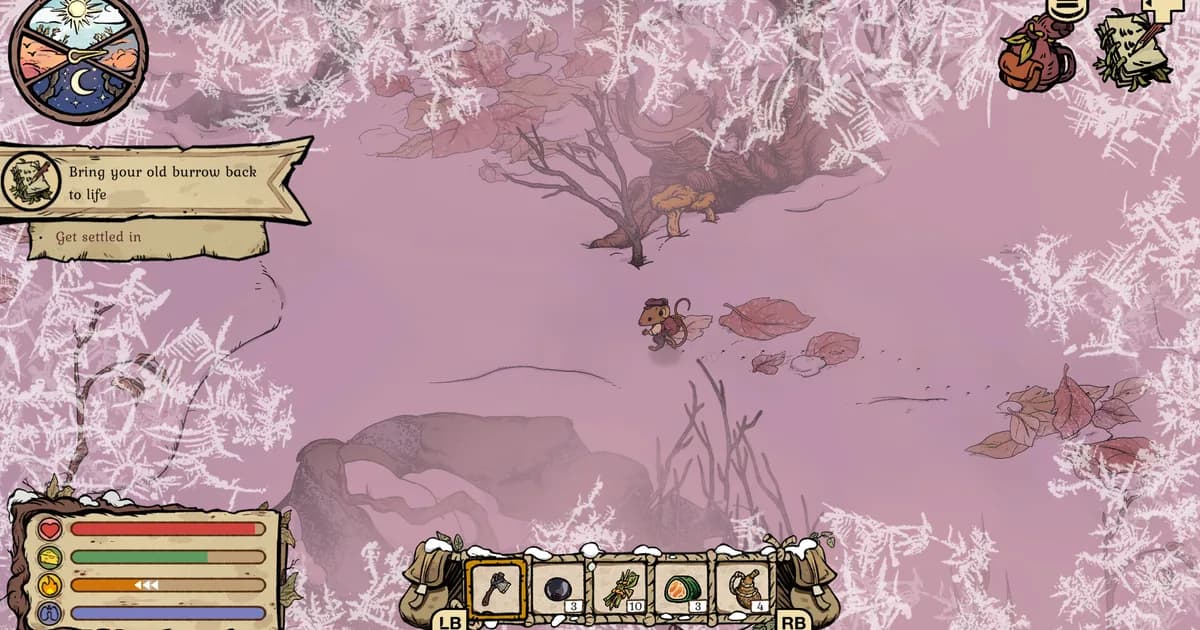
What you're managing, from the very first minute, is a four-meter HUD in the bottom-left corner: a red heart for health, a green icon for hunger, an orange flame for warmth, and a blue lung icon for breath (used when you're near or in water). None of them crash instantly. The warmth meter is the one that moves fastest early on, since you start in the snow with whatever you're already wearing.
The starting toolbar already has an axe and pickaxe sitting in slots one and two. You don't need to unlock or craft either. That single detail trips people up because most survival games make you earn your first tools; Winter Burrow just gives them to you and expects you to notice.
If this all sounds more relaxed than the "survival" genre tag suggests, that tracks. For the full breakdown of what "cozy woodland survival" actually means for this game and how it holds up over a longer playthrough, our Winter Burrow review covers the systems in more depth than a first-session guide has room for.
Step-by-step: your first hour in Winter Burrow
- Check your starting quest. "Bring your old burrow back to life" opens with a simple sub-objective: "Get settled in." Follow the on-screen marker rather than exploring blind; it's pointing you toward the resources you need for the burrow's first repairs.
- Collect what the early quests ask for, in order. The "Pebbles and Twigs" objective wants exactly that: pebbles and twigs, gathered from the ground around you, not chopped or mined. Resist the urge to detour for every shiny plant before finishing it.
- Glance at the warmth meter every few minutes. It's the orange bar, bottom-left. Early biomes are cold by default, so it drops steadily just from being outside, not from any specific bad decision you made.
- Follow named NPC quest threads when they appear. Some early objectives point you toward specific characters, not just resource nodes. One early banner reads "Chase that owl! Find Aunty 0/1," and following it introduces you to villagers around the burrow, not just more gathering spots.
- Head home before the warmth meter bottoms out, not after. There's no punishing death spiral if you cut it close, but restocking indoors is faster than managing a drained meter mid-walk.
- Get comfortable with the pause menu early. It's where the settings, save options, and the "Get Unstuck" fix all live if you ever need them (more on that below).
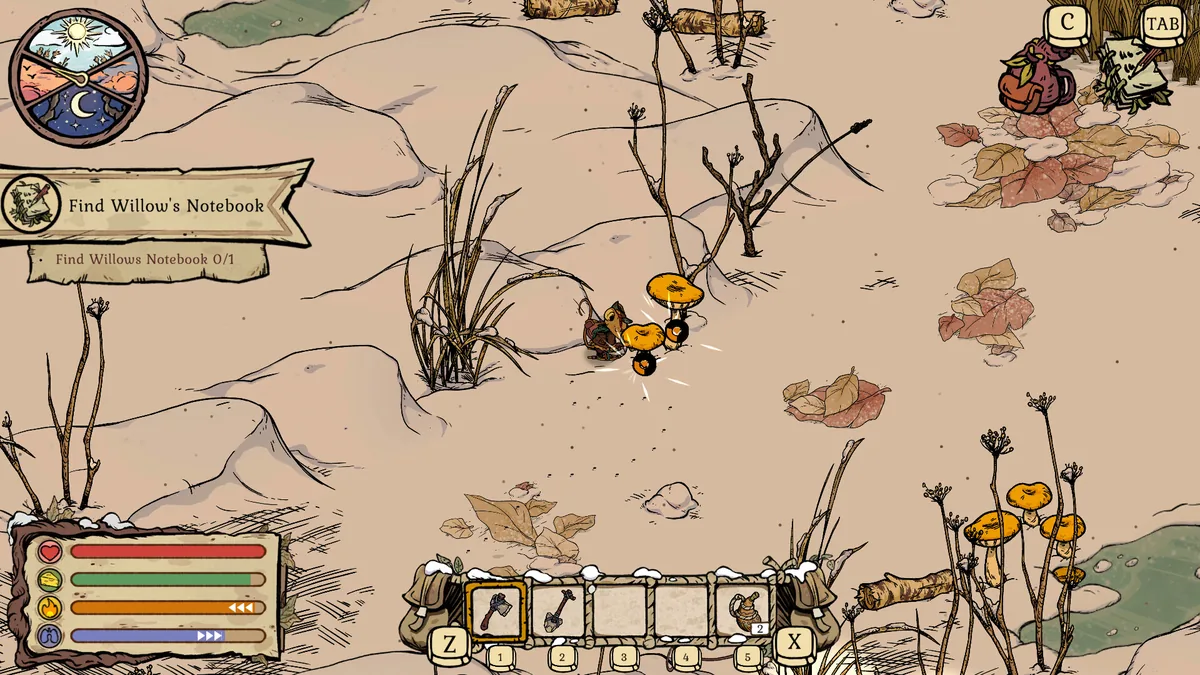 Caption: Side objectives like this one pull you off the main path early, which is fine as long as you're still tracking the warmth meter in the corner.
GODEEPER: For the exact warmth, hunger, and craft-time numbers behind these early systems, see our Winter Burrow review, which breaks down specific recipe values like the Beechnut Biscuit's listed stats.
Common early mistakes to skip
Wandering too far before checking the warmth meter. This is the single most common way a first session goes sideways. The world is dense with things worth picking up, berries, mushrooms, driftwood, and it's easy to lose track of how far you've walked while your warmth bar quietly empties. Get in the habit of glancing at the HUD every time you finish an area, not just when you notice you're already cold.
Assuming night is just a lighting change. It isn't purely cosmetic. The store page calls out insect wildlife as a hazard, and some of what you'll run into after dark looks a lot less friendly than the daytime forest. Nothing here fights back in a traditional sense, but stumbling into a hazard you didn't see coming because visibility dropped is an avoidable annoyance, not an unavoidable one.
 Caption: Nighttime visibility drops noticeably, and the store page specifically calls out insect wildlife as a hazard worth watching for.
Panicking about the wake-up bug. A handful of players, including posts on the game's own r/WinterBurrow, have reported getting physically stuck on the bed right after waking up: no walking, no turning, nothing responds. If this happens to you, it's not a corrupted save. Open the pause menu and select "Get Unstuck." One affected player confirmed it resolves the issue immediately. It's a real rough edge in a shipped 1.0 build, and it's worth knowing about before it happens rather than discovering it cold.
Ignoring the demo if you're on the fence. Winter Burrow has a free Steam demo that covers this same opening stretch, the burrow-restoration quest, the four-meter HUD, the early gathering loop. If you're unsure whether the slower pace suits you, that's a lower-risk way to find out than buying the $19.99 full version outright.
Tips for settling in faster
- Treat the axe and pickaxe as permanent early tools, not upgrades to chase. You already have what you need to gather wood and stone from minute one.
- The burrow itself is your safest space to manage all four meters at once. When in doubt, go home rather than pushing further out on a shrinking warmth bar.
- Full controller support means the default prompts (LB, RB, and the quick-access wheel) are built with a gamepad in mind, even if you're playing on keyboard and mouse.
- Steam Cloud saves and Family Sharing are both supported, so switching between a desktop and a laptop mid-playthrough won't cost you progress.
- If a quest banner names a specific NPC or animal, follow that thread before circling back to general gathering. The early game gates some burrow access behind meeting people, not just collecting materials.
If you're bracing for the warmth meter to punish you the way a hunger bar does in most survival games, it's gentler than that. Treat it as a nudge to head home, not a countdown to failure.
For readers coming from other cozy games with their own onboarding quirks, our Beastro tips guide covers the same "what to do in your first hour" territory for a different kind of cozy loop, deckbuilding instead of foraging.
GODEEPER: If cozy, low-pressure onboarding is what you're after generally, not just in Winter Burrow, our Beastro tips guide walks through the same kind of first-hour priorities for a cooking deckbuilder instead of a survival sim.
Frequently Asked Questions
What should I do first in Winter Burrow? Grab the axe and pickaxe from your starting bag, then follow the Bring your old burrow back to life quest marker. It leads you through gathering pebbles and twigs before pointing you toward the burrow itself.
Is Winter Burrow hard for a new player? No. There's no combat to fail at, and the four HUD meters (health, hunger, warmth, breath) drain slowly enough in the opening area to learn them without real risk. The demo lets you test the pacing first.
Do I need to fight anything as a beginner? No. The store page lists insect wildlife as a hazard, but Winter Burrow has no combat system. Early danger comes from letting your warmth meter run out, not from enemies.
What's the most common early mistake in Winter Burrow? Wandering too far from the burrow before checking the warmth meter in the HUD's bottom-left corner. New players get pulled toward every glowing plant on screen and forget to track how far they've walked.
I'm stuck on the bed after waking up. What do I do? Open the pause menu and select Get Unstuck. Players on r/WinterBurrow confirmed this fixes the wake-up bug on the spot. It's a known issue, not something you did wrong.
Does Winter Burrow work with a controller? Yes. Steam lists full controller support alongside DualShock and DualSense compatibility, and the default UI prompts (LB, RB) are built around a gamepad from the first minute.
Should I try the demo before buying Winter Burrow? Yes, especially if you're unsure about the slower, no-combat pacing. The free Steam demo covers the same opening loop this guide walks through, so it's a fair preview of the full $19.99 game.
Related Reading
- Winter Burrow Review: Cozy Survival With Real Depth: The full verdict on the warmth system and opening bugs.
- Winter Burrow Crafting Recipes Guide 2026: Recipes and resource planning after the first session.
- Winter Burrow Warmth Guide 2026: A deeper look at the meter this guide tells you to watch.
- Winter Burrow Complete Guide Hub: The wider guide index.
- Winter Burrow Achievements Guide 2026: A completion checklist for the released game.
- Beastro Tips: 9 Things to Know Before You Start Cooking: A first-hour guide for a different cozy loop.
- Tales of Seikyu Tips: 9 Things to Know Before Year 1: Onboarding tips for another cozy sim.
- Romestead Review: Roman Survival That Earns the Raid: A more numbers-first survival comparison.
- Moomintroll Winter's Warmth Review: Soft and Quiet: Another winter-set cozy game.
References
- Winter Burrow on Steam
- Winter Burrow official announcements: post-launch Tidy Up and mobile updates
- Pine Creek Games official website
- r/WinterBurrow on Reddit
- Winter Burrow Steam key on Eneba: Global key, compare with the Steam price.
Was this guide helpful?
About the author

Indie & JRPG Desk
GameBrief's byline for indie, JRPG, visual novel and cozy games. Warm, direct, and willing to say which one to buy.
- Indie, JRPG and visual novels
- Early access and survival
- Sources listed per article
Keep reading

Winter Burrow Crafting Recipes: Knitting and Cooking (2026)
Guides · 10 min

Winter Burrow Achievements: All 32, Ranked by Rarity
Guides · 12 min

Winter Burrow Warmth Guide: Every Number That Matters (2026)
Guides · 14 min

Winter Burrow Complete Guide: 32 Achievements, Warmth
General · 14 min

Winter Burrow Review: Cozy Survival With Real Depth
Reviews · 9 min

Winter Burrow Flint Guide: Locations and Tools (2026)
Guides · 13 min
Sponsored
More game deals
Disclaimer
This article is published for informational and entertainment purposes. It does not constitute professional financial, legal, or technical advice. Game performance, online services, patch schedules, and store listings change. Verify critical details (pricing, system requirements, regional availability) with publishers and storefronts before you buy. Affiliate links, where present, help support our editorial work and are labelled in our affiliate disclosure.
Comments
Loading comments…