
GuideWinter Burrow
Winter Burrow Crafting Recipes: Knitting and Cooking (2026)
Winter Burrow crafting recipes are presented through Knitting, Cooking, and furniture/workstation menus. The screenshots available for this guide show ingredient and output fields, but the public patch notes do not publish a complete current recipe database, so exact values should be checked in the live menu.
Sponsored

About the game
Winter Burrow
TL;DR: Current official sources confirm the broad crafting loop, knitting, cooking, furniture, and later recipe updates. Wool Yarn, Beechnut Biscuit, and Blackberry values shown in this guide come from menu screenshots or player observations, not a complete developer-published recipe table. Storage guidance must follow the newer Tidy Up update.
BESTPRICE: Want Winter Burrow? Eneba sells a Steam key: Buy on Eneba →
Winter Burrow crafting recipes: quick answer
Winter Burrow's current crafting loop is split between knitting and cooking menus, while exact recipe values remain version-specific unless the live card confirms them. Use the official Tidy Up storage changes and current recipe tooltips as the source of truth.
- Wool Yarn appears in the Knitting screenshots and is described as material for warm clothes; verify its live ingredient count
- Beechnut Biscuit appears in the Cooking screenshots; verify its current ingredient, time, and warmth/fullness values
- Raw foraged food such as Blackberries can be used as food in the available screenshots, but exact stat values are version-specific
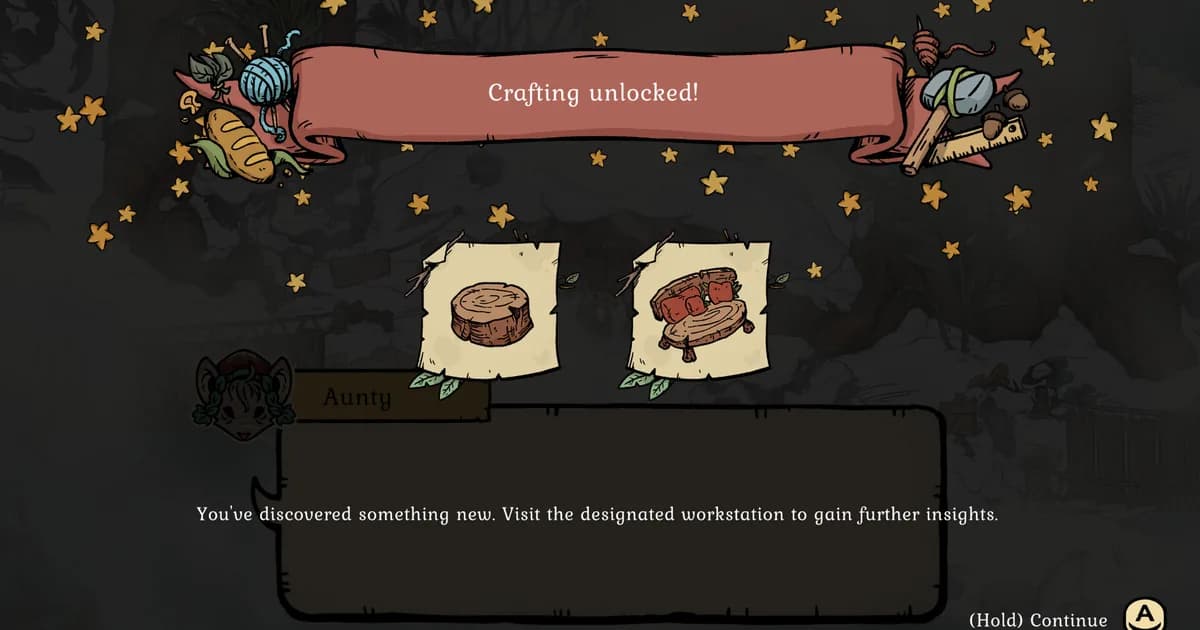
- An early "Crafting unlocked!" screenshot shows the system opening around an Aunty/workstation prompt; the exact quest trigger is not an official recipe rule
- Storage was redesigned: craftable storage items now represent separate limited spaces rather than one old screenshot's universal stack model
Sponsored

Crafting overview: how Winter Burrow recipes work
Winter Burrow splits crafting across at least two dedicated stations, Knitting and Cooking, each opened from a scroll-style menu with tabs along the top. Select a recipe from the left-hand list and the game shows you everything up front: the item's icon and name, a short description, a "Required items" box with an exact count, and Craft or Craft All buttons. There's no hidden math. If you have the materials, the number turns from red-tinted to available and the Craft button lights up.
That transparency is unusual for the genre. A lot of cozy survival games make you eyeball whether you have "enough" of something. Winter Burrow just tells you: 6 Fur on hand, 3 needed, craft it three times before you're short.
Current status: September 2026
Winter Burrow is a full release, not Early Access. The current official Steam page supports the broad loop of exploring, gathering, crafting, knitting, and baking. The official Tidy Up quality-of-life update changed storage and furniture systems: each crafted storage item represents its own storage space, Burrow Storage is limited, backpack capacity increased by four slots, and furniture now affects different stats.
The Winter Solstice update also added holiday cooking recipes and 22 furniture pieces, but the public announcements do not publish a complete canonical recipe list with every ingredient and stat. The exact values below are therefore labelled as screenshot observations or player guidance, and should be checked against the current menu.
The Knitting station: Wool Yarn and warm clothes
Knitting is where gathered material becomes usable clothing, and the available screenshot shows Wool Yarn as an intermediate item. Its card describes yarn being spun from fur for warm clothes. The pictured 6/3 ratio is a screenshot observation, not a current universal cost; check the live Required items box before planning a large batch.
The Knitting menu's left-hand list runs at least four items deep, including string-like intermediate materials above Wool Yarn and a finished garment below it, though only Wool Yarn's card was open long enough to read in full. That structure matters for planning: Wool Yarn looks like a midpoint ingredient rather than a finished piece of clothing, something you spin first and then feed into a second recipe for an actual sweater, hat, or coat. The exact downstream recipe wasn't visible in the available screenshots, so treat that second step as confirmed to exist but not yet confirmed in its specific cost.
This ties into Winter Burrow's survival loop. Knitted clothing and cooked food are both part of the publicly described experience, but the official sources checked do not establish an exhaustive list of every way to affect warmth. Our Winter Burrow review covers how the survival meters play out in a session, while the Winter Burrow achievements guide is useful for planning a completion run around the same crafting loop.
GODEEPER: See how the warmth meter interacts with everything else in a full session, not just the crafting menu. Winter Burrow Review: Cozy Survival With Real Depth →
The Cooking station: Beechnut Biscuit and Blackberries
Cooking is another survival route, and the available recipe screenshot uses Beechnut Biscuit as an example. It shows a warmth/fullness description, a required-item box, and several stat icons, but the exact +15 values, one-hour time, 10% shield icon, and 9/3 held/needed ratio are screenshot observations rather than official current guarantees. Read the current card before committing ingredients.
Not everything needs a station, though. Blackberries appear as raw food in the available screenshot, with a smaller displayed fullness value and flavour text hinting at jam or pie. The exact +5 fullness, 0.5-hour icon, 2% shield value, and timing of any later preserve recipe are not established by the official patch notes.
The Cooking menu screenshot shows multiple categories, but an icon that resembles preserves is not enough to establish a complete future recipe list. Treat the Blackberry hint as flavour text until the current menu makes the recipe available.
Step-by-Step: how crafting unlocks and how to read a recipe card
Crafting is introduced through an early story/tutorial beat. An available screen titled "Crafting unlocked!" shows knitting and furniture imagery, and an Aunty/workstation prompt. The exact popup wording, two furniture names, and quest sequence are editorial screenshot evidence, not a public developer progression table.
- Follow the active story objective. The exact unlock quest can vary with updates, so use the current Aunty prompt rather than an older title.
- Watch for the crafting tutorial. The available screenshot shows a Crafting unlocked panel and workstation imagery.
- Find the matching workstation. Visit the station the current quest identifies instead of assuming every menu unlocks together.
- Open the recipe list. Compare the current Knitting, Cooking, and furniture/building tabs.
- Check the Required items box before committing. Screenshot ratios are not patch-proof; the live card is the source of truth.
That last step is the one worth internalizing early. Winter Burrow never makes you commit resources blind, which is a small thing that saves a lot of backtracking to the forest for one more Fur.
Where to find crafting ingredients in the wild
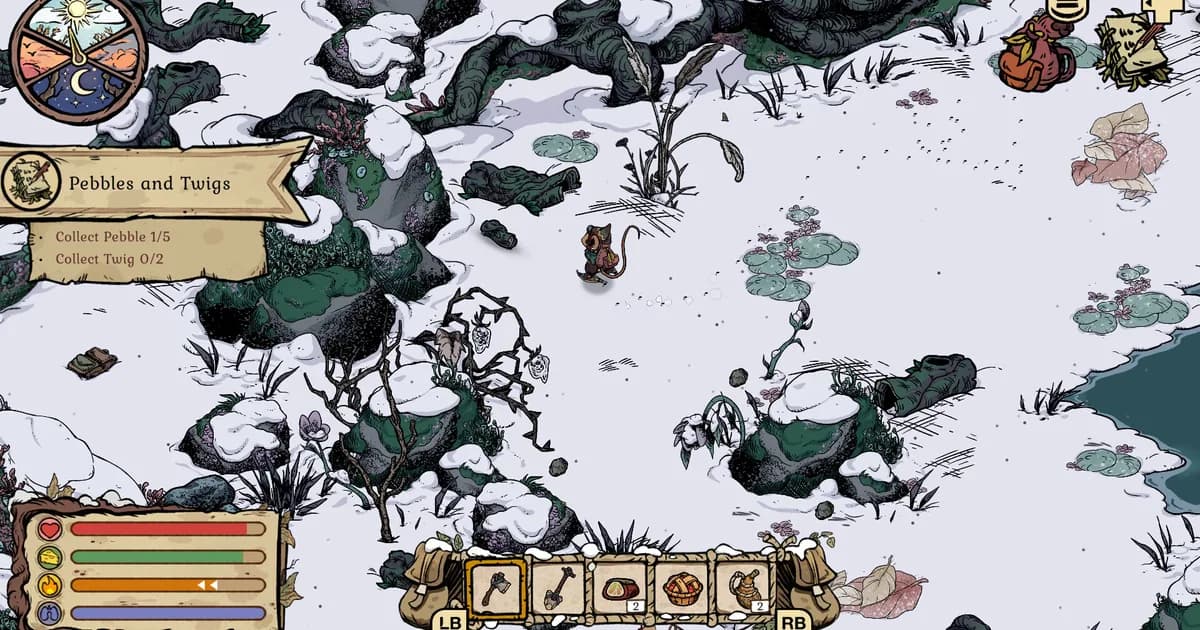
Fur and Beechnuts are shown as early ingredients in the guide's screenshots, while the official store and update notes support the broader explore-and-gather loop. Early gathering quests establish the pattern of collecting raw materials in the snow; exact Fur sources and node tables should be checked against the current quest and item tooltip.
 Foraging nodes like mushroom clusters and berry branches are how raw cooking ingredients enter your inventory before they ever reach a recipe card.
None of the specific gathering nodes for Fur were visible in the available screenshots. Do not infer a wildlife-only source from that absence; use the current item tooltip and quest objective.
The older screenshot shows a dedicated Burrow storage grid and version-specific stack counts. The official Tidy Up update supersedes its universal-storage inference: each storage item now represents its own storage space, and Burrow Storage is limited. Do not use the pictured 20-slot grid as a current capacity table.
GODEEPER: If you want a deeper look at how another cozy game handles late-game recipe unlocks and ingredient combos, this breakdown of a similar cooking-focused title is worth reading. Beastro Advanced Recipe Guide: Spicy, Eggs & Late Unlocks →
Tips for managing your crafting queue and burrow storage
Use Craft All when the current card offers it. The screenshot shows Craft and Craft All controls, but do not assume every recipe or current station uses the same interface. Confirm the live card before planning batch sizes.
Bank the required material before a knitting session. The pictured Wool Yarn ratio is version-specific, and the official sources do not establish a wildlife-only Fur source. Read the live card and active quest before stockpiling.
Do not spend every Blackberry on sight. Its flavour text hints at jam or pie, but the exact future recipe is not confirmed. Save a small reserve if you want to test later cooking unlocks, while checking the live menu rather than assuming a preserves category.
Read every stat icon before eating. The available screenshots show shield and warmth/fullness icons, but their exact values and meaning are not documented in the official patch notes. Treat the pictured 10%/2% values as version-specific until the current tooltip confirms them.
Track storage spaces, not an old universal stack limit. The Tidy Up update says each crafted storage item represents its own limited space and the Burrow Storage is limited. Plan around the live containers rather than the older screenshot's 16/20 stacks.
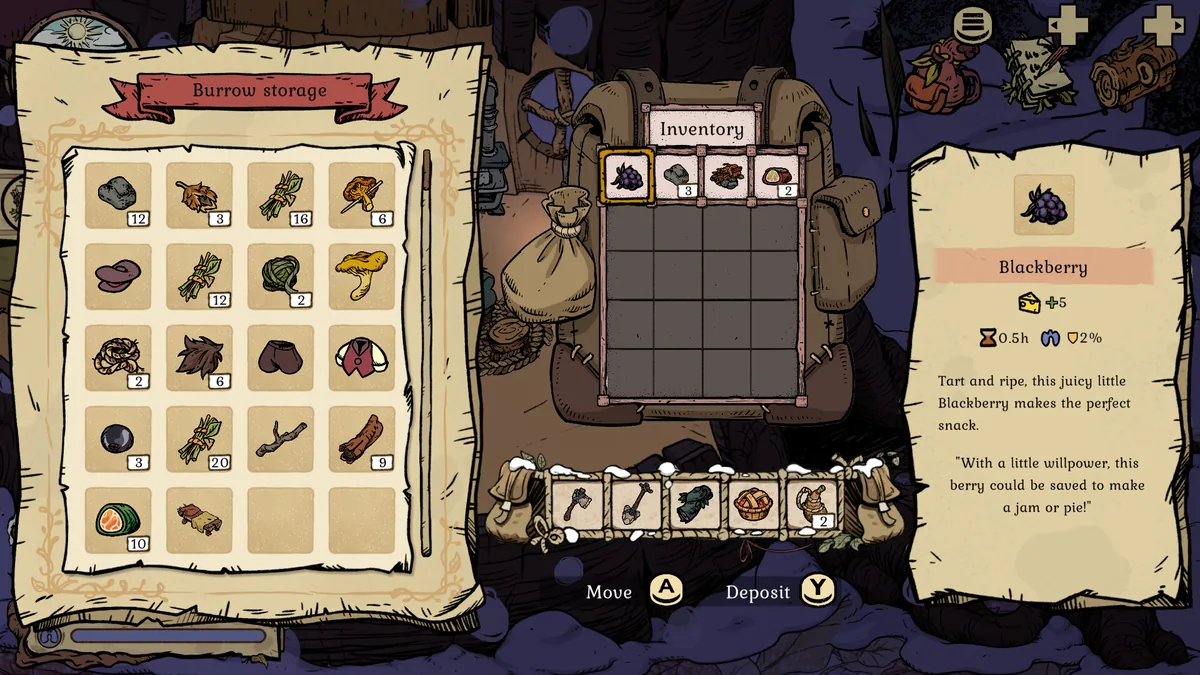 Burrow storage separates long-term stockpiles from your carried backpack, and stack sizes here hint at which materials pile up fastest.
Frequently Asked Questions
What is the first thing you can craft in Winter Burrow? A tutorial popup titled Crafting unlocked reveals two starting recipes tied to burrow furniture, a wood stump stool and a small table, right after an early Aunty dialogue tells you to visit a workstation.
How does the Knitting station work in Winter Burrow? You spend Fur to spin Wool Yarn, described in-game as making the warmest winter clothes. The confirmed recipe needs 3 Fur per batch, shown directly on the recipe card with a Craft and Craft All button.
What does the Beechnut Biscuit recipe actually require? 3 Beechnuts per batch, one hour of craft time, and it returns +15 warmth and +15 fullness. The required-item icon on the recipe card visually matches a beechnut in its husk, not a generic nut.
Can you cook with raw foraged food like Blackberries? Blackberries are eaten raw for +5 fullness without visiting a station. Their tooltip hints at a future use too: With a little willpower, this berry could be saved to make a jam or pie.
Where do you find Fur and Beechnuts to craft with? Both are gathered out in the snow rather than bought or grown. Fur turns up from wildlife encounters and Beechnuts from foraging nodes, the same loop that fills the pebbles-and-twigs early quests.
Is there a storage limit in Winter Burrow? The Burrow storage screen shows a grid of slots, and several resource types were already stacked past 15 to 20 in a mid-game screenshot, suggesting a generous but not unlimited cap per item type.
Does every Winter Burrow recipe show its exact stats before crafting? Yes. Every recipe card checked lists a required-items count, a craft-time hourglass, and output stats like warmth and fullness before you commit, so there's no guessing what a craft will cost or give back.
Related Reading
- Winter Burrow Warmth Guide: Every Number That Matters (2026): Winter Burrow warmth guide: exact Cold Shield percentages, clothing resistance, and campfire recipes most guides
- Winter Burrow Beginner Guide: 7 Tips for Your First Days: Winter Burrow beginner guide: grab the axe and pickaxe first, check your warmth meter before
- Beastro Flavor Guide: How All 6 Tastes Work in Combat: A deeper look at stat-driven cooking design in a sibling cozy title.
- Romestead Buildings Guide: All Buildings & Build Order: How a similarly numbers-first survival sim structures its own crafting and build order.
- Valheim Food Buff Guide: Best Foods for Every Biome: For comparing how a longer-running survival game balances cooked food stats against raw ingredients.
- Winter Burrow Complete Guide: Warmth, Crafting, Achievements: The full hub covering crafting alongside warmth management and achievements.
References
- Winter Burrow on Steam
- Winter Burrow Tidy Up update: storage, backpack, furniture, recycling, and quality-of-life changes
- Winter Solstice update: holiday cooking recipes and furniture additions
- Pine Creek Games official website
- Pine Creek Games on X
- r/WinterBurrow on Reddit
Was this guide helpful?
About the author

Indie & JRPG Desk
GameBrief's byline for indie, JRPG, visual novel and cozy games. Warm, direct, and willing to say which one to buy.
- Indie, JRPG and visual novels
- Early access and survival
- Sources listed per article
Keep reading
Winter Burrow Warmth Guide: Every Number That Matters (2026)
Guides · 14 min
Winter Burrow Beginner Guide: 7 Tips for Your First Days
Guides · 12 min
Winter Burrow Achievements: All 32, Ranked by Rarity
Guides · 12 min
Winter Burrow Complete Guide: 32 Achievements, Warmth
General · 14 min
Winter Burrow Review: Cozy Survival With Real Depth
Reviews · 9 min
Winter Burrow Flint Guide: Locations and Tools (2026)
Guides · 13 min
Sponsored
More game deals
Disclaimer
This article is published for informational and entertainment purposes. It does not constitute professional financial, legal, or technical advice. Game performance, online services, patch schedules, and store listings change. Verify critical details (pricing, system requirements, regional availability) with publishers and storefronts before you buy. Affiliate links, where present, help support our editorial work and are labelled in our affiliate disclosure.
Comments
Loading comments…