
GuideSons of the Forest
Sons of the Forest Multiplayer Save Guide: Co-op Progress
Sons of the Forest multiplayer saves two kinds of progress that are easy to confuse: the host's island world and each player's character state. That distinction explains most reports of lost bases, missing story progress, or a guest returning without the gear they expected.
Sponsored

About the game
Sons of the Forest
Endnight Games Ltd · Newnight
TL;DR: The host should save the world at a shelter or bed, then wait while every guest separately saves their character. Guests should use Continue when they return to the same host world. Before changing files, copy the multiplayer save folder somewhere safe. Steam confirms online co-op, but Endnight's public store listing does not document a full host and guest save specification or an official player cap.
Sponsored

How does a Sons of the Forest multiplayer save work? (quick answer)
The practical model reported by players is split ownership. The host's save carries the shared island state: the base, structures, story and cave changes, and other world-level progress. Each guest has a separate character record for their inventory, position, notes, and personal progress. A guest saving does not replace the host's world save, and the host saving does not necessarily preserve a guest's latest inventory if that guest never saved.
That is community-tested behavior, not a complete developer-published save contract. The Steam store confirms that the game supports multiplayer, co-op, and online co-op, but it does not explain the file model. The Steam Community discussions cited below are useful because players compare what survived a disconnect, but they are not a substitute for a formal Endnight support page.
Key takeaways
- Save the host world at a shelter or bed before anyone leaves the session.
- Every guest should save separately after the host saves, especially after collecting rare gear or completing a cave.
- The host's world is the source of truth for bases, structures, story state, and shared cave progress.
- A guest's character save is the source of truth for their inventory, position, notes, and personal state.
- Use Continue to rejoin a saved character, then join the same host world rather than starting a new one.
- The community-reported Windows folder is
%AppData%\\LocalLow\\Endnight\\SonsOfTheForest\\Saves\\Multiplayer. - Back up the folder before moving, renaming, or replacing any save. Do not experiment on the only copy of a long co-op run.
- Steam lists online co-op but does not publish an official player cap on the checked store page.
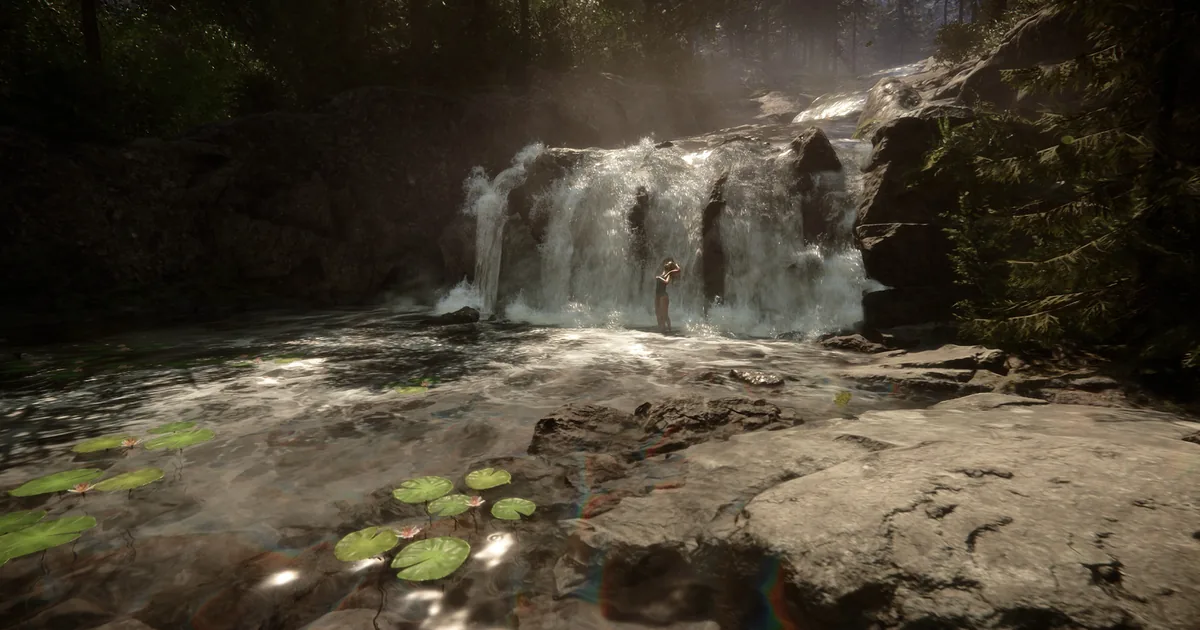 The island is shared, but a co-op session still has to protect both the world record and each player's character record.
Host save and guest save: what each one protects
What the host world save protects
The host owns the session's island world in the sense used by the community-tested save model. That world includes the base you built, traps and storage, the location of structures, story progression, and changes made to shared caves or bunkers. If the host quits without saving, those changes are the most likely to disappear when the session is reopened.
Treat the host as the keeper of the campaign's timeline. Have the host save after a new building project, before a major bunker route, and after a story sequence. The building, caves, and bunkers guide covers what is worth preparing before those runs, while the map guide helps a group plan a route without losing its way back to camp.
The host should also be the person who relaunches the world. A guest can preserve their character state, but joining a different host does not turn that guest's personal save into a portable copy of the original island. Community discussions repeatedly describe separate world ownership per host.
What a guest character save protects
Guests generally preserve their own inventory, position, notes, and character state when they save before leaving. That includes gear collected during a cave run, ammunition, armor, and items a player is carrying. It does not make the guest the owner of the host's base or story world.
This split is why a guest can return with their weapons but find that a structure they helped build is missing if the host never saved. It is also why a guest who disconnects without saving may lose more than the host does. The community reports are not perfectly consistent across game versions, so treat a guest save as required protection, not as a guarantee that every multiplayer state is recoverable.
The weapons guide and armor guide are useful checklists before a high-risk run. If a guest just found a key weapon or upgraded armor, stop at a safe shelter and save rather than relying on the host's next save.
Rare gear belongs to the player's character record, so guests should save after collecting equipment instead of waiting for the host to quit.
Step-by-Step: the safe multiplayer save ritual
1. Finish the current action: Leave combat, stop building, and let any player finish an interaction. Saving in a calm shelter is easier to verify than saving while a cave transition or raid is still active.
2. Return to a shelter or bed: Use a valid save point at camp. The host should be close enough to confirm that the world has reached the intended state, and guests should avoid logging out while separated from the group if the run includes a dangerous return route.
3. Save the host world first: Have the host trigger the save and wait for the save confirmation. This records the base, structures, shared world changes, and the campaign state that the next host session will load.
4. Have every guest save separately: Each guest should use the same shelter or bed and wait for their own save confirmation. The host's save is not a substitute for the guest's character save. Count the players aloud in a larger group so one person does not assume someone else saved for them.
5. Confirm the next session owner: Agree that the same host will reopen the world. Write down the host's Steam name and the camp location if the group is taking a break after a long cave route. This simple handoff prevents a guest from accidentally starting a new world and mistaking it for the campaign.
6. Close the session normally: Once every player has saved, let the host leave through the normal menu. Do not force-close the game or shut down the computer during a save indicator. If the game has just completed a story transition, wait a little longer and save again at the next safe point.
7. Rejoin with Continue: When a guest returns, use Continue for that character if the menu offers it, then join the same host world. Community reports specifically recommend Continue for restoring the guest's saved character state rather than creating a fresh multiplayer character.
8. Verify before a major expedition: On the next launch, check the base, one personal weapon, armor, and the last known position. If anything is missing, stop before overwriting older backups. A quick check is much safer than completing another cave and discovering that the wrong save was loaded.
How to avoid lost co-op progression
Save before and after caves, bunkers, and story scenes
The most valuable world state changes happen at the end of a route. Save before entering a bunker so the group has a known restart point, then save again after the host confirms the story or cave state has advanced. Guests should save after collecting the route's unique gear. The endings guide explains the final choices, but the save rule is the same throughout the story: do not trust an unsaved transition.
Build in sessions the host can save
If guests spend an hour gathering logs or constructing defenses, the host should save when the build is complete. A guest's personal save does not guarantee that the shared structure exists in the next host load. This is especially important for large bases, traps, storage rooms, and projects using the armor plater or other late-game infrastructure.
Use a clear expedition leader
One player should call out when the group is ready to save. The host handles the world save, then each guest confirms their own character save. This small ritual is more reliable than assuming the save prompt was visible to everybody, especially when combat, weather, or a cave loading transition is happening at the same time.
Do not confuse respawning with saving
Waking up after a defeat is not the same as recording the latest inventory and world state. If a player is downed, revived, or sent back to camp, return to a shelter and complete the save ritual. The enemies guide covers raid and mutant counters, but surviving the fight does not remove the need to save afterward.
Where are the multiplayer save files?
Windows players commonly report the multiplayer path as:
%AppData%\\LocalLow\\Endnight\\SonsOfTheForest\\Saves\\Multiplayer
In a normal Windows setup, %AppData% points to the user's roaming AppData directory, so the expanded path is usually under the Windows user profile. The exact folder layout can change with platform or game updates. Use the path as a starting point, not as a promise that every installation has identical filenames.
To make a backup, close the game first, copy the entire Multiplayer folder to a dated location outside the active save directory, and label who hosted the world. Keep the original untouched. If you test a file replacement, work on the copy and restore the original only after confirming that the game is closed.
The checked official Steam store page does not document this path, and the Steam Community discussions are the source for the location and ownership descriptions. That distinction matters: a community-reported folder can help recover a mistake, but it is not an official guarantee that copying one file will transfer a world cleanly.
Back up the whole multiplayer folder before changing files. A dated copy is safer than trying to repair the only version of a shared camp.
Can you move a world to another host?
There is no simple host-transfer workflow documented in the checked official Steam store or Endnight's public Steam news. Community players discuss copying save data, but the split between world state and player state makes this more fragile than moving a single-player file. A copied world may not carry every guest's inventory, and a guest record from one host should not be assumed to belong to another host's world.
If a group has to change hosts, use this order:
1. Make a full backup: Close the game and copy the original multiplayer folder before touching anything.
2. Keep the old host copy: Do not overwrite the original with a test transfer. Put the new copy in a clearly labeled folder with the date and host name.
3. Test with one player: Launch the proposed host's copy and check the base, story state, and one guest's inventory before inviting the whole group.
4. Do not delete a working save: If the transfer is incomplete, restore the older backup rather than repeatedly opening and resaving the damaged copy.
5. Expect version sensitivity: A game update can change save behavior. Recheck the current Steam Community discussions and official news before attempting a transfer after a patch.
If the group only needs a new person to play, keeping the original host is safer than moving the campaign. The mods guide also matters here: remove or document mods before diagnosing a save, since a modded session can add variables that the vanilla save discussions do not cover.
Multiplayer progression, companions, and shared resources
The host world is the safest place to reason about story progression. If the group wants to recruit or work with Kelvin or Virginia, the host should be present, complete the interaction, and save the world afterward. Guests can help and carry their own gear, but the host's reopened world determines whether the shared companion or story state is still present.
Shared resources deserve the same care. A completed Cooking Pot can serve multiple players, but a guest who takes rare ingredients should save their character afterward. The cooking guide covers recipes and buffs; this article's rule is the persistence step after the meal, item pickup, or base upgrade.
Whether to play co-op at all is the bigger call. "Solo is a completely different experience. Even with Kelvin," u/Relevant_Yam_6823 wrote on r/SonsOfTheForest in September 2026, and our Is Sons of the Forest worth it guide weighs solo against co-op before you buy.
Steam's store page lists multiplayer, co-op, and online co-op, but the checked official listing does not publish an exact player limit. That means the safe answer to “how many players?” is to use the current in-game lobby and official store information, not to repeat a third-party number as if it were an Endnight specification.
GODEEPER: A co-op run is easier to protect when the route is planned around save points. Use the Sons of the Forest Map Guide for caves, bunkers, and keycards, then save the host world and every guest before leaving the route.
GODEEPER: Lost gear and lost world progress are different failures. Check the Sons of the Forest Achievements Guide after a shared story run, but first confirm that the host world and every guest character were saved.
Frequently Asked Questions
How do you save Sons of the Forest multiplayer progress? The host should save at a shelter or bed, then each guest should save their own character. Wait for every player to confirm before the host closes the session.
What does the host save? The community-tested model treats the host save as the record for the island world, including structures, story state, and shared cave progress. It is not an official complete save specification.
Does a guest keep their inventory? Usually, if the guest saves before leaving. Steam Community reports describe guest inventory, position, notes, and character state as separate from the host world. Save after collecting valuable gear and treat the behavior as version-sensitive.
Where are multiplayer saves located?
Community reports place them under %AppData%\\LocalLow\\Endnight\\SonsOfTheForest\\Saves\\Multiplayer on Windows. Close the game and back up the entire folder before editing files.
Can another player host the same world? There is no simple official host-transfer process in the checked sources. File-copy experiments are community workarounds, so keep the original backup and test with one player first.
How many players can join? Steam confirms online co-op but does not state an official cap on the checked store page. Use current in-game and official information rather than treating a third-party number as definitive.
References
- Sons of the Forest on Steam, official feature listing for multiplayer, co-op, online co-op, and achievements.
- Sons of the Forest appdetails API, official Steam metadata and screenshot source.
- Sons of the Forest official Steam news feed, official patch and hotfix archive checked for save-related announcements.
- Steam Community: multiplayer save and guest inventory, community report on host world data, guest character data, Continue, and the Windows path.
- Steam Community: guest save and cutscene discussion, community report on host and guest save behavior.
- Steam Community: host world and guest character discussion, community report on separate world and character records.
- Sons of the Forest wiki, current community reference for game systems used in the related guides.
Related Reading
- Sons of the Forest Complete Guide Hub
- Sons of the Forest Bosses: All 3 (Virginia Isn't One): Sons of the forest bosses guide: all 3 confirmed encounters explained, plus why the companion
- Sons of the Forest Building, Caves and Bunkers Guide
- Sons of the Forest Weapons Guide
- Sons of the Forest Armor Guide
- Sons of the Forest Enemies Guide
- Sons of the Forest Cooking Guide
- Sons of the Forest Endings Guide
- Sons of the Forest Mods Guide
Was this guide helpful?
About the author

GameBrief's byline for metroidvanias, RPGs, comparisons and design history. Places each game in its genre and argues both sides before picking one.
- Metroidvanias and RPGs
- Comparisons and design history
- Sources listed per article
Keep reading
Sons of the Forest Cooking Guide: All 13 Recipes and Buffs
General · 13 min

Sons of the Forest Achievements: All 32 and How to Unlock
General · 12 min
Sons of the Forest Enemies Guide: Mutants and Cannibals
General · 17 min
Sons of the Forest Endings: All 3 Explained in 2026
General · 10 min
Sons of the Forest Armor Guide: All 7 Types Ranked
General · 14 min
Sons of the Forest Map Guide: Caves, Bunkers and Keycards
General · 11 min
Sponsored
More game deals
Disclaimer
This article is published for informational and entertainment purposes. It does not constitute professional financial, legal, or technical advice. Game performance, online services, patch schedules, and store listings change. Verify critical details (pricing, system requirements, regional availability) with publishers and storefronts before you buy. Affiliate links, where present, help support our editorial work and are labelled in our affiliate disclosure.