
GameBrief · General
8 Best Sons of the Forest Mods: 2026 Verified Picks

Reviewing
Sons of the Forest
Endnight Games Ltd
Sons of the Forest mods are real, but the current scene is smaller than a generic “best mods” search suggests. I found eight recent Nexus picks worth recommending: mostly careful quality-of-life changes, plus one building utility, one companion safeguard, one visual tweak, and one combat aid. Each name below links to the mod's own page.
TL;DR: Start with Auto Pickup, Max Inventory Fixes And Tweaks, and Cook Alert if you want less friction without changing the shape of a vanilla run. Add LogCarryAmountRenew for a building-heavy save, Immortal Companions for a Kelvin or Virginia-focused co-op run, and the two visual or combat tools only if you want their specific feedback. Every pick uses RedLoader.
Sons of the Forest mods? (quick answer)
The best current Sons of the Forest mods are eight verified RedLoader mods on Nexus: Auto Pickup, Max Inventory Fixes And Tweaks, Cook Alert, StackMod, LogCarryAmountRenew, Immortal Companions, Night Vision Goggles Customizer, and Bow Trajectory Remake. They improve routine survival tasks rather than adding a new campaign, enemy faction, or weapon roster.
Key takeaways
- The verified list is eight mods, not an inflated catalog of every old utility or cheat menu.
- All eight direct pages are on Nexus Mods and require RedLoader, with most explicitly asking for RedLoader 0.8.6 or newer.
- The most broadly useful first downloads are Auto Pickup, Max Inventory Fixes And Tweaks, and Cook Alert.
- LogCarryAmountRenew is the clearest pick for a base-building save because its listing is specifically about carrying more logs, planks, and stones.
- Immortal Companions is a host-side multiplayer consideration, not a blanket promise that every mod works in co-op.
- Steam's official news feed shows a January 2025 gameplay patch and a later Unity security update, so current mod dates matter more than old “best mods” lists.
- No pick here adds a new story arc or a large content expansion. The catalog supports a focused utility list, not a padded overhaul roundup.
Sons of the Forest mods: overview and selection rules
This is a source-checked list, not a popularity ranking. I started with the live Nexus and Thunderstore catalogs, checked CurseForge for a secondary catalog, and then opened the individual page for every mod named here. A mod had to have a real page, a clear description, a visible recent update or current listing, and a useful player-facing effect. Cheat menus, stale save editors, installation managers, and entries that could not be checked individually stayed out.
The current game state matters. Sons of the Forest is a full-release survival horror game from Endnight Games, and its Steam page still lists online co-op, building, crafting, and survival as core features. The official Steam news feed shows the substantial January 2025 content patch added rafts, defensive wall blueprints, new holders, and improvements, followed later by a Unity security update rather than a new content release. That makes the update date on a mod page a useful compatibility signal, but not a guarantee. Steam can change the game after this article is published, and Nexus does not provide one universal compatibility badge for the whole catalog. The Valheim Complete Guide is a useful comparison because its larger mod scene makes the difference between active tooling and an old list easier to see.
The eight pages below were checked on September 25, 2026. The dates are the last-updated values shown on those pages at the time of the check. When a page did not state a specific current game build, I say so instead of turning a recent upload date into a promise.
Quality-of-life Sons of the Forest mods
These four are the safest starting point because they reduce repetition while leaving the island's routes, enemies, resources, and progression recognizable. If you only want one small improvement for a vanilla-first run, choose the one that fixes the irritation you actually notice rather than installing the whole list at once.
1. Auto Pickup
Auto Pickup is the broadest everyday convenience pick. Its Nexus description says it automatically picks up loot and miscellaneous items around the player, with optional automatic pickup for the hang glider after landing and Knight V after dismounting. The page shows version 1.7.4, last updated August 30, 2025, and requires RedLoader 0.8.6 or newer. It also presents itself as compatible with the latest version, which is useful evidence, though you should still recheck the page after a game patch.
The value is cumulative. A normal run involves a lot of looking down, pressing the interaction key, and collecting items that are already clearly within reach. Auto Pickup trims that repetition without spawning resources or changing what the island contains. Leave the optional vehicle-related settings off if you want the smallest possible change.
2. Max Inventory Fixes And Tweaks
Max Inventory Fixes And Tweaks addresses a real interface problem rather than simply making every resource infinite. The author describes fixes for cooking pots and flasks that are difficult to access, plus clearer counts for radios, hang gliders, arrows, and other carried items. The page shows version 1.1.2, last updated August 28, 2025, and requires RedLoader 0.8.6 or newer.
This is a strong fit for players who keep opening the inventory to answer questions the interface should already answer: how many arrows are left, how many cooking vessels are stored, or whether a resource stack is full. Its listed features include scrolling through cooking pots, flasks, and perishables, as well as showing current and maximum counts. The page also says it can work with StackMod, but install and test them one at a time so a conflict is easy to identify.
3. Cook Alert
Cook Alert adds notifications when food finishes cooking or burns, and its page lets players adjust cooking and burning stage duration. The listing shows version 1.0.0, last updated July 15, 2025, and requires RedLoader 0.8.6 or newer. It covers the standard cookable items listed by the author, so this is a timer and feedback mod, not a new food system.
It is most useful in a base where cooking is one of several jobs happening at the same time. You can gather, sort supplies, or build while the fire works without repeatedly opening the inventory to check whether a meal has crossed from ready to ruined. Keep the duration multipliers at their default values first. The notification is the useful part; speeding up every cooking stage can alter the survival rhythm more than you intended.
4. StackMod
StackMod lets players raise or lower stack sizes, enable an infinite-items option, override all stacks, or configure individual item stacks. Its Nexus page shows version 1.4.0, last updated March 1, 2025, and requires RedLoader. That date is older than several other picks here, but it is still later than the January 2025 content patch and the page has a clear configuration description. Treat it as the most update-sensitive QoL choice in the list.
Stack changes have a bigger balance effect than Auto Pickup or Cook Alert. A modest increase can remove storage busywork while keeping scavenging meaningful. Infinite items can erase the resource loop entirely, so leave that option off unless you are deliberately building a creative or testing save. Max Inventory Fixes And Tweaks lists StackMod as a possible companion, but the combination deserves a fresh test after every loader or game update. For comparison, the Valheim food buff guide shows how much a survival game's resource loop can shape the rest of a run.
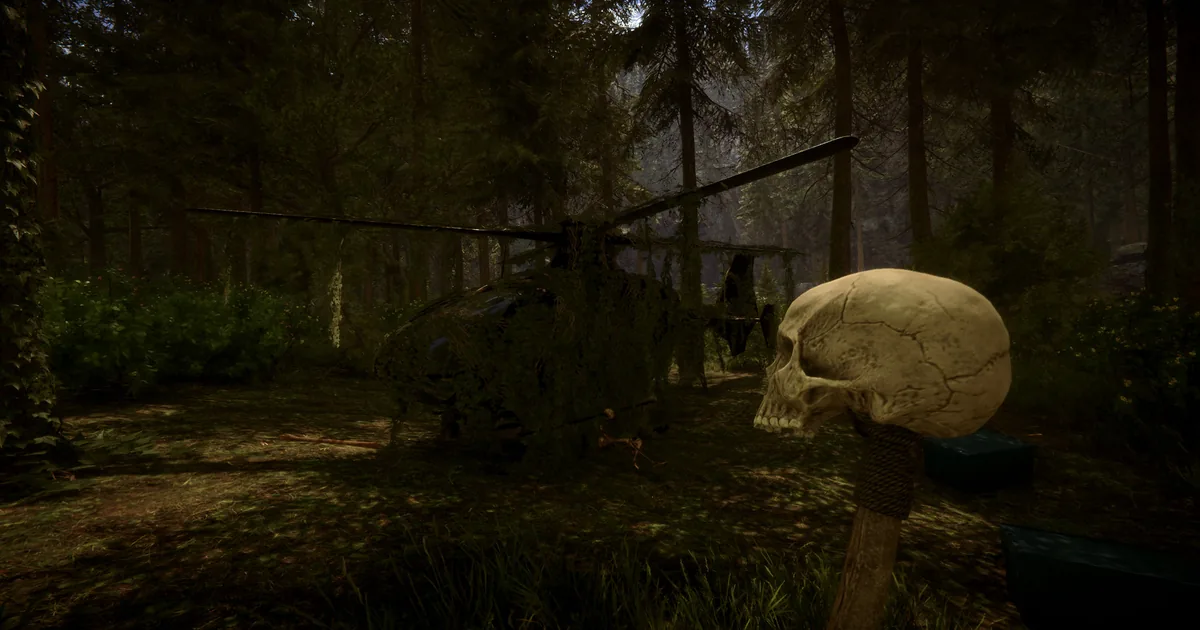
 The official Steam screenshot used here shows the sort of small survival interruption that a focused QoL mod can make less repetitive without replacing the game's core loop.
GODEEPER: Inventory and cooking changes make more sense when you understand how the game's survival systems fit together. Sons of the Forest Complete Guide: Bosses, Weapons, Building →
Building and companion Sons of the Forest mods
The next two picks change the practical cost of a long save. LogCarryAmountRenew makes a construction project less dependent on repeated trips, while Immortal Companions changes the risk attached to Kelvin and Virginia. Both can be valuable, but both should be treated as save-specific choices rather than mandatory installs for a first playthrough.
5. LogCarryAmountRenew
LogCarryAmountRenew is the newest page in this list at the time of checking. Its description is direct: carry more logs, planks, and stones so less time is spent running back and forth and more time is spent building. The page shows version 1.0, last updated May 3, 2026, and requires RedLoader. The listing does not publish a specific game build number, so the recent date is evidence of maintenance, not a guarantee of compatibility with every future Steam patch.
This is the pick for players who already enjoy the building system but have reached the point where hauling, rather than blueprint planning, is the bottleneck. It pairs naturally with the game's prefab and blueprint workflow covered in the Sons of the Forest Building, Caves and Bunkers Guide, and the Valheim base building guide is a useful adjacent comparison for players who enjoy large construction projects. A resource-focused comparison is the Palworld best mining base locations guide. Start with the smallest carry increase that removes the annoying trip. A huge capacity jump can make a remote build feel detached from the island's resource geography.
6. Immortal Companions
Immortal Companions gives Kelvin and Virginia what its page calls “true plot armor.” The listing says both companions become immune to all damage, with toggles available, and that the mod works in single-player and multiplayer when the host has it installed. It shows version 1.0.0, last updated August 14, 2025, and requires RedLoader 0.8.6 or newer.
This is not a small interface tweak. Kelvin and Virginia are part of the game's tension because their survival can matter to a playthrough, so removing all damage risk changes the emotional and practical stakes. It is a reasonable choice for a long-running co-op world where losing a companion would end a shared project, or for a base-focused save where the goal is to build rather than protect an NPC. The Abiotic Factor pets guide is a genre-adjacent example of why companion utility and companion safety are separate design choices. It is less appropriate for a first run if you want the vanilla consequences intact.
The host requirement is the important multiplayer detail. Do not infer that every other mod in this list has the same behavior. Test in a copied save, have every player close the game before swapping the loader setup, and agree on the rules before enabling a mod that changes companion survival.
Visual and combat Sons of the Forest mods
These final two solve narrower problems. Night Vision Goggles Customizer changes how a specific tool looks and feels, while Bow Trajectory Remake adds aiming feedback. They are good examples of why this catalog is better described as a focused utility scene than as a major content expansion.
7. Night Vision Goggles Customizer
Night Vision Goggles Customizer is for players who find the goggles too unpleasant or too weak to use. The Nexus description says it fixes that problem, and the listed controls let players adjust outline, bloom, film grain, hue, contrast, saturation, exposure, battery duration, and the battery indicator. The page shows version 1.1.2, last updated August 27, 2025, and requires RedLoader 0.8.6 or newer.
The important distinction is that this is a presentation and usability mod, not a new night-vision item or a replacement for cave preparation. Tune one setting at a time. Reducing film grain and bloom may make the goggles readable without making the caves feel brightly lit, while a much longer battery duration changes resource pressure more substantially. The page notes that the color filter control was temporarily removed, so do not expect every older screenshot or description to match the current menu.
8. Bow Trajectory Remake
Bow Trajectory Remake displays a projectile trajectory for the bow. That is the entire pitch, and it is a useful one for players who enjoy the crafted bow but dislike learning every distance through missed shots. The page shows version 1.0.4, last updated January 22, 2026, and requires RedLoader. Unlike several of the older pages, it does not state a specific current game build, so use its update date as a maintenance signal and revisit the page after Steam changes the game.
Trajectory feedback makes ranged combat more readable, but it also removes some of the skill of estimating a shot. If that trade is not appealing, leave the mod out. If it is, combine it with the broader Sons of the Forest Weapons Guide: All 21 Confirmed, which separates the crafted bow, compound bow, crossbow, and other ranged options instead of treating every bow-shaped weapon as the same thing. The Palworld weapons tier list offers another survival-game comparison for players weighing convenience against weapon mastery.
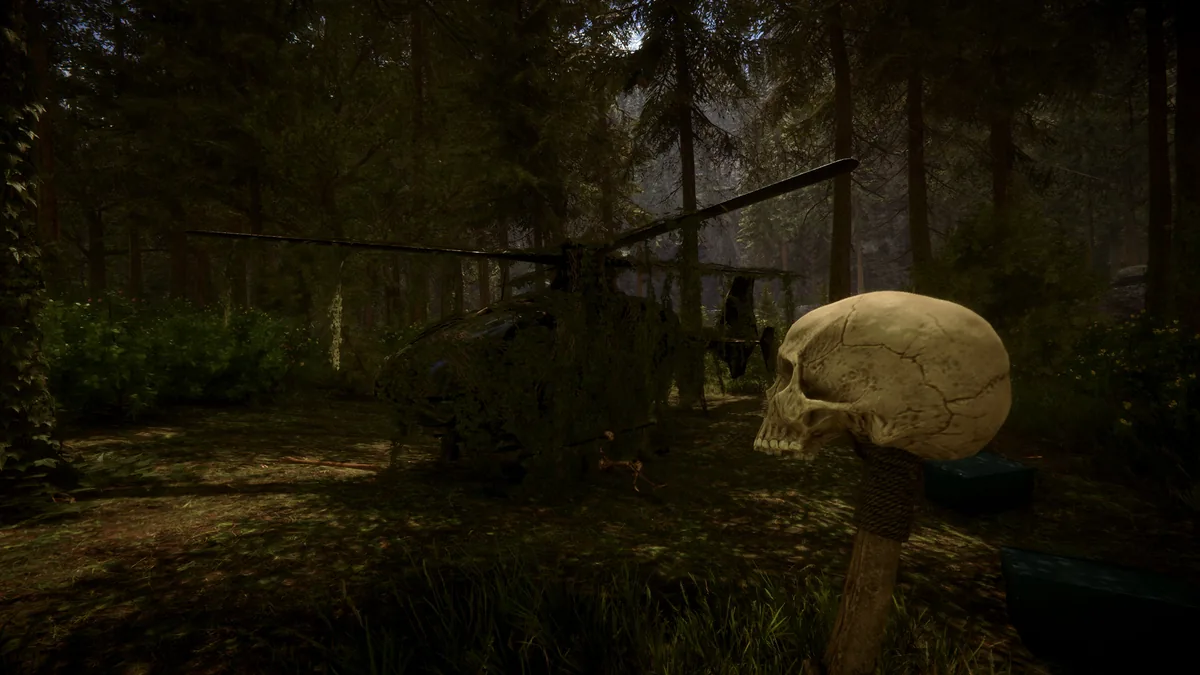 The second official Steam screenshot keeps the focus on the game's forest atmosphere. A visual tweak should support that atmosphere, not flatten it into a brightly lit sandbox.
GODEEPER: If the point of a combat mod is preparing for the island's toughest encounters, check the confirmed roster first. Sons of the Forest Bosses: All 3 (Virginia Isn't One) →
Step-by-Step: install Sons of the Forest mods
The practical install path is RedLoader first, followed by one Nexus mod at a time. The official RedLoader GitHub repository provides the loader and manual installation notes, while each mod page above provides its own required folder and configuration instructions. Back up saves before changing a working setup.
1. Back up your save and note your vanilla setup: Copy the save you care about somewhere outside the game folder, then launch Sons of the Forest once without mods if this is a new installation. This gives you a clean baseline when a loader or mod behaves unexpectedly.
2. Download the current RedLoader release: Use the RedLoader releases page, not a random file mirror. The selected Nexus pages that specify a loader version ask for RedLoader 0.8.6 or newer. Follow the release README and place the loader beside the game executable as instructed.
3. Start the game once and close it: Confirm that RedLoader creates the expected folders and that the game reaches the menu. Do not add eight files before checking the loader itself. If the game fails before the menu, remove the loader from the copied test setup and check the current RedLoader issue list before touching your main save.
4. Download one direct Nexus page at a time: Use the exact mod link in this article, read the page's Requirements and Files sections, and place the mod in the Mods folder or other location that page specifies. Do not assume that two similarly named files from different loaders are interchangeable.
5. Test, configure, and then add the next mod: Launch a copied save, check the mod's visible effect, and change one setting at a time. If something breaks, the last change is your first suspect. Keep a short note of the loader version, mod version, and date so a future Steam patch is easier to troubleshoot.
Tips for Sons of the Forest mods
The best mod setup is the one you can explain when a co-op save stops behaving. Keep the first pass boring and reversible. These habits make the eight verified picks much less risky than a folder full of old files copied from an untracked bundle.
- Install only from the linked primary page. Nexus and Thunderstore both have old files that still appear in search even when they are no longer a sensible recommendation.
- Do not mix loader ecosystems casually. This list is RedLoader-based. A BepInEx package, an old ModMenu install, or a manager utility is not automatically compatible with it.
- Start with Auto Pickup or Cook Alert before changing stack sizes, companion damage, or battery duration. You will learn whether the loader works without changing the save's balance.
- Treat update dates as evidence, not guarantees. StackMod's March 2025 page date is useful, but it is still older than LogCarryAmountRenew's May 2026 update.
- For multiplayer, test as host and guest with a copied save. Immortal Companions explicitly puts the installation requirement on the host, but that does not establish a universal multiplayer rule for all eight mods.
- Remove a mod only after reading its page and making a backup. A mod that changes inventory or stack behavior can leave a save with values the vanilla game does not expect.
- If a Steam update breaks a mod, disable the mod before blaming the save. Check the author's Nexus posts and files first, then test the clean game separately.
Common mistakes with Sons of the Forest mods
Most mod problems here come from treating a live page like a permanent compatibility certificate. The island is stable, but the loader, game executable, and mod hooks are not frozen. A few avoidable assumptions cause most of the trouble.
- Installing every dependency and mod in one pass: If the game fails, you cannot tell whether the loader, a missing requirement, or a single mod caused it.
- Using an old save as the first test: A clean test save tells you whether the installation works before a mod's inventory or companion changes touch valuable progress.
- Reading “latest” as “works forever”: A page can be current today and still need an update after Endnight changes the game tomorrow.
- Assuming a mod is harmless because it is called QoL: Stack size, battery duration, companion immunity, and trajectory previews all change the way a run feels. Choose them deliberately.
- Downloading a cheat menu because the search results are larger: Admin menus and item spawners often dominate old lists, but they are not what most players mean by a fair quality-of-life setup. They were excluded here.
- Forgetting the loader when troubleshooting: The eight picks here are not native Steam Workshop files. If RedLoader is missing or outdated, the individual mod page cannot compensate for that. The Abiotic Factor complete guide follows the same basic rule for mod-supported survival games: confirm the current toolchain before debugging the content. The Palworld Base Defense Guide is another reminder that a survival game's automation or building advice only helps when its supporting systems match the current version.
Frequently Asked Questions
What are the best Sons of the Forest mods right now? The strongest currently listed picks are Auto Pickup, Max Inventory Fixes And Tweaks, Cook Alert, StackMod, LogCarryAmountRenew, Immortal Companions, Night Vision Goggles Customizer, and Bow Trajectory Remake. All eight have real Nexus pages and recent version activity.
Do these Sons of the Forest mods work on the current game? The eight pages were checked on September 25, 2026. Most show recent updates after the January 2025 content patch, but Nexus does not publish a single universal build guarantee, so recheck each page after a Steam update.
What mod loader do Sons of the Forest mods use? Every mod in this list requires RedLoader. Install the current RedLoader release first, then place each mod in the loader's Mods folder as its Nexus page instructs.
Can I use Sons of the Forest mods in multiplayer? Check each page and test with a backup save. Immortal Companions explicitly says the host must have the mod installed, while this guide does not assume that every listed mod is multiplayer-safe.
Are these Sons of the Forest mods cheats? No. The list focuses on pickup, inventory, cooking, resource carrying, night vision, bow feedback, and companion protection. Admin menus, item spawners, save editors, and similar cheat tools were excluded.
Where should I download Sons of the Forest mods? Use the direct Nexus Mods page linked for each pick, and download RedLoader from its official GitHub repository. Avoid copying a mod from a repost when the author provides a current primary page.
Related Reading
- Sons of the Forest Complete Guide: Bosses, Weapons, Building: the cluster hub for confirmed systems and current Steam context.
- Sons of the Forest Building, Caves and Bunkers Guide: the blueprint, prefab, cave, and bunker systems that pair with LogCarryAmountRenew.
- Sons of the Forest Weapons Guide: All 21 Confirmed: the sourced weapon roster behind the bow and combat recommendations above.
- Sons of the Forest Bosses: All 3 (Virginia Isn't One): the boss roster and the companion distinction that matters before using Immortal Companions.
- Valheim Complete Guide: Biomes, Bosses and Building: a neighboring survival cluster with a deeper mod and building ecosystem.
- Valheim Best Weapons: Complete Tier List: another source-checked weapon guide for survival-game comparison.
- Abiotic Factor Beginner's Guide: What to Do First: a genre-adjacent survival guide for players comparing co-op progression systems.
- Palworld Base Defense Guide: a wider look at how automation and base logistics change survival-game pacing.
References
- Sons of the Forest on Steam: live store listing, features, release information, and current player-facing status.
- Sons of the Forest Steam news feed: official patch and security-update history used for the compatibility context.
- RedLoader GitHub repository: official loader documentation and installation source.
- RedLoader releases: current release list linked in the install steps.
- Auto Pickup on Nexus Mods: exact name, description, version, update date, and requirements.
- Max Inventory Fixes And Tweaks on Nexus Mods: exact name, description, version, update date, and requirements.
- Night Vision Goggles Customizer on Nexus Mods: exact name, listed controls, version, update date, and requirements.
- Cook Alert on Nexus Mods: exact name, cooking features, version, update date, and requirements.
- Immortal Companions on Nexus Mods: exact name, companion behavior, multiplayer note, version, update date, and requirements.
- Bow Trajectory Remake on Nexus Mods: exact name, trajectory feature, version, update date, and requirements.
- LogCarryAmountRenew on Nexus Mods: exact name, carrying feature, version, update date, and requirements.
- StackMod on Nexus Mods: exact name, stack configuration, version, update date, and requirements.
- Sons of the Forest 1.0 trailer: official launch video included for game context.
Was this guide helpful?
About the author

Games Critic
Games writer and reluctant optimist who has reviewed over 400 titles across 9 years. Irish, currently in Berlin. Has strong opinions about tutorial design.
- 400+ games reviewed across 9 years
- Platformer and horror specialist
- Narrative design focus
Keep reading



Disclaimer
This article is published for informational and entertainment purposes. It does not constitute professional financial, legal, or technical advice. Game performance, online services, patch schedules, and store listings change. Verify critical details (pricing, system requirements, regional availability) with publishers and storefronts before you buy. Affiliate links, where present, help support our editorial work and are labelled in our affiliate disclosure.
Comments
Loading comments…