
GameBrief · General
1 Best Dinoblade Mod for PlayStation Prompts (2026)
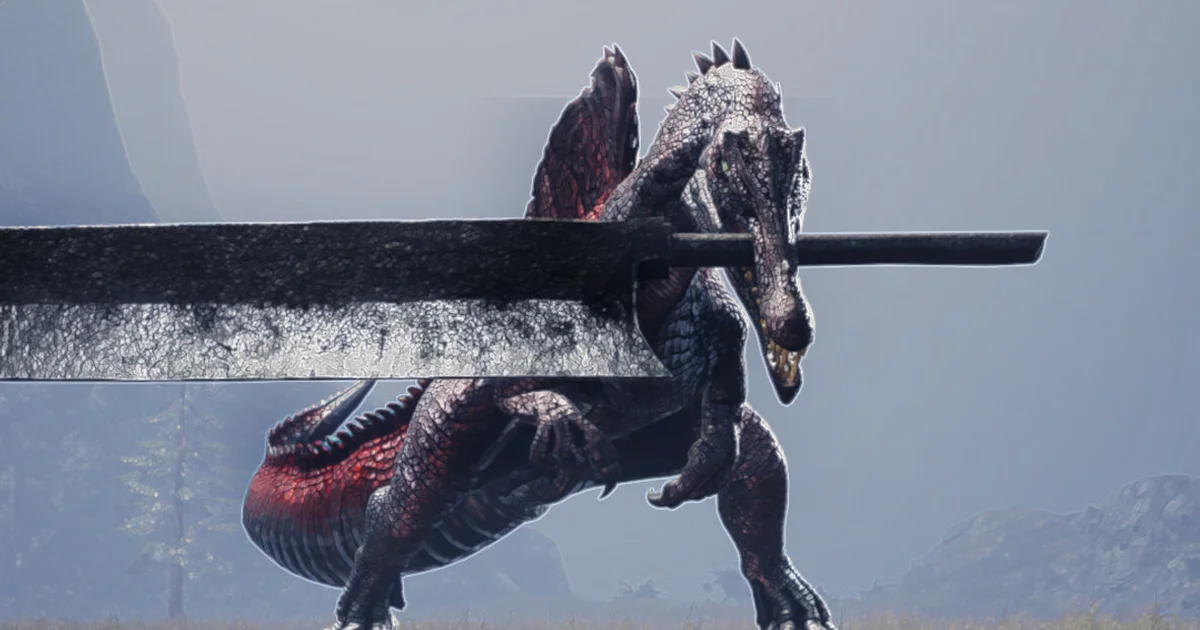
Reviewing
Dinoblade
Team Spino LLC · Team Spino LLC, Boltray Games
The best Dinoblade mod list is unusually short because the game is still young and its real Nexus catalog has only three pages. One is a loader, one is an explicit cheat, and one is a small controller-interface fix. That leaves exactly one player-facing recommendation worth putting in a safe article: Force PlayStation Buttons.
That one-pick result is not a failed attempt to reach a round number. It is the useful answer the current catalog supports. Dinoblade's Steam news feed shows a July 27 patch that added PlayStation controller prompts to the Options menu, followed by a July 30 patch with boss and progression fixes. The Nexus mod was built for the July 25 PC release, so many players should try the native setting before downloading anything.
TL;DR: Install Force PlayStation Buttons only if your PC copy still shows Xbox glyphs and the new in-game PlayStation option does not solve it. It is a real Nexus page, version 1, last updated July 25, and uses Dinoblade's own prompt artwork. The catalog's loader and cheat pages are excluded.
Best Dinoblade mod? (quick answer)
There is one safe recommendation:
- Force PlayStation Buttons replaces Xbox prompts with the PlayStation button artwork already included in Dinoblade.
The mod's Nexus page lists version 1, author SignalNull, a July 25, 2026 update, a safe virus-scan result, and the Quality of Life, User Interface, and Textures tags. Its own description says it does not change controller bindings, gameplay, saves, or configuration files. It is therefore a narrow interface fix, not a gameplay overhaul.
The timing matters. Dinoblade launched on July 23. The official July 27 patch added PlayStation button prompts in the Options menu, which may make the mod unnecessary for a clean install. The mod remains relevant for a player whose prompt setting is missing, does not stick, or still displays Xbox icons, but the article will not pretend it is a universal upgrade.
What the Dinoblade mod catalog actually contains
The current Nexus top list shows three Dinoblade entries:
- Simple Mod Loader Console Enabler, version 0.6.1, updated July 24, 2026.
- DinoCheats, version 2, updated July 25, 2026.
- Force PlayStation Buttons, version 1, updated July 25, 2026.
That is a real, populated catalog in the narrow sense required for a Step 0 check, but it is not a mature mod scene. Search signals are similarly small: Google Autocomplete returns "dinoblade mod" and "dinoblade mods", plus a "dinoblade nexus mods" suggestion, but it returns nothing for "Dinoblade best mods" or "how to install Dinoblade mods". There is no good evidence for a larger hidden library that this article could responsibly pad with.
I also checked the other expected catalog locations. Thunderstore has no Dinoblade community page, CurseForge has no usable Dinoblade mod catalog, and the Steam store's feature list does not include Workshop. The Steam Community app route falls back to the game's general community page rather than a populated Workshop hub. Nexus is the only real download catalog found for this game.
That platform distinction is part of the installation advice. A Nexus page can be real while the game still has no official mod support, no in-client subscription flow, and no current-build guarantee. The Dinoblade complete guide is the broader reference for the unmodified game. Download from the specific page linked in this guide, keep a clean Steam profile, and do not turn a search result for a generic "Dinoblade mod tool" into a recommendation.
Force PlayStation Buttons: fix the controller glyphs
Force PlayStation Buttons is a small pak replacement for the interface problem its title describes. The mod page says Dinoblade already contains PlayStation button artwork, but some PC players still see Xbox prompts and have no manual setting to select a different icon set. The mod overrides the Xbox prompt table with the existing PlayStation assets.
The page lists version 1, original upload and last update on July 25, 2026, and author SignalNull. Its detailed description names the prompts it changes: Cross, Circle, Square, Triangle, L1, R1, L2, R2, directional buttons, and PlayStation-style menu prompts. It does not remap the controller. It changes what the on-screen labels look like while leaving the input bindings alone.
The installation is manual. The page says the three files belong in the game's DinobladeGame/Content/Paks/~mods folder:
- DinobladePSButtons_P.pak
- DinobladePSButtons_P.ucas
- DinobladePSButtons_P.utoc
If the ~mods folder does not exist, create it. The page warns that an unzip tool may create an extra folder named after the archive, so open the extracted folder and move the three files into the actual game path. Do not drop them directly into the broader Content folder. To uninstall, delete those three DinobladePSButtons_P files.
The page also says no mod loader or extra software is required. If your current Dinoblade install already displays PlayStation prompts correctly, you do not need this mod. That is the right level of confidence for a one-pick article: it solves a specific visual problem for a specific player, and it does not add new combat abilities, bosses, weapons, or progression.
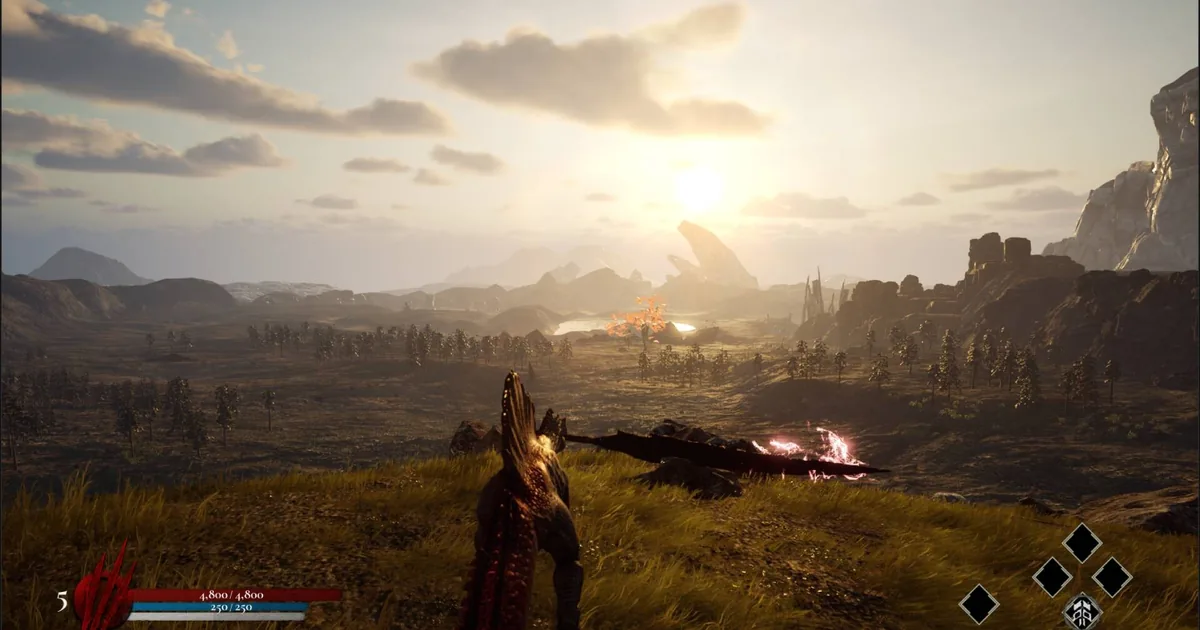
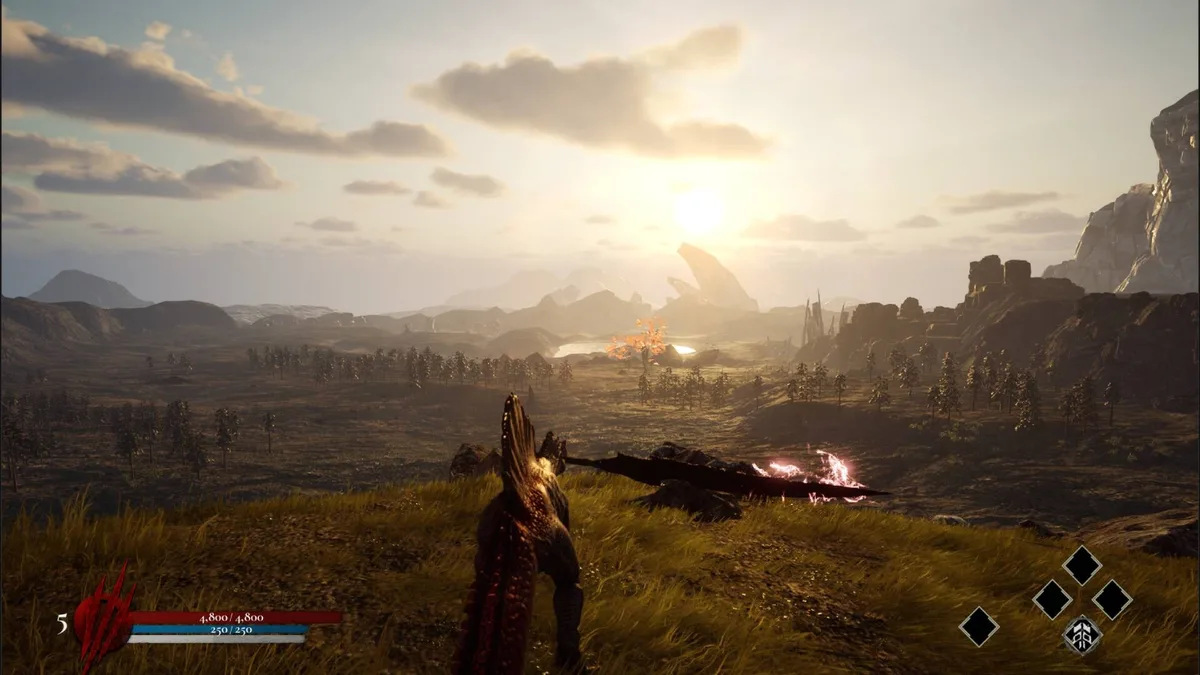 Dinoblade's official Steam screenshot shows the combat UI that makes correct controller glyphs useful during a fast encounter.
Current-version compatibility: July 25 mod, July 30 game
Dinoblade's official Steam news feed is unusually helpful for this check because the launch patch cadence is visible. The game released July 23, and the latest official patch currently surfaced is Patch: July 30th. That patch added a travel option for players who become stuck during a boss fight, cleaned up the final boss hitbox, fixed a launch-like bug that could throw the player into the air, reduced Alpha Roar lag, and increased late-game Instinct Counter damage scaling for Strength builds.
The compatibility concern is not just the date gap. The July 27 patch added PlayStation controller button prompts in the Options menu. That native setting post-dates the mod's July 25 test build and may overlap with its purpose. The Nexus page does not claim testing against the July 27 or July 30 patches. Treat the mod as active and real, but not confirmed for the current patch.
Use this decision tree:
- If the Options menu has a PlayStation prompt setting and it works, keep the game vanilla.
- If the setting is absent or the game still renders Xbox glyphs, try the three-file pak from the Nexus page.
- If the game fails to boot or prompts look wrong after a patch, remove the three files and return to the native setting.
This is also why I am not calling Force PlayStation Buttons a permanent best-in-slot recommendation. It is the only safe player-facing package found, but the official game may have absorbed its fix. The Dinoblade review gives the clean-install combat baseline to compare against.
The two real pages excluded from the list
The excluded pages are worth naming so the one-pick count is auditable:
Simple Mod Loader Console Enabler
Simple Mod Loader Console Enabler is a real Nexus page, version 0.6.1, last updated July 24, 2026. Its own documentation says it enables the developer console and acts as a simple Blueprint modloader. It also says it has no inherent end-user value by itself and is intended as a bootstrapper for mods that require it.
That makes it setup infrastructure, not a player-facing best mod. It also exposes console commands for auto-heal, stats, XP, level, skill points, and save-game operations in its documentation. I am not calling it malware or claiming the page is unsafe. I am excluding it because it is a loader and developer-tool layer, not because it would be honest to count it as a gameplay recommendation.
DinoCheats
DinoCheats is real, version 2, last updated July 25, 2026, and its page is virus-scanned. The page labels it plainly as a cheat mod. It adds dinosaur summons, raptor clones, fast movement, player-stat changes, XP and skill-point commands, soul-point commands, and a super_player command that changes combat resources and the parry window.
That is exactly the kind of page the safety rules exclude from a normal best-mods list. A verified cheat is still a verified mod, but it is not a responsible recommendation for a player asking what to install in a normal campaign. Naming it here as excluded also prevents a reader from assuming the catalog had a second safe pick hidden behind the headline.
Step-by-Step: install the one Dinoblade mod
Use this process only if the game's built-in prompt option does not solve the problem. The files are for the Windows PC release, and the Nexus page does not claim Steam Deck compatibility.
1. Update Dinoblade and test the native option: Let Steam install the current game files, launch Dinoblade without mods, and open Options. Look for the PlayStation controller prompt setting added in the July 27 patch. If it works, stop here.
2. Back up the install state: Close the game and note the Steam installation path. Do not overwrite unrelated pak files. A clean install or a separate Steam library copy gives you an easier rollback if a future patch changes the packaged file layout.
3. Download the exact Nexus page: Open the Force PlayStation Buttons page, verify the author is SignalNull and the page title matches exactly, then download its current file. Do not use an "unlocker," generic mod tool, or re-upload that changes the filename.
4. Place all three files together: Extract the archive and move DinobladePSButtons_P.pak, DinobladePSButtons_P.ucas, and DinobladePSButtons_P.utoc into DinobladeGame/Content/Paks/~mods. Create ~mods if necessary. Check that the files are not one folder deeper because an archive extractor added a duplicate directory.
5. Launch and test the controller prompts: Start the game with the same controller you normally use. Check a menu prompt and an active combat prompt. The mod changes labels, not bindings, so a correct glyph should correspond to the button you already press.
6. Roll back after a failure: If Dinoblade crashes, shows broken prompts, or a patch makes the mod redundant, close Steam and remove the three DinobladePSButtons_P files. Verify the game files through Steam if necessary, then try the native Options setting again.
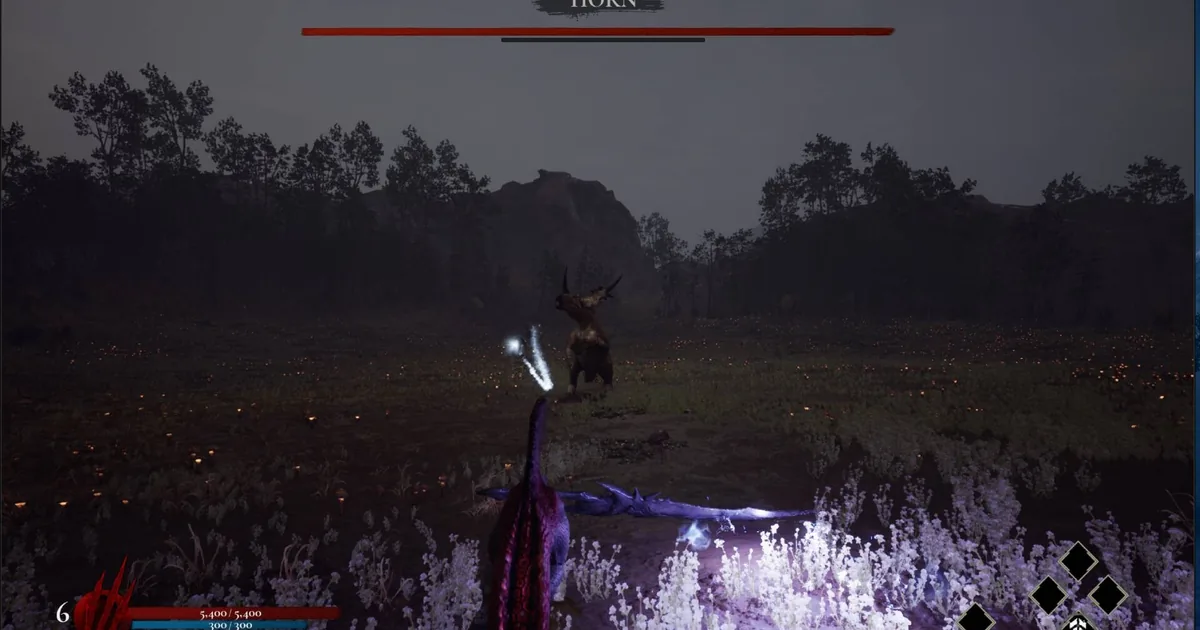
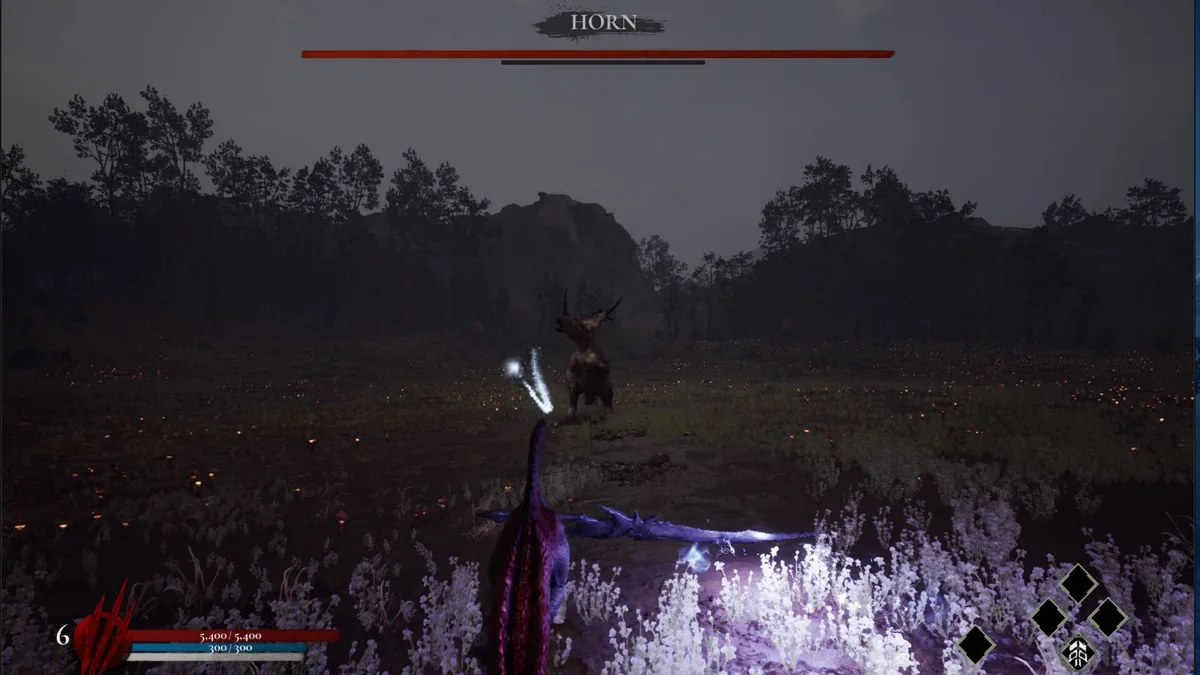 A second official Steam screenshot shows a HORN encounter, grounding the installation section in the PC combat loop the prompt fix leaves unchanged.
Safety rules for this tiny catalog
Nexus gives the three pages a clear starting point, but a page being real does not mean every download is a fit. Use the page's own file and author information, keep the game unmodified when you are troubleshooting a save, and do not combine the UI pak with random console tools just to make the catalog look larger.
The mod's own page says the files use Dinoblade's existing artwork and do not change saves or configuration. That is a narrower risk profile than a stat editor or a console enabler, but it still touches the game's pak loading path. Make the native setting your first choice, keep the original files untouched, and remove the mod before reporting a base-game crash.
The current official store page lists Dinoblade as a single-player Windows game with Steam Cloud, achievements, full controller support, and no Workshop feature. That means there is no official mod manager or subscription system to validate a package for you. The safest workflow is manual, reversible, and tied to the direct Nexus page.
For campaign context, the Dinoblade bosses and abilities guide covers the four named bosses, confirmed abilities, and Boss Rush without inventing a complete roster. The Dinoblade complete guide keeps the wider patch and platform context in one place. If the mod breaks after a patch, the Dinoblade review is also a useful reminder of what the unmodified combat loop is supposed to feel like.
Why this list has one pick instead of three
The headline count follows the catalog, not a target. A loader is not a player-facing mod. A cheat is not a safe recommendation. The only remaining page is a controller-prompt replacement whose purpose may overlap with the official July 27 setting. Writing "3 best Dinoblade mods" would therefore mean counting infrastructure and a cheat, which would mislead the person trying to install a clean quality-of-life fix.
That sparse result is itself useful information. Dinoblade launched July 23, the mod pages appeared during the first week, and the official patch stream was still changing controller prompts and boss behavior by July 30. The Nexus scene may grow, but this article should be updated only when a new page has a real description, a direct URL, and a current-build signal.
Frequently Asked Questions
What is the best Dinoblade mod? Force PlayStation Buttons is the only non-cheat, player-facing recommendation in this catalog. It replaces Xbox button prompts with Dinoblade's built-in PlayStation artwork. The July 30 game patch added a native PlayStation prompt option, so check the menu before installing it.
Does Dinoblade have many mods? No. The live Nexus catalog has three real pages: a loader, an explicit cheat, and Force PlayStation Buttons. Dinoblade has no Thunderstore community or Steam Workshop integration, so this guide keeps the exact safe recommendation count at one.
Does Force PlayStation Buttons require a mod loader? No. Its Nexus page says to extract three files into DinobladeGame/Content/Paks/~mods. It does not require UE4SS or another loader, and the mod does not change controller bindings, saves, gameplay, or configuration files.
Is Force PlayStation Buttons compatible with the July 30 patch? The mod page says it was built and tested with the July 25 PC release. Dinoblade's July 27 patch added a PlayStation button prompt option, and the July 30 patch is newer still, so compatibility is not directly confirmed.
Should I install DinoCheats? No for a normal best-mods list. Its own page labels it a cheat and describes stat changes, XP and skill-point commands, speed boosts, and dinosaur summons. It is excluded by the safety rule, even though the page is real and virus-scanned.
Can I use Dinoblade mods on Steam Deck? The verified mod page gives Windows-style manual paths and does not claim Steam Deck support. Treat the recommendation as PC-only, back up the install, and use the game's native PlayStation prompt option first when available.
Related Reading
- Dinoblade Complete Guide: the hub for every Dinoblade article on this site.
- Dinoblade Bosses and Abilities: What's Confirmed So Far: confirmed bosses, skills, and the limits of the current documentation.
- Dinoblade Review: A Souls-Like Where You Play the Monster: the unmodified combat and value verdict.
- Meccha Chameleon Best Mods: a larger Thunderstore catalog with three safe player-facing picks.
- Valheim Best Mods: a current Thunderstore setup comparison for a mature catalog.
- Palworld Best Mods: Nexus and CurseForge compatibility warnings for another Unreal Engine game.
- Sons of the Forest Mods Guide: a broader Unreal mod installation comparison.
- Lost Castle 2 Best Mods: a small Nexus catalog filtered for safe, current picks.
- Shapez 2 Best Mods: a Workshop-first mod catalog with a different install model.
References
- Force PlayStation Buttons on Nexus Mods: exact page, version 1, description, files, and July 25 test note.
- Simple Mod Loader Console Enabler on Nexus Mods: excluded loader page and its own end-user warning.
- DinoCheats on Nexus Mods: excluded cheat page and its listed commands.
- Dinoblade on Steam: current store features, platform, and official screenshots.
- Dinoblade Steam news: July 27 controller prompt patch and July 30 current patch.
- Dinoblade Nexus top list: catalog count and ordering check.
Was this guide helpful?
About the author

Indie & JRPG Critic
Indie game evangelist and lifelong JRPG fan covering small studios since 2017. Mumbai-born, London-based. Writes the way she talks.
- 7 years indie games coverage
- JRPG and visual novel specialist
- Narrative design focus
Keep reading
Disclaimer
This article is published for informational and entertainment purposes. It does not constitute professional financial, legal, or technical advice. Game performance, online services, patch schedules, and store listings change. Verify critical details (pricing, system requirements, regional availability) with publishers and storefronts before you buy. Affiliate links, where present, help support our editorial work and are labelled in our affiliate disclosure.
Comments
Loading comments…