
GameBrief · General
4 Best Lost Castle 2 Mods for Update 1.0.1.2 (2026)
Reviewing
Lost Castle 2
Hunter Studio · Hunter Studio
The best Lost Castle 2 mods come from a small Nexus scene rather than a huge Thunderstore-style ecosystem. That distinction matters. The sensible shortlist is not a padded ranking of every upload. It is a set of tools that add information, tune a run, or change language access without turning the game into an item-spawning sandbox.
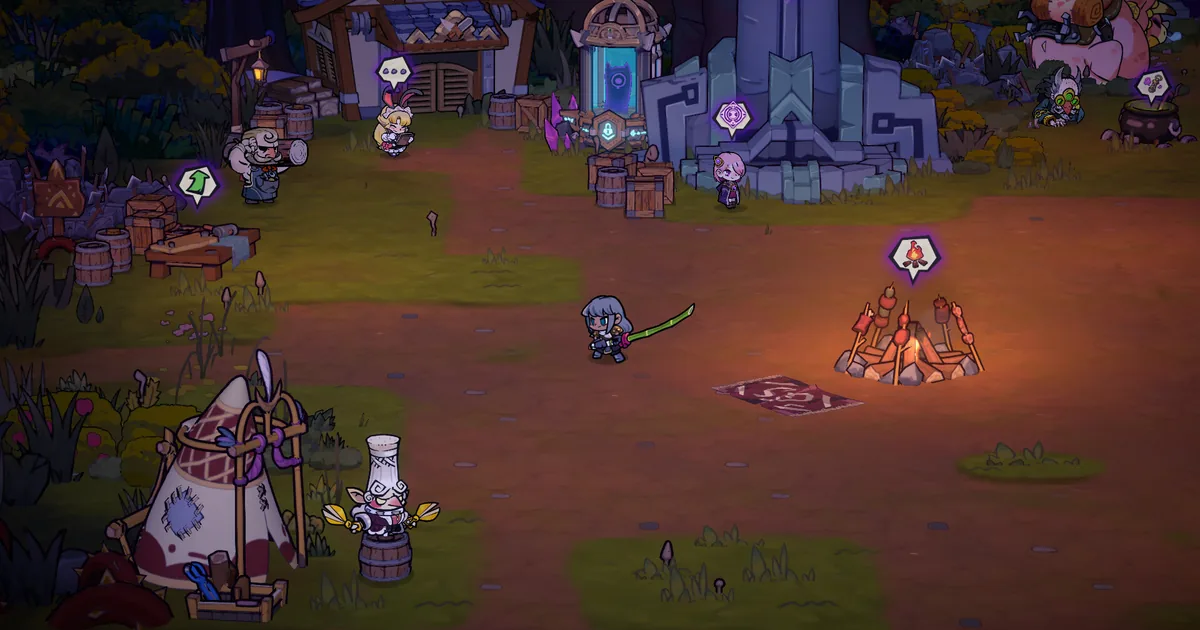 The camp is the safest place to set preferences and confirm a mod works before starting another run.
TL;DR: The four verified picks are CalcHelper, Cooldown Multiplier, Enemy Hp and Attack multiplier, and Thai Language Pack. Nexus lists all four, but none of their pages explicitly promises compatibility with the current Steam build 1.0.1.2. Back up your save and test one at a time.
What are the best Lost Castle 2 mods? (quick answer)
The best safe starting point is CalcHelper. It exposes the numbers behind damage, build drop levels, and treasure odds, which is useful in a game where randomized drops can make two apparently similar runs behave very differently. Cooldown Multiplier is the next practical choice if you want to tune passive item-skill downtime through one config value.
For a deliberate challenge run, Enemy Hp and Attack multiplier lets you set enemy health and attack multipliers. Keep the multiplier at or above the normal value if you want a harder run rather than an easier progression shortcut. Thai Language Pack is the access-focused pick, with the page describing a full Thai translation rather than a gameplay change.
The important qualifier is freshness. The official Steam feed currently points to 1.0.1.2, released in the September 24 patch notes. The four Nexus pages remain live, but their descriptions do not all claim that exact build. “Recently listed” and “works on this patch” are different statements.
Current version and how this list was filtered
This guide was checked against the live Lost Castle 2 Steam page and its latest official Steam announcement for version 1.0.1.2 on September 25, 2026. The game is a full-release side-scrolling action roguelite from Hunter Studio, not an Early Access build waiting for a first mod-compatible milestone.
I filtered the catalog in four passes:
- The upload had to be a real, populated page on Lost Castle 2's Nexus Mods catalog, with a direct file page rather than a search result or a plausible-sounding name.
- The page had to describe a useful function clearly enough to explain without guessing. The four descriptions below come from the mod pages themselves.
- Trainers, item spawners, infinite-ammo tools, capacity removers, and Soul Inscription limit removers were left out. They turn a run into a progression bypass, which is outside a safe recommendation list.
- Last-updated dates and compatibility notes were checked against 1.0.1.2. Where the page does not name the current build, this article says so instead of implying a guarantee.
That leaves four recommendations. The count is deliberately four because that is the number of current, non-cheat pages that make a useful shortlist after the safety and compatibility pass.
GODEEPER: The vanilla systems these tools expose are easier to understand when you know what is worth building around first. Lost Castle 2 Beginner Guide: Weapons, Build & First Run →
Quality-of-life and analysis mods
These two change how much information you have or how a passive skill behaves. Neither adds a new biome or weapon category, so treat them as run-tuning utilities rather than content expansions.
CalcHelper
CalcHelper on Nexus Mods is the most broadly useful pick in the list. Its page describes three calculation aids: a DPS percentage display, accumulation of a build's drop level, and treasure drop-probability calculations. Those are unusually relevant to Lost Castle 2 because the run structure hides a lot of the comparison work behind randomized equipment.
The page lists version 1 and a last update of July 7, 2026. It is tagged as a quality-of-life upload, and the description is specific about what it calculates. It does not state that it was updated for 1.0.1.2, though, so use it as a read-only experiment first. If the display is missing or a value looks implausible after launch, remove it before troubleshooting the base game.
CalcHelper is especially useful while comparing weapon categories and standout drops. It can tell you whether a flashy weapon is actually improving the run or just displaying a larger number in one narrow situation. That makes it a better first install than a mod that simply makes every chest generous.
Cooldown Multiplier
Cooldown Multiplier on Nexus Mods does exactly what its title suggests. The page describes an adjustable multiplier for the cooldown of all passive item skills, controlled through one configuration value. That makes it a flexible rules change: you can increase downtime for a challenge, or use a different value to study how much an item skill is carrying a build.
Nexus lists version 1 with a last update of June 26, 2026. The page does not name a supported Lost Castle 2 version, so it has a weaker current-build signal than its still-live status might imply. Keep the first test in a disposable run, and do not assume a config copied from an earlier build has a sensible default after the September patch.
This is most interesting for players already tracking Soul Inscription and Resonance III. A shorter passive cooldown can make an item-heavy build feel stronger, but it can also hide whether the underlying weapon choice is doing the work. Use one variable at a time.
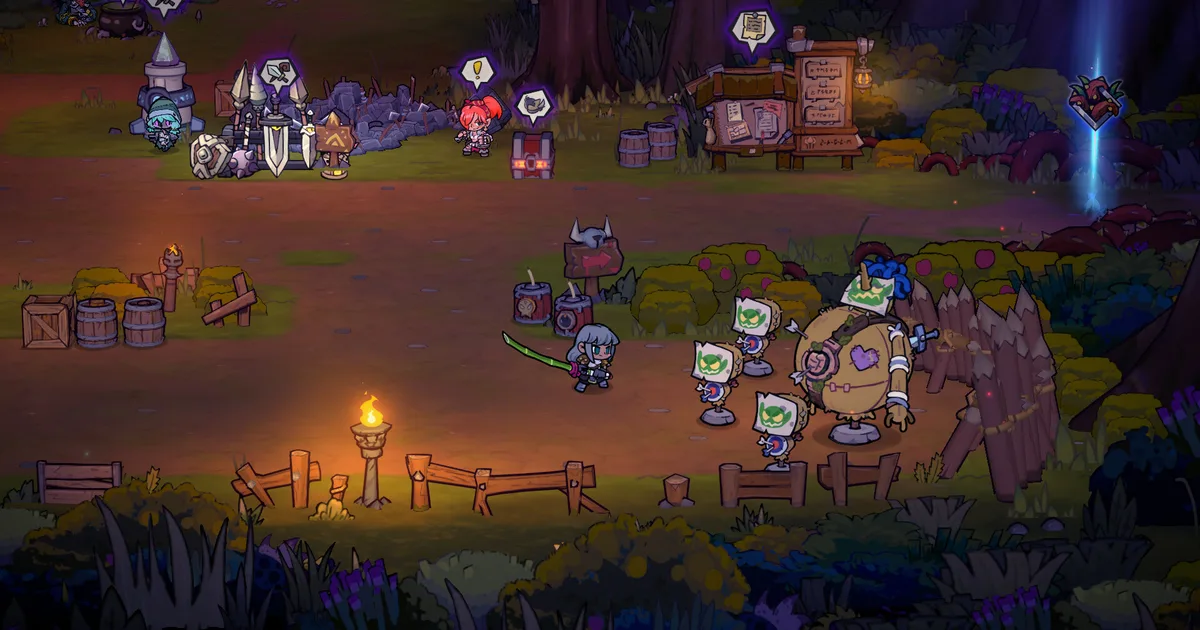
A three-hero fight against a root-covered tree boss is a good kind of run to keep vanilla while you learn a new configuration.
Challenge tuning and accessibility
Enemy Hp and Attack multiplier
Enemy Hp and Attack multiplier on Nexus Mods lets you customize enemy health and attack multipliers. The page lists version 1, was last updated July 14, 2026, and names BepInEx-Unity.IL2CPP-win-x64-6.0.0-be.764 as a requirement. That loader requirement is part of the mod's own page information, so install it only after checking the exact file and requirements shown there.
This pick belongs in the list as a challenge slider, not as a way to make progression easier. Set both values above the vanilla baseline if you want a harder run, and keep the default value when you are testing another mod. The useful design question is whether you want more demanding rooms without changing the randomized loot pool, not whether you can make enemies harmless.
The page does not say that version 1 supports 1.0.1.2. That matters more here than it does for a text-only translation because an enemy-stat hook can fail visibly or subtly. Start in a copied save, confirm that a normal room still spawns and that damage numbers behave consistently, then stop if enemies freeze, vanish, or take obviously incorrect damage.
It is a good fit for players who have already cleared the main boss route and want a different pressure curve. It is not a substitute for a higher Nightmare depth, and it should not be used to skip learning the base game.
Language mod
Thai Language Pack
Thai Language Pack on Nexus Mods is the shortlist's language-access option. Its page describes a complete Thai translation with more than 10,000 strings covering the interface, weapons, skills, dialogue, and tutorials. The upload includes BepInEx and a Thai font injector, according to the page description.
Nexus lists version 1 and a last update of August 12, 2026. No current-game version is stated on the page, so the August date is a maintenance signal, not proof that every string or font hook survives 1.0.1.2. Because a translation can touch many assets at once, back up the original files and keep the download page available so you can restore the vanilla installation cleanly.
This is the least mechanically risky of the four picks, but it still deserves a separate profile if the bundled loader changes more than language files. Confirm the game reaches the camp, open a normal menu, and check one run before using the pack in a long-term save. If you only need translated menus, do not add a second language pack on top of it.
The blue shrine and crowded forest show why a clean backup matters before a translation or loader change touches the game files.
GODEEPER: If a new difficulty run exposes gaps in your build, compare the full late-game options before changing more variables. Lost Castle 2 Advanced Builds Guide: EN4-5 Meta 2026 →
Compatibility reality on Lost Castle 2 version 1.0.1.2
The four pages are not equally current, and the article should not pretend they are. Thai Language Pack is the newest of the four by page date, while CalcHelper, Enemy Hp and Attack multiplier, and Cooldown Multiplier were updated earlier in the 1.0 lifecycle. More importantly, none of the four page descriptions explicitly says 1.0.1.2.
Use this order when testing:
- Start from a backed-up save and record the vanilla game version in Steam.
- Install only the page's listed requirements and the one mod. Do not combine two loader-heavy changes for the first launch.
- Load the camp, open a menu, and enter one low-risk room. Check that enemies, drops, and passive skills behave normally.
- If the mod has a config, change one value, relaunch, and confirm the change before adding another mod.
- Recheck the Nexus page after a future Steam patch. A live page can remain downloadable even when its hook needs an update.
For multiplayer, assume the mod is unsupported until the own page says otherwise. Lost Castle 2 co-op relies on every player seeing the same run state, and a local stat multiplier or bundled font injector can create a different problem from a client-only display tweak.
Step-by-Step: install and test Lost Castle 2 mods
The catalog is Nexus-based, and the mod pages are the source of truth for requirements. Do not copy a generic BepInEx setup from another game and assume it applies here.
1. Back up the save and note the current build: copy the relevant Lost Castle 2 save folder somewhere outside the Steam installation, then confirm Steam reports the current 1.0.1.2 build.
2. Open the direct page for one pick: use the CalcHelper, Cooldown Multiplier, Enemy Hp and Attack multiplier, or Thai Language Pack page linked above. Read its Files and Requirements sections before downloading anything.
3. Install only the listed loader or dependency: Enemy Hp and Attack multiplier explicitly names a BepInEx Unity IL2CPP build, while Thai Language Pack says it includes BepInEx and a Thai font injector. Follow the page's exact file layout and do not substitute a loader from a different Unity game.
4. Launch to the camp: a successful launch is not enough. Open the relevant menus, walk through one room, and verify that the game can save and return to the camp.
5. Test the feature in a disposable run: watch the DPS or drop readout for CalcHelper, change one cooldown value, raise enemy multipliers for a challenge, or inspect the Thai interface. Remove the mod if the game throws errors, corrupts a save, or produces unexplained combat results.
6. Add a second mod only after the first is stable: keep a short note of each file and config change. That turns the next patch rollback into a controlled process instead of a full reinstall.
What to install first
For a first experiment, install CalcHelper alone. It has the clearest information benefit and the smallest conceptual change to a run. If the page's current file works on your copy of 1.0.1.2, add Cooldown Multiplier only when you have a specific passive-item test in mind.
Choose Enemy Hp and Attack multiplier after you can already clear a normal run and want custom difficulty. Choose Thai Language Pack when language access is the reason you are modding. Do not install all four at once: when a game has just received a patch and each page has a different update date, isolation is more valuable than a larger mod count.
The vanilla farming route, Frozen Cave guide, builds guide, and Ethereal Nightmare guide remain the baseline for judging whether a mod is helping. If you cannot explain what changed compared with an unmodified run, remove the mod and test again.
Common mistakes with Lost Castle 2 mods
- Treating a live Nexus download as a compatibility guarantee for 1.0.1.2.
- Installing two versions of BepInEx or a second translation pack over the first.
- Testing a combat multiplier in the only save that contains valuable progress.
- Using a custom multiplier to skip the progression systems the mod list is meant to complement.
- Joining a co-op lobby before confirming that every player is on the same game and mod state.
The strongest recommendation here is restraint. Lost Castle 2's randomized builds are interesting because the game forces adaptation. A good utility mod makes the decision clearer; it should not erase the decision.
Frequently Asked Questions
Does Lost Castle 2 have mods? Yes. Nexus Mods has a real Lost Castle 2 catalog. This guide includes four currently listed, non-cheat picks: CalcHelper, Cooldown Multiplier, Enemy Hp and Attack multiplier, and Thai Language Pack. Check each page again after a game update because none of the four explicitly claims compatibility with Steam build 1.0.1.2.
What is the best Lost Castle 2 mod for quality of life? CalcHelper is the strongest quality-of-life pick because its page describes DPS percentage, build drop-level accumulation, and treasure drop-probability calculations in one tool. It was last updated July 7, 2026, but the page does not state that it supports build 1.0.1.2.
Are Lost Castle 2 mods safe to use? Use only the direct Nexus Mods pages, back up your saves, and install one mod at a time. The four picks here are presented as information, cooldown, custom-difficulty, or translation tools, not as trainers, item spawners, or progression bypasses.
What version of Lost Castle 2 should mods support? The live Steam news feed checked on September 25, 2026 lists 1.0.1.2 as the latest patch. The mod pages in this shortlist do not all name that exact build, so treat their dates as maintenance signals rather than guarantees.
Which Lost Castle 2 mods should I avoid? Avoid trainers, item generators, unlimited-ammo tools, capacity removers, and mods that remove Soul Inscription limits if you want a normal run. They can invalidate progression or saves, and they do not fit a safe quality-of-life recommendation.
Can I use Lost Castle 2 mods in multiplayer? Do not assume multiplayer support. Test each mod in a backed-up single-player save first, then read its own requirements and multiplayer notes before joining a session. A client-only visual or translation change may behave differently from a gameplay multiplier.
Related Reading
- Lost Castle 2 Complete Guide Hub: the full cluster index for builds, bosses, progression, and review context.
- Lost Castle 2 Weapons Tier List: 9 Categories Ranked: choose a weapon baseline before changing run variables.
- Lost Castle 2 Co-op Guide: check the multiplayer baseline before using a gameplay-changing mod.
- Lost Castle 2 Achievements Guide: track progression without confusing modded runs with the vanilla achievement route.
- Lost Castle 2 Review: the broader verdict on combat depth, progression, and value.
References
- Lost Castle 2 on Steam: live store page and game version context.
- Lost Castle 2 official Steam patch 1.0.1.2: latest patch checked September 25, 2026.
- Lost Castle 2 Nexus Mods catalog: catalog existence and current listings.
- CalcHelper: own mod page, description, version, and update date.
- Cooldown Multiplier: own mod page, description, version, and update date.
- Enemy Hp and Attack multiplier: own mod page, description, requirement, and update date.
- Thai Language Pack: own mod page, translation scope, bundled tools, and update date.
- Official Lost Castle 2 Steam screenshot gallery: source for the hero and inline screenshots.
Was this guide helpful?
About the author

Critical game theorist with a background in film criticism. Writing for print and digital outlets since 2015. Specialises in genre analysis and design heritage.
- Background in film criticism
- 10 years games coverage
- Genre theory and design history specialist
Keep reading

Disclaimer
This article is published for informational and entertainment purposes. It does not constitute professional financial, legal, or technical advice. Game performance, online services, patch schedules, and store listings change. Verify critical details (pricing, system requirements, regional availability) with publishers and storefronts before you buy. Affiliate links, where present, help support our editorial work and are labelled in our affiliate disclosure.
Comments
Loading comments…