
GameBrief · General
3 Best Meccha Chameleon Mods for Better Hiding (2026)
Reviewing
Meccha Chameleon
lemorion_1224 · lemorion_1224
The best Meccha Chameleon mods are small, targeted changes rather than a giant overhaul. I found five active packages in the game's Thunderstore catalog, then kept the three that directly change play: a thinner playable hider, a whistle-target highlight tool, and a configurable performance mod. The two remaining packages are loader infrastructure, so they belong in setup instructions rather than in the title count.
There is an important version warning. The official Steam news feed currently lists Update 4.1.1 as the latest game update, dated September 15, 2026. The three recommended package pages were last updated in July, and none claims a specific 4.1.1 test. They are real, populated listings with readable release pages, not guaranteed current-build support.
TL;DR: Install Thinner Survivor if you want flatter hiding spots, AccessibilityHighlight if whistle targets disappear into busy rooms, and MecchaChameleonPerformance if the game needs a quick low-end preset. These are PC packages from Thunderstore. Test one at a time in a private lobby, keep a clean profile, and do not treat an old package date as proof of Update 4.1.1 compatibility.
Best Meccha Chameleon mods? (quick answer)
The short list is:
- Thinner Survivor makes the playable paintman 40% thinner front to back and reduces the body capsule to 1.5, according to its own Thunderstore page.
- AccessibilityHighlight marks characters that respond to a whistle with a glow, X-ray outline or cham, or marker box.
- MecchaChameleonPerformance exposes rendering, shadow, lighting, post-process, and streaming settings in one editable config file.
All three have direct Thunderstore pages with a package version, an author, a description, and a recent update trail. I did not count the active MecchaChameleon UE4SS overlay or unreal shimloader because those packages help load other mods. That distinction matters when a list promises three mods.
If you are still learning the vanilla loop, keep the complete Meccha Chameleon guide hub, camouflage guide, and advanced tips guide open beside the mod manager. The packages below change specific edges of a match, so the base rules are the best way to tell whether a mod solved a problem or simply changed it.
What counts as a Meccha Chameleon mod right now?
Meccha Chameleon has more than one kind of community content. The official Steam Workshop has user-made maps, including rooms and galleries, while Thunderstore has packages that alter the PC client. A Workshop map can be excellent content without being a code mod, and a loader package can be necessary without being a useful player-facing pick. This guide keeps those categories separate.
The current Thunderstore community page shows five package entries: the two loader packages and the three recommendations below. Nexus also has a real Meccha Chameleon page and at least one populated listing, Thinner Chameleon, but I used Thunderstore for this article because its package pages expose version and dependency information in a consistent format. Every name below is copied from the mod's own page.
The Steam version check is equally important. Update 4.1.1 is the live official patch signal I could verify, and the current store page still identifies the game as a PC title with Steam Workshop support. The article therefore treats each July package as listed and plausible, but not confirmed for 4.1.1. That is a useful compatibility warning, not a reason to invent a newer version number.
Thinner Survivor: fit into flatter hiding spots
Thinner Survivor is the most immediately visible gameplay change in this list. Its page says it squishes the playable survivor, also called the paintman, to 40% depth from front to back and shrinks the body capsule to 1.5. In practical terms, the mod is aimed at the awkward moments where the character looks flat enough to match a prop but the collision volume still sticks out.
The current package page lists version 1.4.0 and an API update of July 12, 2026. It describes the mod as client-side, but also says all players, including the host, need to install it. That sounds contradictory until you treat it as a synchronized lobby requirement: the visual and collision change is local, but the lobby should use a consistent profile so players are not seeing different body behavior.
This one is a drop-in pak and does not require UE4SS. The page says it is only for the paintman at scale 1.0, not the cubeman. It also calls out two real trade-offs: a lying position can hover, and the smaller body can phase through thin walls. Those are reasons to test it in a private lobby, not reasons to promise that every hiding place becomes valid.
Use Thinner Survivor when you already understand the base camouflage rules from the Meccha Chameleon guide and want to experiment with geometry. It changes the space your body can occupy, but it does not replace color matching, pose choice, or the round's detection rules. A thinner body can make a bad disguise easier to inspect if the silhouette is still wrong.
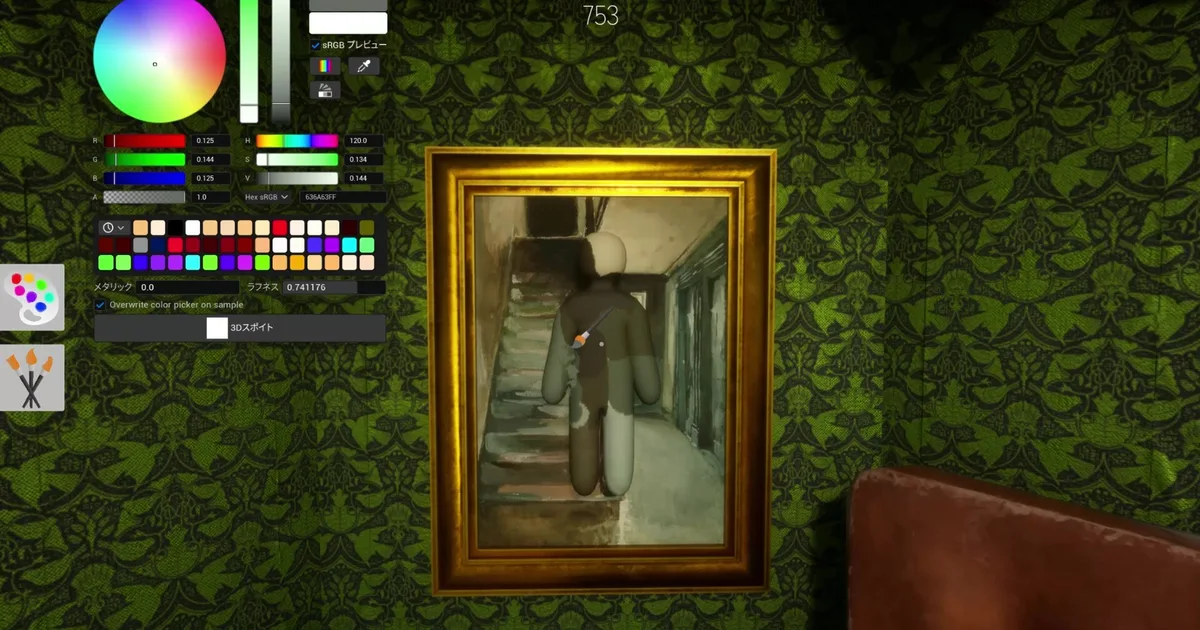
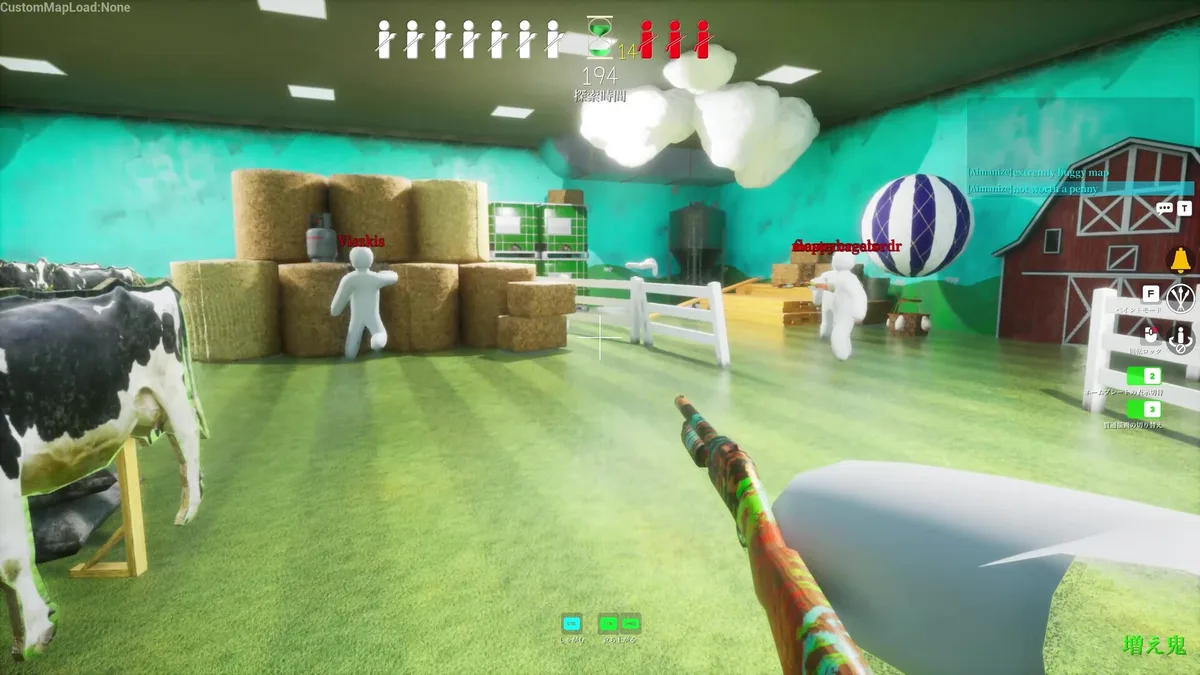 The Hunter view shows why collision and silhouette matter together: a smaller body helps only when the surrounding prop still reads as a believable hiding place.
AccessibilityHighlight: make whistle targets easier to read
AccessibilityHighlight is the clearest utility choice for players who lose whistle responses in visually busy rooms. Its page describes a mod that detects characters who answer a whistle and highlights them with one of three display styles: a glowing light, an X-ray outline or cham, or a marker box. The page also describes debounce handling and automatic cleanup, so old markers should not remain after the target is no longer relevant.
The package page lists version 1.0.0 and an API update of July 23, 2026. Its own installation notes require UE4SS, then the mod manager or a manual package placement. Configuration options cover the highlight style and related display behavior. Read the page before changing those values because a strong outline can make the Hunter side much easier than the base game intends.
That makes this a good fit for accessibility testing and a questionable fit for a competitive public lobby without agreement. The mod does not simply enlarge a subtitle or change a colorblind setting. It can reveal the location of a responding character through walls, so treat the X-ray option as a lobby rules decision. Start with the least intrusive marker in a private session and ask whether everyone considers it fair.
Players who want more context on line of sight should pair this with the Meccha Chameleon advanced tips guide. That guide covers clones, poses, Hunter scanning, and field-of-view changes. The Meccha Chameleon modes and maps guide is also useful when you need a fair, repeatable room for testing. AccessibilityHighlight is a visibility aid layered on top of those systems, not a replacement for learning how a whistle gives away a hiding area.
MecchaChameleonPerformance: put FPS controls in one file
MecchaChameleonPerformance is the practical pick for an older PC. Its page describes a config-driven UE4SS mod that applies a low-end performance preset without asking you to memorize console commands or hunt through scattered ini files. The package covers rendering, shadows, lighting, post-processing, and streaming settings.
The current page lists package version 2.0.1 and an API update of July 22, 2026. Its workflow is deliberately reversible: original settings are captured each launch, F1 enables the performance profile, F2 disables it and restores the prior values, and the mod does not overwrite the original settings. The editable file is in the Desktop folder as performance_chameleon_mod.txt, where the page says comments explain the available values.
That setup is more useful than a vague promise of more FPS because it gives you a way to tune the trade-off. Start with the default low-end profile, test a busy map, and then restore it to compare image quality. If your frame rate is already stable, do not install a performance mod simply because it is popular. A forced low-fidelity profile can make prop reading harder for Hiders and reduce the visual information a Hunter uses.
The performance package requires UE4SS, so keep it in a separate profile from the pak-only Thinner Survivor while you are testing. The Meccha Chameleon modes and maps guide covers the official maps and modes you can use as repeatable performance tests. A bright room, a cluttered prop room, and a dark map can expose different problems.
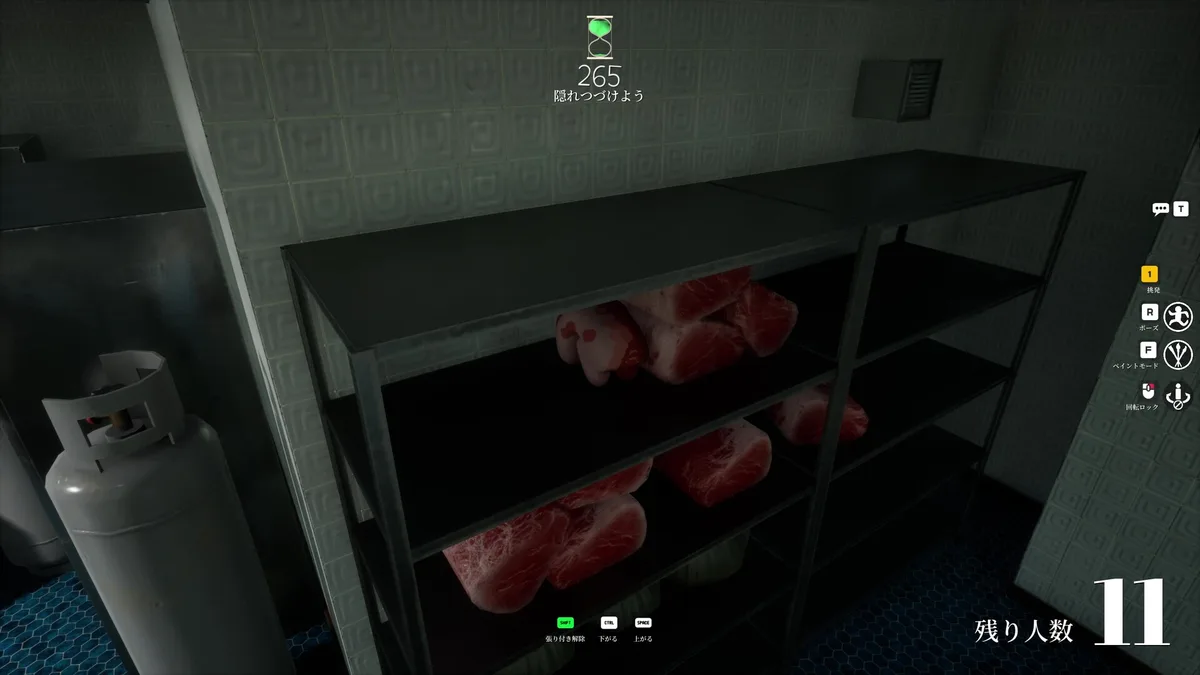 A dark, cluttered room is a useful stress test for both performance settings and the visibility of a highlighted whistle target.
The two setup packages you need, but should not count
The catalog also contains two infrastructure packages that explain why the article count is three instead of five:
- MecchaChameleon UE4SS is the community UE4SS overlay for the game's Unreal shimloader. Its page lists version 1.0.0 and an upload date of June 25, 2026.
- unreal shimloader provides Thunderstore Mod Manager and r2modmanPlus support for RE-UE4SS. Its page lists version 1.1.7 and describes profile-based virtualized file management.
Install these only when the selected mod requires them, and let the manager resolve the exact package versions. The shimloader page also warns that Windows Defender can flag the loader as a false positive. That warning does not turn a download mirror into a safe source: use the package page, inspect the profile, and stop if the file or publisher does not match.
The loaders are not ranked recommendations because they do not make hiding, accessibility, or performance better on their own. Counting them would make the headline look larger while obscuring what a player actually gets in a match.
Step-by-Step: install Meccha Chameleon mods
These steps are for the PC version and a fresh Thunderstore profile. The current official game update is 4.1.1, but the selected mod pages do not claim that exact build, so make a backup and test outside your main public profile.
1. Update the base game and back up your settings: Let Steam finish the current Meccha Chameleon update, then copy any local settings or profile data you care about. Do not install these packages into the Switch 2 version. The PC loader path and the planned console MOD system are different.
2. Create a clean Thunderstore profile: Use Thunderstore Mod Manager or r2modman and create a profile named for this test. Start with no extra map files or unrelated mods. A clean profile makes it possible to tell whether a crash came from the loader, a package, or a Workshop map.
3. Add the loader packages only when needed: AccessibilityHighlight and MecchaChameleonPerformance need UE4SS. Add the exact MecchaChameleon UE4SS package and unreal shimloader through the manager. Thinner Survivor is a pak-only package according to its own page, so test it without assuming UE4SS is required.
4. Install one player-facing mod: Add Thinner Survivor, AccessibilityHighlight, or MecchaChameleonPerformance, then launch the game once. Check that the relevant change appears before adding a second package. For Performance, locate the desktop config and use F1 and F2 to compare the profile. For AccessibilityHighlight, start with a simple marker rather than X-ray.
5. Test a private lobby: Use a repeatable map and ask every player to join the same profile when the mod page requires it. Thinner Survivor's page specifically says all players, including the host, should install it. Test collision near thin walls and ledges. For visibility tools, agree on whether the chosen highlight mode is acceptable before using it with strangers.
6. Isolate failures and roll back cleanly: If the game crashes or a map behaves strangely, disable the newest package first. Do not pile on another loader or download a replacement DLL from a random site. Return to the clean profile, check the mod's own page for a new package, and keep the vanilla profile available until the 4.1.1 compatibility picture is clearer.
Safety and Update 4.1.1 compatibility
The official Steam news feed currently shows Update 4.1.1, posted September 15, 2026. The release notes mention fixes for voice chat, UI behavior, map loading, brushes, and the player limit. Those changes touch areas that can affect a loader or a visual utility, so the July timestamps on the mod pages are meaningful stale warnings.
The same official news feed says the developer plans to replace Steam Workshop with a new MOD system for cross-play, with the Switch 2 announcement describing Workshop deprecation by the end of the year. That does not invalidate the Thunderstore pages today, but it means installation advice can change soon. Recheck the source page after every game update instead of copying a profile forever.
There is a separate safety reason to avoid random map mirrors. In July, the developer posted an official clarification after a malicious custom map incident. The issue concerned specific community map files, not a claim that every Workshop item was malicious, but the practical lesson is simple: use official game channels and the mod platform's own package pages, do not use re-upload sites, and remove anything with a mismatched author or unexpected executable.
The existing Meccha Chameleon achievements guide is useful for keeping a vanilla completion profile separate. If a mod changes visibility, collision, or performance behavior, earn achievement progress on the clean profile first unless the game or mod page explicitly says otherwise.
Which of these three should you install first?
Choose based on the problem you are trying to solve:
- You keep getting stuck on prop geometry: start with Thinner Survivor, but test its capsule and wall-phasing edge cases in a private lobby.
- You cannot read whistle responses in a crowded room: start with AccessibilityHighlight and use a marker box before considering the X-ray style.
- Your frame rate drops on busy maps: start with MecchaChameleonPerformance, compare its default profile with F1 and F2, and change one config value at a time.
Do not install all three just to maximize the mod count. Thinner Survivor changes body geometry, AccessibilityHighlight changes information available to Hunters, and Performance changes the rendering budget. Those are three different trade-offs. A profile that solves one problem can make another side of the match harder to read.
Frequently Asked Questions
What are the three best Meccha Chameleon mods? The three player-facing picks are Thinner Survivor, AccessibilityHighlight, and MecchaChameleonPerformance. They cover tighter hiding spots, clearer whistle targets, and editable performance settings. The two UE4SS loader packages listed in the setup section are dependencies, not extra recommendations.
Do these Meccha Chameleon mods work on Switch 2? No. These are PC Thunderstore packages that use a pak file or UE4SS. The Switch 2 version has a separate MOD system planned by the developer, so do not copy PC files into the console version.
Does everyone need Thinner Survivor installed? The mod page says all players, including the host, should install Thinner Survivor. Use it in a private lobby first because its smaller collision capsule can let the playable character pass through thin walls.
Does AccessibilityHighlight require UE4SS? Yes. Its Thunderstore page describes it as a UE4SS mod and lists the loader setup before the mod installation steps. It highlights whistle targets with a glow, X-ray outline, or marker box.
Does MecchaChameleonPerformance permanently change settings? No. The page says it captures original settings on launch, applies its console changes live, and restores them with F2 or on exit. Its editable config file is stored on the desktop.
Are these mods confirmed for Update 4.1.1? No direct 4.1.1 test is claimed on the three pages. Their latest listed updates are from July 2026, while the live game feed shows Update 4.1.1 from September 15, so treat compatibility as unconfirmed.
Related Reading
- Meccha Chameleon Complete Guide: the cluster hub for every Meccha Chameleon guide on this site.
- Meccha Chameleon Guide: How the Camouflage System Works: the vanilla painting, scoring, and lobby fundamentals behind every mod choice.
- Meccha Chameleon Advanced Tips: Clones, Poses, Hunter Play: clone risk, pose selection, and Hunter scanning advice.
- Meccha Chameleon Modes and Maps Guide: official maps and modes for repeatable mod testing.
- Meccha Chameleon Achievements Guide: a clean-profile checklist for completionists.
- Palworld Best Mods Guide: another current mod catalog with loader and compatibility warnings.
- Valheim Best Mods: a Thunderstore comparison for a much larger survival-game catalog.
- Sons of the Forest Mods Guide: an Unreal Engine mod setup comparison.
References
- Thinner Survivor on Thunderstore: package description, version 1.4.0, requirements, multiplayer note, and known issues.
- AccessibilityHighlight on Thunderstore: package description, version 1.0.0, highlight styles, and UE4SS setup.
- MecchaChameleonPerformance on Thunderstore: package description, version 2.0.1, config path, hotkeys, and rollback behavior.
- Meccha Chameleon Thunderstore community: the active five-package catalog checked for Step 0.
- Meccha Chameleon on Steam: current store page, platform, and Workshop listing.
- Meccha Chameleon Steam news: Update 4.1.1 and the planned MOD-system transition.
- Official game safety clarification: the developer's July clarification about the custom-map incident and game safety.
- Meccha Chameleon Steam Workshop: official map catalog checked separately from code mods.
Was this guide helpful?
About the author

Games Critic
Games writer and reluctant optimist who has reviewed over 400 titles across 9 years. Irish, currently in Berlin. Has strong opinions about tutorial design.
- 400+ games reviewed across 9 years
- Platformer and horror specialist
- Narrative design focus
Keep reading
Disclaimer
This article is published for informational and entertainment purposes. It does not constitute professional financial, legal, or technical advice. Game performance, online services, patch schedules, and store listings change. Verify critical details (pricing, system requirements, regional availability) with publishers and storefronts before you buy. Affiliate links, where present, help support our editorial work and are labelled in our affiliate disclosure.
Comments
Loading comments…