
GuideMeccha Chameleon
Meccha Chameleon Advanced Tips: Clones, Poses, Hunter Play
These Meccha Chameleon advanced tips go past the painting and scoring fundamentals the existing site guide already covers: the clone system nobody talks about enough, the specific poses experienced players actually use, and what's mechanically true about how Hunters find you, all sourced from official patch notes and community strategy discussion rather than assumption.
Sponsored

About the game
Meccha Chameleon
lemorion_1224
TL;DR: Hiders can deploy up to 2 clones, but losing a clone destroys your main body too, so it's a risk tool, not a spare life. Specific poses (nicknamed "hee hee," among others) solve specific hiding problems better than generic posing. Hunters play in third-person with a widened FOV and a cooldown-limited shotgun, which changes the risk calculus around confirmed versus speculative shots.
Sponsored

How do clones and advanced disguises work? (quick answer)
Hiders can create up to 2 clones or decoys, a mechanic added in update 2.0.0. Clones count toward the game's blind-spot detection the same way your real body does, but destroying a clone also destroys your main body, so deploying one is a real risk rather than a free extra chance. Combined with specific community-tested poses for tricky surfaces, this is the layer of play above basic color-matching.
Key takeaways
- Clones (up to 2) count toward blind-spot detection; losing one destroys your main body too
- Specific poses solve specific surface problems better than generic posing, per community discussion
- Hunters got third-person view and a widened FOV in update 2.0.0/2.6.0, changing how they scan a room
- An ammo-limit lobby option makes missed shots costly, shifting Hunter risk calculus
- Character options now include a non-humanoid Cube and a Plump body type, both purely cosmetic
The clone and decoy system
This is the single biggest mechanic missing from most beginner coverage of this game. Added in update 2.0.0, Hiders can place up to 2 clones or decoys in addition to their real body. The critical rule: "Clones count toward the blind spot metrics. If a clone is destroyed, the main body is also destroyed." That second sentence is the one worth internalizing. A clone isn't a spare life or a pure decoy in the traditional sense; it's linked to you, and losing it ends your round just like losing your real body would.
The system went through several follow-up bug patches after launch: delayed clone appearance was fixed in 2.1.0, decoys rendering solid black on AMD GPUs were fixed in 2.2.1, clones not disappearing instantly outside Double Mode were fixed in 2.3.0, and collision lingering on hidden clones was fixed in 2.6.0. That patch history is itself useful information: it tells you the clone system was buggy enough in its first month that visual glitches (a decoy rendering wrong on certain hardware, or lingering collision after a clone should be gone) were live issues players actually ran into, not just a smooth feature from day one.
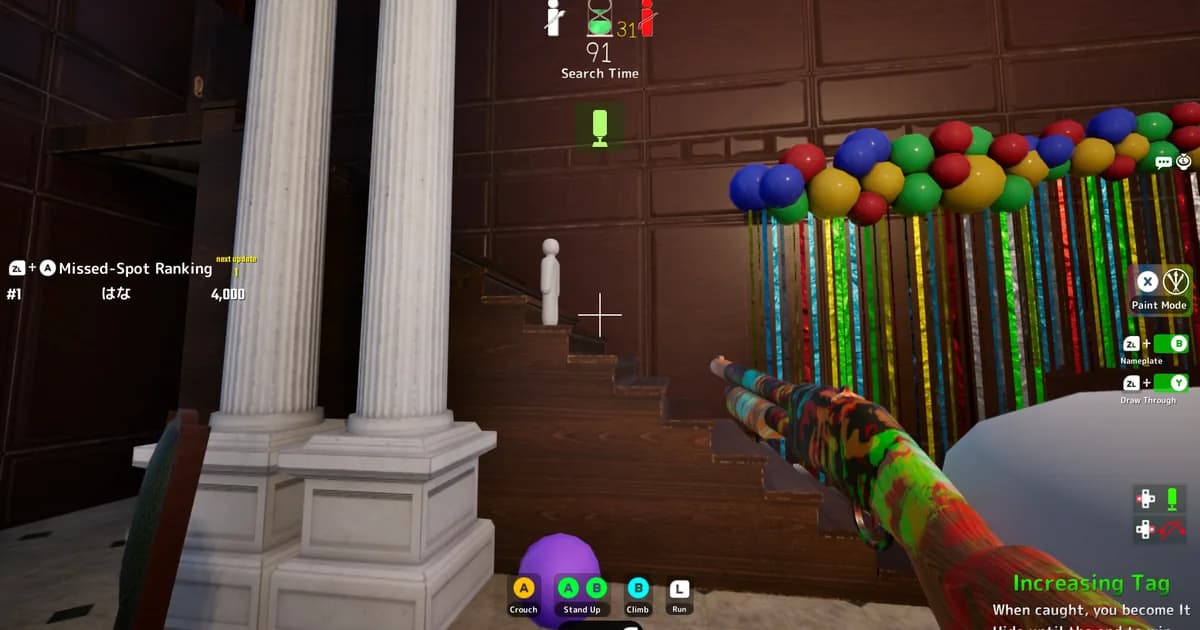
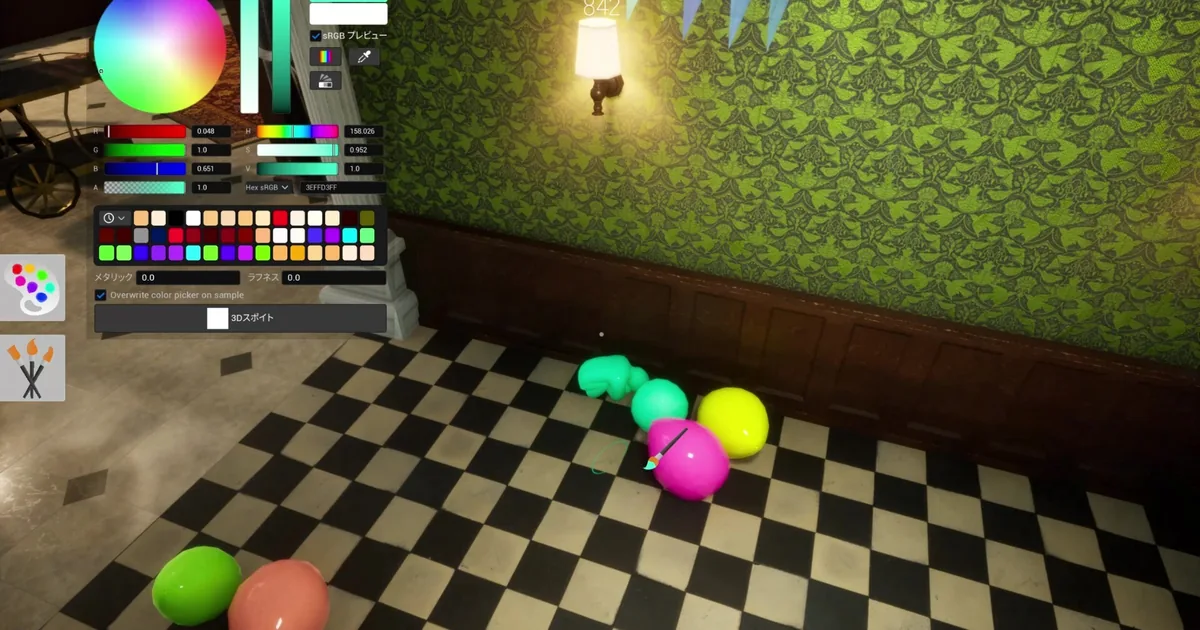 Painting a cluster of balloons. Object choice matters as much as color accuracy: some shapes are far more convincing disguises than others.
Poses that actually work, according to players
A community "poses tier list" discussion thread surfaced several specific, tested uses that go beyond "pick a pose that roughly matches the object":
- The pose nicknamed "hee hee" gets recommended constantly for diagonal and slanted surfaces: crossbars in wooden posts, cactus sprouts, plant and tree leaves, and parts of angled signage. On the Sugarland map specifically, players use this same pose to disguise as the tip of a candy cane, a good example of matching a pose to a map's specific theme rather than using one generic pose everywhere.
- A "left arm in the air" pose works well for clock hands and parts of Asian-character signage, where a single raised limb reads as a hand or pointer rather than a person.
- An "arms up over head" pose suits tall, skinny object silhouettes.
- A "legs spread, arms and legs pointed down" pose was specifically called out in the same discussion as underused relative to how well it actually works.
None of this replaces color and lighting accuracy, which the existing camouflage guide already covers in depth. It's an additional layer: the right pose for the object you're disguising as matters as much as nailing the paint job.
Ceiling rafters in a brick corridor, one of several overhead hiding spots that reward looking up instead of only scanning floor-level props.
How Hunters actually find you
Several Hunter-side mechanical changes are worth knowing if you want to understand the other side of the matchup. Hunters got a proper third-person camera view in update 2.0.0; before that patch, Hunter play was presumably closer to first-person only. Their field of view was widened from 100 to 105 degrees in update 2.6.0, a real, if modest, scanning improvement. The Hunter's shotgun has a firing cooldown that was increased from 1.5 to 2.0 seconds in update 1.9.0, which slows down spam-firing at anything that looks suspicious.
The detail that changes strategy the most: an ammo-limit lobby option exists where each shot costs one ammo, refunded on a hit, with no cost for shooting a player who's already fleeing or found. Under that setting, a Hunter who fires speculatively at something that turns out to be scenery is burning a limited resource, while a confirmed, already-revealed target costs nothing to finish off. If you're hosting and want tenser, more deliberate Hunter play instead of trigger-happy scanning, this is the setting to enable.
Ceiling and overhead surfaces are a real hiding category, not just walls and floors, confirmed directly by official gameplay footage.
Character options beyond the default humanoid
Character customization has expanded past simple humanoid painting. A non-humanoid Cube character was added in update 1.9.0, and later got 1.4x and 1.7x size variants in update 2.2.0, giving Hiders a genuinely different base silhouette to disguise. A Plump body type was added in update 3.3.0, the most recent character option confirmed at the time of writing. Glow-in-the-dark paint was added in update 2.9.0 as a new paint property alongside the existing metallic and roughness sliders, useful specifically on darker maps like The Backrooms or the sewer areas.
None of these options change the underlying scoring or detection rules. A Cube character disguised well scores the same way a humanoid character would; the difference is purely in what shapes and objects become plausible to hide as. A player who only ever uses the default humanoid body is leaving real disguise options on the table, since some props and silhouettes read far more convincingly as a cube or a rounder body type than as a person-shaped outline squeezed into an unlikely pose.
Frequently Asked Questions
How do clones work in Meccha Chameleon? Hiders can create up to 2 clones or decoys, added in update 2.0.0. Clones count toward blind spot detection, and if a clone is destroyed, the Hider's main body is also destroyed, so a clone isn't a free extra life.
What is the hee hee pose in Meccha Chameleon? A community-nicknamed pose that works well for slanted surfaces: crossbars in wooden posts, cactus sprouts, plant leaves, and diagonal signage. It's one of the most cited underused poses in player strategy discussion.
How do Hunters actually find Hiders in Meccha Chameleon? Hunters play in third-person (added update 2.0.0) with a widened 105-degree field of view (up from 100) and a shotgun with a cooldown between shots. The mechanical trade-off is that missed shots cost ammo when an ammo-limit option is enabled, so confirmed Hiders are safer targets than speculative ones.
Can you play a non-humanoid character in Meccha Chameleon? Yes. A non-humanoid Cube character was added in update 1.9.0, later got size variants. A Plump body type was added in update 3.3.0, the most recent character option confirmed at time of writing.
Does glow-in-the-dark paint exist in Meccha Chameleon? Yes, added in update 2.9.0 as a new paint property alongside the existing metallic and roughness sliders.
Is it safe to use community-made poses and disguises in Meccha Chameleon? Poses and paint jobs are entirely safe; they're just cosmetic in-game choices. The separate concern is community Workshop maps specifically, not poses or paint, following a July 2026 malware incident tied to two specific map files.
Related Reading
- Meccha Chameleon Complete Guide: the hub for every Meccha Chameleon guide on this site.
- Meccha Chameleon Modes and Maps: Every Confirmed Map: all 4 modes and 11 official maps, including the Workshop-map security note.
- Meccha Chameleon Guide: How the Camouflage System Works: the painting, scoring, and lobby-size fundamentals this guide builds on.
References
- Meccha Chameleon on Steam: official store page and patch notes.
- Meccha Chameleon Steam news hub: source for every patch cited in this guide.
Was this guide helpful?
About the author

Indie & JRPG Desk
GameBrief's byline for indie, JRPG, visual novel and cozy games. Warm, direct, and willing to say which one to buy.
- Indie, JRPG and visual novels
- Early access and survival
- Sources listed per article
Keep reading
Meccha Chameleon Complete Guide: Modes, Maps, Tips
General · 13 min
Meccha Chameleon Modes and Maps: Every Confirmed Map
General · 9 min
Meccha Chameleon Guide: How the Camouflage System Works
Guides · 9 min
3 Best Meccha Chameleon Mods for Better Hiding (2026)
General · 15 min
Meccha Chameleon Achievements Guide (2026): Steam Status
General · 13 min
Meccha Chameleon Map Guide: 19 Maps and Hiding Routes
General · 18 min
Sponsored
More game deals · affiliate links
Disclaimer
This article is published for informational and entertainment purposes. It does not constitute professional financial, legal, or technical advice. Game performance, online services, patch schedules, and store listings change. Verify critical details (pricing, system requirements, regional availability) with publishers and storefronts before you buy. Affiliate links, where present, help support our editorial work and are labelled in our affiliate disclosure.
Comments
Loading comments…