
GuideRIFTSTORM
RIFTSTORM Co-Op Guide: How 3-Player Squads Actually Work
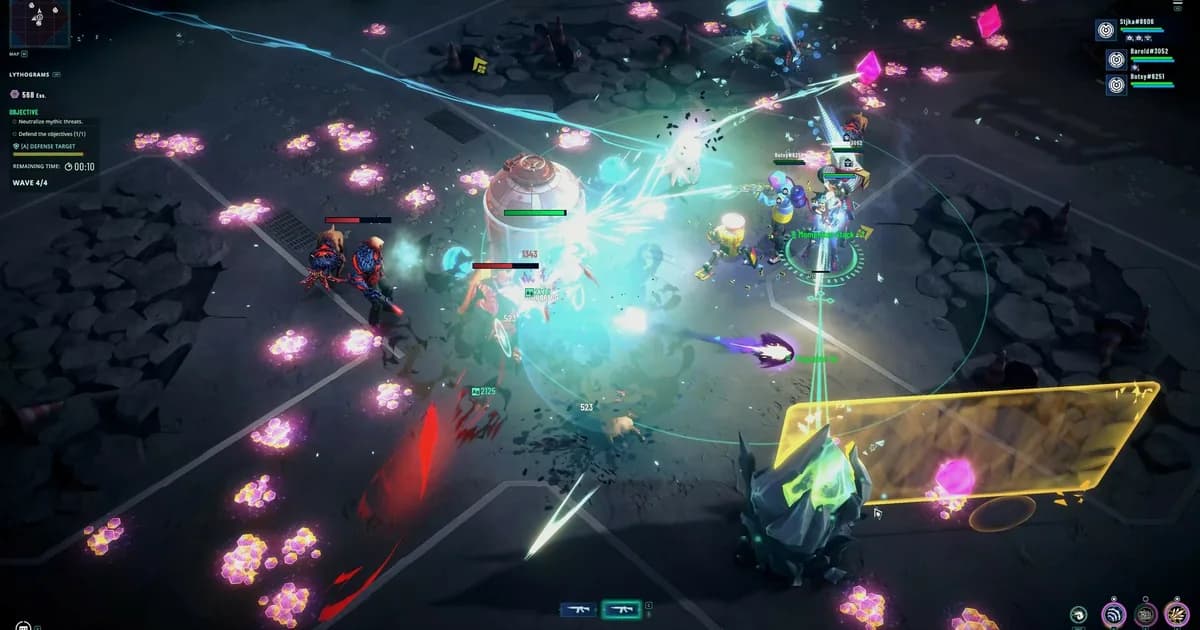
About the game
RIFTSTORM
Three. That's the number this RIFTSTORM co-op guide keeps coming back to, and Confiction Labs has confirmed it in two separate places: once in the Steam store copy, once in the studio's own launch roadmap post. What's less obvious is everything downstream of that number. How the invite actually works. What happens when your friend hasn't patched yet. Whether "solo" still means staying online. And how a squad's shared choice to extract, or not, can cost everyone their gear if it goes wrong.
This guide covers the mechanical side of playing RIFTSTORM with other people: lobbies, invite codes, the crash you'll hit if someone's on the wrong build, and how to think about who you bring. Build theory and full Weaver breakdowns live in a separate guide, linked below.
TL;DR: RIFTSTORM co-op tops out at three Weavers per squad, confirmed on the Steam store page and in Confiction Labs' own roadmap post. You can invite through a Steam Lobby or a lobby code, but joining a friend on a mismatched game version will likely crash the session, per the 0.6.2 patch notes from August 18. Solo play works with or without a live connection now that the Solo-Offline Beta shipped on August 12, though that mode doesn't pause the simulation when you open a menu. Failed extractions apply Weapon Scarring to the whole squad's gear, not just the player who died.
How many players can play RIFTSTORM co-op? (quick answer)
Three, including the host. RIFTSTORM's own Steam page says you can "deploy alone or with up to two friends," and Confiction Labs' launch roadmap post separately confirms "online solo and three-player co-op." Two independent official sources, same number. There's no secret fourth slot waiting to be patched in. As far as either description of the mode goes, three is the design, not a placeholder.
RIFTSTORM co-op: key takeaways
- Squad cap is three players, confirmed twice: Steam's store copy and Confiction Labs' own roadmap post.
- Both Steam Lobby invites and standalone lobby codes work for getting friends in.
- A mismatched game version between squadmates can crash a lobby join. Update everyone before you invite anyone.
- The Solo-Offline Beta (patch 0.6.1) lets you play without a live connection, but it's solo only, and it's still labeled Beta.
- Weapon Scarring on a failed extraction hits the whole squad's gear, not just whoever went down.
Step-by-Step: Setting Up a RIFTSTORM Co-Op Squad
Getting a squad into the same mission comes down to two methods, plus one patch-related landmine worth knowing about before you try either.
1. Invite through the Steam Lobby: This is the default path, and it's the one most groups will use. According to RIFTSTORM's own "How to Co-op" guide on riftstorm.wiki, the host opens the co-op or social menu and creates a lobby, with a friends-only visibility setting recommended so strangers don't wander into a session you meant for people you know. Friends then accept the Steam overlay invite, or join from their friends list once the host's status shows up in RIFTSTORM. From there the host picks the mission type and Threat Level and starts once everyone's ready, or once the squad agrees to go in as a duo instead of waiting on a third.
Nothing about that flow is unusual if you've used Steam's party system before. But here's the catch: RIFTSTORM is built around always-online multiplayer architecture even for solo runs, so the lobby step happens whether you're playing with friends or by yourself in the standard online mode.
2. Use an invite code instead: Steam friends-list invites aren't always convenient. Different online hours, a streaming setup where the overlay gets in the way, or a Discord-first group that doesn't all follow each other on Steam. For those cases, RIFTSTORM supports standalone lobby codes: the host generates one and teammates type it into a join field, according to the wiki's dedicated codes page.
Codes expire when the lobby closes or the host leaves, so a code from an hour ago is probably already dead. And the wiki's own security note is blunt about sharing them too widely: keep codes in trusted channels, because a public one can fill your third slot with a random player who doesn't share your squad's instincts about when to push and when to bail.
3. Avoid the version-mismatch crash: This is the single most useful thing to know right now if you're setting up co-op with friends. Patch 0.6.2, which shipped August 18, added an explicit warning to its own changelog: "You will not be able to join Lobbies with different builds. In most cases you will not be able to see Lobbies with different version numbers, but if you try to join a lobby via Invite or Lobby Code to a different version, you will likely cause a crash. Please run a Verify Integrity check to make sure your game is up to date."
RIFTSTORM's wiki independently lists "version mismatch" among its most common invite-code troubleshooting entries, which lines up with the patch note rather than contradicting it. The practical takeaway: if your squad hasn't all launched the game since the last update went live, don't just try the invite and see what happens. Verify Integrity through Steam first, especially in the day or two after any patch, since squadmates rarely update at exactly the same moment.
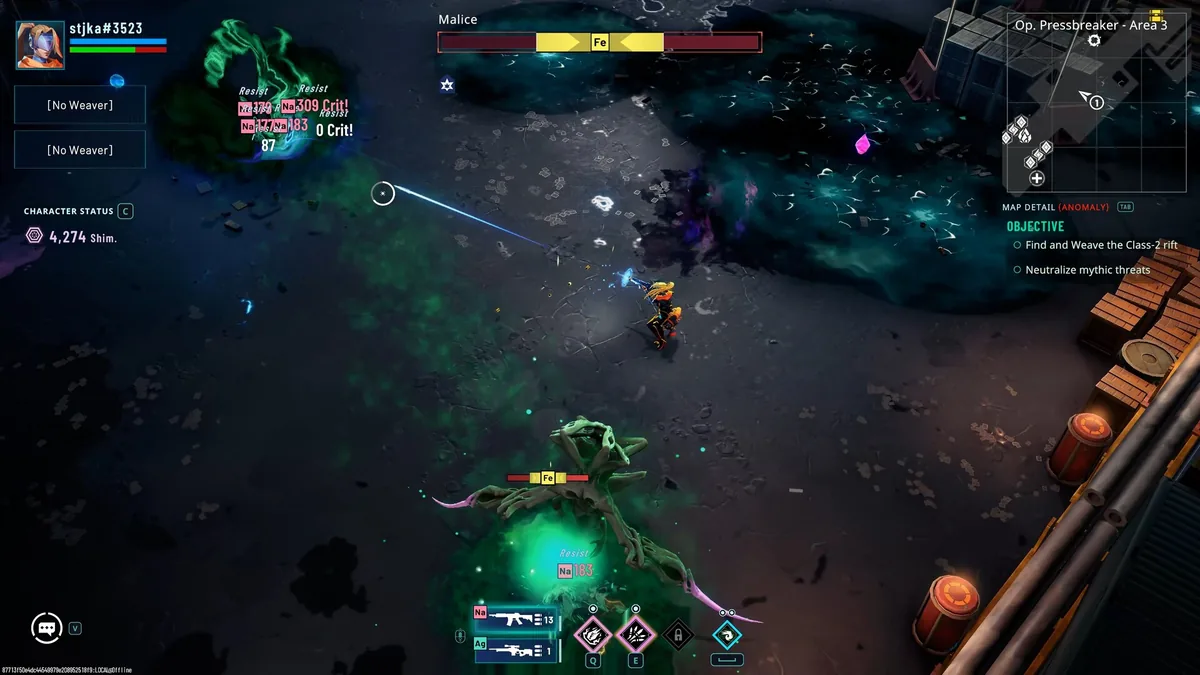 The squad panel shows exactly what solo looks like in practice: one active Weaver, two open slots waiting for teammates.
Solo, co-op, and what "always online" actually means now
RIFTSTORM launched as an always-online multiplayer game, full stop, and that included solo runs. Steam's own listing still describes it that way: a live internet connection was required to play at all, whether or not anyone else was in your squad.
That changed, partially, on August 12 with update 0.6.1, titled "Solo-Offline Beta." The patch notes are specific about what it does and doesn't cover: "Version 0.6.1 introduces a Solo-Offline Beta mode for players who want to play RIFTSTORM without connecting to the online service." Save data carries over between the two modes, and you choose which one to use when launching the game. Confiction Labs is calling it a Beta deliberately, noting the studio is "still testing it across a wider range of player setups and use cases" as it adapts an architecture that was built around multiplayer from the start.
One catch is worth knowing before you rely on it: offline play doesn't currently pause the simulation. The patch notes say it plainly: "the underlying server simulation is still running locally, so opening menus will not pause gameplay." Tab out to check a build guide and enemies keep moving.
And none of this touches co-op directly. Solo-Offline is, as the name says, solo. Bringing friends into a mission still means the standard online lobby flow described above, version-matching requirement included. If your goal is "play with two friends tonight," you're still playing online, no matter what the Solo-Offline toggle is set to on anyone's launcher.
Who to bring: squad composition and Weaver roles
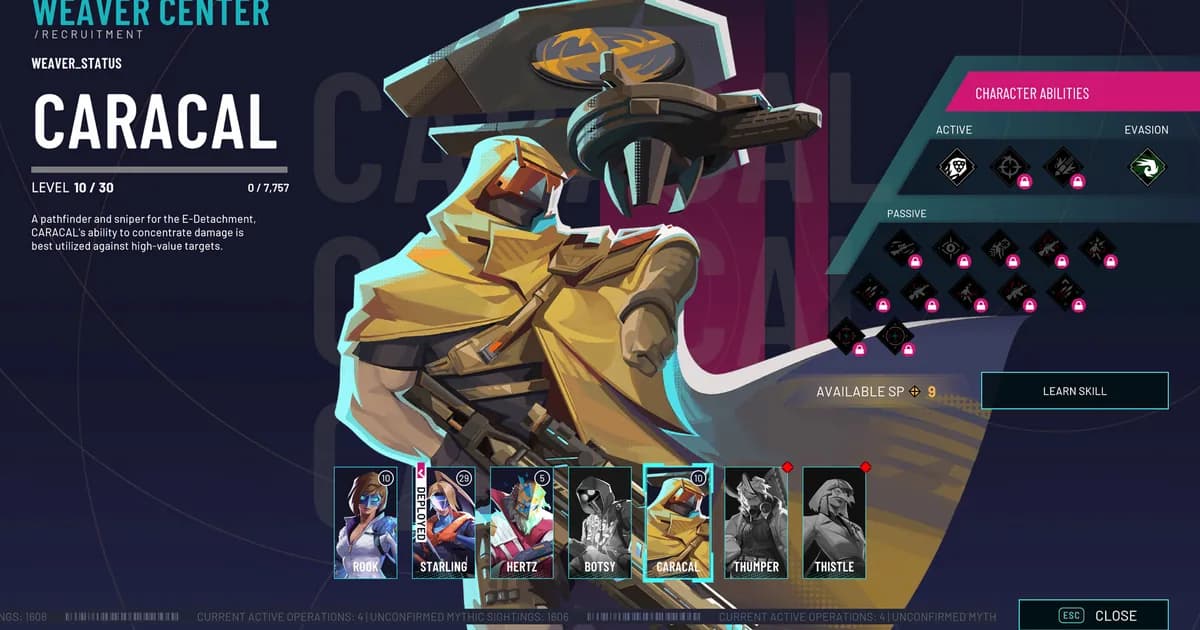
RIFTSTORM launched Early Access with five playable Weavers, each built around a different job in a fight. Rook is the generalist, a reasonable default if nobody in your squad has a strong preference. Starling specializes in sustained fire, useful for squads that expect longer engagements rather than quick bursts. Hertz is a frontline disruptor built to hold enemy attention, which matters more in a three-player squad than it sounds. Botsy leans into containment and battlefield control rather than raw damage. Caracal is a marksman who fights alongside a Kestrel drone, best suited to picking off priority targets from range.
Two further Weavers, Thumper and Thistle, appear in the in-game recruitment roster but aren't deployable yet (grayed out at the end of the row, which is its own small tease about where the roster's headed).
Confiction Labs hasn't published a defined co-op "meta," so take this as a reasonable starting point rather than a confirmed build order: a three-player squad stacking three ranged damage picks with nobody holding aggro is going to have a rougher time than one with at least one Weaver built to draw attention, like Hertz, alongside picks focused on damage or utility. It's the same logic that applies in most co-op shooters with a threat mechanic. Nobody's forcing a strict tank-damage-support split here. But ignoring aggro entirely tends to get punished.
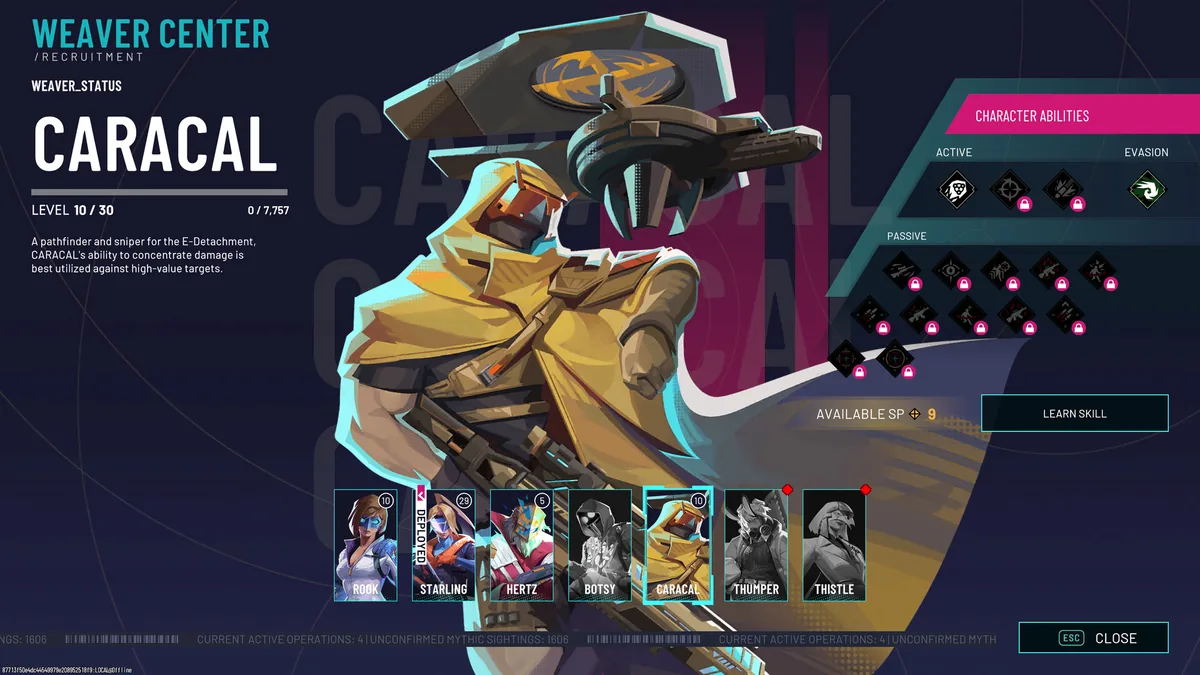 The Weaver Center recruitment screen: five deployable Weavers up front, Thumper and Thistle greyed out at the end of the row.
Why the squad's extraction choice matters
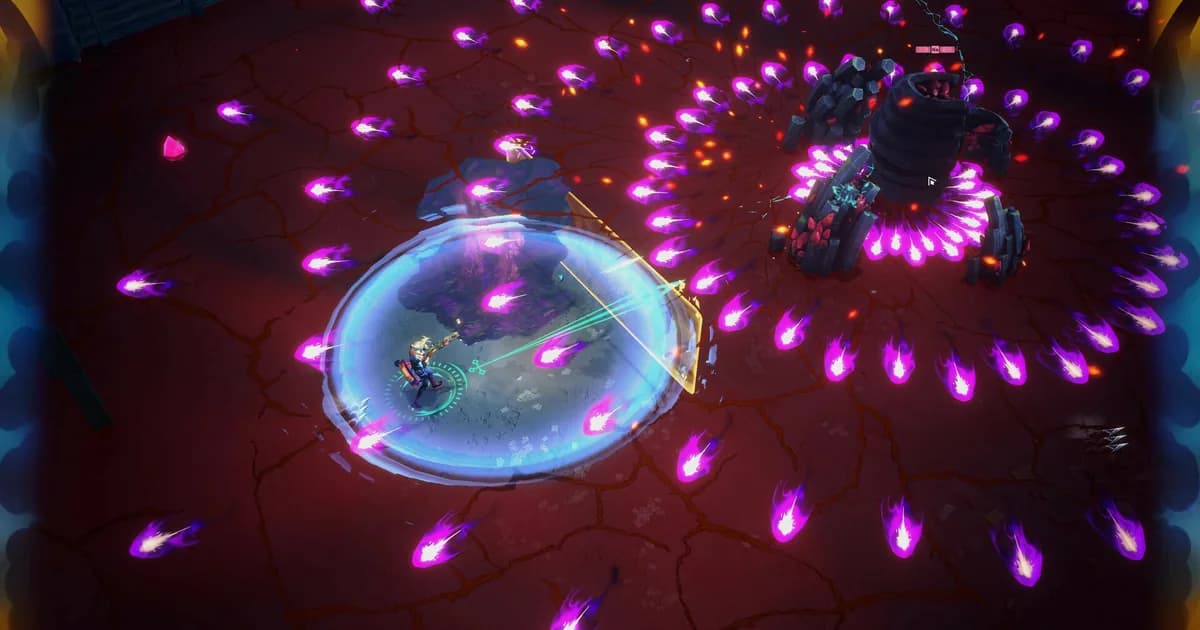
The core loop is straightforward on paper: deploy into a Rift Exposure Zone together, fight escalating Mythic threats, then decide as a group when to extract with whatever you've collected. That last part is where co-op coordination actually matters, because the decision to push for one more objective or bail now isn't framed as an individual call. It's a squad decision, and the game's own systems back that framing with a real penalty.
Extract successfully and you keep what you found. Fail the extraction, whether that means a wipe or running out the clock in a bad spot, and the squad's weapons take permanent Weapon Scarring rather than being lost outright. That's a gentler penalty than losing everything, but it's still a cost that lands on gear the whole squad is carrying, not just whichever Weaver went down first.
Practically, that means the conversation worth having with your squad isn't just "what's our build," it's "who calls the extract, and how early are we willing to bail if a Threat Level fight goes sideways." A squad that's aligned on that question before the mission starts avoids the worst version of this: one player pushing for loot while the other two are already backing toward the extraction point.
GODEEPER: For the full breakdown of what each Weaver's kit actually does before you pick who brings what to a squad. RIFTSTORM Weaver Guide: All 5 Launch Weavers Explained →
Tips
Host migration isn't guaranteed. RIFTSTORM's wiki is direct about this: "host migration on disconnect is not guaranteed in Early Access builds." If your host drops mid-mission, don't assume leadership will quietly pass to someone else. The session may end instead. If a squadmate disconnects for any reason, the wiki's own advice is to prepare to cover their role temporarily or extract early rather than wait and hope.
Connectivity issues aren't always your fault. For "Lobby not found" errors, the usual causes are an expired code, a typo, or the host having already closed the lobby. For general NAT or connection problems, try restarting Steam, consider swapping who's hosting, and avoid running a VPN unless every player in the squad is using the same one on the same region.
Verify Integrity before you need to, not after. Given how directly patch 0.6.2 ties version mismatches to lobby crashes, it's worth running a quick Steam file verification any time you know you're about to play with friends, rather than waiting for a failed join to tell you something's out of date.
Don't confuse a full squad with a locked squad. Nothing in RIFTSTORM's co-op system prevents starting a mission as a duo and letting a third player join later via lobby code, as long as the lobby is still open and running the same build.
GODEEPER: For a first-look verdict on how the co-op loop, Weaver roster, and Early Access rough edges actually play out over real missions. RIFTSTORM Review: Early Access Extraction Shooter, Tested →
Frequently Asked Questions
How many players can play RIFTSTORM co-op? Up to three per squad. RIFTSTORM's Steam page says you can deploy alone or with up to two friends, and Confiction Labs' own roadmap post separately confirms online solo and three-player co-op. There's no larger squad size in Early Access.
Can you play RIFTSTORM solo? Yes. Solo has always worked as one of the three squad sizes, and the Solo-Offline Beta added in update 0.6.1 lets you play solo without connecting to the online service at all, with save data shared between both modes.
Does RIFTSTORM require an internet connection to play? The base game is always-online by design, including for solo runs. Update 0.6.1 added a Solo-Offline Beta specifically for single-player, but co-op still needs a live connection since squadmates have to sync with each other.
Why can't I join my friend's RIFTSTORM lobby? The most likely cause is a version mismatch. Since patch 0.6.2, joining a lobby running a different build than yours will usually hide it from view, and forcing a join via code can crash the session. Run Verify Integrity on Steam first.
What happens if the host disconnects during a RIFTSTORM mission? Host migration isn't guaranteed in the current Early Access build, according to RIFTSTORM's own wiki. The session may end outright rather than pass leadership to another player, so be ready to extract early if the host drops.
What is Weapon Scarring in RIFTSTORM? A penalty applied when a mission ends in a failed extraction. Instead of losing gear outright, weapons carried by the squad get permanently scarred, which is why the decision to push or extract is treated as a squad call, not a solo one.
Related Reading
- RIFTSTORM Beginner Guide: Extraction, Lythograms, Scars: The core loop explained for new players, including how Lythograms and extraction risk actually work.
- RIFTSTORM Weaver Guide: All 5 Launch Weavers Explained: Full kit breakdowns for every launch Weaver, useful before you settle on squad roles.
- RIFTSTORM Roadmap: All 4 Early Access Contingencies: What Confiction Labs has committed to adding after the co-op-focused launch build.
- DRG Rogue Core Team Compositions: Best Co-op Squads 2026: Another co-op roguelite's approach to squad roles, for comparison.
- Outbound Co-op Guide: Roles, Energy, and Van Builds: How a different extraction-adjacent survival co-op game splits up party roles.
- RIFTSTORM Early Access Review: the full verdict on RIFTSTORM's Early Access build, including how the co-op experience holds up.
- ARC Raiders Best Squad Loadouts: a much bigger-scale extraction shooter's take on team composition, useful comparison.
- Sunderfolk Online Co-op Guide: a very differently-structured co-op game, worth a look if RIFTSTORM's squad size doesn't fit your group.
- Solasta II Coverage: another tactical co-op RPG actively expanding its multiplayer, worth tracking alongside RIFTSTORM.
- Core Crusher Beginner Guide: a solo-friendly roguelite worth checking if your squad falls through on a given night.
- Risk of Rain 2 Complete Guide Hub: a mature co-op roguelite hub, useful for readers comparing squad-based genre staples.
- Cursemark Best Builds Guide: another Early Access roguelite worth reading if you're rotating between a few co-op-friendly titles.
References
- RIFTSTORM on Steam
- RIFTSTORM: How to Co-op (riftstorm.wiki)
- RIFTSTORM Lobby and Invite Codes (riftstorm.wiki)
- RIFTSTORM 0.6.2 patch notes (Confiction Labs, Steam Community)
Was this guide helpful?
About the author

Games Critic
Games writer and reluctant optimist who has reviewed over 400 titles across 9 years. Irish, currently in Berlin. Has strong opinions about tutorial design.
- 400+ games reviewed across 9 years
- Platformer and horror specialist
- Narrative design focus
Keep reading
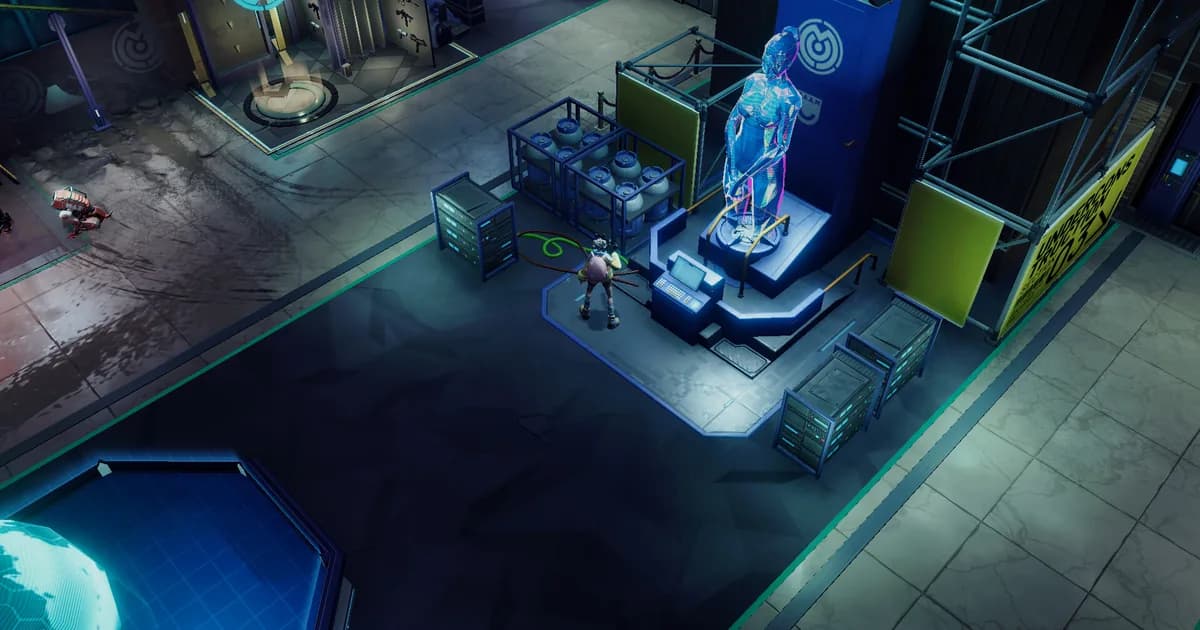
RIFTSTORM Roadmap: All 4 Early Access Contingencies
General · 10 min
RIFTSTORM Beginner Guide: Extraction, Lythograms, Scars
General · 17 min
RIFTSTORM Weaver Guide: All 5 Launch Weavers Explained
General · 15 min
RIFTSTORM Review: Early Access Extraction Shooter, Tested
General · 13 min
Solarpunk Roadmap 2026: What Comes After Update 1.3.0
Guides · 8 min
Bronzebeard's Tavern 2 Demo: From 1M Downloads to Goblins
General · 11 min
Game deals · affiliate links

Disclaimer
This article is published for informational and entertainment purposes. It does not constitute professional financial, legal, or technical advice. Game performance, online services, patch schedules, and store listings change. Verify critical details (pricing, system requirements, regional availability) with publishers and storefronts before you buy. Affiliate links, where present, help support our editorial work and are labelled in our affiliate disclosure.
Comments
Loading comments…