
GuideRIFTSTORM
RIFTSTORM Beginner Guide: Extraction, Lythograms, Scars
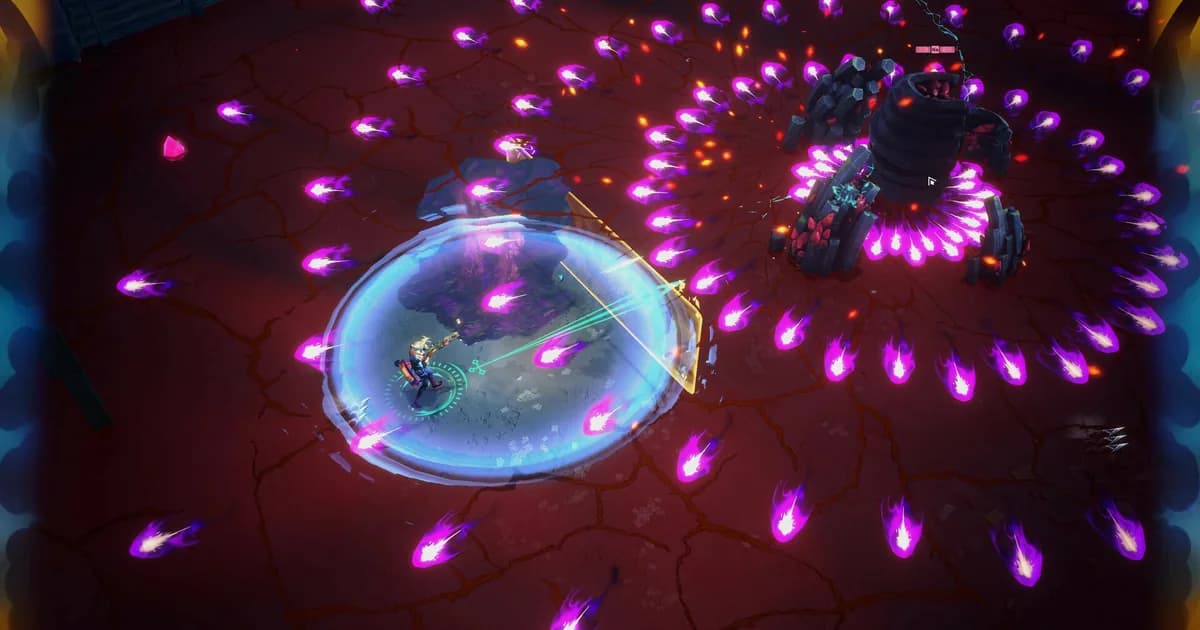
About the game
RIFTSTORM
This RIFTSTORM beginner guide exists because the Steam page mentions Lythograms and Weapon Scarring in about a sentence each, and neither gets a tutorial walking through when to push for one more loot beam and when to just leave. RIFTSTORM entered Steam Early Access on August 11, 2026, and its extraction system ties both of those mechanics together in a way the game doesn't fully explain up front. Here's what the developers have actually confirmed as of patch 0.6.2, plus what's still an open bug.
TL;DR: RIFTSTORM's extraction is a choice, not a fail state. Every mission has at least one extraction zone, and leaving early keeps your loot even if objectives aren't finished, though the mission itself counts as incomplete. Only total mission failure (death, a failed extraction, or quitting) triggers Weapon Scarring, which swaps one mod on one weapon for a random negative one, not your whole loadout. Lythograms are temporary in-mission upgrades that reset every run, while the separate Periapt system carries permanent stat growth between missions. As of patch 0.6.2 (August 18, 2026), Weapon Scarring can still trigger from crashes and disconnects, a bug the developers have confirmed and are working to fix.
How does extraction work in RIFTSTORM? (quick answer)
Every mission has at least one extraction zone, visible on the map as a green-and-black striped rectangle. Stand inside it for roughly 15 seconds and you leave immediately with everything you've collected so far. Leave before finishing every objective and the mission counts as incomplete, no completion reward, but the loot in your pockets is yours either way.
Key Takeaways
- Extraction is optional per mission. You can bail early through any extraction zone and keep your loot, at the cost of the completion reward.
- Total mission failure only scars one weapon, it doesn't wipe your inventory. Weapon Scarring replaces one mod on one weapon with a random negative mod.
- As of patch 0.6.2, Weapon Scarring can also trigger from crashes or disconnects, which the developers say is unintended and are actively fixing.
- Lythograms are in-mission-only upgrades found via glowing crystal pickups. The build resets completely at the end of every run.
- Threat Level 1 and 2 missions are the most balanced right now. The developers themselves call Threat 3 and up "experimental."
Overview: what RIFTSTORM actually is
RIFTSTORM is a co-op PvE looter-shooter built by Confiction Labs and Agate, published by Confiction Labs and Gamersky Games. It entered RIFTSTORM on Steam Early Access on August 11, 2026, priced at $14.99 (currently 20% off at $11.99), and sits at a Mostly Positive rating from 505 Steam reviews as of this writing, about 70% positive.
The setup: you play a Weaver, an operative of the Mythic Protocol, deploying solo or with up to two friends into Rift Exposure Zones layered with corruption, unstable loot, and Mythic enemies that get more dangerous the deeper you push. The developers describe their own design philosophy as "extraction-lite." It isn't Escape from Tarkov's full lose-everything stakes, but it isn't a zero-risk power fantasy either.
The Early Access roadmap splits into four phases the developers call Contingencies: PADDOCK (launch through the end of 2026), BLACKSITE (2027), GREYLINE (2027), and STORMSURGE (2028), covered in more depth in our RIFTSTORM roadmap breakdown. The current build, patch 0.6.2 as of August 18, 2026, still reflects the PADDOCK Contingency launch content: an onboarding campaign, roughly 30 starting weapons, several dozen Lythogram upgrades, two primary Mythic enemy species, and 5 playable Weavers, with 2 more planned for a later update.
Extraction: when to push and when to bail
Every mission map has at least one extraction zone, marked on the map and, once you're inside a mission, as a green-and-black striped rectangle you can spot from a distance. Stand inside it for roughly 15 seconds and you leave the mission immediately, keeping every weapon, resource, and Lythogram-fueled build you picked up along the way.
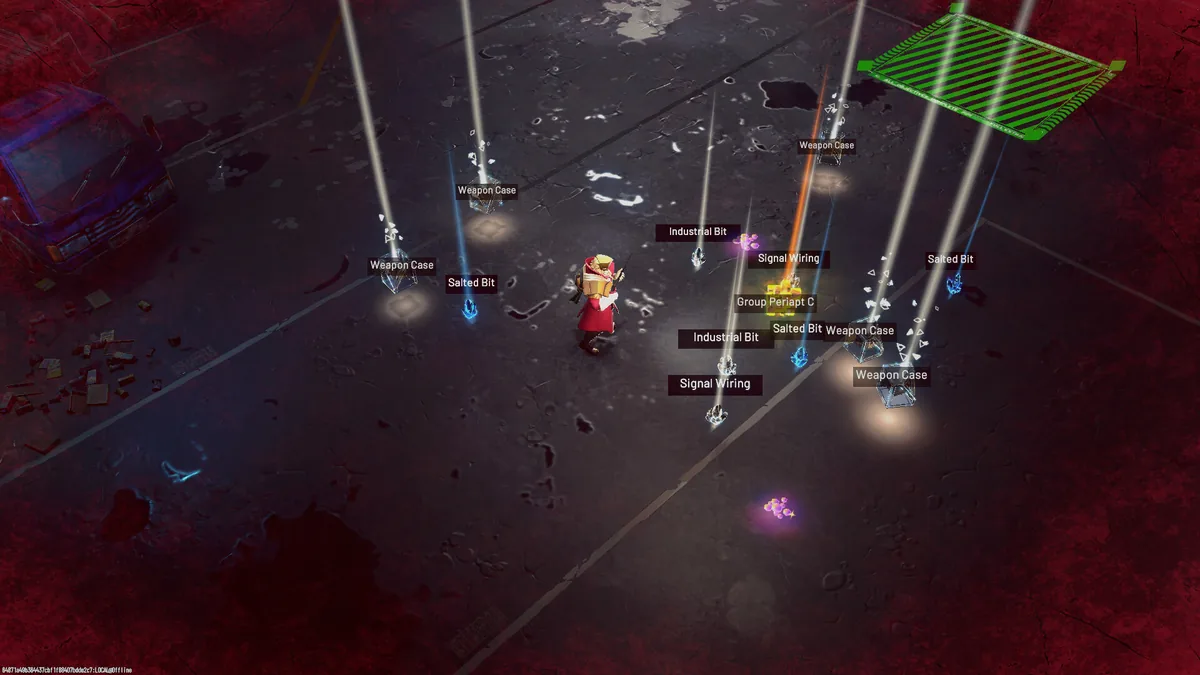 Loot beams mark weapon cases and crafting materials on the ground. The striped zone in the corner is where you'd head to extract early and keep it all.
The catch: leaving through an extraction zone before finishing every objective marks the mission as incomplete. You keep the loot, but not the completion reward, and if the mission belongs to the PADDOCK campaign, you'll need to come back and finish it properly to keep the story moving.
That's the actual decision RIFTSTORM keeps putting in front of you: push for one more loot beam, one more Lythogram crystal, one more room, or cut your losses and bank what you already have. The developers have said plainly this isn't meant to recreate the all-or-nothing tension of a hardcore extraction shooter. From a July 21, 2026 developer post: "What we wanted was the part of extraction games that creates tension: deploying into a dangerous space, finding things you want or need, deciding whether to push a little deeper, and then trying to get out before shit hits the fan."
Finish every objective instead of leaving early, and the game routes you to an extraction point automatically, so a fully completed mission still ends with the same 15-second stand-and-wait. What changes is the risk: an early exit banks a partial haul right now, while pushing to the end risks losing that entire run's loot to a death, in exchange for the completion reward and a properly finished mission. Our ARC Raiders loot guide covers a similar keep-or-bail calculus for a harder extraction shooter, useful context if you want to see how much steeper the stakes get elsewhere in the genre. And if squad-based extraction is your thing specifically, ARC Raiders' best squad loadouts guide is worth a look for how a dedicated extraction shooter handles team roles.
Weapon Scarring: what a failed mission actually costs you
Total mission failure, meaning death, a failed extraction, or abandoning a run by quitting, doesn't wipe your inventory. It applies Weapon Scarring instead: one of the weapons you brought into the mission has one of its mods replaced with a random negative mod. The weapon still works. It's just worse.
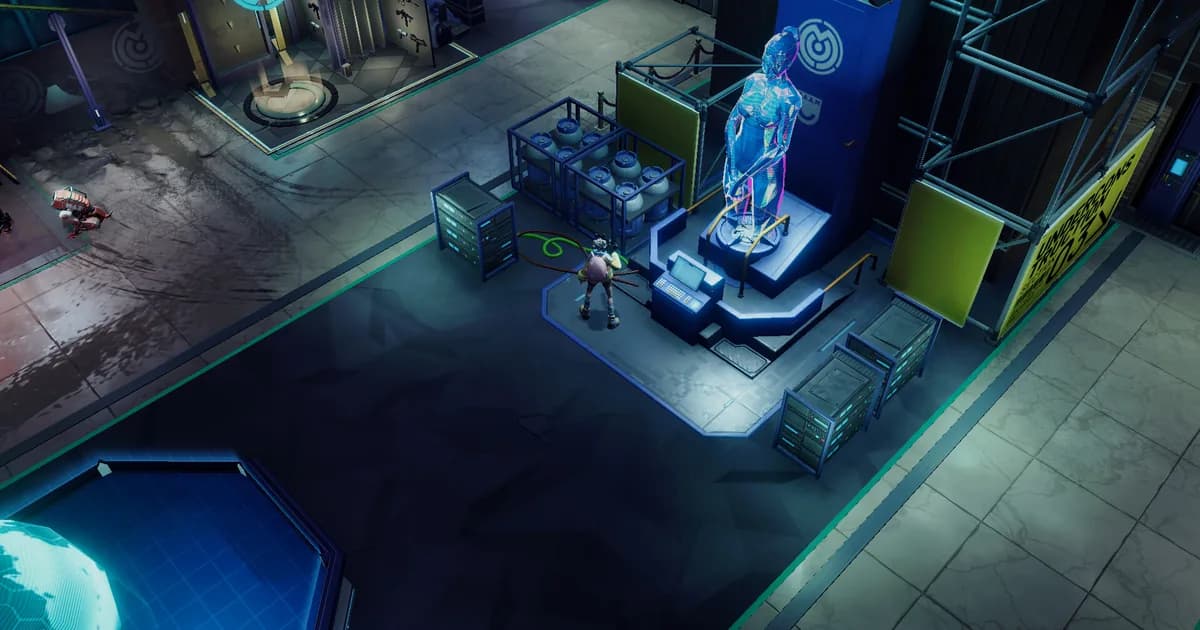
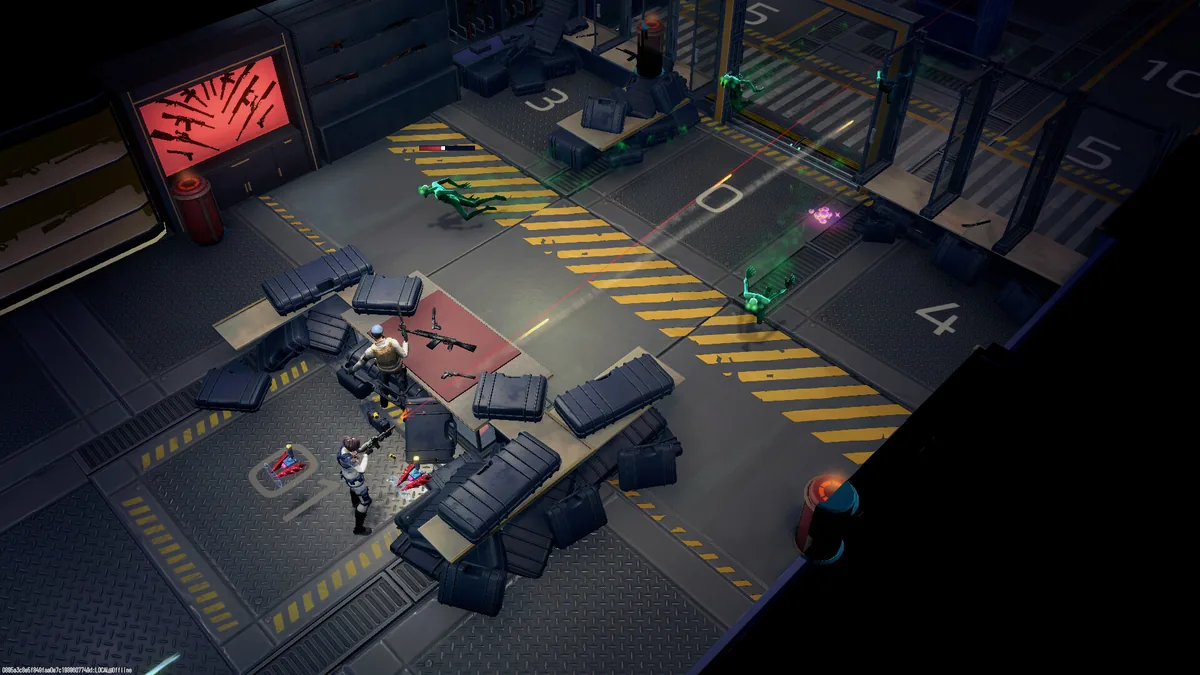 A base-side weapon area, with rifles laid out for crafting or swapping, the same gear a Weapon Scar can quietly downgrade after a bad run.
The developers built this specifically to avoid the full-wipe punishment of a traditional extraction shooter while still making loss feel real. One Early Access reviewer with roughly 14 hours logged described the actual penalties drawn during play: increased weapon spread, reduced damage, and, worst of all, a chance for a shot to deal zero damage outright. None of these make a weapon unusable, but a scarred rifle with a zero-damage-chance mod isn't one you want to carry into a harder Threat Level.
Here's the catch before you push a risky extraction anyway: as of patch 0.6.2, Weapon Scarring can still trigger from crashes and disconnects, not just from a mission failure you actually caused. The developers confirmed this in an August 14 feedback post and called it unintended. A proper fix, plus an earlier version of a planned weapon Repair system, was in progress but not live as of that post. Until repair ships, the practical advice is simple: if a favorite weapon gets scarred, hold onto it rather than dismantling it, since a fix that undoes the scar may land before you'd otherwise replace the weapon anyway.
Lythograms: how mid-mission builds work
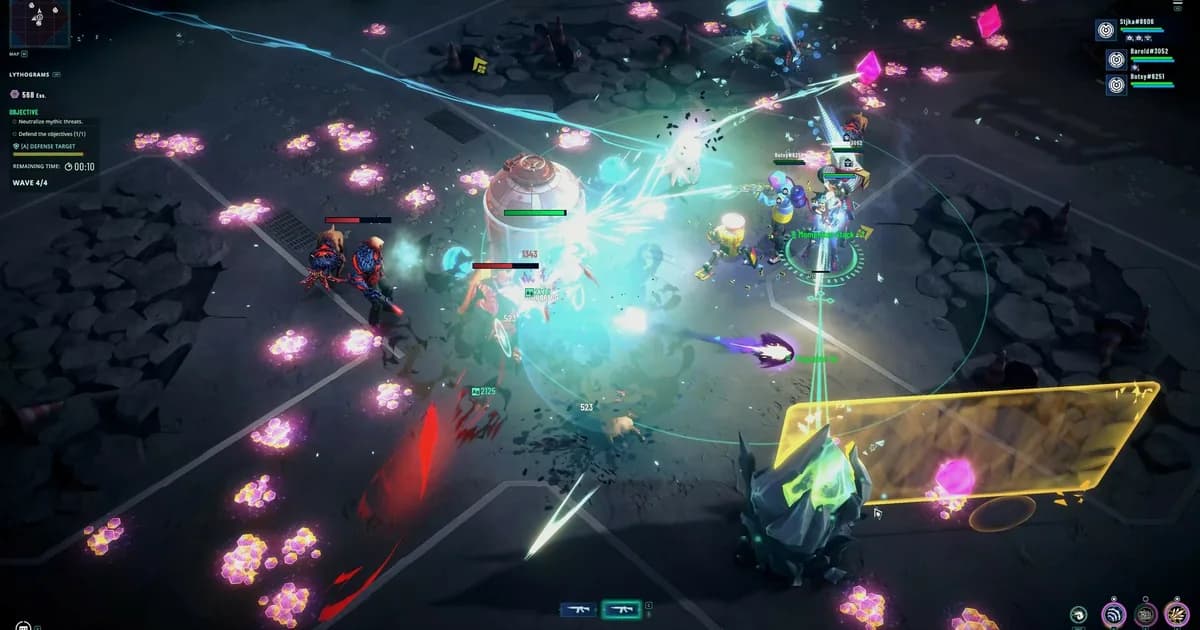
Lythograms are temporary upgrades that only exist for the length of a single mission. You find them as glowing crystal pickups scattered across the map, mid-fight and mid-exploration alike. Activate one and you're offered a choice tied to that crystal; picking one applies immediately and stacks with whatever you've already grabbed.
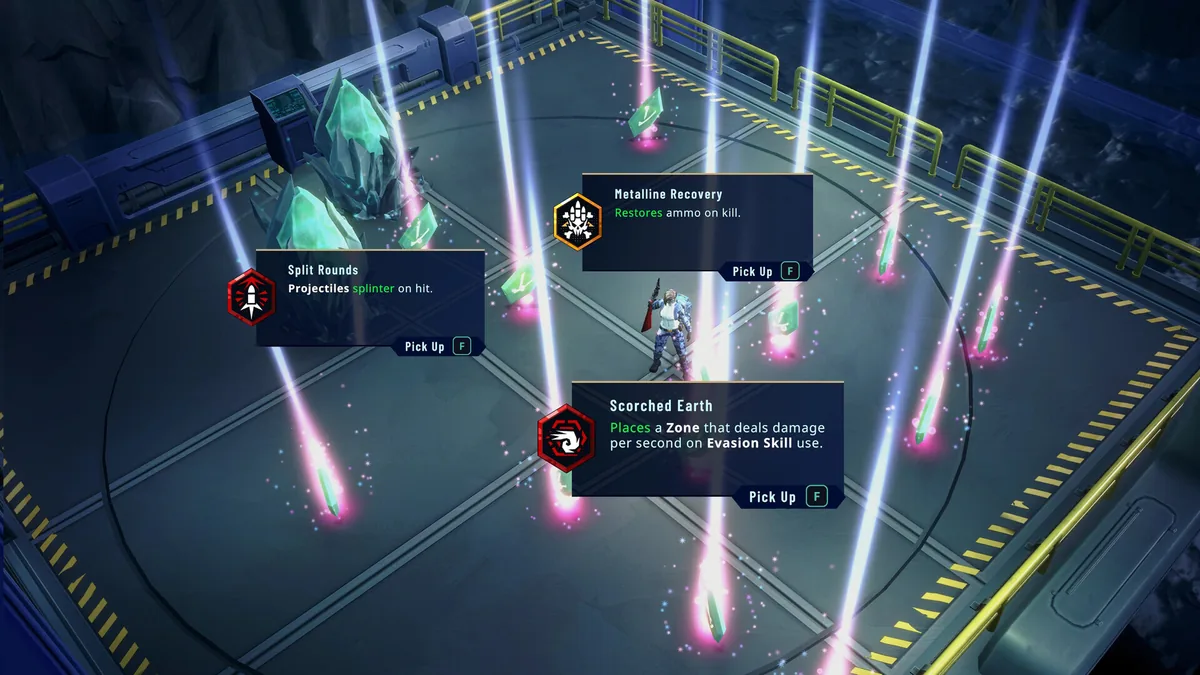 A live Lythogram choice: Split Rounds, Metalline Recovery, and Scorched Earth all up for grabs in the same pickup moment.
The effects range from straightforward stat bumps to build-defining trigger effects. Confirmed examples from an in-mission Lythogram pickup screen include Split Rounds (projectiles splinter on hit), Metalline Recovery (restores ammo on kill), and Scorched Earth (places a damage-over-time zone whenever you use your Evasion Skill). Steam's own listing describes "several dozen" Lythogram power-ups at launch, with the stated goal of letting stacked modifiers and synergies "turn a clean loadout into something ridiculous by the end of a deployment."
The part beginners tend to get wrong: a Lythogram build doesn't carry over. Whatever you stack in one mission resets the moment that mission ends, whether you extracted, finished, or failed. That's a deliberate roguelite-style loop layered inside a persistent game, not a bug, so there's no reason to hold back on a risky-looking Lythogram pickup to save a build for later. There isn't a later. If an option looks build-warping, take it and see what it does. The worst case is a mediocre pickup you'll lose access to at the end of the mission regardless. If you enjoy that kind of mid-run build-from-scratch decision-making, our Risk of Rain 2 complete guide hub covers a genre staple built entirely around the same reset-every-run philosophy.
Periapt and the Forge Center: progression between missions
Lythograms reset every mission. Periapt doesn't. The Periapt Augment System, the developers' own term for it, is where permanent character growth lives, separate from anything you pick up mid-run and persistent across every deployment.
The launch build lets you equip two Augments that add guaranteed stat multipliers (health, shield, attack power) to your Weaver. Leveling an Augment raises your character's overall Combat Power, and later you can craft additional Augment versions with extra effects, some tied to a specific Weaver, others to a specific weapon type (an Augment that boosts assault rifle critical-hit effects, for example). The developers flagged Periapt as a work in progress at Early Access launch, so expect the system to keep changing through the PADDOCK Contingency and beyond.
Crafting and salvaging gear happens at a base-side hub commonly documented as the Forge Center: dismantle weapons you don't want, craft a new one either randomly or from a blueprint earned on a mission, and set a target Combat Power and minimum rarity for what you're crafting, with higher targets costing more materials and credits. If you'd rather buy than build, the same hub rotates a shop selection of ready-made weapons. RIFTSTORM introduces all of this gradually as your base unlocks new areas, so it's not something you need in your first few hours, but knowing it exists early stops you from hoarding salvage you'll never spend. ARC Raiders' crafting guide covers a comparable workbench-and-materials loop if you want to see how a mature extraction shooter handles the same base-side crafting decisions.
Squad composition: playing solo or with a squad
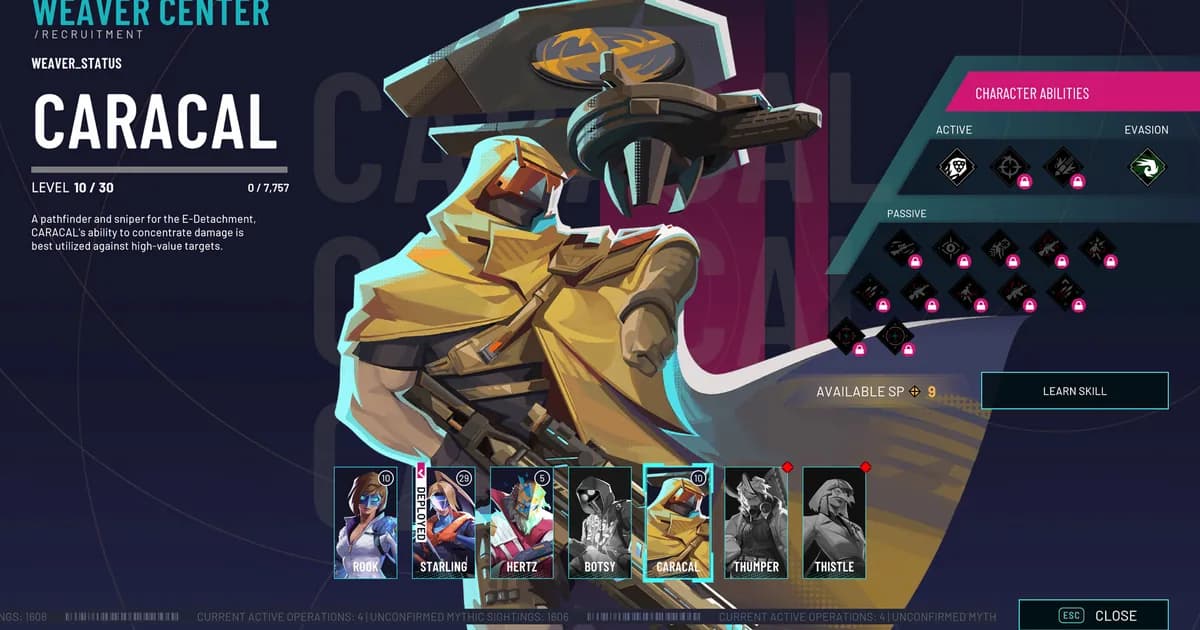
RIFTSTORM supports solo play or squads of up to three. Five Weavers are playable at launch: Rook, an adaptable generalist; Starling, a sustained-fire Vanguard specialist; Hertz, a frontline disruptor built to hold enemy attention; Botsy, a Containment technician; and Caracal, a marksman backed by a Kestrel drone companion. The developers have confirmed two more Weavers are planned for a future update, and the in-game roster screen already shows two additional locked slots waiting for them. Our RIFTSTORM Weaver guide breaks down each of the five in more depth if you're deciding who to unlock first.
Since the roster is still small, squad comp in RIFTSTORM right now is less about rigid team compositions and more about not stacking three of the same role in a three-player group. A Hertz holding enemy attention frees up a Starling or Caracal to actually deal with the threat instead of getting swarmed, and Botsy's technician kit gives a squad crowd control none of the other four Weavers directly replicate. None of this is mandatory. RIFTSTORM is explicitly built to work solo too, and Threat Level 1 and 2 missions are tuned with that in mind. ARC Raiders' maps guide is a useful reference too, since knowing a map's layout ahead of time matters just as much for a solo Weaver deciding when to push deeper.
GODEEPER: Curious how the five launch Weavers actually differ in a real three-player squad? RIFTSTORM Weaver Guide: All 5 Launch Weavers Explained →
Step-by-Step: running your first extraction mission
- Pick a Threat Level 1 mission from the PADDOCK Contingency campaign (see our RIFTSTORM co-op guide if you're bringing friends along for this first run). These are the most curated and balanced missions in the current build. Threat 3 and up are explicitly labeled experimental by the developers, so they're not where you want to learn the extraction decision for the first time.
- Deploy solo or invite up to two friends. Save data and progress carry over the same whether you play Online or the newer Solo-Offline Beta mode added in patch 0.6.1, so pick whichever connection is more stable for your setup.
- Clear objectives while watching for Lythogram crystals. They're the glowing pickups scattered through each map. Grab every one you pass. The build resets at mission's end regardless, so there's no reason to skip one.
- Loot weapon cases and crafting materials as you go, including anything tagged as a Periapt drop, since those feed the Periapt Augment System back at base.
- Watch your health and remaining objectives, not just the clock. If a fight is going badly and you're not near full health, that's the moment to start thinking about the nearest extraction zone instead of pushing for one more room.
- Head for the green-striped extraction zone once you've decided to leave. Stand inside it for about 15 seconds. Leaving before finishing every objective marks the mission incomplete, but you keep everything you found.
- Finish every objective instead, and the game routes you to an extraction point automatically. Either way, the extraction step itself looks the same: stand, wait, leave.
- After the mission, check your weapons for scarring if you died or otherwise failed to extract cleanly. Hold onto anything scarred rather than dismantling it right away.
Tips for new Weavers
Set Simulation Thread Count to 2 if you're getting severe FPS drops after entering a mission. The developers acknowledged this as an active, unresolved performance issue in their August 14 feedback post and pointed to this setting (Options > Settings) as the current workaround while they investigate root causes on certain CPU configurations.
If you get disconnected, try to rejoin before abandoning the session. RIFTSTORM has a known bug where a disconnect can strand players on the Mission Results screen. Rejoining the previous session before leaving preserves your mission rewards in most cases. If you're playing with friends, ask them to wait for your rejoin rather than leaving the results screen without you.
Don't dismantle a scarred weapon in a hurry. A repair system for Weapon Scarring is planned but wasn't live as of patch 0.6.2, and scarring can currently trigger from crashes or disconnects that weren't your fault, not just genuine mission failures.
Treat Threat Level 3 and up as optional, not a checkpoint you need to clear. The developers describe these tiers as experimental and less finely balanced than Threat 1 and 2. Per the 0.6.2 patch notes, a new enemy called the Nennothoid Aberration was specifically added to an earlier mission just to prepare players for what's waiting there.
If a save-data warning appears when switching between Online and Solo-Offline modes, don't reset your progress immediately. The developers say the save-load system usually recovers from a backup automatically. Load in and check first before resorting to a full reset.
GODEEPER: Deciding who to bring on a three-player squad gets easier once you've seen how a mature class-based co-op shooter handles pick order. DRG Rogue Core Team Compositions: Best Co-op Squads 2026 →
If the extraction decision-making is what hooked you here, it's worth seeing how a dedicated extraction shooter handles the same push-or-bail tension at a much bigger scale. Our ARC Raiders extraction guide breaks down all 4 extraction types in that game, and its beginner guide covers loot-vs-risk decisions that will feel familiar after running a few RIFTSTORM missions. Road to Vostok's beginner guide is another good comparison point, a survival FPS built around similar zone-and-loot pressure.
Related Reading
- RIFTSTORM Co-Op Guide: How 3-Player Squads Actually Work: How to set up a lobby, avoid the version-mismatch crash, and split roles across a 3-player squad.
- RIFTSTORM Review: Early Access Extraction Shooter, Tested: Our full verdict on the August 11 launch build, for context on whether the extraction-lite loop holds up over a longer session.
- RIFTSTORM Roadmap: All 4 Early Access Contingencies: What's planned across PADDOCK, BLACKSITE, GREYLINE, and STORMSURGE, if you're wondering where these systems go from here.
- DRG Rogue Core Team Compositions: Best Co-op Squads 2026: A class-based co-op shooter with a similar pick-order-matters approach to squad building, useful comparison while RIFTSTORM's roster is still small.
- Risk of Rain 2 Complete Guide: Survivors, Items, Bosses: Another co-op roguelite where stacking build synergies mid-run defines a good session, useful context for how Lythograms play out in practice.
- Voidling Bound Beginner Guide: 6 Mistakes to Avoid: Voidling Bound beginner guide: start with Kwipeck, put your first point in Vitality, and breed before you splice.....
Frequently Asked Questions
How does extraction work in RIFTSTORM? Every mission has at least one extraction zone, marked with green and black stripes. Stand inside it for about 15 seconds to leave with everything you've collected. Leaving before finishing every objective marks the mission incomplete, but you still keep the loot.
What happens if you die in RIFTSTORM without extracting? You lose the loot and resources from that specific run, but not your existing gear. Instead, one weapon you brought gets Weapon Scarring: one of its mods is replaced with a random negative mod. The weapon still works, just worse.
What are Lythograms in RIFTSTORM? Temporary in-mission upgrades found as glowing crystal pickups. Activating one offers a choice of stacking effects, like Split Rounds or Scorched Earth, that build on each other for that run only. The build resets completely once the mission ends.
What is Weapon Scarring in RIFTSTORM? A penalty applied after total mission failure (death, failed extraction, or quitting) that replaces one mod on one weapon with a random negative mod, such as increased spread or reduced damage. It can currently also trigger from crashes, a bug the developers are fixing.
How many players can play RIFTSTORM co-op? Up to three, including solo play. Five Weavers are available at launch, each with a distinct combat role, and the developers have confirmed two more are planned for a future update.
Is RIFTSTORM always online? It launched with an always-online requirement, but patch 0.6.1 (August 12, 2026) added a Solo-Offline Beta mode. As of that patch, offline play doesn't yet pause the simulation while menus are open, a limitation the developers have acknowledged.
What is the Periapt system in RIFTSTORM? A separate, persistent progression system from Lythograms. You equip two Augments for permanent stat boosts, level them up, and later craft additional versions with extra effects. The developers describe it as still a work in progress in Early Access.
References
- RIFTSTORM on Steam: official store page, current price, review score, and full "About the Game" description
- RIFTSTORM Steam News: official developer posts, including the 0.6.2 patch notes and the "In or Out? Extracting in RIFTSTORM" developer explainer
- RIFTSTORM Wiki: community-maintained wiki covering Threat Levels, the Periapt system, and the Forge Center
- RIFTSTORM Early Access Review, guided.news: hands-on reporting on Weapon Scarring penalties and the base-side weapon station, after roughly 14 hours of play
Was this guide helpful?
About the author

News Reporter
Games journalist and news hound with 7 years covering industry moves, studio announcements, and patch notes. Chilean. Writes tight, edits tighter.
- 7 years games journalism
- Industry and esports specialist
- Early access coverage
Keep reading
RIFTSTORM Roadmap: All 4 Early Access Contingencies
General · 10 min
RIFTSTORM Weaver Guide: All 5 Launch Weavers Explained
General · 15 min
RIFTSTORM Co-Op Guide: How 3-Player Squads Actually Work
General · 12 min
RIFTSTORM Review: Early Access Extraction Shooter, Tested
General · 13 min
Bronzebeard's Tavern 2 Demo: From 1M Downloads to Goblins
General · 11 min

Solarpunk Roadmap 2026: What Comes After Update 1.3.0
Guides · 8 min
Game deals · affiliate links
Disclaimer
This article is published for informational and entertainment purposes. It does not constitute professional financial, legal, or technical advice. Game performance, online services, patch schedules, and store listings change. Verify critical details (pricing, system requirements, regional availability) with publishers and storefronts before you buy. Affiliate links, where present, help support our editorial work and are labelled in our affiliate disclosure.
Comments
Loading comments…