
ARC Raiders · Guides
ARC Raiders Extraction Guide: All 5 Exit Types Explained
ARC Raiders extraction guide: elevators, metro stations, airshafts, Raider Hatches and the Ballistic Gondola, plus shutdown timers and when to spend a key.

Sponsored

About the game
ARC Raiders
This ARC Raiders extraction guide covers every way out of a raid: cargo elevators, metro stations, airshafts, Raider Hatches, and the Ballistic Gondola that Frozen Trail added on Pendola Pass. Rounds last at most 30 minutes, and the whole game is getting to one of these with your bag still on your back.
Updated 2026-10-21: added Embark's Store Update 2.2.0 (October 20) known issue for the Ballistic Gondola: a downed Raider close to being knocked out can still die after boarding. On 2026-10-15: Shani no longer sells the Raider Hatch Key for Cred (Frozen Trail 2.0 made her offers Coin-based). On 2026-10-14 we checked the page against the ARC Raiders Wiki: the old version doubled the elevator wait (the wiki says about 45 seconds), and gave an airshaft timer and a passive return timer we could not source, and said a missed hatch window burns the key. Those are gone, and the Ballistic Gondola is added.
TL;DR: Interact with a lit terminal to call your exit. An elevator takes about 45 seconds to arrive and the noise draws ARC and Raiders. Raider Hatches need a single-use key, stay open roughly 10 to 15 seconds and never shut down, but Electromagnetic Storm and Locked Gate switch them off.
BESTPRICE: Want ARC Raiders? These stores list it: Buy on Eneba → Buy on Green Man Gaming → Buy on Humble Bundle →
How extraction works
Extraction points connect to an underground tunnel network that takes you back to Speranza. You get access by interacting with a terminal. For most types, the map shows a timer for when that terminal will shut down and the exit stops working. Two wiki details are worth remembering:
- Overtime is real. A terminal used immediately before it shuts down will not deactivate, so a late run can still make it out after the clock hits zero.
- Downed is not dead. Downed Raiders can still use extraction terminals. You can crawl for about a minute after collapsing, and ARC stop attacking you, though another Raider can still finish you off.
Exits are marked at the top of your HUD once you are within about 400 meters.
The five exit types
| Exit | How it works | What the wiki says about timing |
|---|---|---|
| Cargo elevator | Press the gantry button, then a second button in a corner booth once inside | Arrives about 45 seconds after being called; a dark light above the button means it has shut down |
| Metro station | Interact with the terminal | No separate timing listed |
| Airshaft | Interact with the terminal | No separate timing listed |
| Raider Hatch | Unlock with a Raider Hatch Key | Open roughly 10 to 15 seconds; no shutdown timer |
| Ballistic Gondola (Pendola Pass) | Activate a transceiver; the gondola floats down | Breach a red panel on one of its three tubes, climb on top, or grapple onto it |
Cargo elevators
The elevator is the exit you meet first, on the Dam. Its building is a squat, flat-roofed bunker with sloping sides, and the call button sits on a gantry at one corner with a light above it. Call it, survive about 45 seconds, then press the second button in a corner booth to go. The wiki warns that the noise "often attracts predators, ARC, and players alike." If you hear running footsteps while you start it, another Raider is joining you; the wiki calls waiting for them good manners.
Raider Hatches
A Raider Hatch stays locked until you use a Raider Hatch Key. Once open, it stays open for roughly 10 to 15 seconds, any Raider can use it, but only one fits through at a time. It has no shutdown timer, which is why it is the exit for the Raider who stayed too long.
The key is a Rare item and, like every key in the game, single use. You can scavenge it or craft it from 1 Advanced Electrical Components and 3 Sensors. Shani used to sell it for Cred, but Cred is gone since 2.0; the 2.0 notes say her offers are now Coin-based and name cameras, Light Sticks and social items without mentioning the key, so check her stock before you count on buying one. Our Dam and Blue Gate guides list where each map's hatches are.
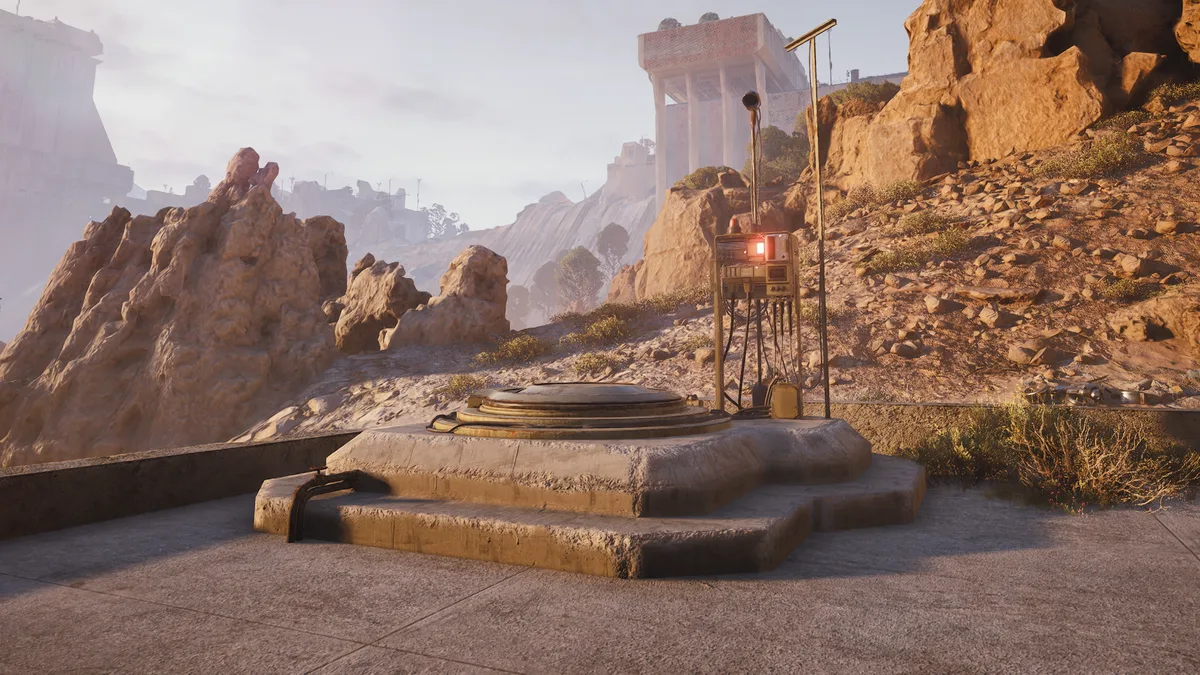 Image: Raider Hatch, ARC Raiders Wiki (arcraiders.wiki), uploaded by Dread. Game art is the property of Embark Studios.
The Ballistic Gondola
Frozen Trail added a fifth way out on Pendola Pass. You activate one of the map's transceivers, and a Ballistic Gondola floats down and lands. Breach the red panel on any of its three tubes and climb in, or climb on top or attach a Grappling Hook and ride it up.
One exception to the downed rule above applies here. Embark's Store Update 2.2.0 notes on October 20 list as a known issue that "Players can still die after entering the Ballistic Gondola if they are downed and very close to being knocked out," so get revived before you climb in. Update 2.2.0 also fixed gondola engine audio dropping out during takeoff and added distant variations of the boarding and takeoff alarms, which makes a departing gondola easier to place by ear.
When hatches switch off
Two conditions turn off every Raider Hatch and cut the number of active return points: Electromagnetic Storm, which can appear on several maps, and Locked Gate, which is exclusive to the Blue Gate. Check the condition before you queue with a key in your pocket.
Step-by-step: a clean extraction
1. Pick the exit before you loot. Note one elevator or airshaft and, if you carry a key, one hatch.
2. Watch the shutdown timer. Most exits show one on the map; plan to be there before it runs out.
3. Check the light. On an elevator, no light above the call button means it has already shut down.
4. Call, then hold. About 45 seconds for an elevator, with noise that draws attention.
5. Board and press the second button. Wait for teammates, or a friendly Raider, before you send it.
6. Late or loaded? Use the hatch. No shutdown timer, but only 10 to 15 seconds once it opens and one Raider at a time.
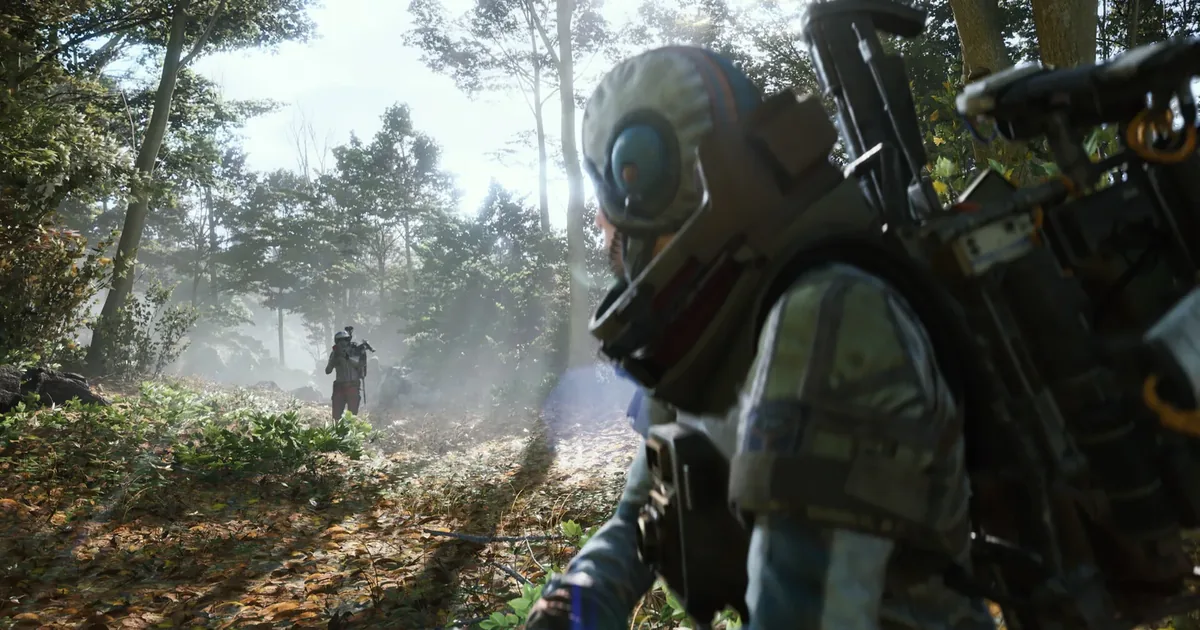 Screenshot: ARC Raiders Steam store page. Game art is the property of Embark Studios.
Our take
This is a research page built on the wiki's extraction and beginner pages, not our own runs. The biggest correction from our old version is the wait: about 45 seconds on an elevator, half what we used to say. The habit that matters is the same either way. Know your exit before your bag is full, and keep a key for the round that runs long.
Frequently Asked Questions
How do you extract in ARC Raiders? Go to an extraction point and interact with its terminal. On a cargo elevator you press the button on the gantry, wait about 45 seconds for the lift, step into a corner booth and press a second button to leave. Other Raiders can join the same lift.
How long does extraction take in ARC Raiders? The wiki's beginner page says a cargo elevator takes about 45 seconds to arrive after you call it. A Raider Hatch stays open for roughly 10 to 15 seconds once unlocked. The wiki does not list separate timings for metro stations or airshafts.
What is a Raider Hatch Key in ARC Raiders? A Rare, single-use key that unlocks a Raider Hatch. The hatch stays open for roughly 10 to 15 seconds, fits one Raider at a time and has no shutdown timer, which makes it the best exit late in a round.
Can you extract while downed in ARC Raiders? Yes. The wiki says downed Raiders can still interact with extraction terminals, can crawl for about a minute, and that ARC stop attacking downed Raiders. Other Raiders can still finish you.
Do Raider Hatches work during an Electromagnetic Storm? No. Electromagnetic Storm and the Blue Gate's Locked Gate condition both list no active Raider Hatches and fewer active return points.
Related Reading
- ARC Raiders Maps Guide: every map and its conditions.
- ARC Raiders Dam Guide: four elevators and four hatches.
- ARC Raiders Blue Gate Guide: four airshafts and four hatches.
- ARC Raiders Pendola Pass Guide: the Ballistic Gondola map.
- ARC Raiders Best Solo Loadouts: where a Raider Hatch Key fits in a solo kit.
- ARC Raiders Loot Guide: what to do with what you carried out.
- ARC Raiders Augments Guide: safe pocket sizes by augment.
- ARC Raiders Frozen Trail 2.0: what the October 8 update added.
References
- Extraction Points, ARC Raiders Wiki: types, shutdown timers, downed and overtime tips, accessed 2026-10-14.
- Getting Started, ARC Raiders Wiki: elevator procedure, 45-second arrival, crawling while downed, accessed 2026-10-14.
- Raider Hatch and Raider Hatch Key, ARC Raiders Wiki, accessed 2026-10-14.
- Keys, ARC Raiders Wiki: keys are single use, accessed 2026-10-14.
- Ballistic Gondola, ARC Raiders Wiki, accessed 2026-10-14.
- Electromagnetic Storm and Locked Gate, ARC Raiders Wiki, accessed 2026-10-14.
- Frozen Trail 2.0 update notes, ARC Raiders official site, accessed 2026-10-14.
- Store Update 2.2.0, ARC Raiders official site: Ballistic Gondola audio fixes and known issue, accessed 2026-10-21.
Was this guide helpful?
Keep reading



Sponsored

Disclaimer
This article is published for informational and entertainment purposes. It does not constitute professional financial, legal, or technical advice. Game performance, online services, patch schedules, and store listings change. Verify critical details (pricing, system requirements, regional availability) with publishers and storefronts before you buy. Affiliate links, where present, help support our editorial work and are labelled in our affiliate disclosure.
About the author

Indie & JRPG Desk
GameBrief's byline for indie, JRPG, visual novel and cozy games. Warm, direct, and willing to say which one to buy.
- Indie, JRPG and visual novels
- Early access and survival
- Sources listed per article