
GuideSunderfolk
Sunderfolk Online Co-op Guide: Setup, Fixes, and Party Tips
About the game
Sunderfolk
Secret Door · Dreamhaven
Sunderfolk online co-op works the same way whether your friends are on the couch next to you or in a different city. The phone app, which confuses most players who just found the game on Epic, is optional. You don't need it to play online.
Updated 2026-10-05: Corrected the linked Pyromancer advice to describe Firepower setup and area attacks, not an unsupported fire-spread mechanic.
TL;DR: Sunderfolk supports 1-4 player online co-op on Steam and Epic. Each player uses the free phone app (iOS/Android) or mouse and keyboard. Invite via Steam or Epic friends list, or share a session code. Connection errors showing "accelbytelogin: network error" clear after a full quit-and-restart. Three or four players is the intended experience; the Berserker is non-negotiable as your frontline anchor.
BESTPRICE: Don't own Sunderfolk yet? Loaded sells Steam keys for it, so compare the current price with Steam before you buy. Eneba also lists a Global Steam key. Get Sunderfolk on Loaded → Get Sunderfolk on Eneba →
Does Sunderfolk have online co-op? (quick answer)
Yes, fully. Sunderfolk online co-op supports 1-4 players via Steam and Epic Games Store. Friends join through your platform friends list or a session code you share directly. There's no local-only restriction.
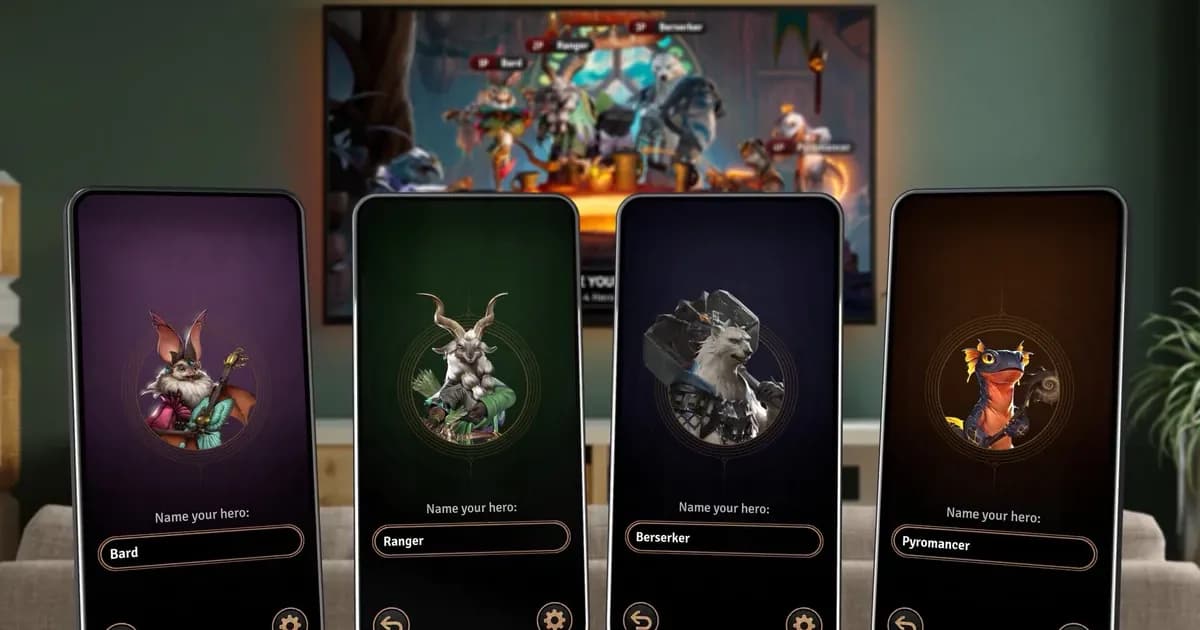
The phone app (free on iOS and Android) is an optional controller that gives each player a private card hand. It works best over local Wi-Fi when everyone's in the same room. For remote online sessions, mouse and keyboard is the more stable setup.
Step-by-Step: Setting Up a Sunderfolk Online Session
1. Host creates the session: launch Sunderfolk and select Online from the main menu. Pick your difficulty (Apprentice is the right call for a first online session with a new group), and create the session. A code appears.
2. Share the invite: on Steam, open the overlay and invite from your friends list. On Epic, use the Epic social panel. On either, you can also just paste the session code into Discord and have friends enter it manually.
3. Friends join: each player launches their own copy of Sunderfolk, selects Online, and enters the code. The lobby shows everyone's connection status.
4. Pick classes: class selection happens in the lobby before the dungeon starts. Coordinate in voice chat here. Calling out your class before locking it saves you from four players all picking Pyromancer. The lobby screen shows taken slots.
This works the same on Steam and Epic. Cross-play between the two storefronts isn't confirmed in official Sunderfolk documentation; check the Sunderfolk Discord if you and your friends are on different platforms.
GODEEPER: Full class breakdown, best party compositions for every group size, and first-run setup. Sunderfolk Beginner Guide: Best Classes and Party Tips →
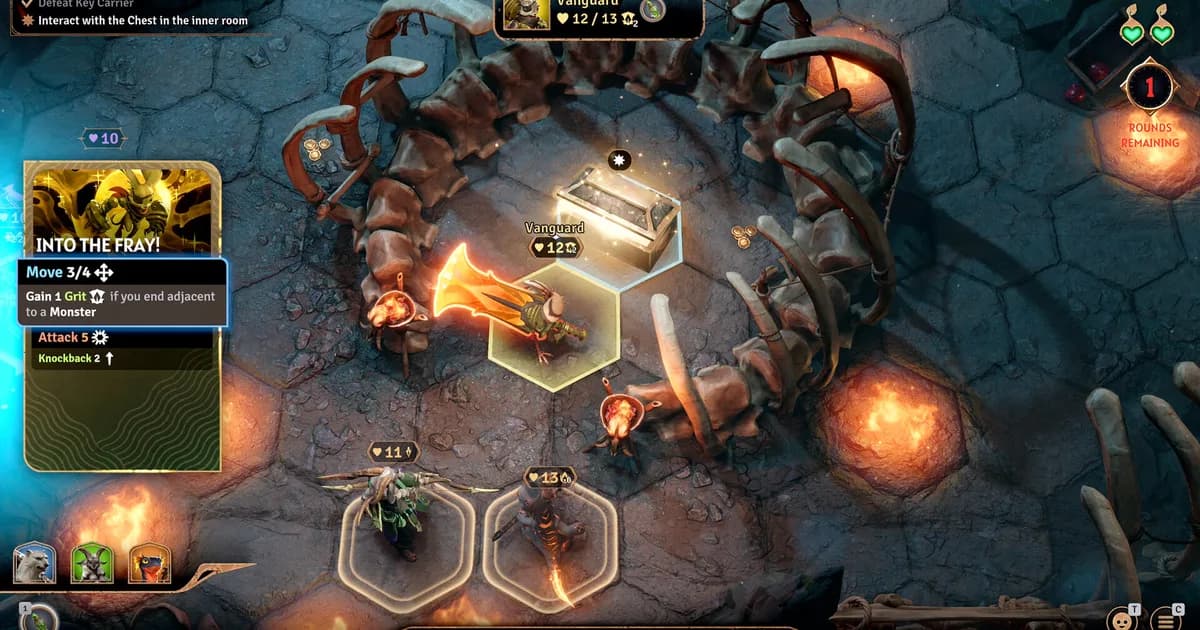
A three-person party working an objective together: one hero pushes for the chest while two more hold position behind, the kind of role split remote co-op groups need to call out loud since nobody can see a teammate's hand of cards.
The phone app: when to use it and when to skip it
The Sunderfolk app (iOS/Android, free) turns your phone into a physical card hand. You see only your own cards, play them by tapping, and other players can't see your choices until moves are committed. It makes the game feel like a hybrid board game.
Use it when your group is in the same room, on the same Wi-Fi network. The tactile card-holding mechanic is genuinely fun in person. Each player holds their hand, picks cards in secret, and the reveal each turn is part of the experience.
Skip it for online sessions with friends in different locations. The app needs a stable local connection to stay paired with the PC session. Over internet, latency and reconnects are more common than with mouse and keyboard. Most online groups just use PC controls.
If you want to try it remotely: download the Sunderfolk app, launch it, select Online, and enter the same session code the host generated. The app pairs with your PC client and takes over card selection. If the pairing drops, re-enter the code.
Fixing Sunderfolk online connection errors
The most common error: "Online Services Unavailable" with accelbytelogin: network error in the log. AccelByte is the multiplayer backend. This isn't a problem with your account.
Fix steps:
- Close Sunderfolk fully, not just to the main menu. Use Alt+F4 or the close button, not the in-game quit option.
- Wait 2-3 minutes. The auth token needs time to expire before a clean reconnect.
- Relaunch Sunderfolk and try again.
That clears it in most cases. If it doesn't resolve after two attempts, the issue is on AccelByte's side. Check the official Sunderfolk Discord for status. Secret Door posts announcements there when the backend has service issues.
Players who picked up the game during the Epic free weekend (May 21-25, 2026) hit this error more than usual. The free period brought significantly more concurrent users than typical, which strained the backend during peak hours.
Coordination Mode for online play
Coordination Mode (in Settings before a session) lets the whole team pause, hover tiles, preview enemy attack ranges, and plan before committing moves.
For online groups, this is more valuable than for couch co-op. You can't see your teammates' screens, you can't tap someone on the shoulder, and the turns where someone needs a minute to think are exactly the turns you don't want to commit to wrong positioning. Turn it on for early sessions.
The main cost: it slows down the pace. Groups who've played together for a few sessions typically turn it off once they know each other's class patterns. But the first few dungeons together, it removes most of the mistakes that feel unfair rather than learnable.
Voice chat and target-calling
Sunderfolk has built-in proximity chat, which is designed for in-person sessions. For online, most groups run a Discord call alongside the game.
The one thing worth calling out every wave: which enemy you're targeting. Four players dumping abilities into different targets is the most common efficiency leak in online sessions. Enemies survive longer than expected, the group reacts defensively, and the whole turn cost more damage than a coordinated focus would have.
It doesn't require a complicated callout system. "I'm on left, you take right" at the start of each wave handles the majority of coordination. Bard players should also call out when they're about to use Two-Step or a note card so the group knows who's getting a buff that turn.
The town hub between dungeon runs, where the whole party gathers to spend currency and plan upgrades together. The two presence icons near the Post Office mark where teammates currently are in the shared space.
GODEEPER: S-to-C tier ranking for every hero, best classes for 2-player sessions, and which picks demand the least coordination overhead. Sunderfolk Class Tier List: All 7 Heroes Ranked →
Best classes for online play
Role clarity matters more online than locally. When you can't tap someone's shoulder, your class selection communicates your role.
Berserker is the non-negotiable anchor in most online parties. High HP, self-sustain, and the ability to throw enemies handles the positioning mistakes that happen when you can't fully see what a teammate is about to do. Don't run an online group without one.
Bard scales with communication. A well-played Bard whose teammates know when a Two-Step swap or a note card is about to land is the strongest support in the game. A Bard whose party forgets that notes come from Two-Step and specific cards, not from ordinary movement, sits in the middle and provides less than expected. Brief voice explanation of "I need to swap near X to land the notes" goes a long way.
Ranger is the most forgiving ranged pick. Consistent single-target damage, enough durability to survive a positioning mistake, and no special coordination requirements. Good default for players joining the game for the first time in an online session.
Arcanist rewards players who communicate well. Teleport displacements need a Berserker or Ranger to benefit from the repositioning. Worth it in a group that talks through each turn; awkward when playing with strangers who don't understand why an Arcanist just moved their character.
Pyromancer needs the Berserker to push enemies into fire zones. In online play with tight coordination, it clears rooms faster than anything. With looser coordination, it deals solid area damage but without the combos that make it peak.
Rogue has the highest coordination overhead of any class. It rewards stealth-and-burst combos that benefit from teammates setting up targets deliberately. Fine in a group that's played together before; more variable when playing online with people you don't know well.
Related Reading
-
Sunderfolk Beginner Guide: Best Classes and Party Tips: phone app setup, Coordination Mode, and party compositions for every group size.
-
Sunderfolk Class Tier List: All 7 Heroes Ranked 2026: S-to-C ranking for every class with best picks by party size and experience level.
-
Sunderfolk Berserker Guide: Protector's Fury and Best Builds: Sunderfolk Berserker guide: Protector's Fury cuts damage and boosts output simultaneously. Best solo class, best beginner class, S....
-
Sunderfolk Vanguard Guide: Grit, Retaliation, Best Builds: Sunderfolk Vanguard guide: the Update 2.0 retaliation tank with Grit passive and conditional retaliation. Best builds,....
-
Sunderfolk Ranger Guide: Range Builds and Party Tips 2026: Sunderfolk Ranger guide: A tier ranged damage and traps. How to maintain distance, what to target first, and.
-
Sunderfolk Rogue Guide: Stealth Builds and Tips 2026: Sunderfolk Rogue guide: C tier for most players, technically powerful for experienced ones. Shroud timing, card priority, and when.
-
Sunderfolk Complete Guide: All 7 Classes, Co-op Tips 2026: Sunderfolk complete guide hub: all 7 classes ranked, best party compositions, co-op setup, Vanguard builds,.
-
Sunderfolk Arcanist Guide: Teleport Builds and Tips 2026: Sunderfolk Arcanist guide: teleport repositions enemies and allies.
-
Sunderfolk Bard Guide: Music Note System and Best Builds: Sunderfolk Bard guide: music notes come from Two-Step swaps and cards, not free movement.
-
Sunderfolk Pyromancer Guide: Fire Builds and AoE Tips 2026: Sunderfolk Pyromancer guide: Firepower fuels area damage, but the class is fragile.
References
- Sunderfolk on Steam
- Sunderfolk Discord: official server for multiplayer status and connection troubleshooting
- r/Sunderfolk on Reddit: community discussion and patch coverage
- Sunderfolk Steam key on Loaded: compare the price with Steam before you buy.
- Sunderfolk Steam key on Eneba: Global key, compare with the Steam price.
Frequently asked questions
Does Sunderfolk support online co-op? Yes, 1-4 players online on Steam and Epic. Friend invite through your platform list or session code. Full online support, not just local play.
Do you need the phone app to play Sunderfolk online? No. Mouse and keyboard works for every player. The phone app adds a card-hand interface that's best for in-person couch sessions over local Wi-Fi, not remote online play.
How do you invite friends to Sunderfolk online? Create a session, share the code through Steam or Epic friend invite (or paste into Discord). Friends launch Sunderfolk, enter the code, and join the lobby.
Why is Sunderfolk saying Online Services Unavailable? AccelByte backend error. Quit Sunderfolk completely, wait 2-3 minutes, restart. If it persists after two attempts, check the Sunderfolk Discord for server status.
Can Steam and Epic players play Sunderfolk together? Cross-play between storefronts isn't confirmed in official Sunderfolk documentation. Check the Sunderfolk Discord for current status.
What's the best party size for Sunderfolk? Three or four players. The encounters are designed for four, but two-player is fully playable.
Does Sunderfolk have voice chat? Yes, built-in proximity chat. Most online groups also use Discord for clearer coordination and target-calling.
Was this guide helpful?
About the author

Critical game theorist with a background in film criticism. Writing for print and digital outlets since 2015. Specialises in genre analysis and design heritage.
- Background in film criticism
- 10 years games coverage
- Genre theory and design history specialist
Keep reading
Sunderfolk Class Tier List: All 7 Heroes Ranked 2026
General · 8 min
Sunderfolk Complete Guide: All 7 Classes, Co-op Tips 2026
General · 18 min
Sunderfolk Berserker Guide: Protector's Fury and Best Builds
General · 8 min
Sunderfolk Bard Guide: Music Note System and Best Builds
General · 7 min
Sunderfolk Beginner Guide: Best Classes and Party Tips
General · 9 min
Sunderfolk Vanguard Guide: Grit, Retaliation, Best Builds
Guides · 7 min
Game deals · affiliate links

Disclaimer
This article is published for informational and entertainment purposes. It does not constitute professional financial, legal, or technical advice. Game performance, online services, patch schedules, and store listings change. Verify critical details (pricing, system requirements, regional availability) with publishers and storefronts before you buy. Affiliate links, where present, help support our editorial work and are labelled in our affiliate disclosure.
Comments
Loading comments…