
Guideshapez 2
Shapez 2 Blueprints: Save, Share & Import to the Library
This Shapez 2 blueprints guide covers the one workflow that turns a slow factory grind into a fast one: saving a build once, then stamping it down forever. The library, the .spz2bp files on your disk, and the blueprint codes you paste into Discord are all the same system viewed from different angles. Once you understand how they connect, you stop rebuilding the same balancer for the tenth time.
Sponsored

About the game
Shapez 2
tobspr Games
TL;DR: In Shapez 2, select a build and press Ctrl+S to save it to your blueprint library (name, icon, folder, written to disk as a .spz2bp file). Copy with Ctrl+C and paste with Ctrl+V to reuse it anywhere; copying also puts a shareable blueprint code on your clipboard. Import other people's builds by dropping .spz2bp files into the library folder (via the Open Folder button) or pasting their code. Placing blueprints costs Blueprint Shapes, a currency you produce, so good designs save real time and resources.
BESTPRICE: Want Shapez 2? These stores list it: Buy on Eneba → Buy on Humble Bundle → Buy on Gameseal → Buy on Kinguin →
How do Shapez 2 blueprints work? (quick answer)
A Shapez 2 blueprint is a saved copy of any set of buildings, belts, and platforms. You build something once, save it, and from then on you can stamp identical copies anywhere instead of placing each machine by hand. Blueprints live in two places at the same time: the in-game library you browse with icons and folders, and a matching set of .spz2bp files on your hard drive. The same data also travels as a plain blueprint code, which is just compressed text you can paste into chat.
That dual nature is the whole point. The library is for organizing your own builds. The files and codes are for moving builds between saves, backing them up, and sharing them with other players.
Sponsored

Shapez 2 blueprints: key takeaways
- Save: select buildings, press Ctrl+S, choose a name, icon, and folder. The build is written to your library as a .spz2bp file.
- Reuse: Ctrl+C to clone a selection, Ctrl+X to cut, Ctrl+V to paste. Pasting from the library stamps a saved blueprint.
- Share: copying puts a blueprint code on your clipboard; paste it into Discord or a forum, and others paste it back into their game.
- Import: click Open Folder in the library, drop .spz2bp files in, and they appear in-game.
- Cost: placing a blueprint consumes Blueprint Shapes, a currency you manufacture, so blueprints save labor but not resources.
- Hubs: the Community Vortex and the #blueprints Discord channel are where most shared builds live.
How to save a blueprint to your library
Saving is the foundation, and it takes about five seconds once you know the input.
Make a selection first. Drag a box around the buildings, belts, and platforms you want, or have a blueprint already selected. With that selection active, press the Save Blueprint hotkey, which defaults to Ctrl+S, or click the save button in the selection tooltip.
The game then prompts you for three things: a name, an icon, and a folder. All three matter more than they look. The name has to be unique because it becomes the file name on disk, so a vague "balancer1" will collide with the next balancer you save. The icon is what you actually scan for in a crowded library, so pick something that reads at a glance. The folder is your filing system; a flat library of fifty unlabeled builds is its own kind of grind.
GODEEPER: Most of the builds worth saving are belt and routing solutions you have already solved once. Shapez 2 Belt Routing & Automation Guide →
Build a small naming convention early. Prefix by function (BALANCER 4-4, CUTTER stack, ROTATOR row) and you will find things months later without opening each one. The library is only as useful as your ability to locate the right build under pressure, mid-run, when a bottleneck appears.
How to copy, paste, and reuse blueprints
The library is for permanent builds. For quick, in-the-moment duplication you do not even need to save.
Clone Selection (Ctrl+C) copies the current selection. Cut Selection (Ctrl+X) removes it and holds it for placement elsewhere. Paste (Ctrl+V) drops whatever you copied. This is how you tile a refined sub-factory across a platform without rebuilding it: copy one column, paste it down the row.
Here is the part most players miss: copying a selection also writes a blueprint code to your system clipboard. That code is the entire build compressed into text. You can paste it into a Discord message or a forum post, and anyone who copies it can paste it straight into their own game with Ctrl+V. No file transfer, no upload. The clipboard does the work.
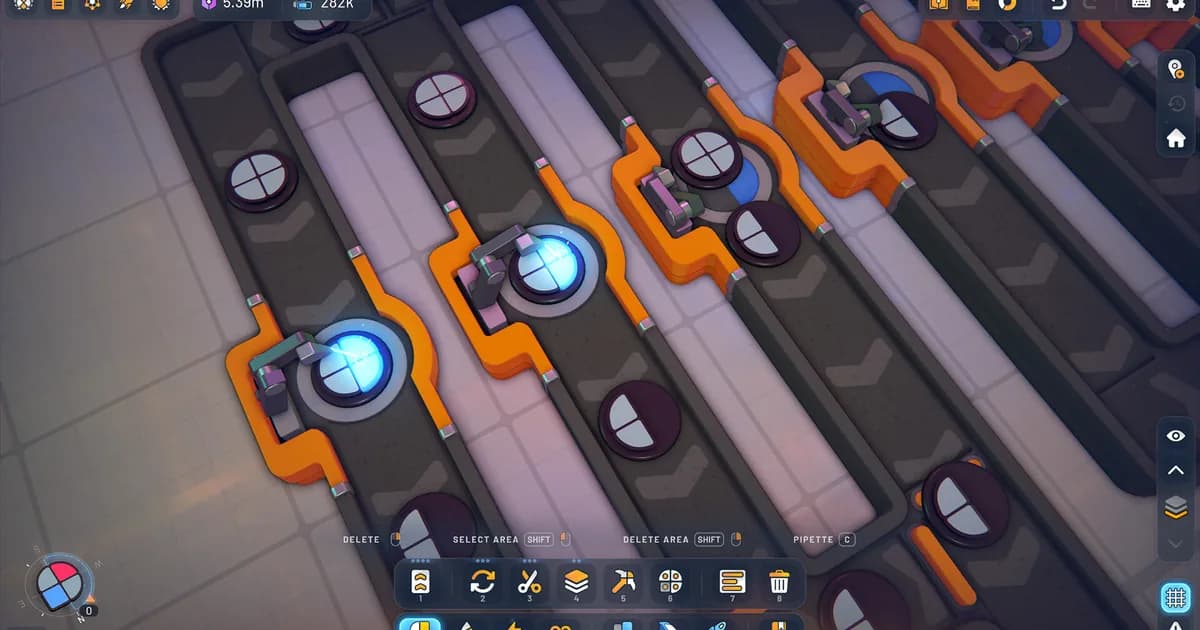
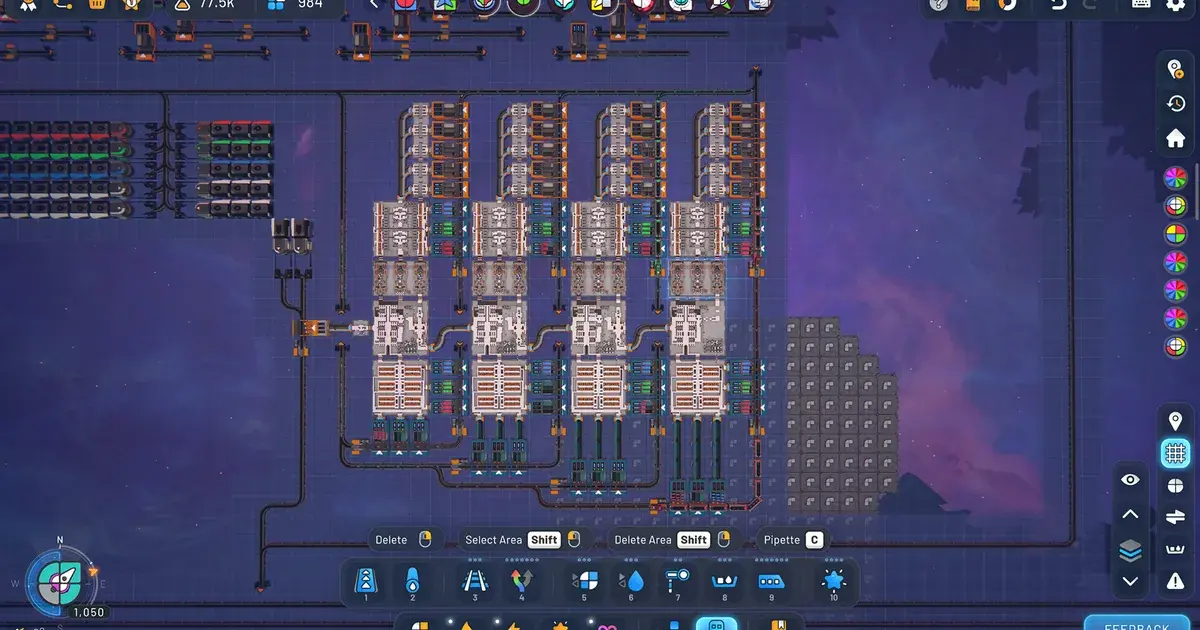
Drag a selection box around a build, and the bottom toolbar's select and rotate tools let you clone, cut, or save it. Everything inside the box becomes one reusable blueprint.
Importing and sharing .spz2bp files
When you do want files, Shapez 2 keeps them on disk and gives you a direct door to them.
Open the blueprint library in-game and click the Open Folder button. A file explorer window opens on the library folder where your saved blueprints live. Every build you saved is a .spz2bp file here, and each one simply contains a blueprint code.
To import a blueprint someone sent you as a file, drop their .spz2bp into that open folder. Back in-game, it appears in your library. To share one of yours, grab the .spz2bp file from the same folder and send it. Because the file is just a code wrapper, a build shared as a file and a build shared as pasted text are identical; use whichever is convenient.
This is also your backup path. Copy the whole library folder somewhere safe and you never lose a design to a corrupted save or a new PC. For a fresh install, drop the folder back and your entire library returns.
Where to find good Shapez 2 blueprints
You do not have to design everything yourself, and for the hardest throughput problems you should not.
The two main hubs are the in-game Community Vortex and the #blueprints channel on the official Shapez Discord, where players post codes and files for balancers, cutters, painters, and full production lines. The community-run r/ShapezBlueprints subreddit collects builds as well, organized by what they produce.
GODEEPER: Imported blueprints shine most once you reach the late-game throughput walls that Manufacture Mode introduces. Shapez 2 Manufacture Mode Guide →
A word of judgment: an imported mega-balancer you do not understand becomes a black box you cannot debug when it backs up. Use shared blueprints to learn patterns, then rebuild the ones you rely on so you know exactly how they behave. The players with 38-hour sessions are not the ones who copied everything; they are the ones who internalized the patterns and saved their own refined versions.
Blueprint Shapes: why blueprints are not free
Blueprints speed up labor, not economy. Placing a blueprint consumes Blueprint Shapes, a dedicated currency you manufacture in your factory. The bigger the blueprint, the more it costs to stamp.
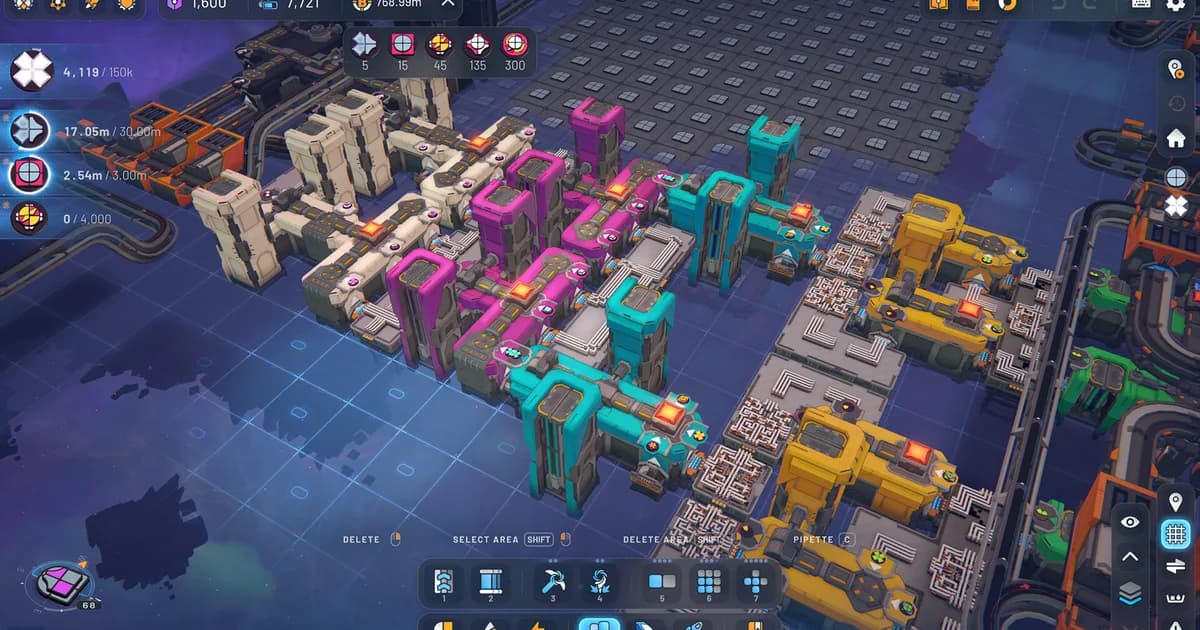
A dedicated production line like this is exactly what you reserve for Blueprint Shapes. Because every blueprint placement spends that currency, an early buffer is what lets you stamp saved designs freely later.
The practical takeaway: set up a small, dedicated Blueprint Shapes line early and let it bank a buffer. Once you have a reserve, you can stamp saved designs across a platform without stopping to fund each one. This is also why a tight, efficient saved blueprint is worth more than a sprawling one. It does the same job for fewer Blueprint Shapes every time you place it, and across a full run those savings compound.
Related Reading
- Shapez 2 Belt Routing & Automation Guide: the routing solutions most worth saving as reusable blueprints.
- Shapez 2 Manufacture Mode Guide: the late-game layer where imported blueprints earn their keep.
- Shapez 2 Beginners Guide: 12 Essential Tips: foundational habits before you start banking a blueprint library.
- Shapez 2 Complete Guide Hub: every Shapez 2 guide on the site in one place.
- Shapez 2 Best Mods 2026: Top Workshop Picks & Install: Shapez 2 best mods: real Workshop picks worth installing, from Time Control and Blueprint Search to Better Trash, plus....
- Shapez 2 Shape Stacking Guide: Layers & The Stacker: Shapez 2 shape stacking explained: how the Stacker layers shapes, why left input goes on.
Frequently Asked Questions
How do you save a blueprint in Shapez 2? Select the buildings, press Ctrl+S (the default Save Blueprint hotkey) or the tooltip save button, then give it a unique name, an icon, and a folder. The build is written to your library as a .spz2bp file on disk.
How do you copy and paste blueprints in Shapez 2? Clone with Ctrl+C, cut with Ctrl+X, paste with Ctrl+V. Copying also places a shareable blueprint code on your clipboard, so the same action both duplicates a build and lets you post it to others.
How do you import a blueprint in Shapez 2? Open the library, click Open Folder, and drop the .spz2bp file into the folder that opens. It then appears in-game. If you were sent a blueprint code as text instead, just paste it with Ctrl+V.
Do blueprints cost anything to place in Shapez 2? Yes. Each placement spends Blueprint Shapes, a currency you produce. Larger blueprints cost more, so an efficient saved design saves resources every time you stamp it.
Where can you share Shapez 2 blueprints? The in-game Community Vortex and the official Shapez Discord's #blueprints channel are the main hubs, with the r/ShapezBlueprints subreddit as a community archive. Share either the .spz2bp file or the raw code.
References
- Blueprints (Shapez 2 Wiki): saving, codes, .spz2bp files, and the Open Folder workflow
- Shapez 2 on Steam: official store page, 1.0 details, and Steam Workshop
- r/ShapezBlueprints on Reddit: community-shared blueprint codes and files
Was this guide helpful?
About the author

Systems & Economy Desk
GameBrief's byline for roguelikes, strategy and simulation. Reads patch notes, wiki tables and Steam stats and puts the numbers on the page.
- Roguelikes, strategy and simulation
- Builds, progression and economy
- Sources listed per article
Keep reading
Shapez 2 Automation Guide: Belt Routing and Advanced Tips
General · 11 min
Shapez 2 Shape Stacking Guide: Layers & The Stacker
Guides · 9 min
Shapez 2 Complete Guide 2026: Automation, Belts, Manufacture
General · 16 min
Shapez 2 Manufacture Mode Guide: How It Works in 1.0
Guides · 9 min
Shapez 2 Best Mods 2026: Top Workshop Picks & Install
Guides · 8 min
Shapez 2 Review: Why the 1.0 Release Feels Complete
General · 10 min
Sponsored
Disclaimer
This article is published for informational and entertainment purposes. It does not constitute professional financial, legal, or technical advice. Game performance, online services, patch schedules, and store listings change. Verify critical details (pricing, system requirements, regional availability) with publishers and storefronts before you buy. Affiliate links, where present, help support our editorial work and are labelled in our affiliate disclosure.
Comments
Loading comments…