
GuideOutbound
Outbound Energy Guide: Solar, Wind, and Battery Setup
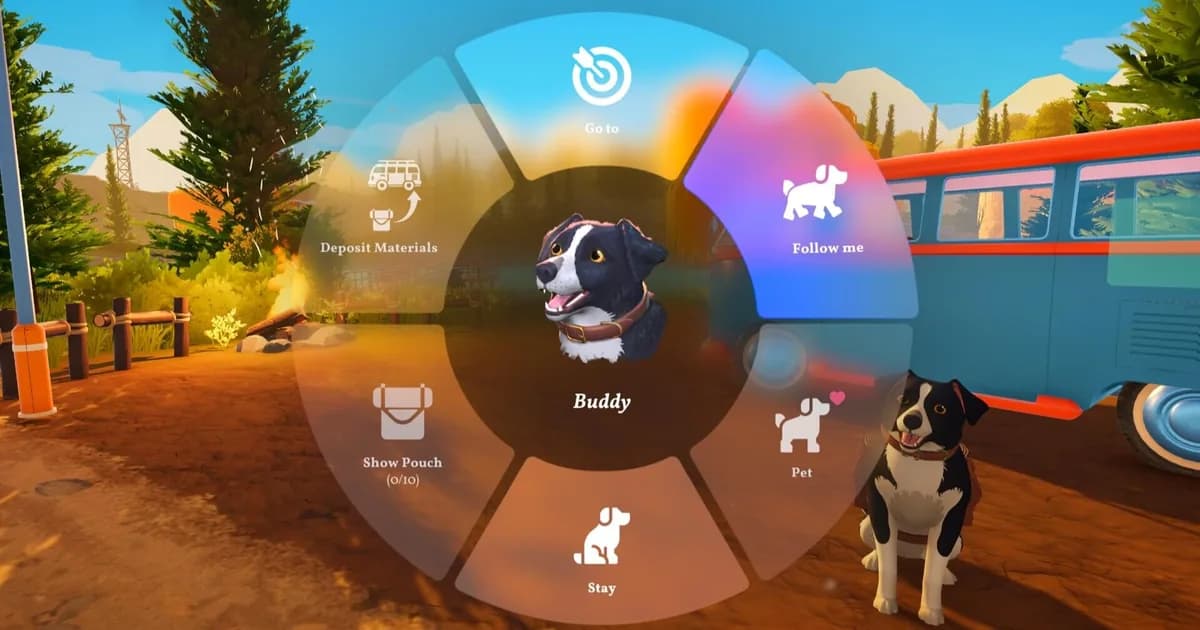
The fastest way to ruin an Outbound run is to add a second workstation before you have a second energy source. Every outbound energy guide eventually circles back to that one sequencing decision, because the first ten hours of most co-op sessions hit the same wall. Battery drops on a transit, the cooking station shuts off, someone calls a halt, the build pace breaks. The fix isn't more solar. The fix is sequencing the build differently from the start.
This outbound energy guide covers the three sources, the pairing logic that holds up across biomes, and the co-op coordination layer that turns the battery into a managed resource rather than a recurring crisis. None of this requires expert play. It requires deciding the sequence before the signal tower offers tempt you off it.
TL;DR: Two energy sources before a second workstation, every run. Pair solar with wind for general purpose, swap to water wheel before mountain crossings. Assign one player as energy monitor. The gather slot you lose is cheaper than the battery you save.
Outbound energy guide: what should you build first? (quick answer)
Build a second energy source before adding a second workstation. Pair solar with wind for a general-purpose route, then use a water wheel as a parked refill when a river is on your path. The exact output depends on conditions and load, so treat this as a practical sequencing rule rather than a published power table.
- The outbound energy guide rule that prevents the most early crashes: two energy sources before a second workstation
- Solar peaks in open terrain and dies under canopy, at night, or in storms
- Wind covers solar's failure cases at lower peak output
- Water wheels pin you to one spot. Use them as planned top-ups, not primary sources
- In co-op, one player as energy monitor is worth losing a gather slot
- Module weight from energy hardware is the cost of reliability, not waste
Outbound current status: September 2026
The live Steam page lists Outbound at $24.99, with 73% positive from 1,788 total reviews and 80% from 56 recent reviews in the US snapshot checked on September 18, 2026. The latest official announcements still describe the Wildlife Update as coming soon, while Patch 1.1.8 fixed multiplayer Download Terminals and controller issues. None of those notes replace the energy sequencing advice below, but they are the current post-launch context. Sources: Outbound on Steam and the official announcements feed.
Outbound energy guide: how the battery actually works (quick answer)
Outbound runs on one shared battery for the entire van. It drains in three ways and recharges in one. The drains:
- Driving consumes battery, with the drain affected by the van's total weight and how far you travel
- Active workstations: anything currently processing materials pulls power
- Simultaneous module use: multiple workstations running at the same time pull faster than sequential use
The recharge happens through whichever energy modules you've built, but only when those modules have favorable conditions. Solar wants open sky. Wind wants moving air. Water wheels want a river underneath them. The mistake new players make is assuming the recharge is constant. It isn't. The conditions matter as much as the modules.
That asymmetry is the entire game underneath the energy system. You can always add more drain. You cannot always add more recharge.
The three energy sources: when each works
Solar panels
Solar is the highest-output source in the right conditions. Plains, coastal biomes, and any open terrain with clear skies push the battery upward at the fastest rate available. The catch is the words "right conditions." Forest canopy reduces solar output significantly, and running solar-only into a dense forest stretch will run the battery flat within a few in-game hours of driving. Night travel on solar-only drops your effective range hard.
The trap with solar is that it's so good in good conditions that it lets players ignore the cases where it isn't. A common failure pattern is starting with full solar in the plains, then driving into a forest and running out before the backup source is ready.
Wind turbines
Wind is the consistency play in any outbound energy guide that holds up across biomes. The peak output is lower than solar at noon in the plains, but wind generates in storms, overcast conditions, partial canopy, and mountain terrain where solar struggles. The output curve is flatter: less peak, more reliability.
Pair wind with solar and the failure cases that drain solar (storms, canopy, dusk) become the cases where wind covers the gap. This outbound energy guide treats solar plus wind as the default pairing for general-purpose travel because the two failure modes don't overlap. A storm front kills solar and feeds wind. Open plains feed solar and barely move wind. Together they hold the battery steady across more conditions than either alone.
GODEEPER: Energy sources sit on the van alongside workstations, and the order you add them changes everything. See the module priority sequencing in the Outbound Van Build Guide: Module Order and Weight Budget.
Water wheels
Water wheels are useful as a steady parked refill when the van is next to a river or stream. Unlike solar, they do not depend on sunlight, but they require you to stop moving. The wheel pins the van to a specific location while active.
The use case is tactical. Park near a river before a long mountain crossing or a dense forest run. Fully recharge. Drive into the terrain that would have drained your battery and come out the other side with enough reserve to set up camp. Don't replace solar or wind with a water wheel as your primary source. You'll be stuck on a riverbank while the rest of the map waits.
The sequencing rule: two sources before a second workstation
This is the single most important line in this outbound energy guide. Lock in two energy sources before you add your second workstation. The order matters more than which specific sources you pick.
The reason is generation versus drain math. A single source may feel comfortable with one workstation on a clear route, but adding a second workstation increases demand without changing supply. When the workstations run while you are moving, the battery can drop faster than it recharges. Treat two sources before the second workstation as a practical rule of thumb, not a universal displayed threshold.
Players who follow this rule rarely have battery crises. Players who don't follow it have the same conversation every few sessions: "Why does the battery die every time we cross a biome." The answer is the build order, not the driving.
Energy upgrades from signal towers are also higher value than equivalent workstation unlocks at this stage. A blueprint that reduces solar weight or improves wind efficiency is worth more than a third workstation when your van is energy-constrained.
Biome-specific energy strategy
| Biome | Best primary source | Backup | Notes |
|---|---|---|---|
| Plains | Solar | Wind | Default early-game setup; solar shines, wind handles weather |
| Coastal | Solar | Wind | Same as plains; storm fronts more common, wind pays off |
| Forest | Wind | Water wheel | Canopy kills solar; charge near rivers between segments |
| Mountain | Wind | Water wheel | Weather is unpredictable; pre-charge before climbs |
| Transition biomes | Wind | Solar | Wind handles the variability better than solar peaks help |
The pattern is a practical route heuristic, not a developer-published biome table: solar leads in open, predictable areas, wind is safer when conditions vary, and water wheels are the second source when a river stop fits the route.
Wind weather is when solar fails and wind earns its weight slot. Mountain transitions look like this most of the time.
Co-op energy monitor: the role that pays for itself
In a four-player run, the standard role split is two gatherers, one builder, one scout. The omission in that split is energy. Nobody is specifically watching the battery, which means everybody is and nobody is.
The fix is to formalize energy monitoring as a half-role assigned to the builder or one of the gatherers. The job is small: watch the battery meter, call warnings at 40% and 20%, and flag when conditions are about to change (entering forest, sun about to set, storm visible). The energy monitor isn't running a separate workstation. They fold the awareness into whatever else they're doing.
The cost is one gathering slot's worth of attention. The benefit is catching a low-battery warning before modules fail and someone has to call a forced stop. The math favors the role almost every session.
For two-player and three-player co-op, energy monitoring sits with whoever drives. Drivers already manage the visual feedback from terrain and route. Adding battery awareness is a small additional load and prevents the panic stop that happens when the meter blinks red mid-climb.
Dusk transitions are when most groups underestimate the drop. Calling a halt at 40% is much cheaper than calling one at 15%.
GODEEPER: Where you park the van governs both energy access and material density. The Outbound Best Base Locations guide covers biome positioning for the early and mid-game.
Outbound energy guide: common mistakes
The patterns that show up across player reports. These are the failure modes worth knowing before they happen:
- Building a third workstation while still on one energy source. Battery permanently drains during processing
- Treating water wheels as a permanent solution and parking near a river indefinitely, while the rest of the game stalls
- Running solar-only into forest biomes. Predictable failure, easy to avoid with a second source
- Ignoring signal tower blueprints for energy upgrades because they look less exciting than module unlocks. Energy efficiency upgrades compound across every drive cycle
- Waiting for the low-battery warning before stopping. Recovery takes longer than a preventive stop would have
The throughline: most energy problems aren't about generation capacity. They're about decisions made when the battery was full and there was no immediate consequence.
Step-by-Step: build an energy-safe van
Step 1: Install the first source. Start with solar when the route begins in open terrain, then watch how quickly the battery changes while the van is moving and a workstation is active.
Step 2: Add a second source before the second workstation. Use wind as the general backup, or choose a water wheel if the next route has a reliable river stop. This is the point where the build stops depending on one weather condition.
Step 3: Test the pairing under load. Turn on the workstations you expect to use together, drive through the next terrain transition, and check whether the battery still rises or holds. If it falls, reduce simultaneous processing before adding more hardware.
Step 4: Pre-charge for hostile terrain. Park at a river or in a favorable wind position before a mountain or forest segment, then leave with enough reserve to set up the next stop without waiting for a low-battery warning.
Related Reading
- Outbound Complete Guide Hub: Hub for all Outbound guides: van builds, energy management, co-op roles, and base locations.
- Outbound Van Build Guide: Module Order and Weight Budget: the module sequencing that this energy guide assumes
- Outbound Best Base Locations: biome positioning for energy access and material density
- Outbound Tips and Tricks: broader early-hour playbook for new runs
- Outbound Signal Tower Blueprint Guide: the blueprint priorities that make the energy setup lighter and more reliable
- Outbound Co-op Guide: role splits and coordination patterns for 2-4 player sessions
- Outbound Dog Companion Guide: another weight and module decision that affects the van's travel budget
- Outbound Review: what the game does well and where the energy system fits into the larger design
- Outbound Beginner Tips: 10 Things to Do in Hour One: Outbound beginner tips cover van selection, the 20-item sprint cap, night sprinting, and signal towers.
References
- Outbound on Steam: official store page, system requirements, Square Glade Games
- Outbound subreddit: player discussions on energy setups and build orders
- Square Glade Games: developer site with devlogs and patch notes
- Outbound official announcements: current patches and the Wildlife Update roadmap
Frequently Asked Questions
(Inline questions answered above in frontmatter: rendered as FAQ schema.)
Was this guide helpful?
About the author

Senior Critic & Analyst
Former game data analyst turned critic with 11 years covering indie and mid-tier games. Based in Austin. Runs spreadsheets on games most people just play.
- 11 years games criticism
- Former game economy analyst
- Roguelike and strategy specialist
Keep reading

Outbound Van Build Guide: 8 Modules & Weight Budget
Guides · 12 min
Outbound Best Base Locations: Where to Park Your Van
Guides · 9 min

Outbound Guide 2026: Van Builds, Co-op, and Biomes
Guides · 17 min

Outbound Review: Van Life Co-op That Actually Delivers
General · 8 min
Outbound Tips: First Hours, Van Setup, and Energy Guide
Guides · 7 min

Outbound Co-op Guide: 4-Player Roles & Van Builds 2026
Guides · 13 min
Game deals · affiliate links

Disclaimer
This article is published for informational and entertainment purposes. It does not constitute professional financial, legal, or technical advice. Game performance, online services, patch schedules, and store listings change. Verify critical details (pricing, system requirements, regional availability) with publishers and storefronts before you buy. Affiliate links, where present, help support our editorial work and are labelled in our affiliate disclosure.
Comments
Loading comments…