
GameBrief · Guides
Outbound Tips: First Hours, Van Setup, and Energy Guide

Reviewing
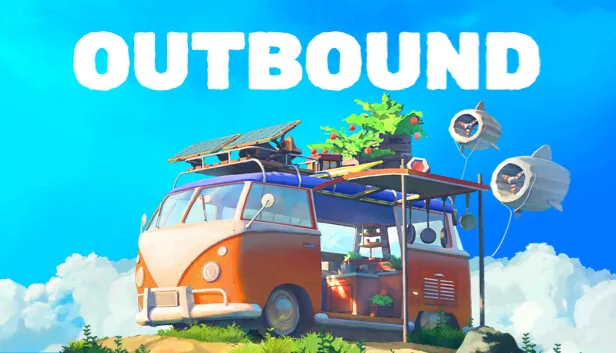
Outbound
Square Glade Games · Square Glade Games
These outbound tips fall into two categories: decisions that compound across the whole run (van weight, signal tower sequencing, energy setup) and decisions that only matter locally (which biome to clear first, when to cook). Get the compounding ones right and the rest follows. Miss them and you'll spend the middle of the game correcting early choices.
TL;DR: Hit signal towers first in every biome. Build solar before anything else. Don't overload the van: weight affects handling. Visit the Paws & Whiskers Lodge as early as possible. Cook at the end of every session, not just when you're in trouble.
Outbound tips: the quick answer
Start by making the van functional, then use each biome's Signal Tower or Download Terminal to expand your available blueprints. Keep the energy setup simple while you learn how the current biome affects your route, and add modules only when they solve a problem you actually have. The official game loop covers exploration, modular van building, gardens, cooking, and a dog companion, so the best first-hour plan is a sequence of small upgrades rather than a fully furnished van.
Current status: September 2026
Outbound is a full release on Steam. The official store snapshot checked for this update listed the game at $24.99, with all reviews at 73% Mostly Positive from 1,780 reviews and recent reviews at 80% Very Positive from 60 reviews. The store lists solo play, online co-op for up to four players, and 32 Steam achievements.
The latest official announcement visible in the checked update feed was Patch 1.1.8. It fixed empty Download Terminals in multiplayer, made the Dog Companion radial controls smoother on controllers, and included multiplayer stability fixes. If a Signal Tower appears to have no usable download, update the game and check the terminal again before assuming your save is stuck.
Step-by-Step: how to set up your first Outbound route
Step 1: Find the nearest Signal Tower. Scout the current biome before spending resources on a large van expansion. Read the terminal's available blueprint downloads and let those options shape the next build decision.
Step 2: Build one dependable energy source. Start with a simple source while you learn the route, then add wind or water when the current biome and van layout make it useful. Watch the van's actual consumption instead of filling every slot immediately.
Step 3: Keep the first van layout light. Prioritize energy, basic crafting, and enough storage for the next trip. The Outbound Van Build Guide has a more detailed module-order plan when you are ready to expand.
Step 4: Establish a small food loop. Grow plants or mushrooms once the van can support the garden, then cook what the next route needs. Check the current recipe tooltip rather than relying on a fixed buff list.
Step 5: Adopt and test the dog when the route reaches the Lodge. At Paws & Whiskers Lodge, use the current companion panel and radial controls to learn what the dog can do in this build. The Outbound Dog Companion Guide has the focused companion checklist. In co-op, agree who is handling the next tower, food, and van upgrade before splitting up.
For a focused power checklist, compare these tips with the Outbound Energy Management Guide before committing to a heavy workstation layout.
Key takeaways
- Signal towers give randomized blueprint unlocks: visit them before expanding your build, not after
- Solar panels are the safe first energy pick; wind and water supplements vary by terrain
- Van weight affects mobility: build for need, not maximum possible
- The animal companion (dog) needs training investment early to pay off mid-game
- Cooked meals provide buffs and health recovery; raw ingredients don't
Outbound tips: the energy system first
Before anything else in Outbound, the energy system decides what you can do. Every workstation you run, every light in the van, every charging station draws power. If you run dry, operations stop.
The official store lists three energy ideas: sun, wind, and water. Treat them as options that interact with where you park, not as a universal tier list. Solar is an easy first system while you are still learning the world. Wind or water becomes more attractive when the current route and van layout make that source convenient.
The practical order is to build one reliable source, watch what the van actually consumes, and add a second source when travel or a new workstation exposes a gap. Do not build every generator immediately. A lighter van with enough power is more useful than a heavy van full of systems you have not learned to manage.
 The plains biome with a wind turbine mounted: open terrain is where wind beats solar for raw output. Solar stays more reliable when you're moving between varied biomes.
Outbound tips: signal towers change everything
Visit signal towers before you expand the van. That's the whole tip, but here's why it matters.
Signal Towers and their attached terminals are progression points. Activate the terminal, inspect the available blueprint downloads, and use the result to decide what the next van upgrade should be. Windows Central's launch coverage describes three blueprint choices at a tower, while the official update feed confirms that multiplayer terminals can sometimes appear empty after a bug. The safe advice is to plan around the options shown by the current terminal, not a remembered list from another run.
If you expand your van before seeing a Signal Tower, you are choosing modules without knowing which downloads are about to open. A short scouting trip first can prevent a layout that blocks the workstation you actually want. Read the terminal, choose a download, then spend resources on the matching module.
Practical order: arrive in a new biome, locate the nearest signal tower on your map, activate it, then decide what to build. In co-op, split up so one player reaches the tower while another handles initial resource gathering. Both tasks run simultaneously and the tower's unlock benefits everyone.
GODEEPER: The Outbound Co-op Guide covers role division in the shared van and the communication habits that keep a moving base organized.
Outbound tips on van weight and why it matters
Every module you add changes the van you have to drive. Launch coverage describes starting vehicles with different carrying weight and handling, and the modular build is designed around making tradeoffs between a useful home and a practical vehicle. A van loaded with every workstation and decoration before you need them is harder to reason about and can make travel less comfortable.
In practice, the tradeoff matters most when traveling between resource sites. In co-op it is a shared decision: one player's extra room can become everyone's slower or less convenient route. Build progressively and keep a clear path through the interior.
Build progressively. Start with the essentials for your current tech tier: one energy source, one primary workstation, basic storage. Add sleeping quarters when you need them. Add the greenhouse shelf when you're ready to invest in farming. Resist the urge to add everything at once just because the blueprints are available.
What counts as "essentials" shifts as the game progresses. Early game: energy, basic crafting, minimal storage. Mid-game: expanded storage, second workstation, garden. Late game: full kitchen, sleeping, greenhouse, secondary energy sources. The van's capacity is generous: you don't need to rush filling it.
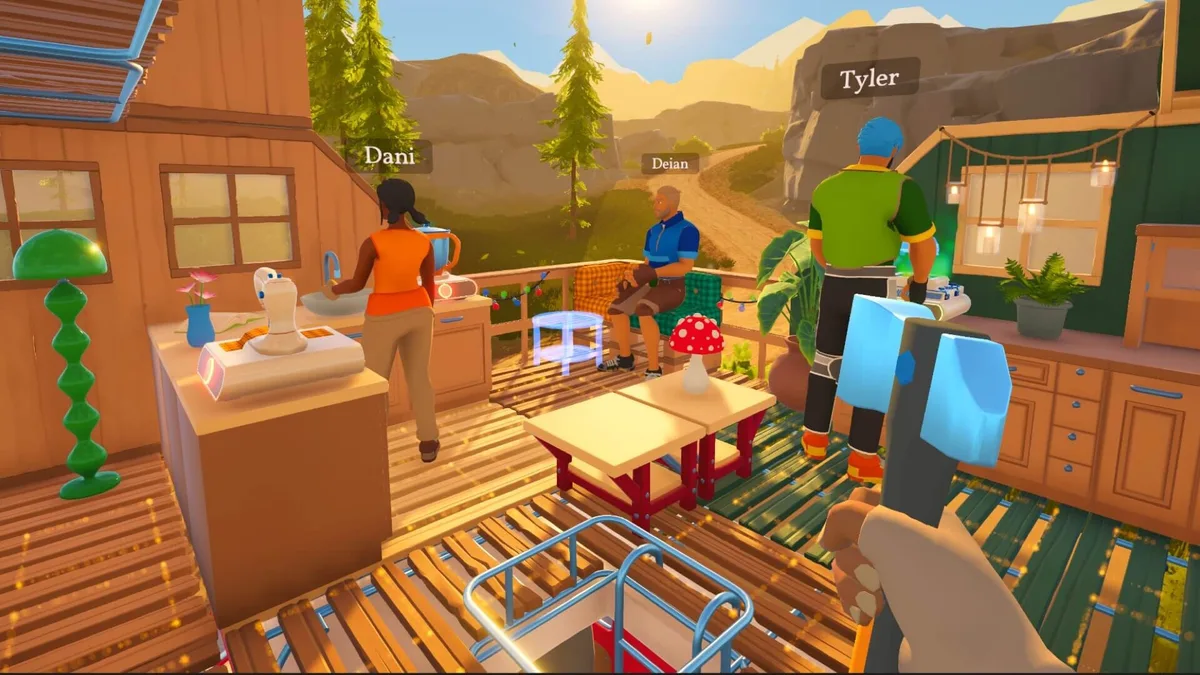 The dog companion pays off in mid-game once trained: early adoption means more sessions of useful fetch behavior.
Animal companion: invest early
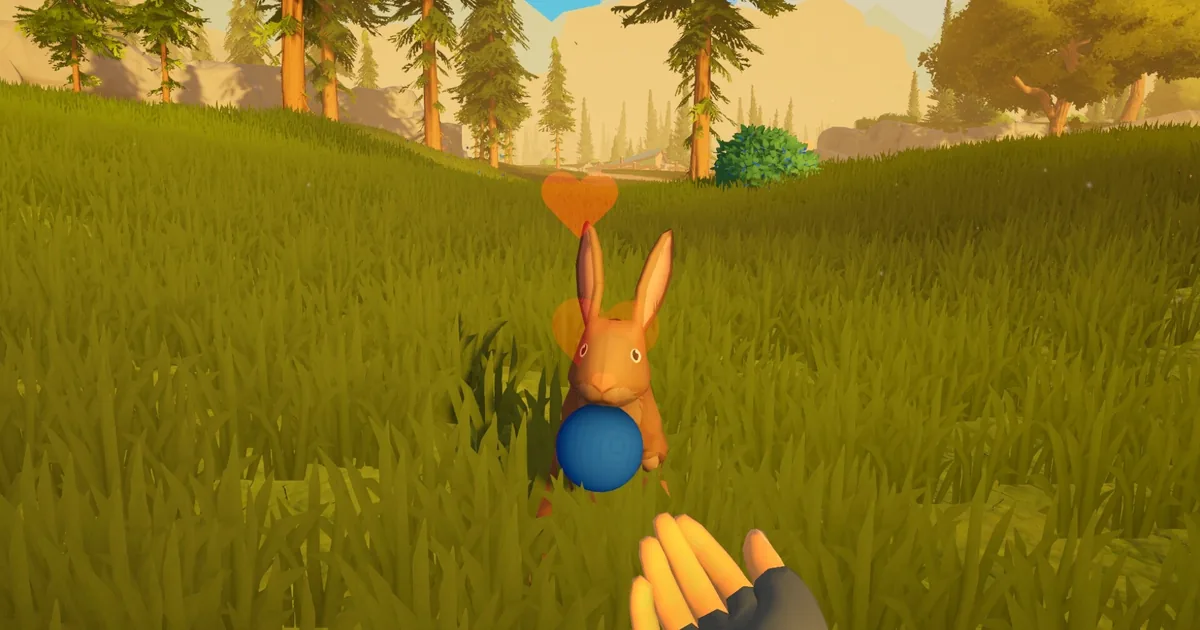
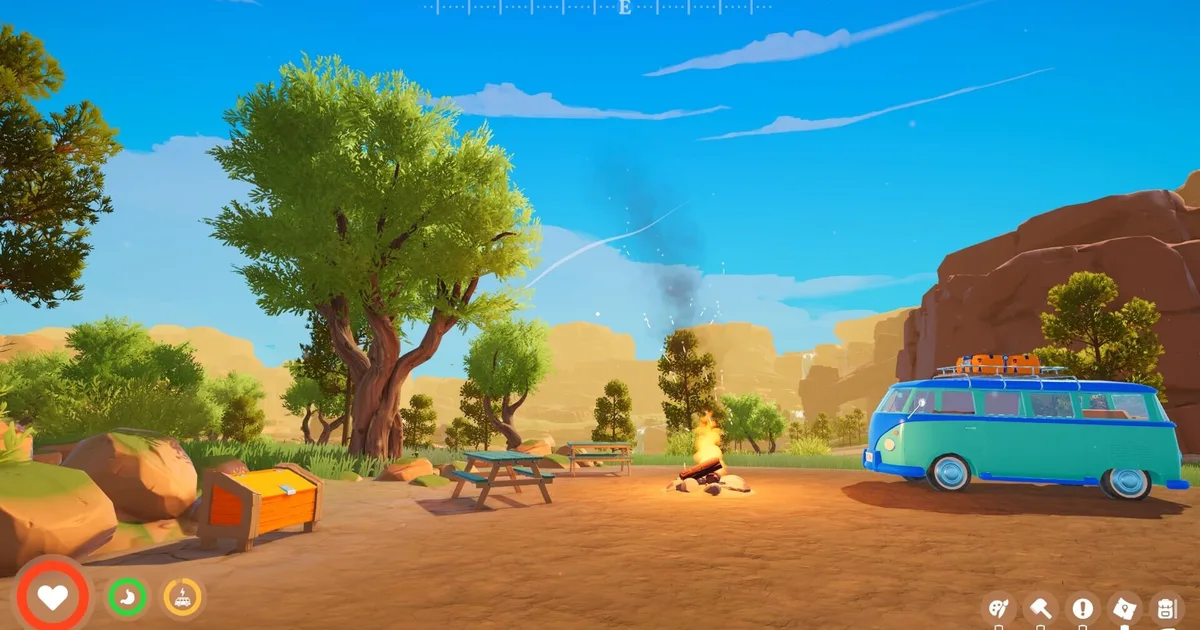
The Paws & Whiskers Lodge is one of the named locations you'll encounter while exploring. It's where you adopt a dog companion. The dog can be fed, petted, and trained.
Training is the key word, but the exact behavior list belongs to the current companion panel. The official listing confirms that the dog can be fed, petted, and trained to help. Patch 1.1.8 specifically changed the controller radial controls, so older advice about a fixed command layout can be stale.
This means the earlier you adopt and start learning the companion controls, the longer you have to use the system. Visit the Lodge when your route reaches it, then test the current commands in a safe area before relying on the dog during a long collection trip.
Finding the Lodge gives you a useful landmark for future route planning. Keep its location in mind when you return to the Coast and use the live map and companion panel as the authority for what the dog can currently do.
GODEEPER: Outbound is Square Glade's debut title. The full context on what the game is and why it launched when it did is covered here. Outbound Co-op Game: Launch Guide and What to Know →
Cooking and health: don't skip it
The health system in Outbound ties directly to cooking. The official store says you can grow plants and mushrooms in the van and cook meals to stay healthy on the road. That makes the garden and kitchen part of the travel loop rather than optional decoration.
Players who skip the cooking system give up a reliable way to prepare for the next trip. Check the current recipe tooltip for its health and effect values instead of relying on a fixed buff list, because recipes and balance can change after a patch.
Practically, grow a small selection of plants and mushrooms once the van can support the garden. Cook at the end of an exploration session, then take only what the next route needs. That keeps storage and weight under control while still using the system the way the official game loop describes it.
In co-op, designate the cook role early. One player runs the kitchen at camp while others gather or build. The role rotates naturally, but having someone specifically responsible for meals prevents the common failure mode of everyone assuming someone else handled it.
Outbound tips for biome exploration: don't rush out
The world is structured around biomes, each with distinct resources that don't appear elsewhere. Coastal biomes have materials you can't find in mountains. Plains provide different crafting inputs than forests.
The mistake most players make is treating biomes like checklists: arrive, grab what's immediately visible, move on. The denser resource nodes in each biome require more time at location than the surface suggests. Processing materials on-site using portable workstations reduces the number of trips back to the van and lets you carry more processed output than raw materials.
Stay in a biome until you've fully explored its signal towers, cleared the major resource nodes, and located any named landmarks. Then move. Partial exploration of four biomes is worse than complete exploration of two: you leave materials behind and miss blueprint options that only appear at towers you didn't reach.
Frequently asked questions
These outbound tips questions come up consistently in the community within the first few days of play.
Can you play Outbound solo? Yes, fully supported. Solo play means handling all van operations yourself, which adds friction (especially for energy management and cooking) but the game scales. Expect solo sessions to feel slower than co-op, not harder in a way that blocks progress.
What is the best energy source to build first? The official store confirms sun, wind, and water as the three energy ideas. Solar is a sensible first system while you are moving, then add wind or water when the current biome and van layout make that source practical.
How do signal towers work? Find a tower or its terminal, activate it, and read the available blueprint downloads before expanding the van. The current terminal options should decide your next module priority. If the terminal is empty in multiplayer, check the official patch level because a recent patch fixed that issue.
Does van weight affect gameplay? Yes. Starting vehicles and modular layouts make carrying capacity and handling part of the build decision. Start with essentials and expand when the extra module solves a real route or storage problem.
When should I adopt the animal companion? Visit the Paws & Whiskers Lodge when your route reaches it. The official store confirms that the dog can be fed, petted, and trained to help; use the current companion panel and radial controls for the exact behavior list.
Is Outbound difficult? It's more deliberate than difficult. Energy management and van weight require attention but there's no combat pressure. The challenge is organizational: keeping systems running, planning resource runs, coordinating in co-op. Players who approach it as a puzzle game rather than a survival game tend to find their footing faster.
Does Outbound have cross-play? Cross-play status between PC and Xbox wasn't confirmed in launch materials. Both platforms launched simultaneously on May 11, 2026, suggesting technical infrastructure for it, but Square Glade hadn't officially announced cross-play as of the May launch window.
Related Reading
- Outbound Review: Co-op Van-Life Scores 7.8
- Outbound Co-op Guide: Crew Setup and Energy Management
- Outbound Best Base Locations: Camp Setup Guide
- Outbound Van Build Guide: Module Order and Weight Budget: Outbound van build guide: which modules to build first, weight budgets per stage, and how.
- Outbound Beginner Tips: 10 Things to Do in Hour One: Outbound beginner tips cover van selection, the 20-item sprint cap, Homing Boots, and signal tower.
- Outbound Energy Guide: Solar, Wind, and Battery Setup: Outbound energy guide: which two sources to pair, when to swap, and the sequencing rule.
References
- Outbound on Steam: store page, system requirements, player reviews
- Outbound official announcements: Patch 1.1.8 terminal and Dog Companion control fixes, plus current update history
- Square Glade Games official site: developer page, news posts
- PC Gamer Outbound van upgrades: Signal Tower terminal and blueprint progression overview
- Windows Central Outbound preview: launch coverage of the three-blueprint tower choice and van-life loop
- Outbound co-op launch feature: full launch coverage, release date story, system overview
- Outbound complete guide hub: van builds, base locations, energy, co-op, and survival tips
Was this guide helpful?
About the author

Games Critic
Games writer and reluctant optimist who has reviewed over 400 titles across 9 years. Irish, currently in Berlin. Has strong opinions about tutorial design.
- 400+ games reviewed across 9 years
- Platformer and horror specialist
- Narrative design focus
Keep reading


Disclaimer
This article is published for informational and entertainment purposes. It does not constitute professional financial, legal, or technical advice. Game performance, online services, patch schedules, and store listings change. Verify critical details (pricing, system requirements, regional availability) with publishers and storefronts before you buy. Affiliate links, where present, help support our editorial work and are labelled in our affiliate disclosure.
Comments
Loading comments…