
GameBrief · Guides
7 Best Pratfall Mods for the Beans & Gadgets Update (2026)

Reviewing
Pratfall
Quad Head · Quad Head
The best Pratfall mods are now on a real, populated Steam Workshop, but the catalog needs filtering. I checked the live Workshop, the current Steam update, and every item page used below. The result is seven non-cheat picks for the Beans & Gadgets update, covering harder caves, chaotic items, HUD information, cosmetics, performance, and language support.
This is a compatibility-aware list, not a scrape of every Workshop title. The current Pratfall build signal is public build 25418655 after the September 17, 2026 Beans & Gadgets update. Escalating Worms and Raging Pop Frog explicitly say they are designed for build 24260516 and later compatible builds. The other five pages are public and populated, but do not print a Pratfall build number, so I label them as unpinned and recommend a test profile.
TL;DR: Start with Escalating Worms for a host-controlled difficulty spike or Raging Pop Frog for configurable explosive chaos. Worm Rider adds a harmless rideable cave-worm stunt, Live HUD exposes run information, Performance Tweaks targets stutter, Paint Yourself adds multiplayer-visible character art, and Pratfall Localization Mod adds selectable language packs. None of these is a player-count expansion.
Best Pratfall mods? (quick answer)
The right choice depends on what you want to change. Use Escalating Worms or Raging Pop Frog when the goal is a new co-op challenge. Use Live HUD or Performance Tweaks when you want more information or smoother play without adding a new progression system. Paint Yourself and Pratfall Localization Mod are the lowest-impact ways to personalize a group run. Worm Rider is the deliberately silly option.
The existing Pratfall more players mod guide covers the separate player-count question. This article does not repeat its Custom Game Mode discussion. It links that guide because the current Workshop catalog still contains an item called Unlimited Players Mod, but the author's own current description says the item changes nothing.
How the Pratfall mods were verified
Pratfall clears the real-catalog check. The official Steam Workshop says players can create, share, and download gameplay content, assets, and C# code, and it currently exposes categories for Gameplay, quality-of-life, UI, performance, and more. The official Quad Head modding guide documents the GameFolder/mods/ structure and the game's Workshop uploader, so this is a supported mod distribution route rather than an autocomplete-only signal.
The current game check matters because mod pages can lag behind a patch. The latest official Pratfall announcements show the September 17 Beans & Gadgets update, with new beans, gadgets, pickaxes, performance improvements, and EOS voice chat. The corresponding SteamDB patch record identifies that update as build 25364832, and the public depot page reports build 25418655 on September 20. I used that current state as the compatibility baseline.
Each item below was opened through its own Steam Workshop listing and checked for its exact title, description, update timestamp, visibility, and any stated build requirement. A recent public page is not the same as a current-build guarantee. If a page has no build number, I say so.
Challenge and chaos mods
These change what happens during a run. Put them on a separate co-op profile first, especially if your group already finds the vanilla caves unpredictable.
1. Escalating Worms
Escalating Worms turns each ordinary worm encounter into a growing wave. The mod page describes a starting worm count, a number added per wave, a maximum cap, randomized underground spawn positions, and host-controlled spawn spacing. The wave rotates across living players, so it spreads the pressure through a multiplayer group instead of stacking every threat on one person.
The page also gives this one of the strongest compatibility signals in the catalog. It was updated July 20, 2026 and says it is designed for Pratfall build 24260516 and later compatible builds. The current public build is 25418655, so the page's wording covers the current build numerically, although a backup is still sensible after Beans & Gadgets. Only the host needs to subscribe, enable the mod, and restart before forming the lobby. Friends receive the resulting networked worms through the game.
The optional settings menu is not required. The page says settings can be edited in %APPDATA%/Pratfall/escalating_worms.json, and the debug summon key is disabled until the host turns it on. Leave that debug option off for a normal run. The best use is a small starting wave with a conservative cap, then increase it after checking frame rate and cave readability.
2. Raging Pop Frog
Raging Pop Frog makes the Pop Frog a configurable roaming hazard. Its page describes repeated detonations, adjustable movement speed, and blast growth, with settings that affect existing frogs as well as new ones. Other bombs stay unchanged, which keeps the experiment focused on one of Pratfall's funniest items.
This page was updated July 20, 2026 and carries the same explicit compatibility note as Escalating Worms: designed for build 24260516 and later compatible builds. That makes it a reasonable current-build test, not a promise that every future update will preserve the hooks. Only the host needs to subscribe and enable it. Friends see the resulting Pop Frogs and explosions through the game.
Start close to vanilla. One extra detonation and a modest movement boost are enough to learn how the item behaves in a crowded cave. The page allows up to 100 explosions and up to 5.0x movement speed, but those settings are stress tests, not sensible defaults. Keep the debug spawn control disabled until your group has agreed that it wants a deliberate chaos run.
3. Worm Rider
Worm Rider is a pure spectacle pick. The Workshop description says the player can press R to summon a disarmed cave worm, wait for it to park, press E to mount it, and steer with the arrow keys. Up dives, Down climbs, Left and Right turn, and the camera follows while the worm burrows through the cave.
The item was updated September 2, 2026 and remains a public Workshop page with no build number in its description. That is a useful recent signal before Beans & Gadgets, but not explicit current compatibility. Test it in an empty run before using it in a serious rescue attempt. Because the description says the summoned worm is disarmed and cannot hurt the player, this is a movement toy rather than a combat advantage or a player-count workaround.
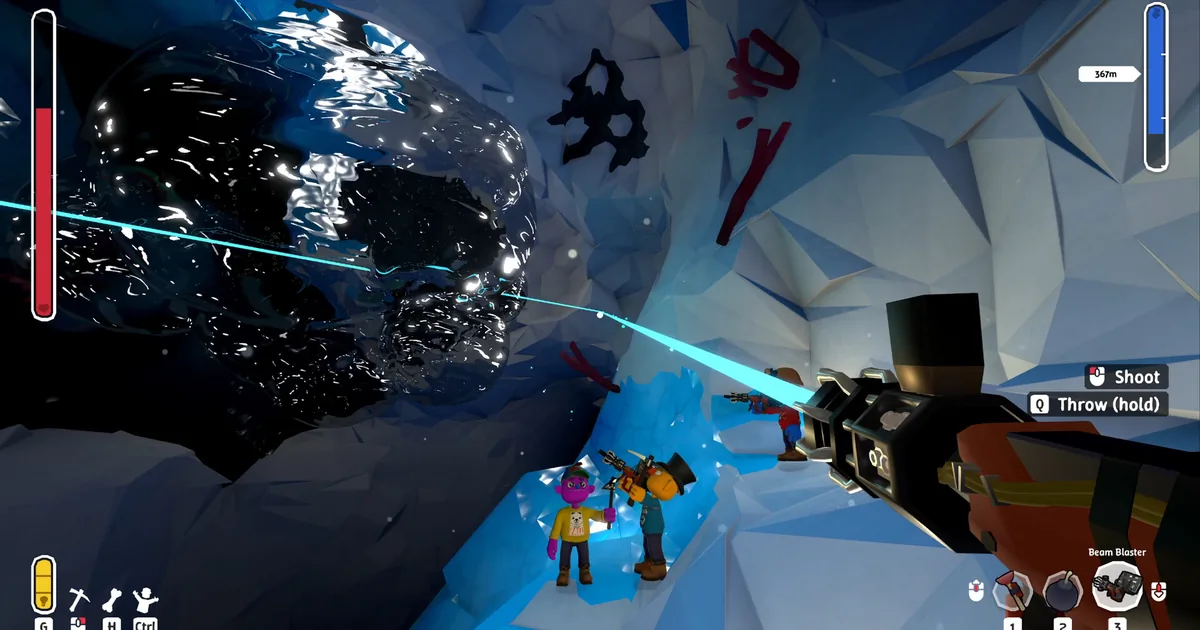
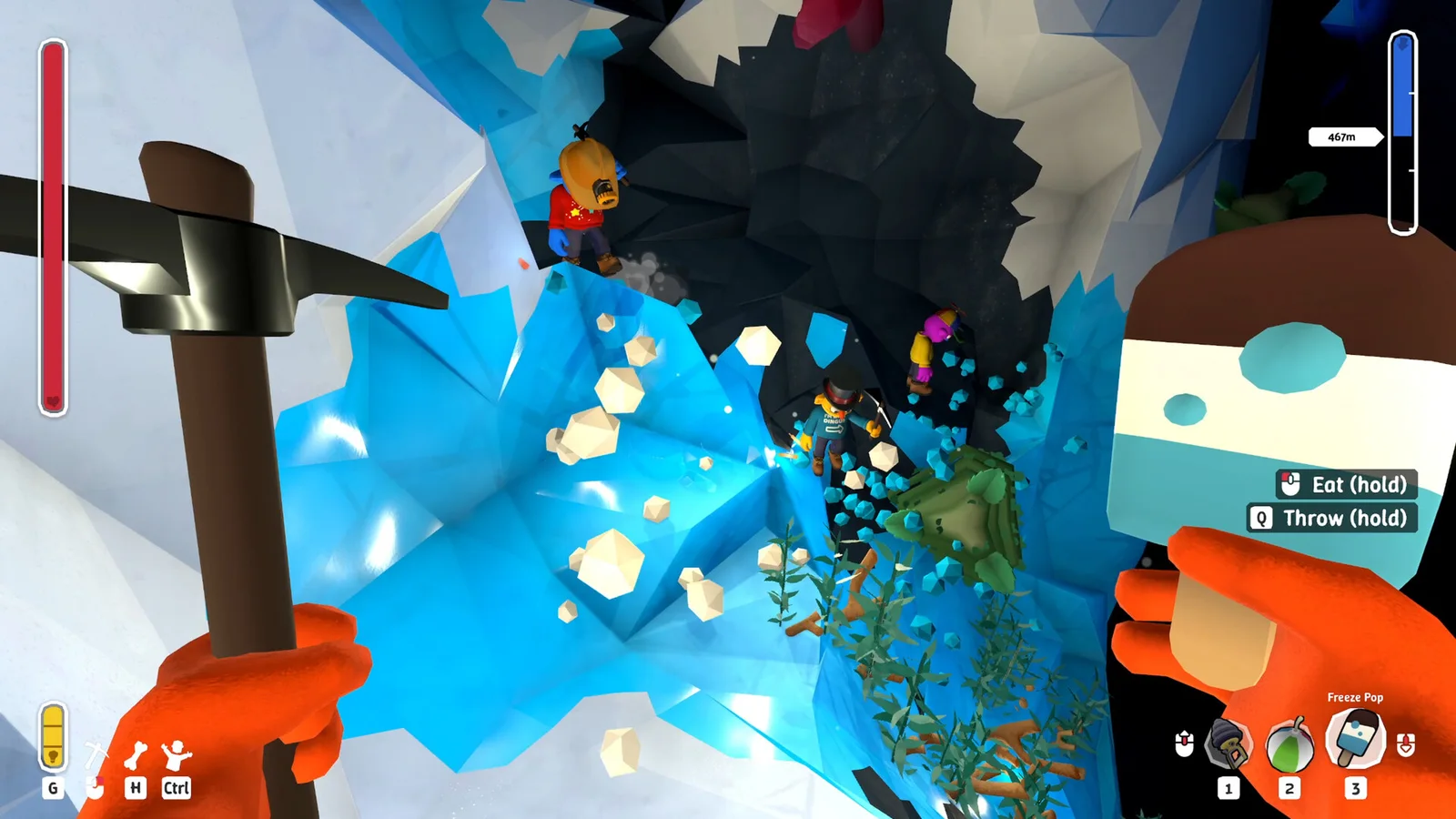 The blue-ice screenshot shows the kind of tight multiplayer space where a new movement or enemy mod can quickly become hard to read.
Quality of life and information mods
These picks leave the core rescue loop mostly intact. They are the best first tests for a group that wants more information or a smoother session without turning every cave into a new ruleset.
4. Live HUD
Live HUD adds a compact overlay with depth, gold, deaths, revives, and lobby player health bars. Its Workshop description is short, which is useful here because the promised feature is narrow and easy to verify. Press F1 to toggle the overlay.
The page was updated August 20, 2026 and does not name a target build. It is still public in the current Workshop catalog, but I classify it as unpinned for the September build. Test the toggle in the park and then in a short cave run. If the overlay overlaps another interface element, disable it for the run rather than editing files or stacking another UI mod.
This is especially useful for a larger Custom Game Mode lobby, but it does not expand the player limit. It only reports the state that the current game session already exposes. For the underlying co-op rules, use the Pratfall multiplayer guide and max players breakdown.
5. Performance Tweaks
Performance Tweaks adds an F9 control panel and FPS overlay. Its page says it aims to reduce micro-stutters, stabilize frame rate during heavy scenes, and reduce unnecessary background work. It also gives an installation sequence: subscribe, launch Pratfall, and activate the modification in the game's mod menu. Its performance claim is the author's description, not an independent benchmark, so treat it as a testable option rather than a guaranteed FPS boost.
The page was created and last updated July 12, 2026, before Beans & Gadgets, and it does not state a target build. That makes it the most conservative recommendation in this list. Test it with the F9 overlay visible, compare the same cave section with and without the mod, and remove it first if frame pacing or input behavior becomes worse. Do not combine it with several other performance tweaks until you know which change helped.
Pratfall's advanced tips guide and speedrun tips are useful vanilla baselines when you are trying to distinguish a real performance improvement from a run that simply had fewer physics objects on screen.
6. Paint Yourself
Paint Yourself adds a new paint tab to the Character Editor. The description invites players to show their drawings to friends and says every player in a multiplayer session needs to install the mod to see the paint. That client requirement is the important part: a host-only install is not enough for a shared cosmetic result.
The page was created and last updated September 2, 2026. It is recent and public, but it does not print a build number, so test the character editor after the current update before spending time on a custom design. Use it for a cosmetic group profile, not a competitive advantage. The Pratfall cosmetics guide covers the game's vanilla customization when you want to compare the two.
Language support
7. Pratfall Localization Mod
Pratfall Localization Mod adds custom localizations that appear through the game's default language selector. Its page also links documentation, language packs, and source code on GitHub. That makes it the most practical pick for a group that needs language support rather than a new gameplay rule.
The item was last updated May 21, 2026 and does not state a current build. It remains a public Workshop item, but its older update date means it needs a clean test after Beans & Gadgets. Start by enabling the mod, checking the language selector in the options menu, and confirming that menus remain readable before starting a co-op run. Treat individual language packs as separate compatibility checks instead of assuming that every translation is current.
For a vanilla reference, the Pratfall beginner guide explains the ordinary cave vocabulary and item loop. That can help a group identify whether a translation issue is in a modded string or in the base game.
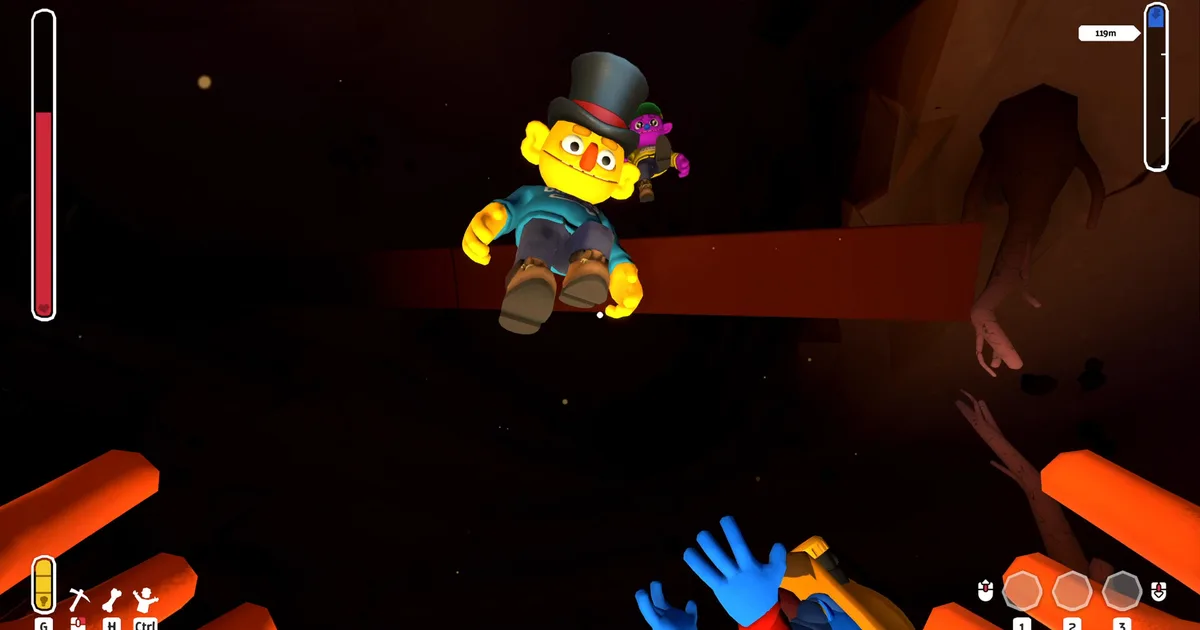
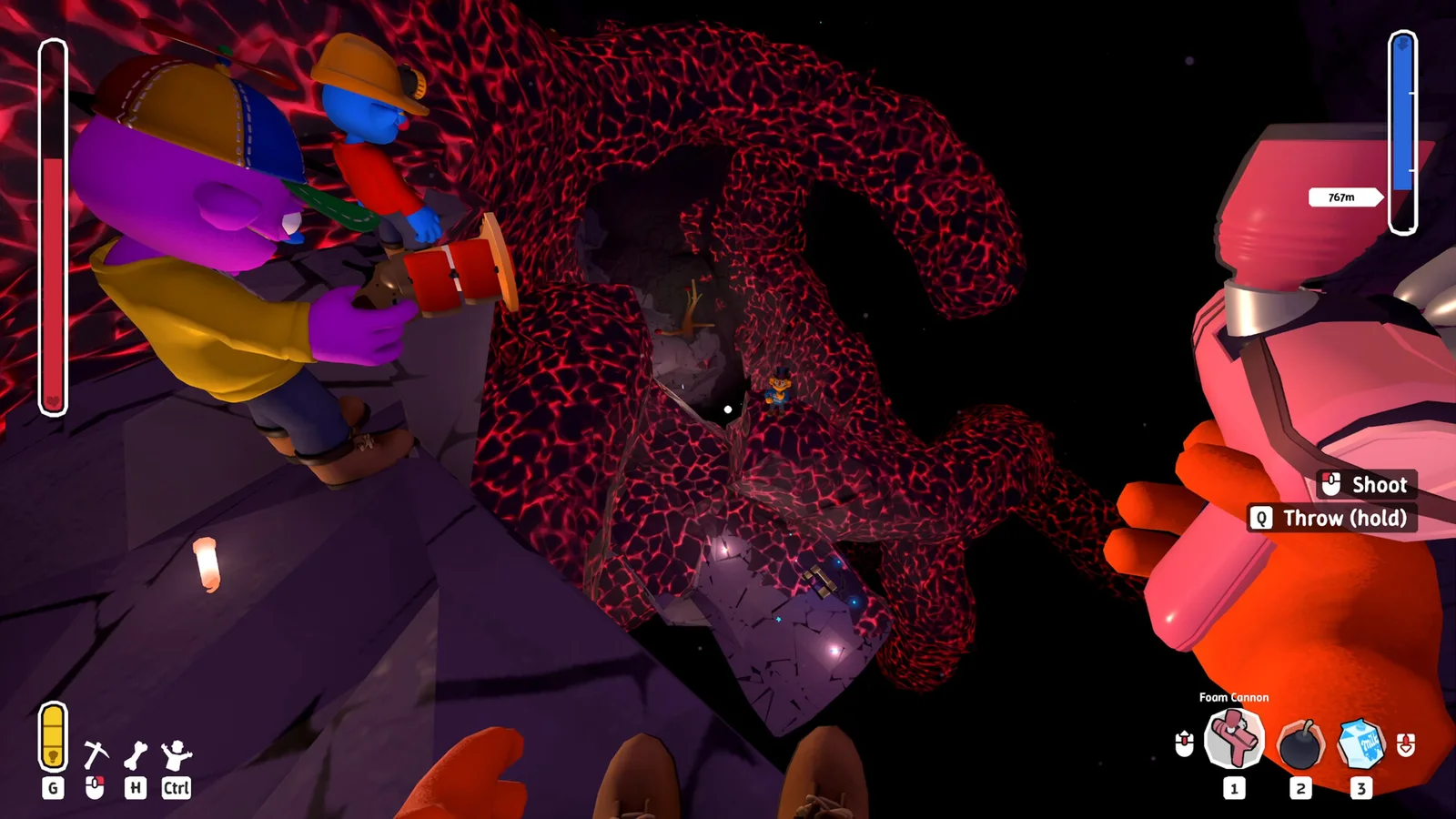 Lava runs are a good compatibility test because visual effects, HUD overlays, and physics changes all appear together.
What I left out
The Workshop catalog is populated, but several visible entries are not recommendations. I excluded pages marked removed or incompatible, including Dress Your Puppy, Chat, Colored Flares, Color Your Crown, Night Vision Mod, No Kevin Cave Music, Design Your Lobby, Server Browser, Safe Path Finder, Checkpoint, Universal Mod Config Menu, Chained Players, Mirror In Park, and Pratfall VR at the time of verification. A page being visible in a Workshop browse list is not enough when its own item page carries an incompatibility warning.
I also excluded cheat or exploit-style entries such as Infinite Flare Mod, Free Fly Camera, Gameplay Tweaker, Item Spawner, Player Manager, Game Save Manager, Super Power Kit, and Gold Ground. Those pages are real Workshop items, but they either carry cheat tags or advertise god mode, item spawning, free flight, infinite resources, or similar advantages. They are not appropriate picks for a compatibility-focused best-mods guide.
The current Unlimited Players Mod is excluded for a different reason. Its exact page says the base game already supports up to 250 players and that the mod does nothing. The existing more players guide explains why that listing should not be presented as a verified player-expansion solution. It is not counted among the seven picks here.
Step-by-Step: install Pratfall mods safely
1. Check the current update: Open the official Pratfall announcements before installing anything. For this list, the current signal is the Beans & Gadgets update and public build 25418655. A Workshop upload date is not a substitute for a current game check.
2. Keep a clean profile: Preserve the unmodded game and any important configuration before subscribing. Pratfall mods are distributed through the official Workshop, but a broken or stale item can still affect a run or its interface.
3. Subscribe to one item: Open the exact Workshop page linked in this article and choose Subscribe. Do not search by a shortened title when a similarly named cheat or old listing exists. The direct item link is part of the verification record.
4. Enable it in Pratfall: Launch the game, open the mod menu, and activate the item. The official Quad Head guide documents the GameFolder/mods/ structure, while individual Workshop pages provide the user-facing activation steps. Do not copy a BepInEx recipe from another Unity co-op game.
5. Test the promised feature: Load a short practice run. For Live HUD, press F1. For Performance Tweaks, compare the F9 overlay in the same area. For Paint Yourself, have every player enable it before checking the character editor. For challenge mods, use low settings first.
6. Match the host and client scope: Escalating Worms and Raging Pop Frog say only the host needs to install them. Paint Yourself says every multiplayer player needs the mod to see the paint. Follow the exact item page when the wording differs, and do not assume that every Workshop upload is host-only.
7. Remove one change at a time: If a run crashes, a menu disappears, or performance worsens, disable the newest item and restart. Record the mod title, Workshop ID, game build, and result. This makes the next compatibility check useful instead of turning five simultaneous changes into one mystery.
Tips for a stable Pratfall mod profile
Use separate profiles for separate goals. A challenge profile can carry Escalating Worms and Raging Pop Frog. A relaxed profile can use Live HUD, Paint Yourself, or Localization Mod. Keeping those combinations apart makes it easier to tell whether the Beans & Gadgets update or a particular Workshop item caused a problem.
Do not use the catalog's popularity as a safety guarantee. Subscriber counts are useful for finding active pages, but they do not prove that a mod survived the latest patch. The two explicit build notes in this list are stronger evidence than a large number beside an older upload. The five unpinned pages should be checked again after the next official update.
For difficulty mods, set expectations with the vanilla Pratfall biomes guide and items guide first. If your group has not learned the ice and lava hazards, an escalating worm wave can feel like a bug rather than a challenge. If you already know the route, raise one setting at a time.
For a long co-op session, Live HUD can answer questions that usually become voice-chat noise, while Paint Yourself gives players a low-stakes way to distinguish their characters. The achievements guide and review provide vanilla context when you are deciding whether the group wants more information or a more dramatic rules change.
Frequently Asked Questions
What are the best Pratfall mods in 2026? The seven verified picks are Escalating Worms, Raging Pop Frog, Worm Rider, Live HUD, Performance Tweaks, Paint Yourself, and Pratfall Localization Mod. The first two name a compatible build; the other five need a post-update test.
What is the current Pratfall version for these mods? The current Steam signal is the September 17 Beans & Gadgets update. SteamDB reports public build 25418655 and identifies the update itself as build 25364832.
How do I install Pratfall Workshop mods? Subscribe to the exact linked item, launch Pratfall, enable it in the mod menu, and test one change in a short run. Keep a clean profile available if the page has no current build note.
Do all players need the same Pratfall mod? No. Escalating Worms and Raging Pop Frog say only the host needs them, while Paint Yourself says every player needs it to see the shared paint. Read each item page before inviting the group.
Does the Unlimited Players Mod increase Pratfall's player count? No verified increase was found. The current page says the game already supports up to 250 players and that the item does nothing, so it is excluded.
Are Pratfall mods safe after the Beans & Gadgets update? No page guarantees every mod after the latest update. Use a backup, test one item at a time, and treat the five unpinned pages as provisional until their authors publish a current build note.
Related Reading
- Pratfall Complete Guide 2026: Max Players, Items, Biomes and Tips
- Pratfall More Players Mod Guide: What the Workshop Listing Actually Does
- Pratfall Multiplayer Guide: Player Count and Co-op
- Pratfall Max Players Guide: What Four Players Means
- Pratfall Biomes Guide: Dirt, Ice, Lava and Cave
- Pratfall Items Guide: Pickaxe, Drill and Glow Sticks
- Pratfall Beginner Tips Guide
- Pratfall Advanced Tips Guide
- Pratfall Cosmetics Guide: Gumball Machine Unlocks
- Pratfall Achievements Guide
- Pratfall Speedrun Tips
References
- Pratfall on Steam
- Pratfall Steam Workshop
- Pratfall official announcements
- Quad Head official Pratfall modding guide
- Beans & Gadgets update record
- Escalating Worms Workshop page
- Raging Pop Frog Workshop page
- Worm Rider Workshop page
- Live HUD Workshop page
- Performance Tweaks Workshop page
- Paint Yourself Workshop page
- Pratfall Localization Mod Workshop page
Was this guide helpful?
About the author

Games Critic
Games writer and reluctant optimist who has reviewed over 400 titles across 9 years. Irish, currently in Berlin. Has strong opinions about tutorial design.
- 400+ games reviewed across 9 years
- Platformer and horror specialist
- Narrative design focus
Keep reading
Disclaimer
This article is published for informational and entertainment purposes. It does not constitute professional financial, legal, or technical advice. Game performance, online services, patch schedules, and store listings change. Verify critical details (pricing, system requirements, regional availability) with publishers and storefronts before you buy. Affiliate links, where present, help support our editorial work and are labelled in our affiliate disclosure.
Comments
Loading comments…