
GameBrief · General
Scrap Mechanic Beginner Guide: What 1.0 Actually Changed
Reviewing
Scrap Mechanic
Axolot Games · Axolot Games
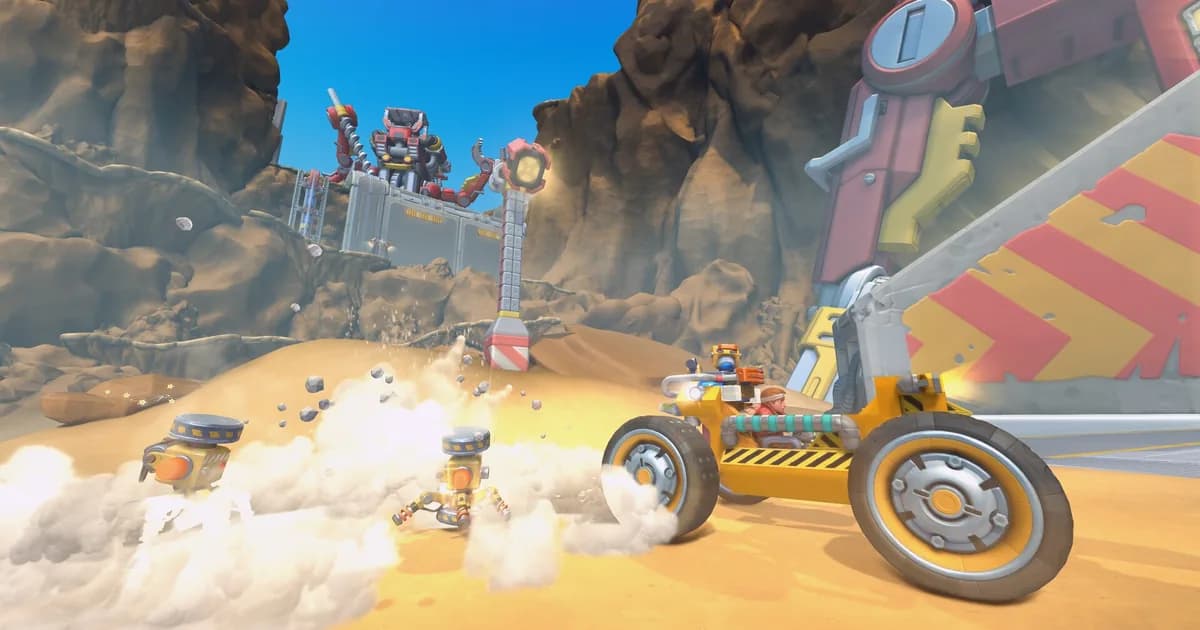
This Scrap Mechanic beginner guide starts from a blunt fact: if you played before July 24, 2026, roughly half of what you remember about the game is now wrong. The 1.0 update didn't just add polish. It rewired survival mode around a voiced story, added a terrain-shaping tool, doubled the enemy list, and quietly patched in a wave of missing parts over the following two weeks. This guide is built for two different readers at once, the person who just bought Scrap Mechanic for the first time this month, and the person coming back after years away who assumes their old knowledge still holds.
TL;DR: Scrap Mechanic hit 1.0 on July 24, 2026, with the Drilling Thunder expansion: a full voiced story split into chapters, a terrain-shaping Claygun, a bot roster that more than doubled, and Steam Achievements for the first time. The core building loop (Craftbot, welding, 400+ parts) is unchanged, but patch 1.0.4 restored parts that had briefly gone missing at launch, so even guides written on release week are already a little out of date. Multiplayer is still host-based; there's no dedicated server support.
What should a Scrap Mechanic beginner guide cover after 1.0? (quick answer)
The building fundamentals (Craftbot, hammer-welding, 400+ interchangeable parts) work exactly like they did in Early Access. What's genuinely new is the survival structure around them: a full voiced story across at least two chapters, a Claygun for reshaping terrain, more than double the previous enemy count, and a Portable Craftbot. If you're starting fresh or returning after a break, treat anything written before August 2026 as a starting point, not a finished map.
Scrap Mechanic beginner guide: key takeaways
- 1.0 launched July 24, 2026, bundled with the Drilling Thunder expansion, after Axolot Games spent close to a decade developing it
- Survival mode now has a fully voiced story with named chapters (players reference Chapter 1 and Chapter 2 directly)
- The bot roster "more than doubles" from the previous five, per Axolot's own patch notes
- A new Claygun tool reshapes terrain in both Creative and Survival, and some enemies can now dig through it
- The core building loop, Craftbot, welding, 400+ parts, is unchanged from Early Access
- Multiplayer remains host-based; there's still no official dedicated server option
Overview: what actually changed in the 1.0 update
Scrap Mechanic's Steam Community hub currently lists 352 guides tagged "Gameplay Basics" and 304 tagged "Walkthroughs," which is the honest reason a new beginner guide needs a specific angle instead of repeating what's already there. Most of that volume was written for the Early Access version of the game, where survival mode had no formal story, five enemy types, and no in-game achievement system.
The 1.0 update, released July 24, 2026, changed that structure without touching the underlying build system. Axolot's own release notes describe it as "by far our biggest update yet," and list the headline additions as a full story with voiced NPCs, an expanded and partly regenerated world with new biomes (the patch notes specifically call out a desert biome with tornadoes), a doubled bot roster, the Claygun, new garments, and Steam Achievements. Network code was also reworked for "improved network responsiveness," though that's a smoothing pass, not a change to how servers are hosted.
What this Scrap Mechanic beginner guide won't do is repeat build tutorials that are already covered exhaustively elsewhere. Instead, each section below is built around a single question: does this still work the way an Early Access guide describes it, or not?
GODEEPER: If Scrap Mechanic's grid-and-weld approach isn't quite the building style you're after, several other survival sandboxes handle structures very differently. Best Base-Building and Colony Sim Games in 2026: 8 Picks →
Step-by-Step: setting up your first base and workshop
This is the actual first-session flow as of patch 1.0.5, based on Axolot's release notes and current community reporting, not the pre-1.0 tutorial sequence you'll find in older writeups.
1. Get through the new opening without skipping it: Survival now opens with a voiced cutscene explaining the crash landing and the Farmbots going haywire, the premise Steam's own store page uses. It's worth sitting through once even if you've played before: some early quest markers and waypoints are tied to story beats introduced here that didn't exist in the old open-ended start.
2. Punch resources and reach your first Craftbot: The starting loop hasn't changed: gather Wood and Metal by hand, then place a basic Craftbot. This is still the central crafting station in the game, and it's the one system every guide, old or new, agrees on. What's changed is what's inside its recipe list; several parts that were missing from Creative mode for the first few days of 1.0 were restored in patch 1.0.4, alongside a batch of survival-mode parts added to Creative and Challenge mode for the first time.
3. Learn the Refining Tool before you rely on it: New to 1.0 is a Refining Tool that attaches to the hammer for converting raw scrap into usable materials. As of patch 1.0.5, community bug reports (including a Reddit thread from a player who couldn't progress past Chapter 2 because of it) describe the refine animation occasionally not playing or the tool clipping through the hammer handle. It still functions, but don't be surprised if the visual feedback looks off; that's a known issue, not something you're doing wrong.
4. Upgrade your Craftbot only when you have spare component kits: Craftbot upgrades run through five tiers, each costing component kits, and each adding crafting storage or unlocking additional slots. Community reports are split on what the fifth tier actually adds beyond storage, several long-time players have asked the same question in the subreddit without a clear answer, so don't hold off progression waiting to "unlock" a level 5 payoff that isn't clearly documented anywhere official.
5. Try the Portable Craftbot once you have one: New in 1.0 is a Portable Craftbot, a mobile crafting device separate from your base station. Early adopter reports flag two things worth knowing before you build around it: its recipe list is currently more limited than a full Craftbot, and you can't weld to the ground or to other creations while one is placed nearby, which reads as a bug rather than an intentional restriction.
6. Weld your first shelter, then your first vehicle: Once you have basic blocks unlocked, weld a small shelter and set a spawn point before venturing far; Survival's world is dynamically generated and it's easy to lose track of your base without one. For your first vehicle, keep it simple: a seat, wheels, and a battery is enough to start exploring faster than on foot. If you'd rather skip the early fabrication grind entirely, Scrap Mechanic supports importing blueprints designed in Creative mode directly into a Survival save. It's a real shortcut, well documented by the community, for anyone who wants to drop in a pre-built car or base on day one.
A base workshop area, the kind of storage and floor space a new base typically needs once basic crafting is underway.
The building system: Craftbot, parts and logic gates
Scrap Mechanic's building system is grid-snapped rather than freeform: blocks and functional parts (pistons, bearings, sensors, thrusters, logic gates) connect to a welded frame, and the physics engine simulates the result in real time rather than treating it as a static prop. Steam's own listing puts the current part count at "over 400+ building parts," all available in Creative mode, and separately advertises 1,000+ additional community-made parts through Steam Workshop mod support.
The logic gate system deserves its own mention: it's the part of the building system that actually separates Scrap Mechanic from most competitors. Connecting sensors, timers, and gates lets you build machines that run themselves, not just player-piloted vehicles. Long-time players in the subreddit have described building working calculators and automated sorting systems this way well before 1.0 existed. Nothing about the update changes that capability. It's additive on top of it.
If you're coming from a more automation-focused building game, the comparison is closer than you'd expect. Shapez 2's belt-routing puzzles solve a similar "make the machine do the work" problem through a completely different interface. Shapez 2 Automation Guide: Belt Routing and Advanced Splitters →
Survival mode's new story: Chapter 1, Chapter 2 and voiced NPCs
For the first time in Scrap Mechanic's history, Survival mode ships with a complete story from beginning to end, fully voice-acted. Axolot's release notes frame it as the core addition of the Drilling Thunder update: players "embark on the main quest to find out why the bots have gone rogue," working toward a way back home after a crash landing on the Farming Planet.
The story is structured in chapters. Community discussion from the weeks after launch references Chapter 2 specifically, including players building a browser-based interactive map generator for "Chapter 2" survival worlds to help locate builder quests and warehouses, and others reporting crashes specifically while trying to start it. That confirms the chapter structure is real and load-bearing for progression, even though Axolot hasn't published an exact chapter count.
Builder quests are a related, pre-existing system that's now more central to the loop: at least one community guide catalogs 23 total builder quests across the world, each with its own quest giver. If you remember Survival mode as an open-ended sandbox with light objectives, this is the biggest structural shift to adjust to. It's still the same physics and building toolkit underneath, but you're no longer just wandering a procedurally generated map without direction.
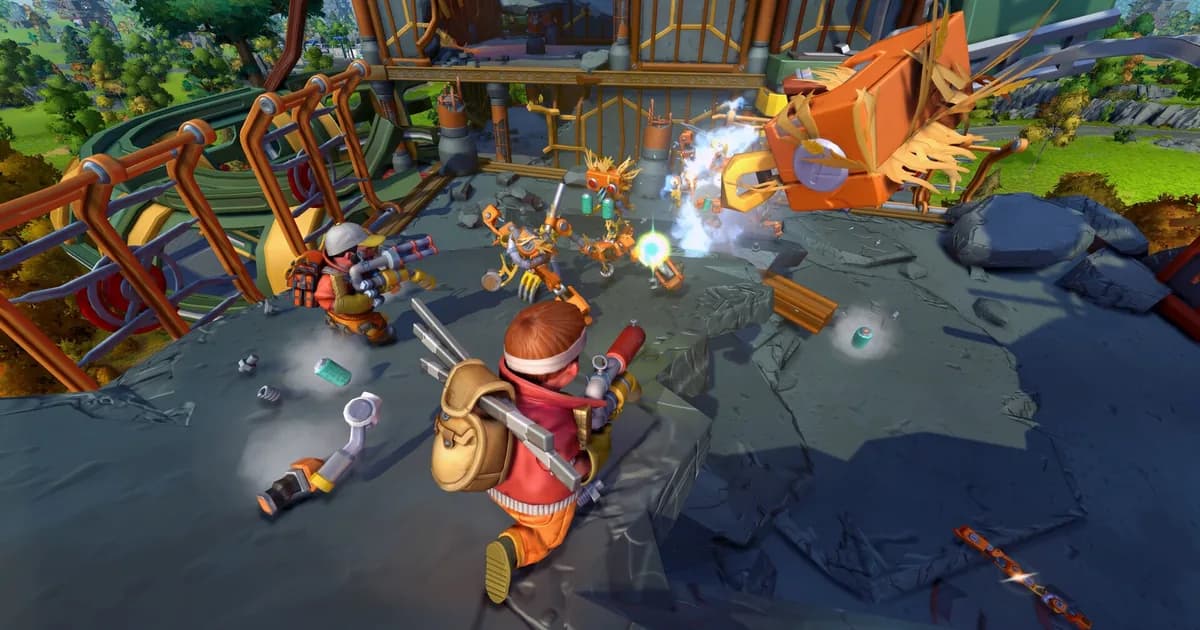
A combat encounter against the new story-mode enemy bots, the kind of fight the Chapter 1 and 2 missions build toward.
Claygun and the doubled enemy roster: what's actually dangerous now
The Claygun is a new tool available in both Creative and Survival mode that lets you reshape terrain directly, rather than just building on top of it. Axolot's patch notes are direct about the tradeoff: "if you think you can easily barricade yourself from bots with a little bit of clay, you are in for a surprise. Some bots can dig now." Treat clay barriers as a delay, not a wall.
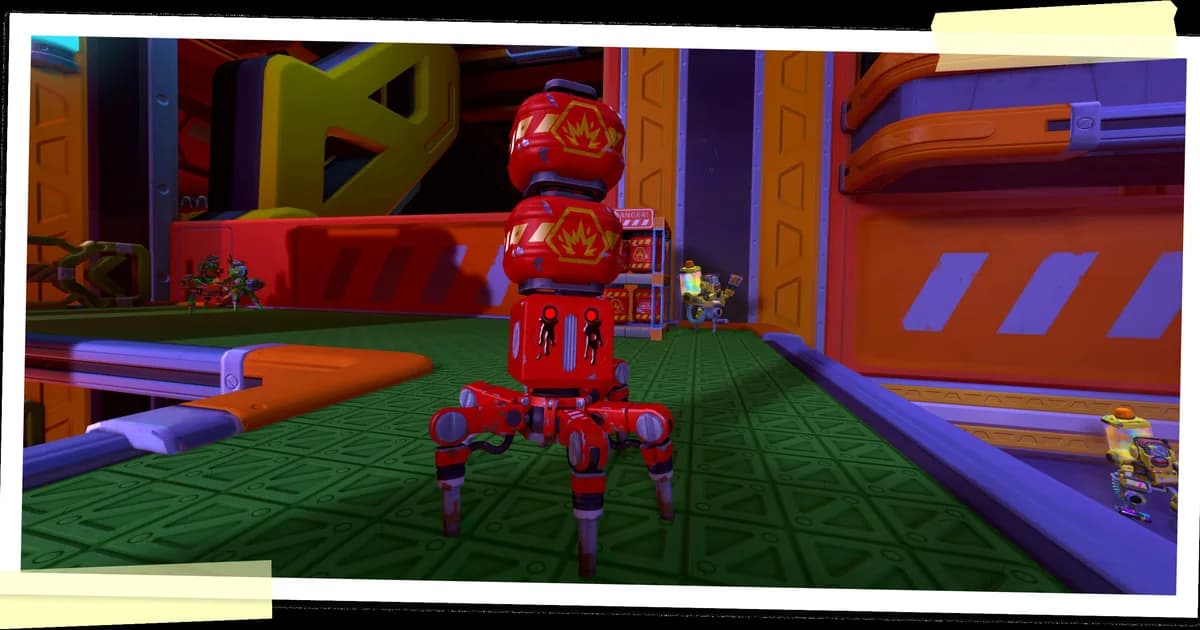
That warning matters more than it used to, because the bot roster changed substantially in 1.0. Where Survival mode previously had five enemy types, Axolot's own patch notes confirm the roster "more than doubles" with this update. The one new enemy called out by name in the official notes is the Red Explosive Totebot, with a specific caution attached: "he is highly problematic, and we strongly recommend prioritizing him in all combat situations." Community posts since launch also reference Farmbots as an early, common encounter, consistent with the crash-landing premise on the Farming Planet.
Combat still centers on the Spudgun as your default ranged option, per Steam's own feature description, so nothing about your starting loadout changes. What changes is how much you can trust a base design that relied purely on walls and distance; digging enemies plus a much bigger threat list both argue for layered defenses over a single perimeter.
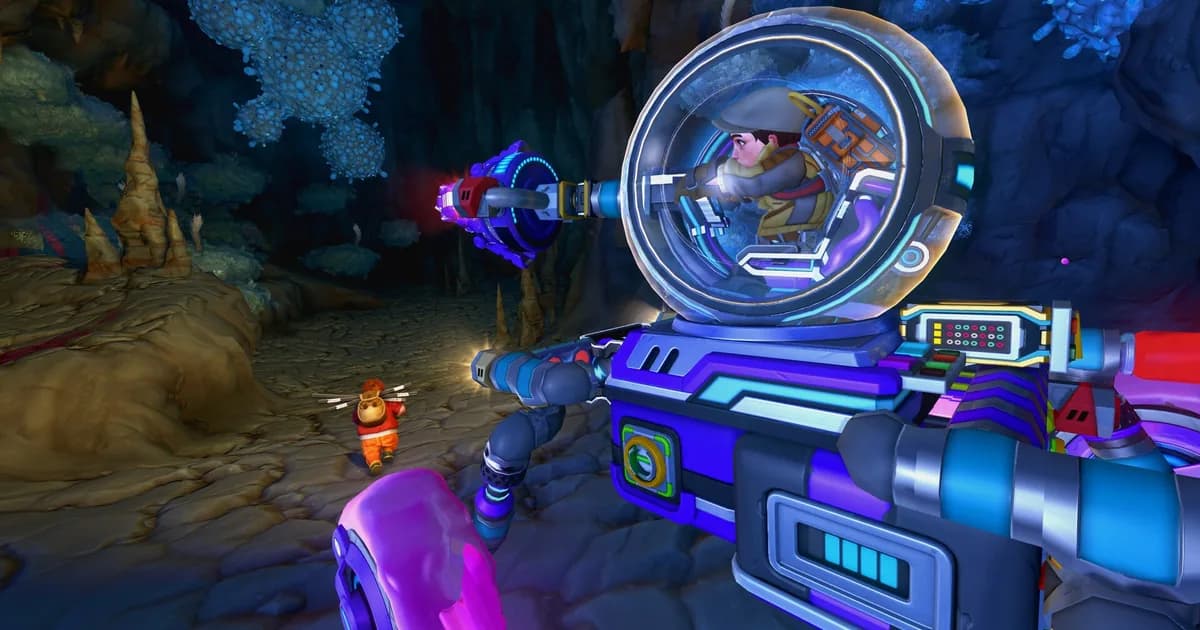
Combat against the game's robot enemies, a roster that more than doubled with the 1.0 update.
Multiplayer and co-op setup: what 1.0 does and doesn't fix
Scrap Mechanic's Steam store listing confirms Multi-player, Co-op, and Online Co-op as supported categories, and Axolot's 1.0 notes specifically highlight "improved network responsiveness for connected players" as one of the update's optimizations. What that improvement does not include is dedicated server support. A Reddit thread from shortly before 1.0 explicitly opens with "I know we don't have dedicated servers," and requests an official option; as of this guide, that request is still open. In practice, one player hosts the game locally and the rest join through Steam, and the world only persists while that host is running it.
That limitation is worth planning around before you invest hours into a shared base: if the host stops playing, so does everyone else's access to that save, at least until they're back online. It's not new to 1.0, but it's easy to assume a decade-old game hitting version 1.0 finally added it, and it didn't. Multiplayer lag and rubber-banding reports (particularly around beds and seats) also surfaced in the weeks after launch, so if a co-op session feels unusually sluggish, you're likely not imagining it; it's a known, still-open issue rather than something specific to your setup.
GODEEPER: Scrap Mechanic's freeform, grid-welded building is one approach to base construction in a survival sandbox; other big titles in the genre lock you into modular, pre-fab room shapes instead, which changes what "planning a base" even means. Subnautica 2 Base Building Guide →
Tips
Don't trust a build order from a guide dated before August 2026 without a quick sanity check. Patch 1.0.4 alone restored parts that had gone missing from Creative mode in the initial 1.0 release, and added survival-mode parts to Creative and Challenge mode that weren't there before. A guide screenshot from launch week may already be showing an outdated recipe list.
Use the Claygun for shaping, not sealing. Since some bots can now dig through it, treat clay as a way to smooth terrain around a build or slow an approach, not as a substitute for an actual walled perimeter.
Set your spawn point the moment you have a stable shelter, not after your first vehicle. Survival's world is large and dynamically generated; losing track of your base on foot before you have transport wastes far more time than the few minutes it takes to weld a basic shelter first.
Check the in-game patch log after any update before relying on a build you copied from Workshop or Creative mode. Blueprint imports from Creative into Survival are supported and a real time-saver for skipping early fabrication, but a blueprint built against pre-1.0 part behavior can behave differently now.
If you're chasing Steam Achievements, know that they're brand new as of 1.0. There's no legacy playthrough data behind them; everyone is starting from zero, whether they bought the game in 2016 or this month.
Common Mistakes
Assuming the story replaces the sandbox. The voiced Chapter 1 and 2 story gives Survival mode direction it didn't have before, but the underlying building system, hundreds of parts, logic gates, full physics simulation, is untouched. Players expecting a more linear game entirely will be surprised by how much open building space remains once the early story beats are cleared.
Building a wall-only base after watching an old video. Digging bots are a genuine post-1.0 change; a defense plan built entirely around Early Access footage won't account for it.
Waiting on the Portable Craftbot to replace your main one. Its currently reported recipe limitations and the reported welding-nearby bug make it better treated as a field convenience for now, not a full base replacement.
Assuming multiplayer got a dedicated server option because the game hit "1.0." It didn't. If persistent shared worlds matter to your group, plan around one player consistently hosting, not around infrastructure that doesn't exist yet.
Frequently Asked Questions
Is Scrap Mechanic still in Early Access? No. Axolot Games moved Scrap Mechanic to version 1.0 on July 24, 2026, alongside the Drilling Thunder expansion, closing out roughly a decade of Early Access development.
How much does Scrap Mechanic cost? $28.99 base price on Steam, though a 33% discount ($19.42) is active as of this guide; sales come and go. It sits at Very Positive across more than 121,000 reviews, and Axolot reports over 3 million lifetime copies sold.
Is my old Scrap Mechanic guide or wiki page still accurate after 1.0? Partly. The Claygun, doubled bot roster, voiced Chapter 1 and 2 story, and Portable Craftbot are all new. Even day-one guides may be stale, since patch 1.0.4 restored parts that briefly went missing at launch.
Does Scrap Mechanic have dedicated servers? No. Online Co-op is confirmed on the Steam store listing, but multiplayer is still host-based; someone has to keep their game running for others to join. Patch 1.0 improved network responsiveness, not this.
How many building parts does Scrap Mechanic have? Over 400 base parts per Steam's own listing, all usable in Creative mode, plus 1,000+ community-made parts available through Steam Workshop mod support.
What is the Craftbot, and is the portable version worth using? Craftbot is the core crafting station, upgradeable through five levels with component kits for extra crafting storage. A Portable Craftbot debuted in 1.0; early reports note it can't be welded near yet and offers a limited recipe list.
How many enemies does Scrap Mechanic have in 1.0? Axolot's own 1.0 patch notes confirm the bot roster "more than doubles" from the previous five, including a newly added, explicitly-flagged threat called the Red Explosive Totebot.
References
- Scrap Mechanic on Steam
- Scrap Mechanic 1.0 and Drilling Thunder! NOW AVAILABLE! (official Axolot Games patch notes)
- Axolot Games official site
- r/ScrapMechanic community
Related Reading
- Scrap Mechanic Review: our full verdict on whether the 1.0 launch build is worth buying in, separate from this guide's beginner focus.
- Scrap Mechanic Advanced Building Guide: All 6 Logic Gates: once you're past the basics here, this covers logic gates, sensors, and the full automation toolkit.
- Best Base-Building and Colony Sim Games in 2026: 8 Picks: where Scrap Mechanic's physics-first building sits against eight other approaches to base construction.
- Shapez 2 Automation Guide: Belt Routing and Advanced Splitters: a different take on the automation itch Scrap Mechanic's logic gates can scratch.
- Valheim Base Building Guide: how a grid-free, terrain-adaptive building system compares to Scrap Mechanic's welded-block approach.
Was this guide helpful?
About the author

Critical game theorist with a background in film criticism. Writing for print and digital outlets since 2015. Specialises in genre analysis and design heritage.
- Background in film criticism
- 10 years games coverage
- Genre theory and design history specialist
Keep reading
Scrap Mechanic Review: A Decade of EA Pays Off in 1.0
General · 10 min
Scrap Mechanic New Enemies: Every Bot Confirmed in 1.0
General · 14 min
Scrap Mechanic Advanced Building Guide: All 6 Logic Gates
General · 18 min
LegionBound Boss Idol Guide: Patch 1.11 Rework Explained
General · 14 min
Lost Castle 2 Achievements Guide: All 85 Explained
General · 21 min

Mina the Hollower Complete Guide: 60 Trinkets, 2 Endings
General · 14 min

Disclaimer
This article is published for informational and entertainment purposes. It does not constitute professional financial, legal, or technical advice. Game performance, online services, patch schedules, and store listings change. Verify critical details (pricing, system requirements, regional availability) with publishers and storefronts before you buy. Affiliate links, where present, help support our editorial work and are labelled in our affiliate disclosure.
Comments
Loading comments…