
GuideGraveyard Keeper 2
Graveyard Keeper 2 Alchemy Guide: Rune Totals Explained
About the game
Graveyard Keeper 2
Lazy Bear Games · tinyBuild
Graveyard Keeper 2 alchemy looks like a recipe system until the first failed mix. The laboratory is really a three-color arithmetic puzzle: each studied ingredient contributes red, green, and blue runes, and the product is chosen by the exact total you load.
The useful habit is to stop memorizing ingredient pairs. Read the target in the Folio or technology tree, check the rune values you have studied, and build that total. This guide separates the confirmed workflow from unofficial data-table details, then gives a small set of mixes that appear in more than one independent reference.
TL;DR: Graveyard Keeper 2 alchemy uses exact red, green, and blue rune totals. Study an ingredient before it can be selected, keep usable flasks on the laboratory's Flask shelf, and treat technology entries as product targets rather than automatic recipes. Water plus Blood is a verified 1 green plus 1 blue mix for Dream Dust. Healing, Damage, Zombie Motivator, and Berserker are the battle-focused potion groups.
Graveyard Keeper 2 alchemy: quick answer
Graveyard Keeper 2 alchemy produces the item whose red, green, and blue rune target exactly matches the ingredients you load. Laboratory I accepts up to two ingredients and Laboratory II accepts up to three. If one color is over or under the target, the lab does not start. If the result is a question mark, the total can still be valid and reveal a new product.
That is why calling these fixed recipes is misleading. A product can have multiple mixes because different materials can carry the same rune values. The Graveyard Keeper 2 complete guide lists alchemy as its own system, while this page owns the rune totals, study flow, shelf requirement, and potion use.
Key Takeaways
- Add red, green, and blue runes separately. The combined total selects the product.
- A failed-looking mix is usually a mismatch, an unstudied ingredient, or a missing shelf flask.
- Laboratory I has two ingredient slots. Laboratory II has three, which matters for larger targets.
- Technology can reveal a product target, but it does not replace the exact rune match.
- A question mark can be a valid undiscovered result. A blank result means the current total has no product match.
- Current reference pages group Healing, Damage, Zombie Motivator, and Berserker under battle potions.
- The public databases disagree on some overall totals, so the table below uses only mixes seen in more than one reference.
How Graveyard Keeper 2 alchemy rune totals choose a product
The core rule is simple: add each ingredient's red, green, and blue runes separately, then compare the three totals with product targets. GK2DB, the independent GK2Hub guide, and Wikily all describe this exact-match system.
Here is the worked example worth learning first:
Water + Blood = Dream Dust
- Water contributes 1 green rune.
- Blood contributes 1 blue rune.
- The total is 0 red, 1 green, and 1 blue, which produces Dream Dust.
GK2DB gives this exact mix and target, while GK2Hub describes Water plus Blood as the early laboratory lesson. KosGames also lists the same combination as a 1 green plus 1 blue Dream Dust mix. This is a real combination to test, not an analogy borrowed from the first Graveyard Keeper.
The colors are added independently. One extra or missing rune makes a different total, not a near miss. Wikily and the independent recipe guide both say the lab produces nothing when a color is wrong.
One product can have many mixes because different materials can carry the same useful rune values. The Folio records the target rather than binding you to the first pair you discover. The independent references also report that no single color can exceed 5 in a mix, so build from the target outward instead of stacking the biggest ingredients first.
Graveyard Keeper 2 alchemy technologies and discoveries
Technology entries tell you which product target has been revealed, but they do not grant a free ingredient recipe. You still need studied ingredients that add up to the target, a valid laboratory slot count, and a usable flask supply. In the code-derived GK2DB explanation, the technology's practical value is showing what total to aim for.
That distinction answers a common interface question. A question mark can still brew if the ingredients reach a hidden target, then the product is recorded in the Folio. A blank result means the current total does not match a product.
Study comes before selection. Take an ingredient to the Study Table, pay the displayed Science and any displayed Faith, and read the rune result. GK2Hub says the item is not consumed, while independent references describe unstudied materials as unavailable or refused. If something is greyed out, research it first.
The Folio is the memory aid. It shows a product's rune target after discovery, so you can swap a scarce material for a convenient equivalent later. The target matters more than a handwritten ingredient list.
Step-by-Step: make a first alchemy brew
The safest first brew follows the tutorial logic: research the materials, confirm their colors, load the shelf, and only then commit the mix. This prevents wasting materials on a result that failed before the laboratory could run.
1. Reach the laboratory: Confirm that the room has a Study Table, Flask shelf, and Folio before planning a discovery session.
2. Study the ingredients: Put each intended ingredient into the Study Table and read the result. Water and Blood are the clean Dream Dust example.
3. Read the target: Open the product entry in the Folio or technology tree. Keep the red, green, and blue target separate.
4. Load the shelf: Put usable Alchemy Flasks into the local Flask shelf. Backpack flasks are not the same supply.
5. Select the mix: Add studied ingredients from your backpack or suitable open storage in the same room. Stop when every color matches exactly.
6. Read the result before starting: An icon means known, a question mark can mean valid but undiscovered, and a blank result means the total does not work.
7. Record the discovery: Let the Folio keep the target, then use convenient equivalent ingredients on the next batch.
If Water and Blood do not appear, study them. If the result is blank, check that you selected one of each. If the result is correct but the button will not run, inspect the Flask shelf.
Flask shelf rules and the Laboratory
Flasks are a room supply, not ordinary backpack fuel. GK2DB, Wikily, and GK2Hub all describe the practical rule: each brew consumes a usable flask from the local Flask shelf or room supply, so a flask bundle in your inventory alone may leave the lab unable to start.
The shelf rule is easy to miss because the ingredient picker is more visible. If the sum is right but the start button fails, check the shelf first and load the flask item used by your laboratory.
Laboratory I and Laboratory II change what can be assembled. Laboratory I takes up to two ingredients and Laboratory II up to three. A product can require the larger lab if no smaller mix reaches its target.
Independent guides say ingredients can come from suitable shared storage in the same room. Keep studied rune carriers near the lab, but do not carry the whole alchemy economy in the backpack.
The Graveyard Keeper 2 factory layout guide owns conveyor zoning. Borrow its useful principle here: keep inputs legible and leave room to see whether the shelf is loaded.
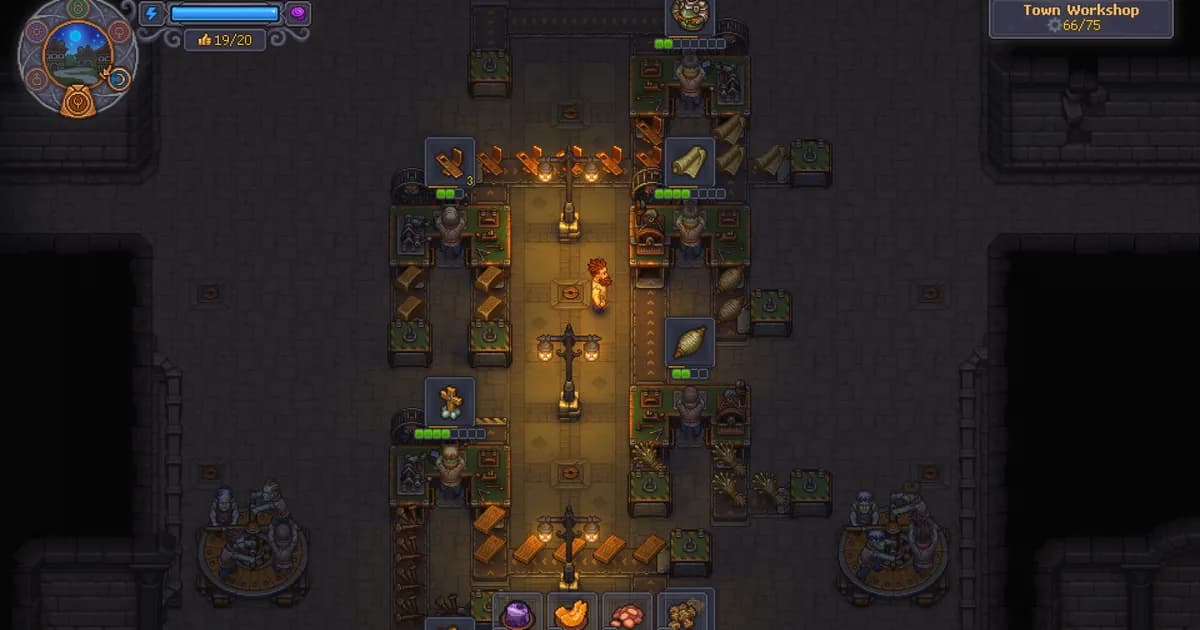
The Town Workshop screenshot shows a separate conveyor production room. It illustrates the value of readable inputs and outputs, not an alchemy recipe or flask shelf.
Verified Graveyard Keeper 2 alchemy mixes
The table is deliberately short. Every row appears in the GK2DB table and at least one independent recipe reference. It is a cross-checking sample, not a complete list. Equivalent materials can reach the same target when their studied runes match.
| Mix | Rune total | Product |
|---|---|---|
| Water + Blood | 1 green + 1 blue | Dream Dust |
| Stone | 2 red | Healing Potion |
| Flax | 1 red + 1 green | Damage Potion |
| Clay + Night flower | 1 red + 2 blue | Zombie Motivator Potion II |
| Salt | 1 red + 1 green + 1 blue | Berserker Potion |
The first row is the best tutorial check. GK2DB and Wikily agree on Stone's 2-red Healing target, while GK2DB and KosGames list Flax for Damage and Wikily gives Flax one red plus one green.
The fighter examples show why target arithmetic beats a single recipe list. GK2DB and Wikily agree that Clay plus Night flower reaches Zombie Motivator Potion II's 1-red, 2-blue target. GK2DB and KosGames list Salt for Berserker, while Wikily gives that product the same three-color target.
Which battle potions matter in Graveyard Keeper 2?
Current alchemy references identify four battle-focused families: Healing, Damage, Zombie Motivator, and Berserker. Healing supports Keeper survival, Damage supports Keeper weapon hits, Zombie Motivator supports zombie-fighter timing, and Berserker supports the Keeper's stamina-free weapon window.
That division fits the official combat setting without pretending the developer published a complete potion handbook. The Graveyard Keeper 2 zombie army battle guide owns guard posts, squads, structures, objectives, and defeat costs. This page owns the potion families.
Use the potion family that matches the job in front of you:
- Healing Potion: a Keeper-facing recovery option.
- Damage Potion: a Keeper-facing weapon boost, not a reported zombie-fighter or tower bonus.
- Zombie Motivator Potion: a zombie-fighter timing tool.
- Berserker Potion: a Keeper-facing stamina tool for sword and bow attacks.
The sources mark these products as battle-only, not general production buffs. Prepare them around a known fight. The battle guide reports consumed potions are lost on defeat, while Update 1.008 changed battle-related Town Gratitude and the over-cap Panic trigger without replacing the alchemy target system.
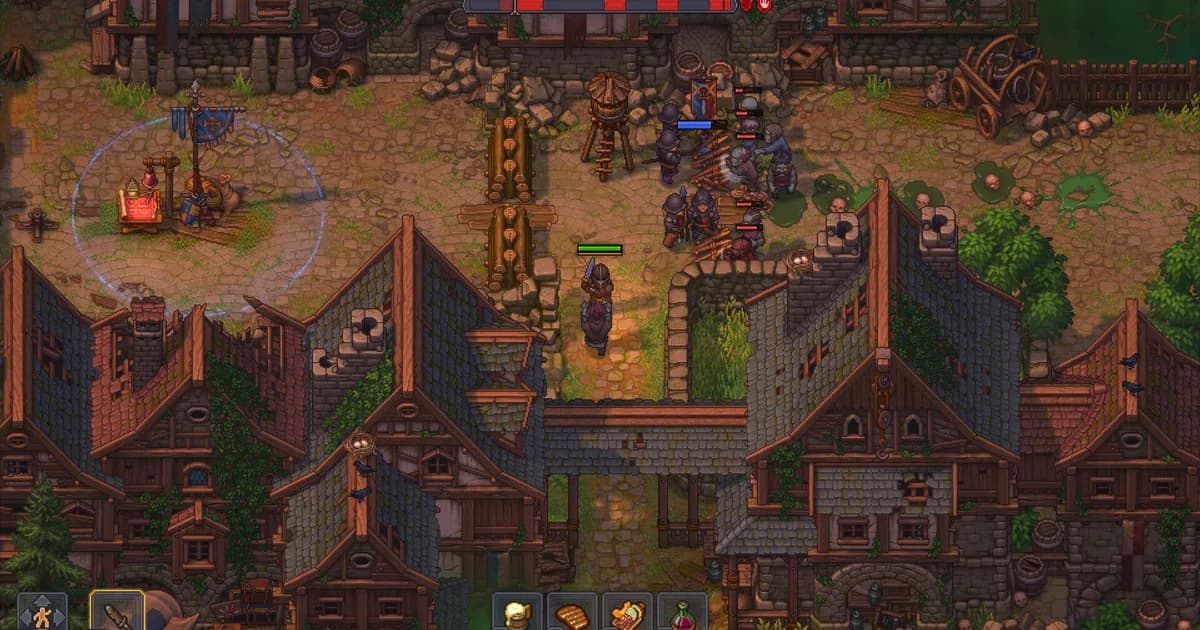
The official Steam battle screenshot shows the setting where battle-only potion choices matter: a defended street with the Keeper, squads, structures, and incoming enemies.
GODEEPER: For guard-post requirements, squad equipment, structures, and what defeat consumes, continue to the Graveyard Keeper 2 Zombie Army Battle Guide →
The hypno-device connection to alchemy
The hypno-device is an adjacent Formulation Bench use, not an alchemy potion recipe. The current PR-machine walkthrough reports putting it in the bench and spending Faith to charge it before returning it during Gunter's quest. An independent fan field guide reports the same station and Faith relationship, with a testing caveat.
The systems use different logic. A potion is selected by rune totals. A charged hypno-device is a quest-facing formulation step, not a Flask shelf ingredient.
The Graveyard Keeper 2 PR machine guide owns Gunter's quest, sermon trigger, machine location, and temporary capacity runs. Its current reference says the early charge uses 1 Faith, while official notes confirm the machine and fixes rather than a full formulation table. Use the live quest panel if it differs.
The October 2 future-plans post mentions rechargeable hypno-devices through the Astrologer. That is future work, not a current 1.008 feature.
GODEEPER: For the separate charged-device unlock and temporary zombie limit, read the Graveyard Keeper 2 PR Machine Guide →
Tips for reliable alchemy discoveries
Reliable Graveyard Keeper 2 alchemy comes from controlling information before output. Study explainable materials, keep the target visible, and make the shelf part of the room check. Think in a small ledger: target, carriers, flask, product.
Start with the cheapest confirmed target you can reproduce. Water plus Blood teaches the color split without a long list. Then add one rune carrier at a time and record the Study Table result. The Graveyard Keeper 2 beginner guide recommends manual loops before automation; the same order works here.
Keep one fallback ingredient path. If Flax is reserved elsewhere, the Damage target has other studied 1-red, 1-green options in the references. If a product is unknown, test a low-risk target before spending a rare three-color ingredient.
Separate confirmed mechanics from data-extract detail. Independent guides repeat the exact-match rule, study prerequisite, laboratory slots, and shelf behavior. Specific ingredient alternatives and effect text come from unofficial databases, so the live result window wins after a patch.
Keep patch context nearby. The Graveyard Keeper 2 patch notes guide tracks official changes, including 1.008. The calendar and workshop hours guide helps when a battle or sermon schedule determines when you need a potion.
Frequently Asked Questions
What is the most important Graveyard Keeper 2 alchemy rule?
Match red, green, and blue rune totals exactly. The lab does not choose the nearest product. A valid undiscovered total can show a question mark and still brew.
Why are my ingredients missing from the laboratory?
Study each ingredient at the Study Table first. Independent guides say unstudied items are greyed out, absent, or refused. Check the displayed Science and Faith requirements before searching for another quest trigger.
Do flasks need to be on the shelf?
Yes. Load usable flasks into the Flask shelf in the laboratory room. A backpack flask is not the same local supply. If the rune total is correct but the mix will not start, inspect the shelf.
Do technologies give fixed ingredient recipes?
No. Technology can reveal a product and target, but studied ingredients still need to reach the exact three-color total. Several mixes can make one product.
Which potions are for battles?
Healing, Damage, Zombie Motivator, and Berserker are the battle-focused families. They cover Keeper recovery, Keeper damage, zombie-fighter timing, and Keeper stamina use.
Is a hypno-device an alchemy ingredient?
No. The PR route treats it as a Formulation Bench quest item charged with Faith. It does not use rune totals or belong on the Flask shelf.
Can a question mark result be valid?
Yes. It can represent an exact target you have not learned. A successful brew reveals it and adds it to the Folio. A blank result has no matching product.
Related Reading
- Graveyard Keeper 2 Complete Guide: Place alchemy beside the other systems.
- Graveyard Keeper 2 Beginner Guide: Follow the manual-first opening route.
- Graveyard Keeper 2 Factory Layout Guide: Plan readable storage and machine rooms.
- Graveyard Keeper 2 Automation Guide: Connect preparation to the wider factory loop.
- Graveyard Keeper 2 Zombie Army Battle Guide: Prepare for fights where battle potions matter.
- Graveyard Keeper 2 Battles List: Check encounters before spending potions.
- Graveyard Keeper 2 PR Machine Guide: Follow the separate hypno-device route.
- Graveyard Keeper 2 Patch Notes: Check official fixes before troubleshooting.
References
- GK2DB: How Alchemy Actually Works: rune totals, shelf setup, technology behavior, and sample mixes.
- GK2DB: Alchemy mechanics: slots, study state, flasks, and result states.
- GK2Hub: Graveyard Keeper 2 Alchemy Guide: independent workflow and shelf cross-check.
- Wikily: Alchemy, runes, formulas, and ingredient mixes: independent targets, runes, battle potions, and mix behavior.
- Wikily: Zombie Motivator Potion II: independent target and named mix.
- KosGames: Graveyard Keeper 2 all alchemy recipes: independent named combinations.
- Official Graveyard Keeper 2 Steam page: first-party game context.
- Official Steam Changelog 1.008: current patch fixes.
- Official Steam Plans for the future: future recharge plan, not a current feature.
Was this guide helpful?
About the author

Senior Critic & Analyst
Former game data analyst turned critic with 11 years covering indie and mid-tier games. Based in Austin. Runs spreadsheets on games most people just play.
- 11 years games criticism
- Former game economy analyst
- Roguelike and strategy specialist
Keep reading
Graveyard Keeper 2 orders: traders, money, and crates
General · 13 min
Graveyard Keeper 2 battles: all 23, waves and rewards
General · 14 min
Graveyard Keeper 2 Zombie Limit Guide: Cap Explained
General · 14 min
Graveyard Keeper 2 zombie power: factory power guide
General · 13 min

Graveyard Keeper 2 vs Graveyard Keeper: Key Differences
Features · 12 min

Graveyard Keeper 2 Complete Guide: Town, Factory, Battles
General · 18 min
Game deals · affiliate links
Disclaimer
This article is published for informational and entertainment purposes. It does not constitute professional financial, legal, or technical advice. Game performance, online services, patch schedules, and store listings change. Verify critical details (pricing, system requirements, regional availability) with publishers and storefronts before you buy. Affiliate links, where present, help support our editorial work and are labelled in our affiliate disclosure.
Comments
Loading comments…