
GuideScam With Your Friends
How to Play Scam With Your Friends: Setup, Scams, Privacy
The AI callers are the whole game, so the microphone setup matters more than any scam. So does knowing what it saves to your PC.
VerdictSort out speech recognition before your friends join, bank Bitcoin and Meme Coin rounds early, and turn on Disable Call Saving if you stream or share a PC.
How to play Scam With Your Friends comes down to one thing: talking. You take calls from AI victims, raise their Caller Trust, open the right app on your fake desktop, type in the code they read out, and get paid before the day timer runs out. It costs $8.99 on Steam right now. The catch is the setup. If speech recognition doesn't work, the game doesn't either. And the default settings save your calls to your PC.
Sponsored

About the game
Scam With Your Friends
JakeHub, Metater · Jatater Worldwide
What you need before your first shift
| Price | $9.99, 10% intro discount until October 29 |
| Out since | October 15, 2026, Steam Early Access |
| Made by | JakeHub and Metater, published by Jatater Worldwide |
| Platforms | Windows 10/11 on Steam. No Mac, Linux or Proton support, no console version listed |
| Players | 1 to 8 per lobby, online co-op |
| Minimum PC | i5-8400 or Ryzen 5 2600, GTX 1060 6 GB or RX 580, 3 GB RAM, 5 GB disk |
| Internet | Broadband required, even solo |
| Full release | Targeted for mid-December 2026 |
| Steam reviews (all languages) | Mostly Positive, 2,461 of 3,174 |
English-language reviews run warmer (83% positive) than the global total. The gap, as you'll see below, is mostly about privacy and AI, not the jokes.
It's the same "with your friends" party formula as Gamble With Your Friends, from a different studio: a short loop, a quota, and a group of people being terrible at a job together.
Set up speech recognition first
Do this on the main menu, alone, before anyone joins. Your friends will not wait while you fiddle with a microphone.
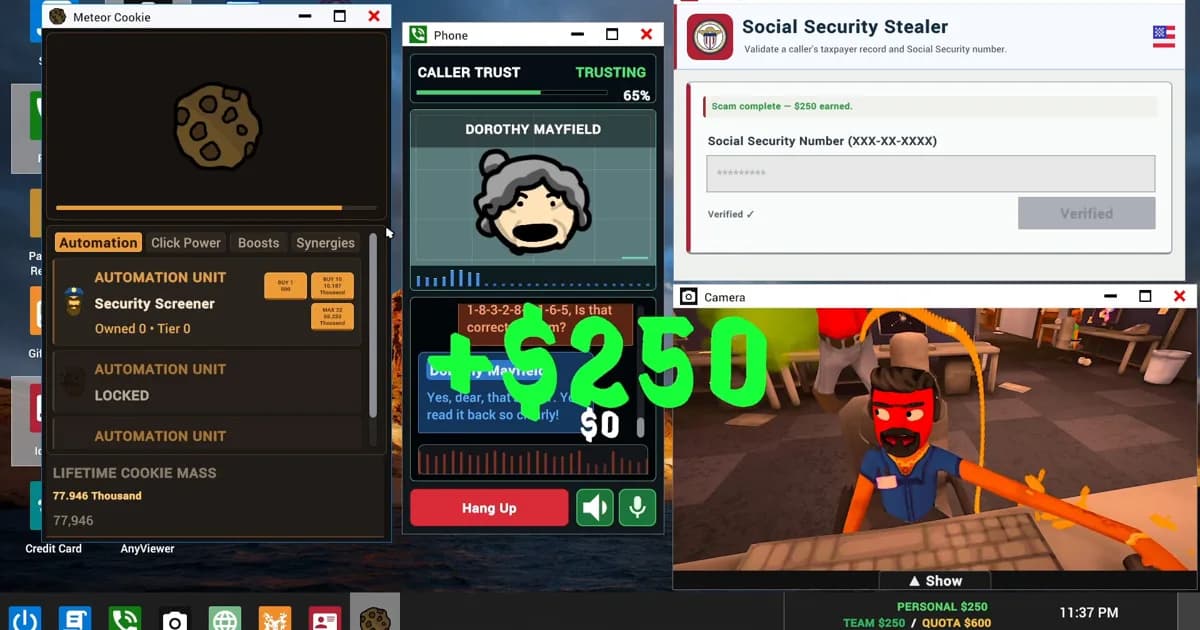
- Open the Speech tab. Built-in recognition is the default, and the studio recommends it for English and Spanish.
- Pick Moonshine (6 languages) if Whisper struggles. It covers English, Arabic, German, Japanese, Mandarin Chinese and Spanish, and the game switches to it on its own on PCs whose processor can't run Whisper.
- Deepgram is optional and costs money. It uses your own account and API key, and the usage is billed to your Deepgram account, not to the game.
- Leave automatic microphone leveling on. If callers mishear you, turn it off in General settings and set the level by hand anywhere from 50% to 200%.
- Playing in another language? Let the Qwen3 voice download finish on the main menu. It needs a compatible GPU; since update 0.1.83 that includes cards with 6 GB of video memory.
- Typing always works. If recognition is down, the main menu warns you, and you can type to callers instead.
 Screenshot: Steam store page (JakeHub / Metater)
Step-by-Step: how to play Scam With Your Friends
Sponsored

1. Host or join a lobby: Lobbies hold one to eight players. Join by Code accepts a pasted Steam invite link, and the Steam Friends button opens your lobby's invite dialog.
2. Take a call and read the Caller Trust bar: Every caller has a trust meter. In JakeHub's official gameplay trailer, Dorothy Mayfield sits at Suspicious, 70%, at 0:04, and at 0:34 a caller who got angry ends in a red "CALL TERMINATED" card. Slow down when the bar turns red.
3. Buy and open the right scam app: Scams live on the in-game store, Scamazon Market. At 0:56 the trailer shows Day 1 with only three on the shelf: Bitcoin, Credit Card and Gift Card. More unlock as the days go on.
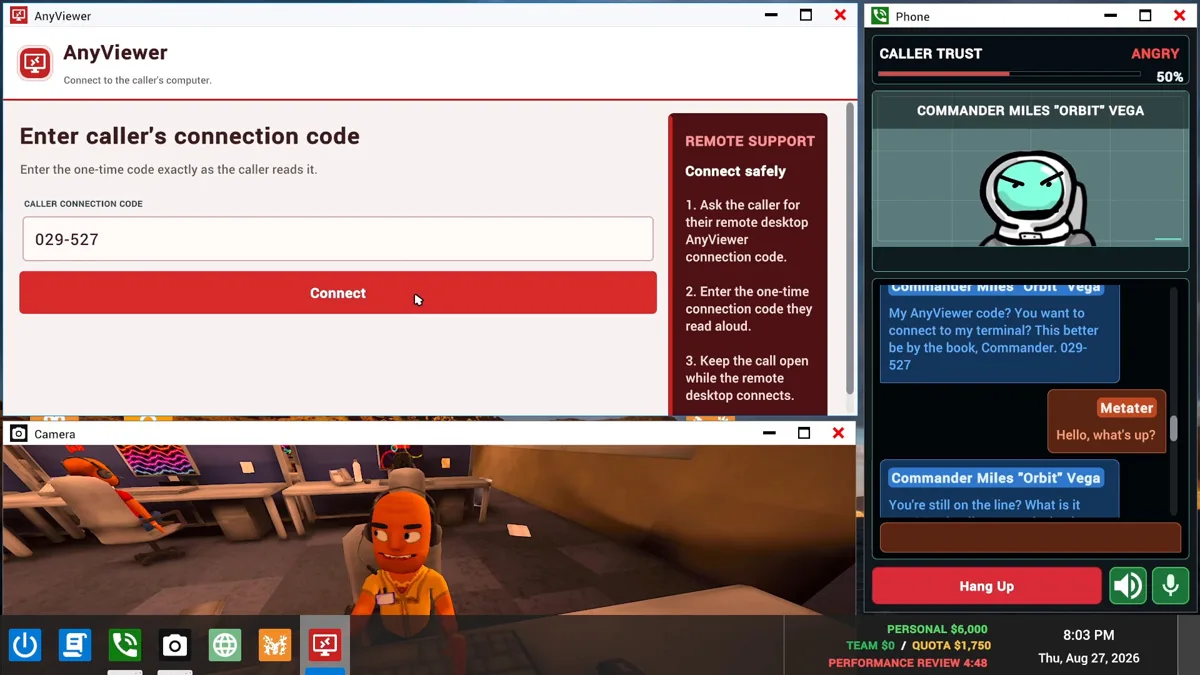
4. Get the code out of the caller: Several payouts need a number the victim reads to you. Police Impersonation wants the fine payment confirmation number. Investment Scam wants the invoice number and pays the amount you agreed. Password Recovery runs through AnyViewer, the remote-desktop app in the screenshot above.
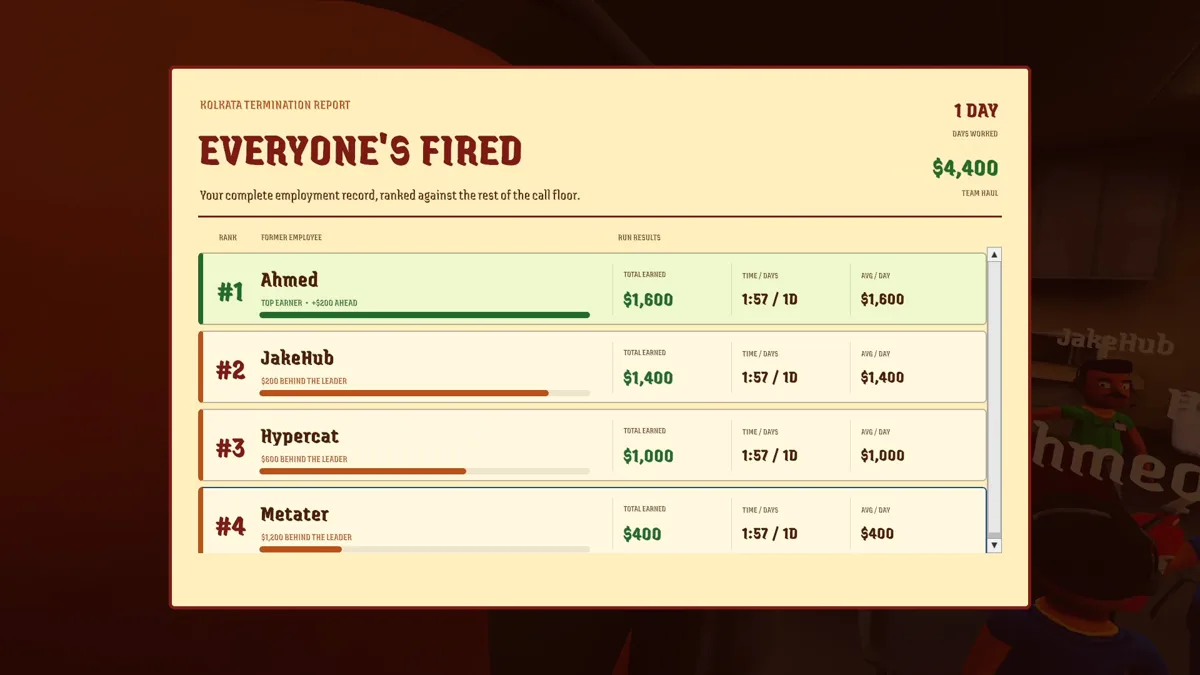
5. Hit quota before the timer ends: From 1:30 the trailer's office turns red under a "DAY ENDS IN" countdown, with a rank board showing who's in 1st. Then the boss reviews your day; at 1:38 the "What The People Said" wall quotes the worst lines players said on calls.
Which scams pay, and how to play each one
The 0.1.73 patch rebuilt three scams, and they no longer play the same way. If lying to a voice is the part your group loves, our social deduction picks do the same thing with real people on the other end.
| Scam | How it pays | Our call |
|---|---|---|
| Bitcoin and Meme Coin | Live investment round, cash out for up to $700. Value climbs toward a crash at a random moment | Cash out early. Reassuring the caller can't stop the crash, and waiting too long forfeits the unpaid money |
| Lottery Prize | Caller emails the ticket, you enter the code and scratch three numbers: $0, $200, $500 or $1,000, with a 5% jackpot chance | Fine filler, but it's a gamble you can't talk your way out of |
| Investment Scam | Payout matches the amount you agreed, once you enter the invoice number | Best when the caller is already Trusting |
| Police Impersonation | Pays once you enter the fine payment confirmation number | Get the number before you push for more |
| Password Recovery | Back in the store since 0.1.78; use AnyViewer for the details | Slow, so leave it for later days |
The trailer shows what a good Bitcoin round looks like. At 1:02 a call about a "bitcoin wallet" pays +$684, and two seconds later the counter reads $750. One player's Steam review sums up how loose these calls get: "I had a romantic relationship with a cereal-obsessed rabbit after I scammed him out of all his Bitcoin, pretending to be an LAPD officer."
Romance and Utility Billing got fairer in 0.1.82: a caller clearly agreeing to a plan or an amount you already proposed now counts. If a caller said yes and nothing happened before that patch, that's why.
GODEEPER: Splitting jobs in a group works the same way in the casino game from the same genre. Gamble With Your Friends co-op roles →
 Screenshot: Steam store page (JakeHub / Metater)
Office chaos: what costs you calls
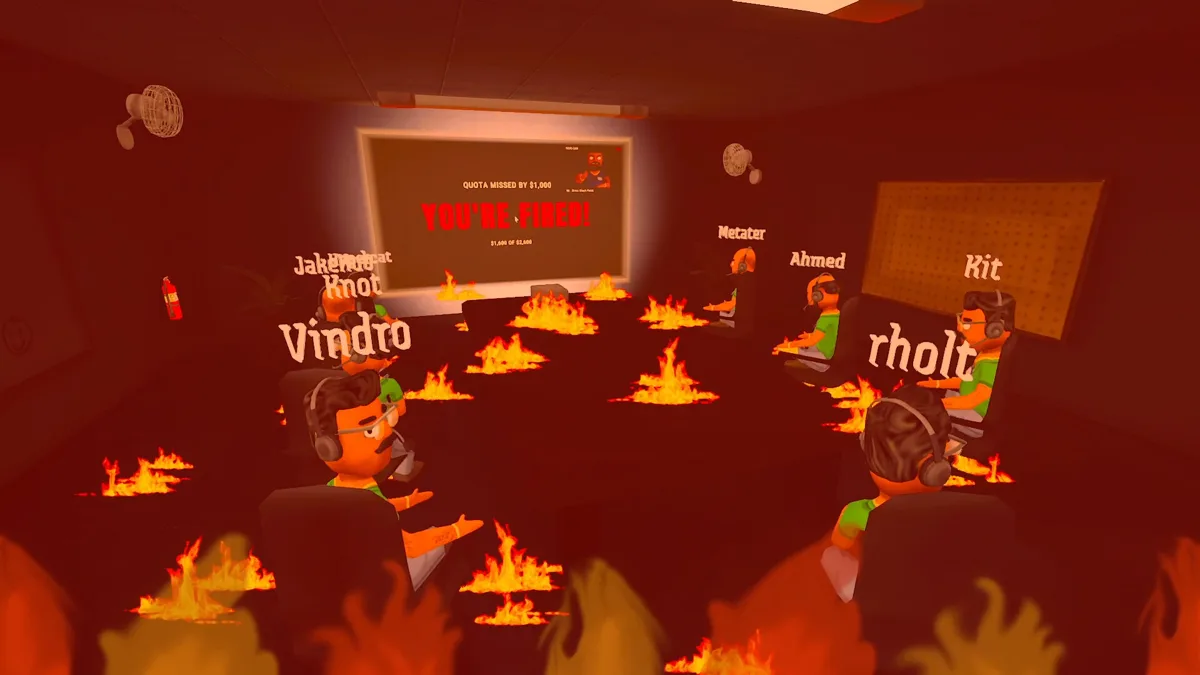
The desk is only half the game. The store page warns about "feisty scambaiters" who can give you "the worst computer virus ever"; when that happens, the in-game antivirus, Malwarebits, has a Remove virus button. Fires happen too, and the extinguisher's spray was widened in 0.1.82 so they're easier to put out.
Friends will tackle you out of your chair. If that's ruining the run, turn on Knockdown Protection: it now blocks damage and tackles when either player has it enabled. There's also an "I'm stuck" hint on the HUD, and a five-second break between calls, so take a breath before you answer the next one.
Solo works, but it's quieter. If you want a crowd for a game night, our best co-op games of September, the indie co-op picks from the summer sale and the 8-player chaos of Frog Sqwad are the same energy. And if your group ends up gambling instead, here's how the solo mode in Gamble With Your Friends compares.
 Screenshot: Steam store page (JakeHub / Metater)
How to play Scam With Your Friends without oversharing
A lot of the negative feedback is about this part. One player's review headline is blunt: "Fun Game at First, but the Privacy and Performance Issues Are Absolutely Unacceptable," they wrote. On Reddit's r/Steam, a commenter in a "is it safe?" thread put it this way: "while it's unlikely it does anything super sketchy with your data, it's enough for me to choose to avoid it."
Here's what the studio's own privacy policy and patch notes say, and what to do about it:
- Calls are saved by default. Recordings and transcripts go to
Documents\Scam With Your Friends\Videos. Turn on Disable Call Saving (added in 0.1.78); the boss review still uses temporary recordings. Deleting a video in the game does not delete its transcript, so clear that folder yourself. - Your voice stays local; your words don't. Speech recognition runs on your PC, and the AI requests carry text, not audio. That text goes to DeepSeek or through OpenRouter, and those providers may keep it and use it to train models.
- The in-game browser feeds the boss. Searches and site names from the fake desktop's browser can show up in boss reviews. The game now asks before opening it. Family Friendly mode blocks it outright and hides private caller photos. One player who says he checked the game files argues the history "is only from the browser built into the game’s fake desktop, which keeps its own separate history."
- The game wouldn't always close. The 0.1.73 patch added a safeguard, and a developer reply traces it to a race condition in the Qwen3 voice engine that they "believe" is fixed. Check Task Manager after quitting anyway.
- Community callers are made by players. A developer reply confirms an offensive caller came from that pool, not the default list. Hosts can restrict what gets added, and Daily Callers can be cleared without switching random community callers on.
The studio says it doesn't sell recordings, transcripts or personal data. On why calls were saved at all, the developer's reply was plain: "This is just so you can upload the clips to youtube if you want."
GODEEPER: Not sure an Early Access game will last? These are the ones we think earned the money. Early Access games worth buying →
Fixes for common problems
- Callers don't hear you: switch to Moonshine, then try manual mic level. Type if all else fails.
- Friend can't join: a version mismatch screen now explains it; both of you update on Steam.
- Game says you don't own it: temporary Steam outages no longer count as proof; restart Steam first.
- Achievements: all 26 arrived in update 0.1.83 on October 21, together with Steam Cloud saves. Hunting a list in the casino game too? Here's our Gamble With Your Friends achievements guide.
That's how to play Scam With Your Friends without surprises: voice first, scams second, privacy settings before the first stream. Early Access is short by design: the studio expects roughly two months before full release. If the privacy questions put you off, our indie games under $20 list has calmer ways to spend the same money, and Mycopunk just left Early Access if your group wants a co-op shooter instead.
How we checked this
We haven't played Scam With Your Friends. Before publishing, we read the Steam store page and its Early Access notes, all seven Steam announcements since launch, the studio's privacy policy and the developer's replies on Steam reviews, pulled review totals from Steam, and stepped through JakeHub's gameplay trailer two seconds at a time for the timestamps above. No store we work with sells a key for it yet.
References
- Scam With Your Friends on Steam, Steam
- Update 0.1.83: Achievements, Cloud Saves, and More, JakeHub on Steam
- Update 0.1.82: A Ton of Random Improvements, JakeHub on Steam
- Update 0.1.73: Fixes and Scam Upgrades, JakeHub on Steam
- Scam With Your Friends privacy policy, Jatater Worldwide
- Official gameplay trailer, JakeHub on YouTube
- "Is the game Scam With Your Friends on Steam safe?", r/Steam
Was this guide helpful?
About the author

News Desk
GameBrief's byline for industry news, patch notes, studio announcements and esports results. Tight sentences, dated facts.
- News, patch notes and early access
- Industry and esports results
- Sources listed per article
Keep reading

ATMOSFAR Early Access: What's In on October 29, What Waits
News · 8 min

Over the Hill co op: 4-player party, saves and crossplay
General · 9 min
Risk of Rain 2 Multiplayer: 4-Player Co-op, Items, Revives
General · 10 min
Besmirch Multiplayer: 6 Facts About the Unstable Co-op
General · 9 min

Sons of the Forest Multiplayer Save Guide: Co-op Progress
General · 14 min
Paralives Try for Baby: The 3 Requirements Explained
General · 15 min
Sponsored
Disclaimer
This article is published for informational and entertainment purposes. It does not constitute professional financial, legal, or technical advice. Game performance, online services, patch schedules, and store listings change. Verify critical details (pricing, system requirements, regional availability) with publishers and storefronts before you buy. Affiliate links, where present, help support our editorial work and are labelled in our affiliate disclosure.
Comments
Loading comments…