
ARC Raiders · Guides
ARC Raiders Twitch Drops: Rewards, Dates and How to Claim
ARC Raiders Twitch Drops ran October 8 to November 4, 2026: 60 minutes for the Oxygen Respirator, 120 for the Mailbox. What ended and how claiming works.
Sponsored

About the game
ARC Raiders
The ARC Raiders Twitch Drops started with Frozen Trail 2.0 on October 8, 2026, and ran until November 4. Watching streams earned two backpack attachments, and Embark put the rules on its own drops page.
Updated 2026-11-05: The campaign is over. Embark's FAQ says an awarded item had to be claimed on Twitch "before the end of the Twitch Drops campaign". When we checked on November 4, the drops page still listed only the Mailbox and the Oxygen Respirator, and Embark's Steam news had no new drops campaign.
This guide gives the dates, the watch times, the linking steps, and what to try when an item does not show up.
TL;DR: The campaign ran October 8 to November 4, 2026: 60 minutes of a Drops Enabled ARC Raiders stream for the Oxygen Respirator and 120 minutes for the Mailbox, claimed on Twitch before the end. For the next campaign, link Twitch to your Embark ID, watch one channel at a time, and log out of the game if the item does not appear.
BESTPRICE: Want ARC Raiders? Eneba sells a Steam key: Buy on Eneba →
ARC Raiders Twitch Drops: what you get (quick answer)
Embark's update notes say: "You can grab some new backpack attachments by watching your favorite streamer play ARC Raiders!" Both rewards are backpack attachments, and Embark's drops FAQ describes Twitch Drops as in-game cosmetic items.
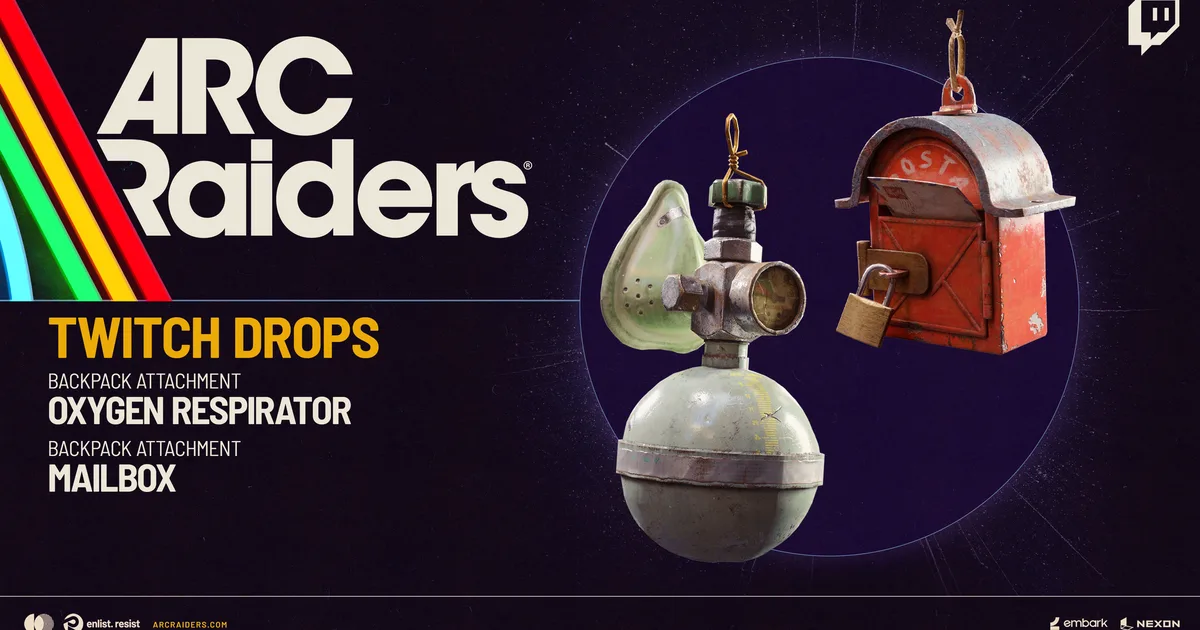 Image: Twitch Drops promo art, ARC Raiders official site. Game art is the property of Embark Studios.
| Reward | Type | Watch time |
|---|---|---|
| Oxygen Respirator | Backpack attachment | At least 60 minutes |
| Mailbox | Backpack attachment | 120 minutes |
The campaign was "live between October 8 - November 4, 2026". Embark does not say whether the 120 minutes for the Mailbox includes the first 60 for the Respirator. Progress showed on the Twitch Drops Inventory page.
The two rewards
The official drops page lists exactly two items, shown as small item cards. The Mailbox is a weathered red postbox with a padlock hanging off its door, and the Oxygen Respirator is a green face mask hooked to a round pressure tank with a gauge on top. Embark has not said whether either one has an in-game effect, so treat them as cosmetic until the item description says otherwise.
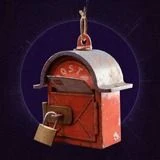 Image: Mailbox drop, ARC Raiders official site. Game art is the property of Embark Studios.
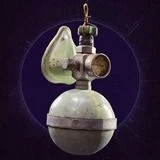 Image: Oxygen Respirator drop, ARC Raiders official site. Game art is the property of Embark Studios.
GODEEPER: The Reward Pass is the other new way to earn cosmetics in 2.0. ARC Raiders Reward Pass Guide →
Step-by-step: how to get ARC Raiders Twitch Drops
These steps follow Embark's drops page. We have not claimed the items ourselves.
1. Link Twitch to your Embark ID: log in to Embark ID, open Connected platforms, and check that your Twitch account is linked, along with the platform you play on.
2. Find a Drops Enabled stream: every ARC Raiders stream with the Drops Enabled tag counts, and the drops page links a Twitch list of the active ones.
3. Watch one channel: stay on a single stream. Only one active channel earns a drop at a time, and watching several at once gives you nothing extra.
4. Claim the reward on Twitch: you get a Twitch notification when an item is awarded, and Embark's FAQ said you had to press claim before the campaign ended.
5. Restart the game if needed: if you were already logged in, log out and back in.
How much time the drops actually take
The window was October 8 to November 4, which is 27 days. Even in the worst case, where the 120 minute Mailbox timer did not count the first hour, that was 180 minutes of watching in total, or about 7 minutes a day over the whole campaign.
The simplest plan is to leave one Drops Enabled stream open while you do something else, and check the Twitch inventory afterwards. Two things can waste that time. A second stream open in another tab earns nothing extra, and an unclaimed reward does nothing in game. Rewards had to be claimed before the campaign ended, so leaving the claim button for the last week was a risk.
Platforms, Twitch Prime and watch rules
You do not need Twitch Prime. Embark's wording is that you just need "a Twitch account that is linked to your Embark ID" and ARC Raiders on one of the supported platforms. Both your Twitch account and the platform you play on have to be linked in Embark ID, which is an easy step to skip.
Some Embark campaigns award drops by subscriptions or gifts instead of watch time, according to its FAQ. This one was watch time, per the update notes.
Twitch Drops not working: what to check
Embark's FAQ answers most of the usual problems. Check these in order:
- Is the stream tagged Drops Enabled, and is it the only channel you are watching?
- Did you press claim on Twitch? The reward should be redeemable in game as soon as you claim it.
- Were you logged in to ARC Raiders when it was awarded? Log out and back in.
- Are both your Twitch and your play platform linked under Connected platforms?
Embark does not list a support fix beyond these, so if all four are fine, check your Twitch inventory and then contact Embark support.
What players are saying
GODEEPER: Another new 2.0 item you can buy or craft right now. ARC Raiders Camera: How to Get It and Where Photos Go →
Viewership is part of why the drops matter. A thread posted on October 8, the day 2.0 launched, is titled "ARC Raiders is once again the most viewed game on Twitch", which suggests plenty of Drops Enabled streams to pick from. We found no thread yet about the claim process, so this section stays short rather than guessing at how it is going.
Frozen Trail Arrives
Official video from the ARC Raiders channel.
Our take
This is a research page, not a hands-on report. I have not watched for or claimed either drop, so every step comes from Embark's drops page and update notes.
The drops were cheap to get: an hour or two of a stream on in the background for a cosmetic. The one thing I would not assume is the 120 minute figure, because Embark does not say whether it stacks on the first hour. If you wanted both, leaving the stream running past two hours and checking the Twitch inventory was the safe plan. While you are on 2.0 anyway, the Frozen Trail preview and our beginner guide cover the rest.
Frequently Asked Questions
When did the ARC Raiders Twitch Drops end? On November 4, 2026. Embark's Frozen Trail 2.0 notes gave the window as October 8 to November 4, and rewards had to be claimed on Twitch before the end of the campaign.
How long do you have to watch for each ARC Raiders drop? Embark says at least 60 minutes for the Oxygen Respirator and 120 minutes for the Mailbox. It does not say whether the 120 includes the first 60, so check your Twitch inventory.
How do you link Twitch to ARC Raiders? Log in to Embark ID, open Connected platforms, and make sure both your Twitch account and the platform you play on are linked.
Do you need Twitch Prime for ARC Raiders drops? No. You only need a Twitch account linked to your Embark ID and ARC Raiders on a supported platform.
Can you watch two streams at once to get drops faster? No. You can only earn a drop for one active channel at a time, and watching several channels at once does not give you more drops.
Why are my ARC Raiders Twitch Drops not showing up in game? Claim the reward on Twitch first. If you were already logged in to the game, log out and back in to see the item.
Related Reading
- ARC Raiders Reward Pass Guide: the other new way to earn cosmetics in 2.0.
- ARC Raiders Camera Guide: the new gadget from the same update.
- ARC Raiders Grappling Hook Guide: the new traversal gadgets.
- ARC Raiders Stash Size Guide: where your stash cap landed after 2.0.
- ARC Raiders Anvil and Bantam Guide: the weapon changes in the same patch.
- ARC Raiders Outpost Guide: the new unlock that needs a photo.
- ARC Raiders Frozen Trail Preview: everything the expansion added.
- ARC Raiders Beginner Guide: the early game basics.
References
- Frozen Trail 2.0 update notes, ARC Raiders official site: the Twitch Drops section with watch times and dates, accessed 2026-10-09.
- Twitch Drops, ARC Raiders official site: the two drops and the official FAQ on linking, claiming and platforms, accessed 2026-10-09.
- Twitch Drops Inventory, Twitch: where progress and claims are tracked.
- ARC Raiders on Steam: the game's store page.
- r/ArcRaiders: ARC Raiders is once again the most viewed game on Twitch
- Frozen Trail Arrives, ARC Raiders official YouTube
Was this guide helpful?
Keep reading


Sponsored

More game deals
Disclaimer
This article is published for informational and entertainment purposes. It does not constitute professional financial, legal, or technical advice. Game performance, online services, patch schedules, and store listings change. Verify critical details (pricing, system requirements, regional availability) with publishers and storefronts before you buy. Affiliate links, where present, help support our editorial work and are labelled in our affiliate disclosure.
About the author

News Desk
GameBrief's byline for industry news, patch notes, studio announcements and esports results. Tight sentences, dated facts.
- News, patch notes and early access
- Industry and esports results
- Sources listed per article