
ARC Raiders · Guides
ARC Raiders Outpost: How to Unlock It and What It Does
ARC Raiders Outpost unlocks through the Sheltered Retreat project and needs a camera. It is not walkable in Frozen Trail 2.0. Steps, costs, known bugs.
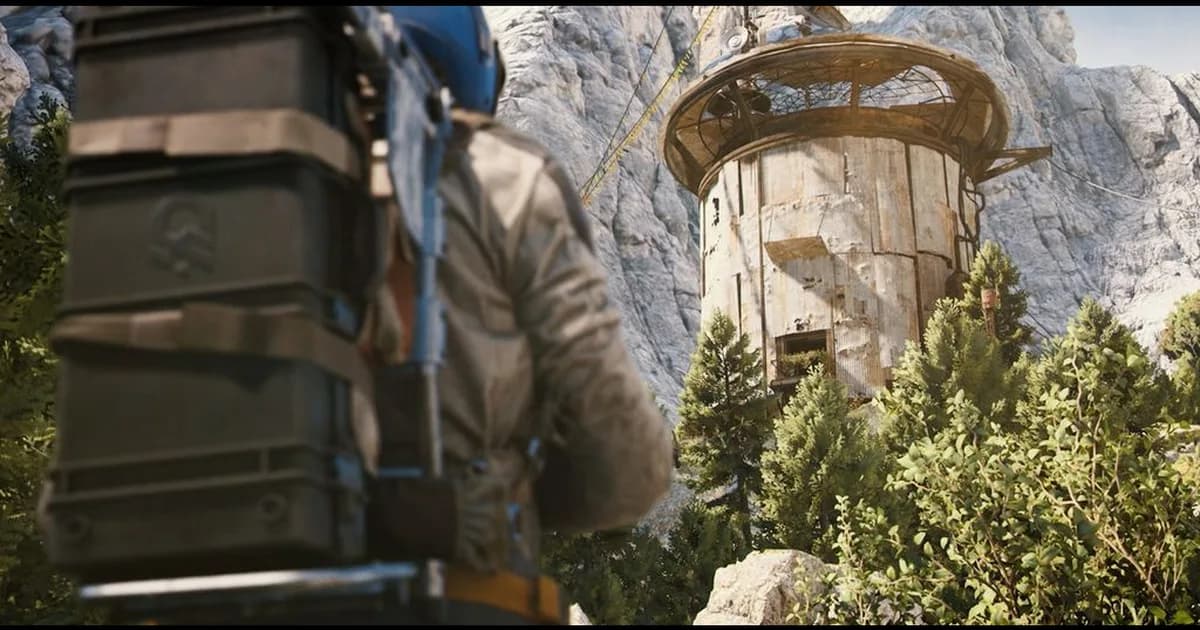
Sponsored

The ARC Raiders Outpost arrived with the Frozen Trail 2.0 update on October 8, 2026, and the first complaint players raised is that you cannot walk around in it.
This guide covers how to unlock it, what the research station asks for, how furniture designs work and which bugs Embark has already admitted to.
Updated 2026-11-01: Embark's Frozen Trail preview does say what the research station leads to: a fully upgraded Research Workstation opens Weapon Amplification, a fifth quality level for a range of guns. We had written that Embark had not said. The wiki's Outpost page was last edited on October 10, not October 9, and now lists Gunsmith level 4 among the Outpost's stations.
Updated 2026-10-28: Live Update 2.3.0 (October 27) fixed inverted drop rates for furniture Designs, stopped Scrappy rotating in the Outpost or going missing until you opened the Workshop, fixed the camera clipping through the wall at the Workshop Bench slot near the door, and added sound effects for picking up and placing furniture. None of the original known Outpost bugs still open are mentioned.
TL;DR: Finish the Sheltered Retreat project in the Outpost tab, starting with a photo of a farmland house taken with a camera. That unlocks the Outpost and its research station. There are 100 furniture designs to find or unlock, you cannot walk inside it yet, and Embark's known-bug list is still mostly open after Live Update 2.3.0.
BESTPRICE: Want ARC Raiders? Eneba sells a Steam key: Buy on Eneba →
How do you unlock the ARC Raiders Outpost? (quick answer)
Complete the Sheltered Retreat project. Embark's update notes say the Outpost "can be unlocked by completing a project", and to remember to accept the quest and bring your camera.
The first step is called Research Topside Living Conditions and asks you to photograph a farmland house. Full steps are in the next section.
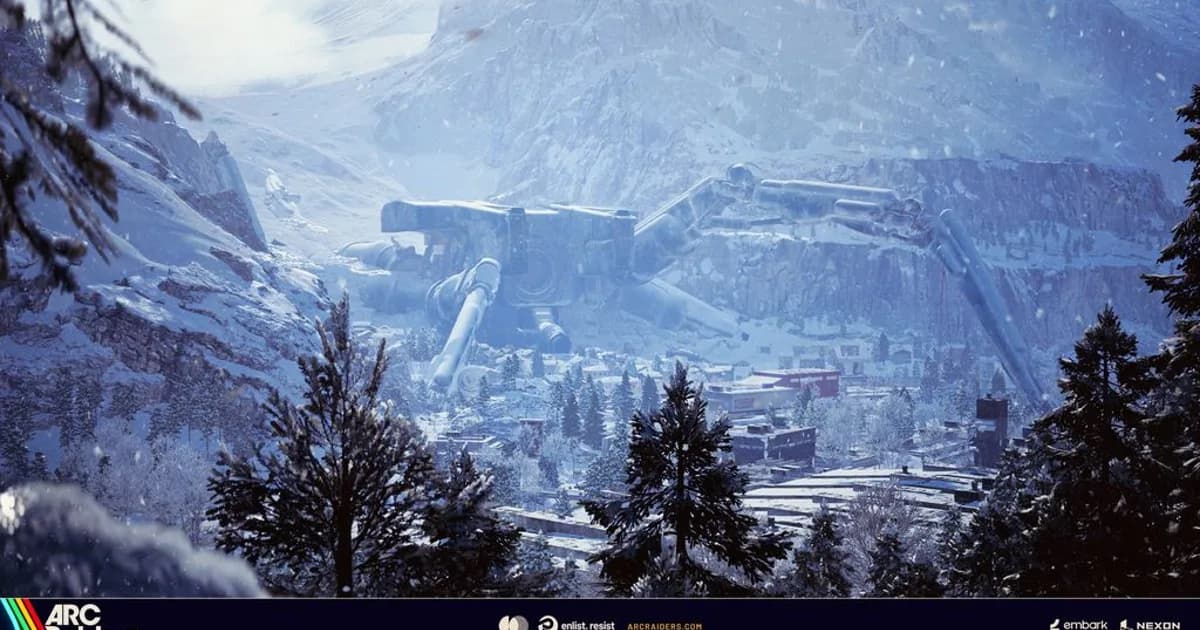
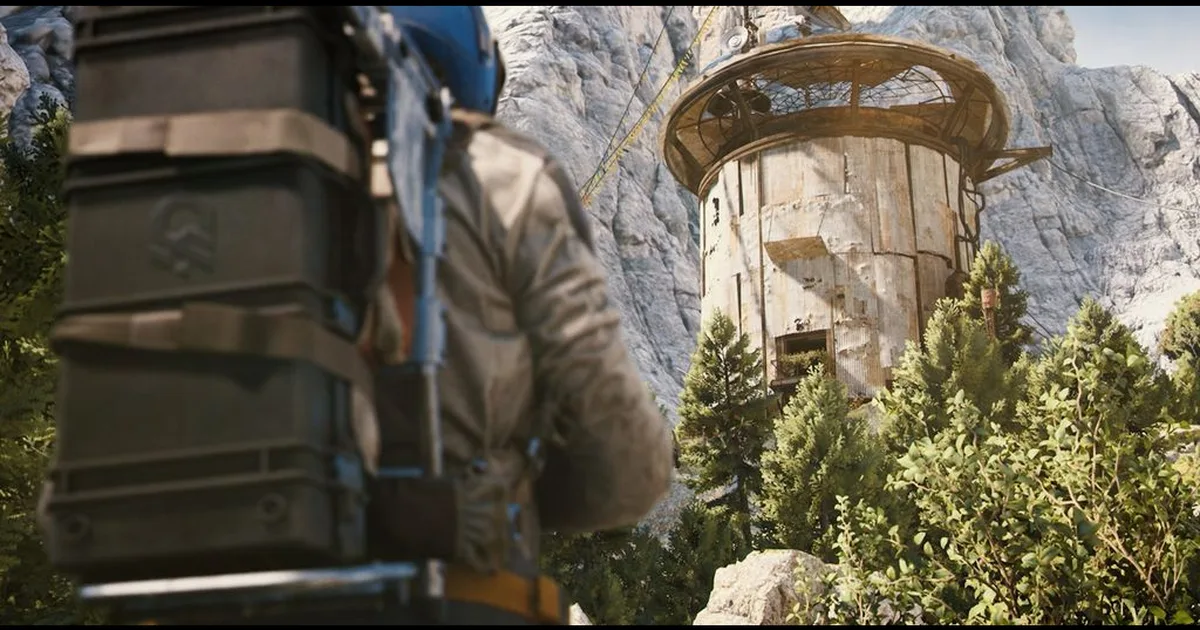 Press kit: Embark Studios, official Outpost screenshot from the Frozen Trail 2.0 update post.
Step-by-Step: unlocking the Outpost
The project is called Sheltered Retreat on the community wiki, and it has three stages. Embark's notes describe only the first, so the other two come from the wiki, which labels its own Outpost page a stub that needs work. Treat the details as community-documented.
1. Get a camera: Embark says the camera can be bought at Shani's, crafted at the Workbench, or found Topside. You need it for stage one.
2. Accept the project: open the Outpost tab at the top of the menu and start Sheltered Retreat. Embark's own advice is to accept the quest before you head out, so the photo counts.
3. Photograph a farmland house: stage one, Research Topside Living Conditions, asks you to photograph a farmland house. The wiki puts the location on Blue Gate, around the Ruined Homestead, and says any farmland house counts. The wiki lists an Advanced Camera Blueprint as the reward.
4. Gather building materials: stage two, Gather Building Materials, asks for 3 Planks, 5 Sheet Metal, 10 ARC Alloy and 3 Advanced Electrical Components, according to the wiki. The wiki lists a Red Light Stick Blueprint as the reward.
5. Safeguard the building site: stage three asks you to distract and damage ARC machines so construction can go ahead. The wiki lists two targets: 800 damage to flying ARC and 300 damage to Bullies. The reward is a Hotel Chair Design, 15 Planks and 5 Durable Cloth.
Once the project is done you can build rooms and floors with materials, use the research station and decorate with furniture, according to the wiki.
GODEEPER: Several Outpost steps send you to Blue Gate, so know the map before you commit a loadout. ARC Raiders Blue Gate guide →
What does the Outpost unlock?
Embark names two things. The Outpost can be expanded with different modules, and unlocking it gives access to the research station. Its highlights list calls the station a new Research Bench, so the two names refer to the same feature in the official wording.
The wiki lists four Research Station levels and says each needs a matching Outpost level. The requirements it shows:
| Level | Requirements (per the wiki) |
|---|---|
| 1 | 3 Mini Pump, 35 Planks, 5 Battered Paperback |
| 2 | 3 Calculator, 3 Raider Logbook, 5 Skulker Targeter |
| 3 | 3 Differential Microphone, 3 Exodus Technical Handbook, 6 Bully Fragmenter |
| 4 | 3 Thermal Shaker, 3 ARC Data Module, 1 Frigate Inductor |
Treat that table with care. When we rechecked on November 1, 2026, the wiki page (last edited October 10) still carried a stub notice and the "Crafts" column for every Research Station level was empty. Embark's Frozen Trail preview does say what the top level is for: "Using the fully-upgraded Research Workstation in your Outpost, Raiders will have the opportunity to access a fifth quality level for a range of guns." That fifth level is Weapon Amplification, and the wiki's Amplification page says you need both the Gunsmith and the Research Station at level 4 to use it. The wiki's Outpost page now lists Gunsmith level 4 among the Outpost's stations too.
Two of those items give away where the materials come from. Bully Fragmenters and Skulker Targeters are named after enemies added in the same update, so expect to hunt the new machines Topside. That reading is ours, based on the item names, and the sources do not confirm drop sources.
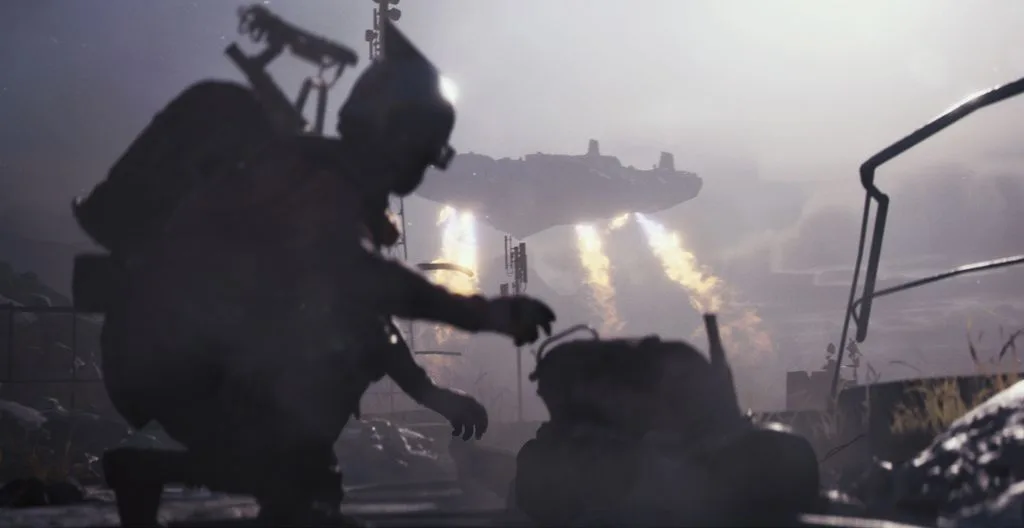 Press kit: Embark Studios. Official screenshot from the Frozen Trail preview showing the Frigate, the ARC vessel the preview says is patrolling the area.
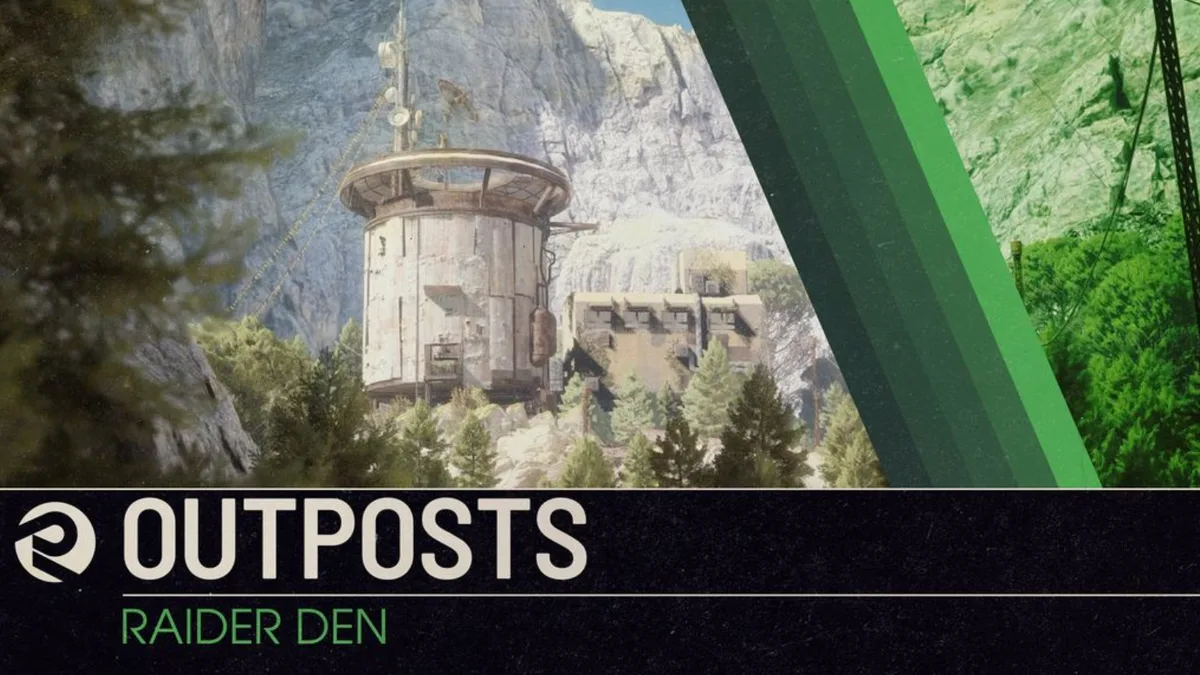 Image: ARC Raiders Wiki, Outpost page (Embark artwork, CC BY-SA). The card labels the feature "Outposts" and "Raider Den".
How do furniture designs work?
Furniture designs work like blueprints. You learn one and then craft that piece of furniture for your Outpost. Embark says 100 designs were added:
- 4 are exclusive to the Frozen Trail Pass
- 1 is exclusive to a DLC
- 73 can be found Topside
- 22 are unlocked by upgrading the Outpost
Those add up to 100, so the official split is complete. The update's highlights also mention lootable "Design" items, which is the Topside route. Live Update 2.3.0 on October 27 "Fixed inverted drop rates for furniture Designs; rarer items now drop less frequently," so a rare design turning up early is now less likely than it was in the first weeks.
The materials come from traders. Embark's trader changes say Celeste now sells new materials used to craft furniture. Traders have no levels to grind, so our guide to what actually unlocks gear is worth a look before you spend on furniture.
The wiki says your first design, a Hotel Chair, arrives as the last stage reward of the unlock project. That is the one design nobody has to hunt for.
GODEEPER: Frozen Trail 2.0 also replaced Cred and Raider Decks with a new progression system. See what the change means for your spending. ARC Raiders currency and progression guide →
Can you walk around your Outpost?
No, not in the 2.0 build. The wiki says the Outpost is not walkable for the Frozen Trail update, and that developers have hinted it may become walkable later. You view and decorate it through the menu.
That is exactly where the community is unhappy. One r/ArcRaiders thread titled "Whats the point in outposts?" calls it "the weakest of the update" and says the player "cant even freely walk around in my outpost". Another thread, "Outpost kind of a let down?", says it "seems kind of half assed". These are opinions, not measurements.
Players in the first thread did offer a practical use. One says you can put weapons in the ornate weapon racks and "it takes them out of your stash", and another says medical supplies fit the medical shelves. We have not tested either claim, and the official notes do not mention storage, so treat it as a player report.
Another commenter says a developer said it is not enterable "in this iteration". That is secondhand, and the wiki's wording is the more careful one.
Known Outpost bugs Embark has listed
Embark's known-issues section for the Outpost said most fixes were already in the works for an upcoming update. Store Update 2.1.0 on October 13 fixed two of them, and Store Update 2.2.0 on October 20 dealt with the camera one; the rest have not been mentioned in patch notes up to Live Update 2.3.0 on October 27. The original list:
- Some furniture might clip through the Outpost structure.
- Some slots become unselectable when a piece of furniture is blocking them.
- The camera sometimes gets blocked by furniture or the character model at certain angles. Partly addressed in 2.2.0, which hides your Raider while you inspect or decorate furniture and on a bench's Generator screen; furniture blocking the view was not mentioned.
- Lighting in the main building is corrupted when Shadow quality is set to Low.
- The camera defaults back to the base room when you leave the decorating view, even if you were in another module. Fixed in 2.1.0.
- A Raider sitting at a table with chairs will clip through the table.
- The Raider steps back from the Customization view with a 10 second delay.
- The Outpost tab lacks the orange dot indicator after you complete the first stage objectives. Fixed in 2.1.0, which adds an orange indicator whenever a project step is completed.
Update 2.2.0 also fixed two Outpost problems that were not on the original list: the Workshop screen could look broken if the basic workbench sat in the last free Outpost slot, and the Inspect/Decorate camera could fade to black when orbiting near walls. It also changed the controls there: rotating that camera now means holding the left mouse button, and dragging with the right button no longer tilts it.
Live Update 2.3.0 on October 27 fixed more problems from outside that list. Scrappy no longer rotates in the Outpost outside customization and no longer stays missing until you enter the Workshop or customization (our Workshop guide covers what Scrappy brings home), and the camera at the Workshop Bench slot near the Outpost door no longer clips through the wall. Placing furniture is smoother too: camera cycling now skips views with no compatible slot for the selected item, furniture icons are framed more clearly, and picking up or placing a piece now plays a sound, including when it goes back to its original slot.
Tips
- Pick up a camera before you queue for Blue Gate, and take the photo early in the raid so a death does not cost you the trip.
- Do not spend materials on research station levels until you have the Outpost level to match. The wiki says the levels must match.
- Leave Shadow quality above Low if you plan to decorate. Embark confirms the lighting bug at Low.
- Keep a note of which designs you found Topside. Only the Topside and upgrade routes are open to every player.
Frozen Trail launch trailer
Official Frozen Trail Launch Trailer from the ARC Raiders channel.
Our take
This is a research page, not a play report. We did not build an Outpost ourselves, so every step and cost above is Embark's or the wiki's wording, not our measurement.
What the sources do support is a plain reading. Embark shipped the Outpost as a menu-driven feature with a research station, a hundred cosmetic-leaning designs and a list of bugs it already knows about. If you play for the loot loop, the research station is the part worth chasing, because a fully upgraded one is the way into Weapon Amplification. If you wanted a home to walk around in, wait for the patch the developers keep hinting at. We will update this page when the wiki fills in what each station level crafts.
For the wider update, start with our Frozen Trail preview and the rebuilt skill tree guide.
Frequently Asked Questions
How do you unlock the Outpost in ARC Raiders? Complete the Sheltered Retreat project in the Outpost tab. Its first step, Research Topside Living Conditions, needs a photo of a farmland house, so bring a camera. Embark says to accept the quest first.
Where do you take the Outpost photo in ARC Raiders? The community wiki says Blue Gate, around the Ruined Homestead. Embark's own notes say only that you photograph a farmland house. The wiki page is a stub, so check the in-game quest text if it differs.
Where do you get a camera in ARC Raiders? Embark says the camera can be bought from Shani, crafted at the Workbench, or found Topside. You need one before the first Outpost step can be completed.
Can you walk around your Outpost in ARC Raiders? Not in the Frozen Trail 2.0 build. You view and decorate it through menus. The wiki says developers hinted it may become walkable later, and a player on Reddit says a developer said it is not enterable "in this iteration".
How many furniture designs are there in the ARC Raiders Outpost? A hundred. Embark lists 4 exclusive to the Frozen Trail Pass, 1 exclusive to a DLC, 73 found Topside and 22 unlocked by upgrading the Outpost.
What does the Outpost unlock in ARC Raiders? Embark says unlocking it gives access to the research station, and the Outpost can be expanded with modules. The wiki lists four Research Station levels, each tied to a matching Outpost level.
Related Reading
- ARC Raiders Frozen Trail Preview: what the expansion adds beyond the Outpost.
- ARC Raiders Skill Tree 2.0: every skill and the new choice nodes.
- ARC Raiders Blue Gate Guide: the map the Outpost photo quest sends you to.
- ARC Raiders Crafting Guide: how crafting and the Workbench fit together.
- ARC Raiders Workshop Upgrade Items Guide: which materials your upgrades eat.
- ARC Raiders Beginner Guide: the first hours before an Outpost matters.
- ARC Raiders Frozen Trail New Quests: the other camera and Nomad quests from the same update, in unlock order.
References
- Frozen Trail 2.0 update notes, ARC Raiders official site: Outpost, Furniture Designs, Traders and Outpost known issues sections, accessed 2026-10-09.
- Frozen Trail First Look: content highlights, ARC Raiders official site: fully upgraded Research Workstation and the fifth quality level for guns, accessed 2026-11-01.
- Store Update 2.1.0, ARC Raiders official site: Outpost camera and orange indicator fixes, accessed 2026-10-15.
- Store Update 2.2.0, ARC Raiders official site: Outpost section of the patch notes, accessed 2026-10-21.
- Live Update 2.3.0, ARC Raiders official site: furniture Design drop rates, Scrappy and Outpost camera fixes, furniture audio, accessed 2026-10-28.
- Outpost, ARC Raiders Wiki: project stages, Research Station levels, Gunsmith level 4, last edited 2026-10-10, rechecked 2026-11-01.
- Amplification, ARC Raiders Wiki: Gunsmith and Research Station level 4 requirement, accessed 2026-11-01.
- r/ArcRaiders: Whats the point in outposts?
- r/ArcRaiders: Outpost kind of a let down?
- ARC Raiders on Steam
- Frozen Trail Launch Trailer, official YouTube
Was this guide helpful?
Keep reading
Sponsored

More game deals
Disclaimer
This article is published for informational and entertainment purposes. It does not constitute professional financial, legal, or technical advice. Game performance, online services, patch schedules, and store listings change. Verify critical details (pricing, system requirements, regional availability) with publishers and storefronts before you buy. Affiliate links, where present, help support our editorial work and are labelled in our affiliate disclosure.
About the author

News Desk
GameBrief's byline for industry news, patch notes, studio announcements and esports results. Tight sentences, dated facts.
- News, patch notes and early access
- Industry and esports results
- Sources listed per article