
GameBrief · General
10 Best Tainted Grail Mods for the Fall of Avalon (2026)
Reviewing
Tainted Grail: The Fall of Avalon
Questline · Awaken Realms
The best Tainted Grail mods are not all doing the same job. Some fix the game's movement feel. Others expose loot, map markers, lighting, mount progression, or the enemy respawn rules that the vanilla game keeps deliberately opaque. That is a more useful way to choose than installing every new DLL with a dramatic thumbnail.
I checked the live Nexus catalog on September 25, 2026, then opened the direct page for every mod named below. The current Steam baseline is patch 1.25, released July 20, 2026. The result is a 10-mod shortlist for the PC version of Tainted Grail: The Fall of Avalon, with the runtime requirement beside every recommendation.
TL;DR: Start a separate Mono profile with FoA Mod Manager, Better Movement, Wyrd Sight, or MiniMap. Add lighting, mount, corpse, or respawn changes only after the basic profile launches. The normal Steam build is IL2CPP, so Mono-only mods require an explicit branch switch.
Best Tainted Grail Mods for 2026 (quick answer)
For most new modded saves, Better Movement is the best first change because it targets sprinting, sliding, dashing, and jumping without adding a new progression system. MiniMap and Wyrd Sight solve different exploration problems. FoA Mod Manager is the practical control panel that makes the rest less awkward.
If you want the world to keep its visual weight, use Global Illumination, Conversation Lighting Overhaul, or Views of Avalon one at a time. Better Mounts, Enemy Respawn Control, and Persistent corpses are more consequential. They change how the world persists around a character, so they belong on a copied save rather than a 60-hour file you cannot replace.
The catalog is real rather than theoretical. The Tainted Grail Nexus game hub showed 279 mods, 3 collections, and 67 media items when checked. Awaken Realms also published an official community mods video as the modding scene grew after the 1.0 release. There is enough here to make a shortlist, and enough movement in the catalog to make stale certainty a bad idea.
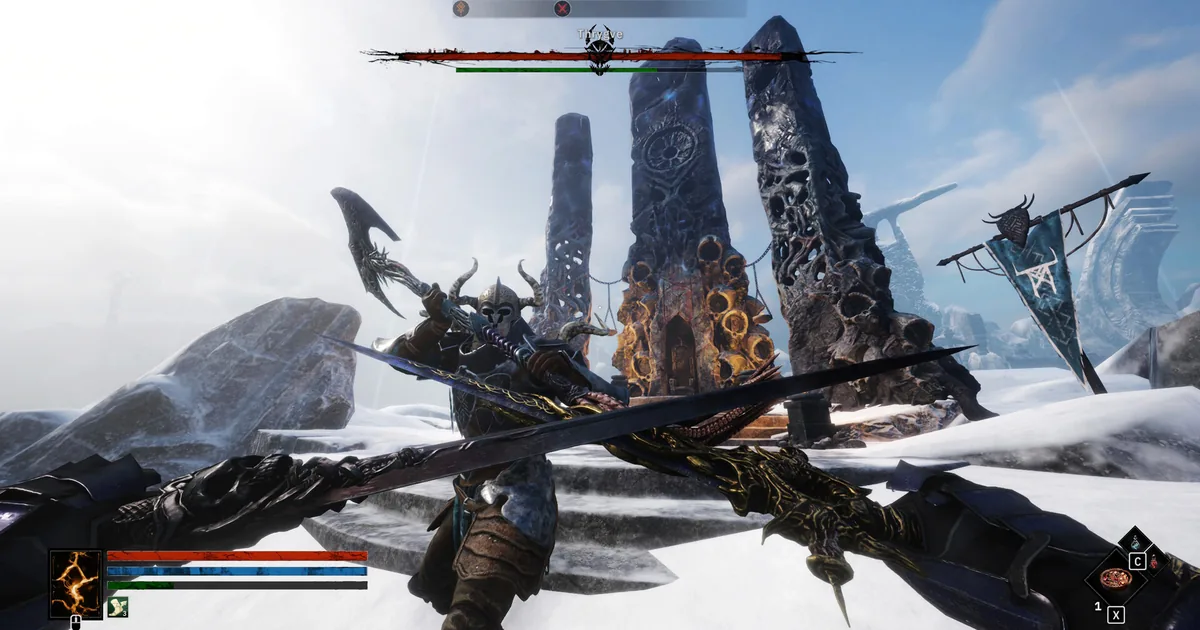
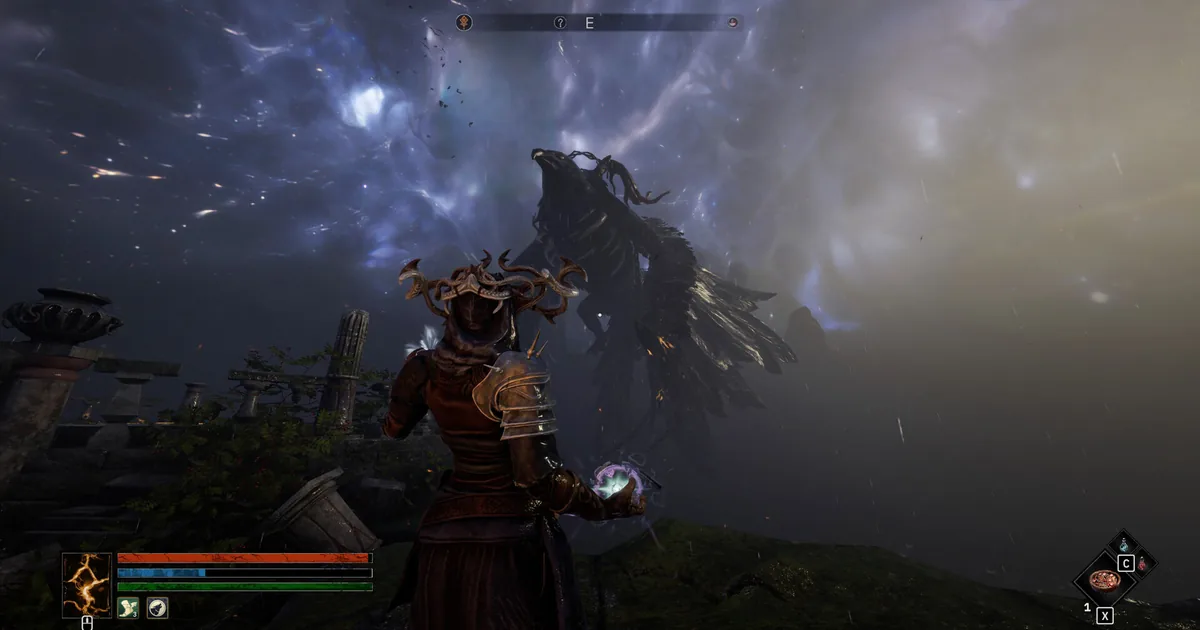
An official Steam screenshot showing the first-person combat space these movement, camera, and visibility mods are changing.
Current Tainted Grail compatibility check
The official Steam announcements feed lists Free DLC Bonus Content #4 and patch 1.25 as the latest official update checked for this article. The patch adds an Ultra+ graphics preset, new bows and wands, accessibility options, and other changes. That matters because a visual hook or UI patch can break even when a mod's feature list has not changed.
The other complication is the runtime split. The default Steam install is IL2CPP. The public mono branch exists for easier modding and uses BepInEx v5, but the loader page warns that the branch may not update at exactly the same time as the main branch. BepInEx v5 DLLs and BepInEx 6 IL2CPP DLLs are not interchangeable. This is not an interesting technical footnote. It is the difference between a working mod and a game that quietly ignores every plugin.
Here is the verification snapshot. Each name links to the mod's own Nexus page, not a search result or a re-upload.
| Mod | Page signal checked | Runtime and compatibility read |
|---|---|---|
| FoA Mod Manager | Page version 1, updated September 13, 2026 | In-game settings, profiles, controls, and diagnostics; supports Mono and IL2CPP with the matching requirement |
| Better Movement | v1.3.1, updated August 30, 2026 | BepInEx v5; Mono branch only |
| Wyrd Sight | v1.2.0, updated July 31, 2026 | BepInEx v5 Mono; active loot, container, plant, and ore highlighting |
| MiniMap | v1.0.3, updated March 28, 2026 | BepInEx v5 Mono; no bug count shown on the page when checked |
| Better Mounts | v1.0.3, updated August 1, 2026 | BepInEx v5; Mono branch only |
| Global Illumination | Page version 1, updated April 2, 2026 | Separate normal IL2CPP and Mono files; page says all game versions, with an IL2CPP stability warning |
| Conversation Lighting Overhaul | v1.0.4 page field, updated April 11, 2026 | Separate IL2CPP and Mono files; supports both game versions |
| Views of Avalon | Page version 1, updated July 16, 2026; public runtime notes identify 0.2.22 | Matching Mono or IL2CPP main file; expands far clip, shadows, and fog controls |
| Enemy Respawn Control | v2.2.2, updated August 18, 2026 | Mono branch and BepInEx 5; supports Windows and Linux |
| Persistent corpses | v1.0.0, updated July 20, 2026 | BepInEx v5 Mono; full bodies use more skinned-mesh memory than vanilla |
The dates are signals, not warranties. The oldest page in this list is MiniMap, but its own page is still live, its requirements are clear, and it was checked against the current 1.25 baseline. The newest pages are not automatically safer. A clear runtime requirement and a reversible setting are better evidence than a large number on a download counter.
If you need a vanilla reference before changing Avalon, the Tainted Grail complete guide hub, best builds guide, and zones exploration guide cover the systems these mods touch.
Quality-of-life and exploration mods
These four are the sensible first pass. They add information or control without introducing new enemies, quests, or item tables. That makes a failed launch easier to diagnose (a rare luxury in modding).
1. FoA Mod Manager
FoA Mod Manager is the control layer for this ecosystem. Its own description says it provides in-game settings, profiles, controls, and diagnostics for Tainted Grail mods, with support for both Mono and IL2CPP. The page lists the Mono loader as a requirement for that branch and Tainted Framework for IL2CPP.
The page was last updated September 13, 2026. It exposes installed settings and mod controls in one place, which is especially useful when a mod has a hotkey, a toggle, or a JSON configuration that you would otherwise edit with the game closed. The page also carries an AI Assisted tag, so treat the listing's changelog and requirements as the source of truth for any specific feature rather than assuming every promised convenience is universal.
This is the best first install for a collection of Mono mods. It is not a replacement for a backup, and it does not make a Mono DLL compatible with IL2CPP. It just makes the working profile less fiddly once the runtime is correct.
2. Better Movement
Better Movement is a movement overhaul. The mod page says it cleans up restrictive vanilla rules so sprinting, sliding, dashing, and jumping feel more fluid without forcing cheat-like powers into a playthrough. Its later notes include configurable air, encumbered, and exerted dash behavior, plus sprint presets and a coyote-time style safety window.
The direct page lists version 1.3.1, updated August 30, 2026. Compatibility is unusually explicit: it works only with the Mono branch. The page says IL2CPP and GOG non-Mono builds will not load its BepInEx plugin or generate its config file. That is exactly the kind of warning a listicle should put beside the download link, not bury after a paragraph of praise.
Better Movement changes the feel of every fight and every climb. Start with its vanilla-friendly preset, confirm that your dash count and stamina behavior still make sense, then adjust the more aggressive options. The Tainted Grail survival tips guide is useful as a baseline here because stamina, armor weight, and night survival are balanced around the unmodified movement rules.
3. Wyrd Sight
Wyrd Sight adds configurable highlights for loot, containers, plants, and ores. The page describes rarity-based coloring, Wyrdlights, particle effects such as Orbs, Rays, and Runes, and adjustable view distances. It also says the highlighting is optimized with batching and asynchronous loading.
The direct page lists v1.2.0, updated July 31, 2026, with BepInEx v5 Mono as the modloader requirement. The page includes item blacklisting and a toggle for how illegal items are colored, which matters if you want the utility without turning every scavenging trip into a glowing treasure hunt.
This is a strong exploration pick for a first playthrough that has already started to blur together. It does not give you the item. It makes the thing you already could have found easier to notice. That distinction keeps it on the quality-of-life side of the line. Use the Tainted Grail alchemy guide if you want a vanilla explanation of the plants and coatings before you add their visual labels.
4. MiniMap
MiniMap adds a circular HUD map showing the current zone, player position, tracked quest markers, and a custom waypoint. Its page makes the controls clear: position, size, zoom, opacity, rotation mode, and keybinds are configurable. The default toggle is N, with separate zoom and position controls.
The listing is v1.0.3, last updated March 28, 2026, and requires BepInEx v5 Mono. It also works with Avalon Mod Manager. The page showed zero bugs when checked, but that is not the same thing as proof that every UI layout or resolution behaves perfectly. Test it at your own display scale before starting a new run around the map.
MiniMap is the cleanest answer for players who like the world but dislike opening a full map every 40 seconds. It does make navigation easier. That is the point. If you are trying to preserve the game's intended discovery pressure, leave it off until a second run.
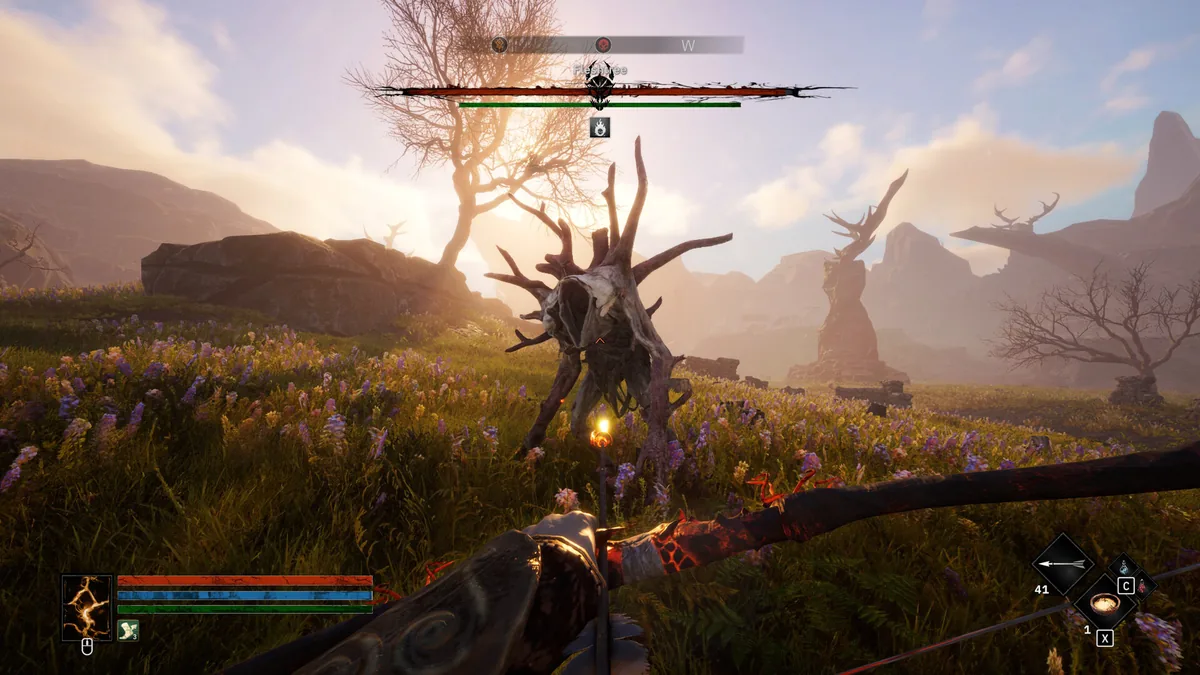 An official Steam screenshot of open-world combat in a bright field, where movement and visibility changes are easy to notice.
GODEEPER: Map and loot aids are most useful when you know which regions and progression gates you are looking at. The Tainted Grail zones guide maps the vanilla route, while the lore and world guide explains why the same landscape keeps changing its mood.
Mounts and world-persistence mods
The next three picks alter the simulation more directly. They are still quality-of-life mods, but their effects survive longer than a highlighted chest or a new HUD panel. Put them on a test save first.
5. Better Mounts
Better Mounts turns the horse system into a more developed companion layer. The mod page describes bonding, breeding, stamina management, stable recovery, individual mount stat variations, custom skills, stable management, and a mount tab on the character sheet. It also includes switches for breeding and the optional stamina system, so the result does not have to be as far from vanilla as the feature list suggests.
The page lists v1.0.3, updated August 1, 2026. Its compatibility warning is direct: Mono branch only, with BepInEx v5 required. The same update notes fix a missing mount-tab problem caused by a recent game UI change and add recovery controls for mounts lost in unsupported or DLC areas. That is a useful current-build signal, although a page with a known bug report still deserves a copied save.
Better Mounts is best for a character who treats travel as part of the role-play rather than as dead time between quests. It is not necessary for the main story. That is precisely why it is a good mod. It enriches a system that already exists instead of bolting on a second game.
6. Enemy Respawn Control
Enemy Respawn Control controls when regular world mobs become eligible to return. The page says it uses game-world presets while leaving the actual spawn process to vanilla distance and activation rules. Its options include persistent cleared encounters, weather-clock timing, and presets ranging from two in-game hours to an indefinitely blocked cleared spawner.
Version 2.2.2 was updated August 18, 2026. The page requires the Mono branch and BepInEx 5, and it supports Windows and Linux. Its recent changelog clarifies the important boundary: the mod controls eligibility and cooldowns, but it does not replace the game's actual activation rules. That means it is not a magic button for repopulating or permanently sterilizing every square mile of Avalon.
Use the faster presets if you want a world that stays busy after a long rest. Use a slow or indefinite setting if repeated bandit fights are getting in the way of quest cleanup. Do not turn it on halfway through a carefully balanced settlement run without recording the old setting. The Tainted Grail boss guide assumes the vanilla encounter rhythm.
7. Persistent corpses
Persistent corpses keeps enemy bodies as full corpses instead of letting the game replace them with bone piles or remove them when memory is needed. The page explicitly says it handles both distance cleanup and the game's skinned-mesh memory pressure. It includes a single toggle, and turning it off restores vanilla behavior.
The listing is v1.0.0, updated July 20, 2026, the day patch 1.25 landed. It requires BepInEx v5 Mono, with FoA Mod Manager listed as an optional recommended requirement. The warning is equally clear: full corpses use more skinned-mesh memory. A battlefield that looks wonderfully awful can also become a performance problem if you leave every body in place.
This is a visual persistence mod with a very specific audience. It suits screenshots, role-play, and players who want the aftermath of a fight to remain part of the landscape. It does not belong in a first test profile alongside several other memory-heavy visual changes. One haunted field is atmosphere. Every field is a hardware benchmark.
Graphics and presentation mods
Patch 1.25 already added an official Ultra+ graphics preset. These three mods are therefore not substitutes for the game's own settings. They are narrower tools for players who want to tune lighting, conversation framing, or distance visibility beyond that preset.
8. Global Illumination
Global Illumination injects a configurable, hot-reloadable HDRP screen-space global illumination effect. Its page explains that the working controls are the indirect diffuse and reflection multipliers, with a default value of 0.3. It can be toggled with F10 and edited through a JSON file without restarting.
The Nexus page shows version 1 and a last update of April 2, 2026. It says the mod supports all game versions, but the files are runtime-specific. The normal branch uses the BepInEx 6 IL2CPP file; the Mono branch uses BepInEx 5. The author warns that BepInEx 6 is experimental and that some available builds can crash during story moments or scene transitions. Use the recommended current build from the mod page, not an old archive copied from another setup.
Global Illumination is the most technically demanding pick here, and the most adjustable. Start below the default intensity if the game looks washed out, then compare a fixed location with F10. If the difference is not worth the frame-time cost, turn it off. The Tainted Grail best gear guide is a better use of your time than staring at a brighter wall.
9. Conversation Lighting Overhaul
Conversation Lighting Overhaul gives NPC conversations a more cinematic treatment. The mod page describes depth of field, camera zoom, a shadow-casting portrait spotlight, smooth transitions, and hot-reloadable configuration. It supports both the standard IL2CPP game and the Mono branch, with separate files for each.
The page field shows v1.0.4 and a last update of April 11, 2026. Its changelog also contains newer 1.0.5-mono and 1.0.5-il2cpp entries, so download the current runtime-matched file from the Files tab rather than assuming the headline version is the only signal. The page specifically warns that the files must match the game branch.
This is a good fit for a narrative-heavy run because it changes how conversations read without rewriting dialogue. It also has an obvious failure mode: too much depth of field makes an important character look like a prop in a portrait mode. Start with the default zoom, keep the transitions subtle, and disable it if a conversation camera starts feeling like a trailer for a game you are not playing.
10. Views of Avalon
Views of Avalon extends what you can see across the landscape. The page's current release notes identify public runtime support for Mono and IL2CPP and describe presets such as Premium, Foggy, and Custom. Premium requests four times the captured camera far clip and doubles global shadow distance; the mod also provides fog modes and live configuration.
The Nexus page file field shows version 1 and was last updated July 16, 2026. Its public runtime notes identify release 0.2.22. The description says the mod does not change combat, quests, progression, inventory, weather, time of day, or save data. It does warn that longer camera and shadow distances cost rendering time and that distant scenery can still follow the game's own HLOD, culling, and vegetation rules.
This is the right visual pick if the problem is not darkness but horizon distance. Start with Premium, then reduce Far Clip and Shadow Distance if frame time jumps. Do not pair it immediately with Global Illumination. Both are useful, but testing them separately tells you which one is actually responsible for the new look and the new fan noise.
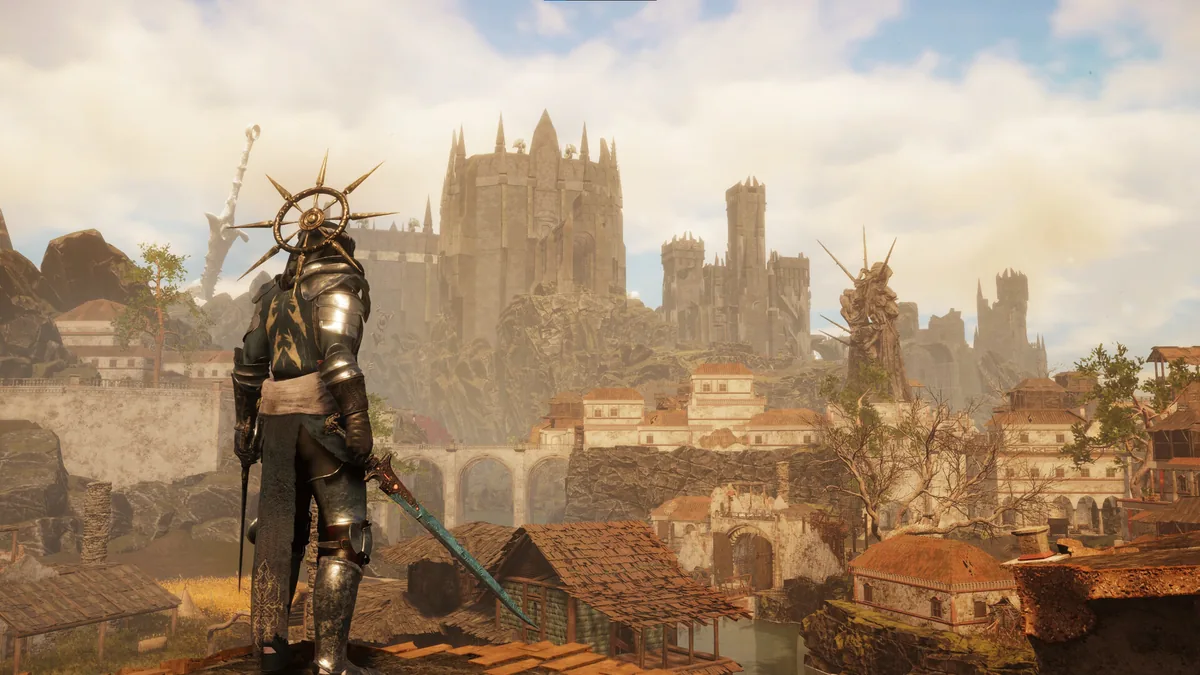 An official Steam screenshot of Avalon from above, the kind of vista Views of Avalon is designed to extend.
GODEEPER: Visual changes are easier to judge when you know what the base game is trying to show. The Tainted Grail review covers the dark Arthurian presentation, while the Sanctuary of Sarras guide covers the expansion spaces most likely to expose a branch or lighting conflict.
Step-by-step: install the best Tainted Grail mods safely
1. Back up the save first: The BepInEx v5 page warns that the Mono branch may not update in lockstep with the main branch and advises against switching branches without a backup. Copy your save folder before doing anything else. If a modded profile becomes unreliable, you need a route back to the unmodded character.
2. Choose one runtime: The normal Steam build is IL2CPP. Most picks in this guide use Mono, so open the game's Steam Properties, choose the public mono branch under Betas, and wait for Steam to finish downloading it. Do not use an old mono-modding branch. The BepInEx v5 page specifically distinguishes it from the current mono branch.
3. Install the matching loader: Use BepInEx v5 (Mono) on Nexus for the Mono profile. For the default IL2CPP branch, use the BepInEx 6 build linked by the individual mod's Requirements section. The versions are not substitutes for each other.
4. Install FoA Mod Manager or one utility: FoA Mod Manager can expose settings and diagnostics for both runtimes. If you want to keep the first test minimal, install Better Movement or MiniMap instead, copy the exact DLL into BepInEx/plugins, and launch once to generate its config.
5. Test a clean save and read the log: Load a copy of a save or begin a disposable character. Check that BepInEx creates its folder, that the mod's setting appears, and that the game reaches a playable area. If it does not, remove the newest mod and inspect the BepInEx log before adding anything else.
6. Add one category at a time: Add exploration tools before world-persistence changes, and visual tools one by one. Better Movement plus MiniMap is a reasonable first profile. Better Mounts, Enemy Respawn Control, and Persistent corpses deserve their own test because they change state that survives a normal trip through the world.
7. Match the file to the branch: Global Illumination, Conversation Lighting Overhaul, and Views of Avalon have runtime-specific files. Read the Files tab and choose Mono or IL2CPP deliberately. A file can be perfectly healthy on Nexus and still be the wrong binary for your install.
8. Recheck after every Steam patch: Open the official patch 1.25 announcement and each direct Nexus page after an update. Disable a visual or UI mod before blaming the game. The page's last-updated date is a clue, not a guarantee.
9. Keep a vanilla launch path: When a quest, save, or new DLC behaves strangely, reproduce it without mods. If the behavior disappears, report it to the mod author with the game branch, mod version, and log. Do not keep changing five files and call the result a diagnosis.
Tainted Grail mods considered but excluded
The 10 picks above cleared the direct-page and current-catalog checks. These other pages were real, but they were left out for specific reasons.
- Avalon Mod Manager: a real v1.1.4 page updated August 5, 2026, but it overlaps with FoA Mod Manager's in-game settings role and is Mono-only. The newer cross-runtime manager is the cleaner single recommendation.
- Auto Loot: its page describes interval-based pickup filters for world props, plants, drops, and containers, but it is v0.1, was updated May 6, 2026, and carries an AI-Generated Content tag. It is real, but the low version and broad auto-pick behavior make it a weaker default recommendation than Wyrd Sight.
- Other visual-effect pages surfaced during Nexus discovery: the pages were real, but this list already has three visual picks and there is no need to stack multiple overlapping HDRP hooks.
- Higher Weight Limit: its page is real, but its last update is August 13, 2025, well before the current 1.25 baseline. It was not treated as current without a newer compatibility signal.
- No Respawns: the page describes a useful world change, but the listing and community notes are older and less clear than Enemy Respawn Control's current v2.2.2 page. The latter gives the reader actual presets and a current Mono requirement.
- Cheat panels, item requirement removers, spawners, and save editors: real pages exist, but the mods-content safety rule excludes progression bypasses and trainer-style utilities from a general recommendation list.
- BepInEx v5 and BepInEx 6: these are real loader pages and appear in the setup steps, but they are infrastructure, not player-facing picks counted in the title.
Tips for a stable modded Tainted Grail run
Keep the first profile boring. FoA Mod Manager, Better Movement, MiniMap, and Wyrd Sight give you a useful quality-of-life layer without changing the enemy roster or the save's progression. Once that works, duplicate the profile before adding a visual overhaul or world-persistence mod.
Do not switch branches with the main save open. The Mono branch is there to make modding easier, but the loader's own page says it may lag behind the default build and that branch changes can break things. Treat Mono as a separate install state, not a toggle you flip between quests.
The current game already supports a lot of different builds. The Tainted Grail best builds guide, crit build guide, and summoner build guide are useful vanilla baselines before a movement or graphics mod changes your read of combat. The achievements guide is another good reason to keep a clean profile available. A mod that makes a character feel faster can also make a parry window feel different. That is a design change, not a bug report.
Watch memory and frame time when using Persistent corpses, Global Illumination, or Views of Avalon. Their pages explain what they retain or render more aggressively. If performance falls, turn one change off, return to the same location, and compare. The scientific method is still available in Avalon, although the game hides it behind several cursed menus.
Finally, re-open the direct Nexus page before every serious update. A mod with an active page can still be broken by a new game patch, and a mod with an old date can still work. The article's dates show what was verified on September 25, 2026. They do not promise what the next patch will do.
Frequently Asked Questions
What are the best Tainted Grail mods in 2026? The 10 verified Nexus picks cover movement, loot visibility, a minimap, mounts, lighting, conversation cameras, long-distance views, enemy respawns, persistent corpses, and in-game mod settings. Better Movement and MiniMap are the easiest starting points for a Mono profile.
Are these Tainted Grail mods compatible with patch 1.25? Each page was checked against the live Steam baseline of patch 1.25. Several pages were updated after the patch, while older pages still have live descriptions and clear requirements. That is evidence for a test, not a permanent compatibility guarantee.
Do I need the Mono branch to install Tainted Grail mods? Most picks here require the Steam Mono branch and BepInEx v5. Global Illumination and Conversation Lighting Overhaul provide separate files for the normal IL2CPP branch, and FoA Mod Manager supports both. Never mix Mono and IL2CPP files.
What do I need to install Tainted Grail mods? Back up the save, choose the correct Steam branch, install the matching BepInEx loader, and then install the exact file named on the mod's Nexus page. Add one mod, launch once, and read the log before building a larger profile.
Can Tainted Grail mods break my save? They can cause load problems or leave settings behind after a branch or mod change. Use a copied save, keep a vanilla profile, and disable a mod before removing it when the page gives that instruction.
Which Tainted Grail mod is best for graphics? Global Illumination changes indirect lighting, Views of Avalon extends camera and shadow distance, and Conversation Lighting Overhaul changes NPC scenes. Use one at a time, especially on the IL2CPP branch where the page warns about loader stability.
Related Reading
- Tainted Grail Achievements: All 65 Unlocks Explained: Tainted Grail achievements guide: all 65 confirmed via Steam, grouped by leveling, crafting, and Sanctuary
- Tainted Grail Tips: 12 Things to Know Before You Start: Tainted Grail tips for new players: 12 things the game never explains. Build paths, survival
- Tainted Grail Fall of Avalon: free DLC 5, patch 1.23: Tainted Grail Fall of Avalon free DLC 5 out now: Birthday Quest, Lancelot summon, fish
- Tainted Grail Zones Exploration Guide: the unmodded region order and exploration baseline.
- Tainted Grail Alchemy Guide: recipes, stations, plants, and coatings that Wyrd Sight can make easier to locate.
- Tainted Grail Boss Guide: combat preparation before movement and respawn changes.
- Tainted Grail Best Gear Guide: weapons, armor, and jewelry for a clean comparison save.
- Tainted Grail Crit Build Guide: a Perception and bleed setup to test after changing movement.
- Tainted Grail Summoner Build Guide: a magic build that exposes how combat changes feel with movement mods.
- Tainted Grail New Game Plus Guide: what carries over before you move a modded character into another cycle.
References
- Tainted Grail: The Fall of Avalon on Steam: official game page, runtime baseline, and developer details.
- Tainted Grail official Steam announcements: patch 1.25 and the current update history.
- Tainted Grail: The Fall of Avalon Nexus hub: live catalog count, collections, and media.
- FoA Mod Manager: in-game settings, profiles, controls, and diagnostics.
- BepInEx v5 (Mono): Mono loader, branch instructions, and runtime warning.
- Awaken Realms community mods video: official video about the growing community mod scene.
- Tainted Grail: The Fall of Avalon on Reddit: community discussion and mod reports used as a secondary discovery signal.
Was this guide helpful?
About the author

Games Critic
Games writer and reluctant optimist who has reviewed over 400 titles across 9 years. Irish, currently in Berlin. Has strong opinions about tutorial design.
- 400+ games reviewed across 9 years
- Platformer and horror specialist
- Narrative design focus
Keep reading

Disclaimer
This article is published for informational and entertainment purposes. It does not constitute professional financial, legal, or technical advice. Game performance, online services, patch schedules, and store listings change. Verify critical details (pricing, system requirements, regional availability) with publishers and storefronts before you buy. Affiliate links, where present, help support our editorial work and are labelled in our affiliate disclosure.
Comments
Loading comments…