
GameBrief · General
10 Best Romestead Mods for Version 0.26.1_6 (2026)
Reviewing
Romestead
Beartwigs · Three Friends
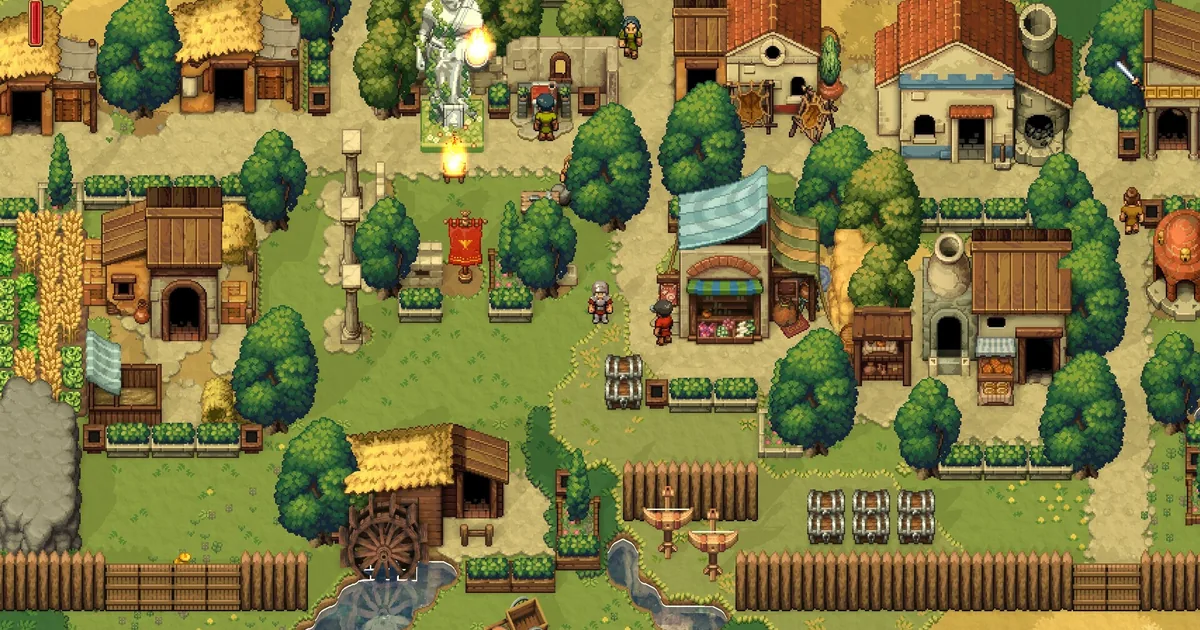
The best Romestead mods are not dramatic overhauls. They are small tools aimed at the places where a settlement run loses time: carrying goods across the map, finding a boss dungeon, remembering what a building needs, or defending a production chain during a raid. That makes Romestead a good fit for a focused Thunderstore shortlist rather than a giant load order.
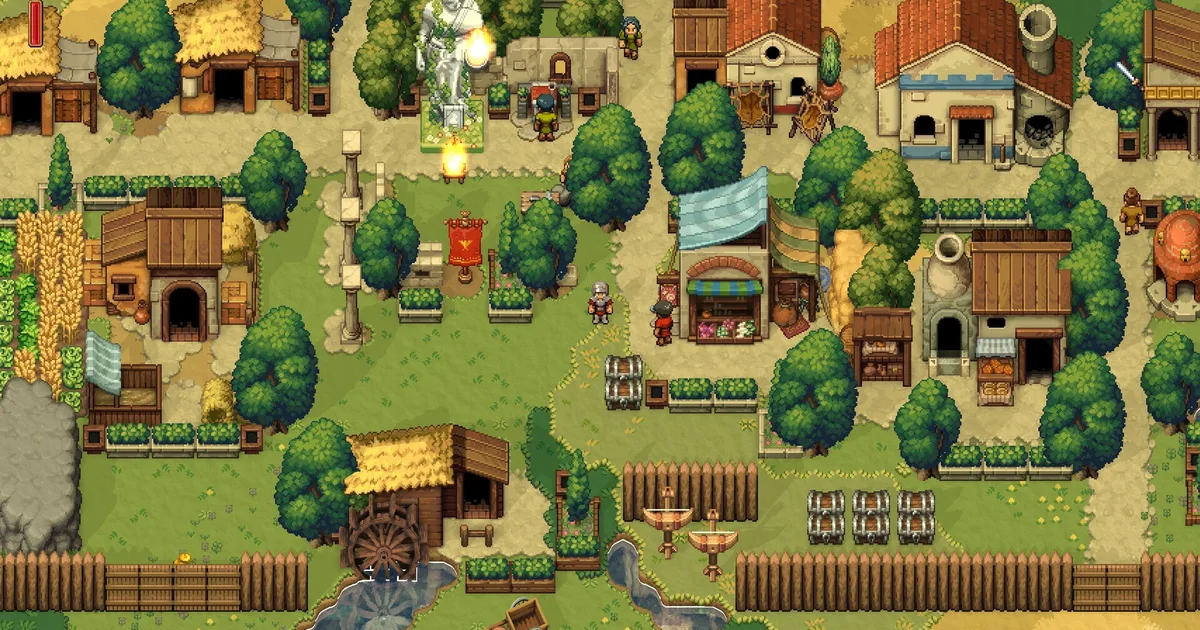
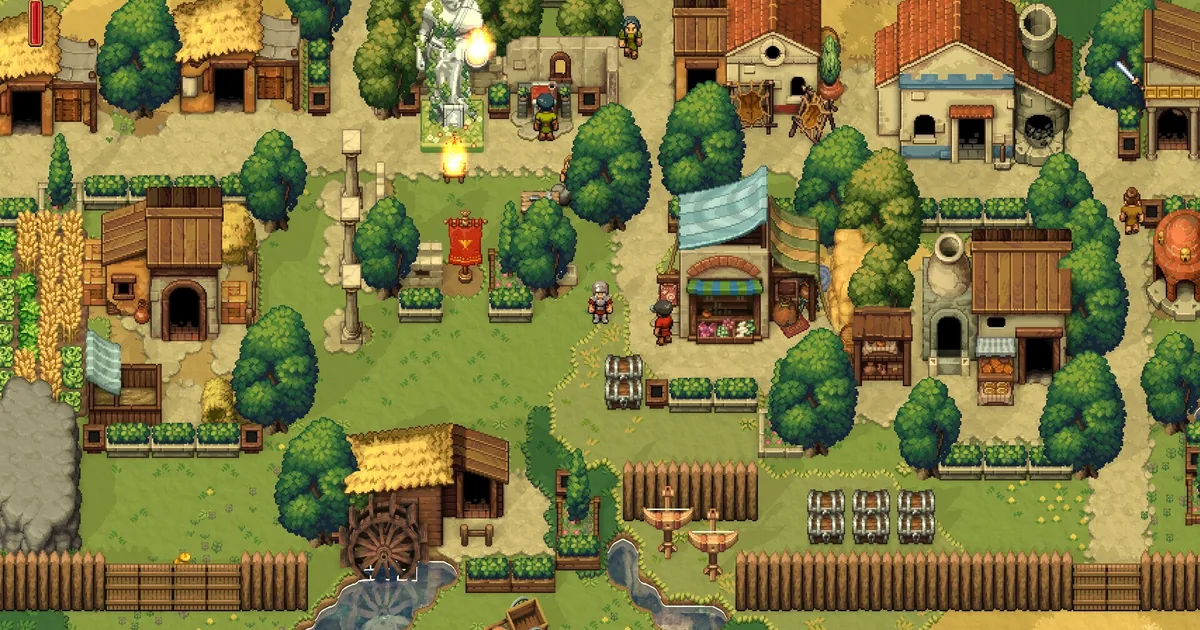 A mature settlement has many moving parts, which is exactly where logistics and storage mods earn their space.
TL;DR: The ten verified picks are BetterCarts, LogisticsPlanner, RaidControl, ModSettingsMenu, SmartStorageLogistics, InventoryExpansion, BossMapMarkers, BuildLogisticsAutoZoom, RomesteadWiki, and WellLogistics. All ten pages were live when checked. None explicitly promises compatibility with 0.26.1_6, so back up the town before testing.
What are the best Romestead mods? (quick answer)
Start with SmartStorageLogistics if your settlement problem is moving items between chests, workshops, and recipes. Choose LogisticsPlanner when you need to see and edit supply lines before changing them. BetterCarts improves the physical hauling loop, while InventoryExpansion removes backpack and stack-size friction.
For danger and navigation, RaidControl changes the frequency of natural raids without removing manual war raids, and BossMapMarkers puts boss dungeon locations on the world map. BuildLogisticsAutoZoom makes the construction and logistics camera less fiddly. The remaining three are support or reference tools: ModSettingsMenu, RomesteadWiki, and WellLogistics.
The list is deliberately practical. It does not count the loader, the localization API, or a settings menu dependency as ten separate gameplay additions. It also does not recommend instant construction, favor multipliers, or economy rewrites simply because they have more downloads. A faster settlement is useful only if the underlying choices still matter.
Current version and catalog check
This article was checked against the live Romestead Steam page and the official version 0.26.1_6 patch notes on September 25, 2026. Romestead is still in Early Access, and its update cadence is fast enough that a mod updated this month can still predate the exact hotfix currently installed.
The game has a real, populated Romestead Thunderstore community. Its public package API returned 17 listings when checked. Nexus Mods also has an active Romestead catalog, including pages for inventory and raid tools, but Thunderstore is the clearer current source for package versions, dependencies, and download counts. CurseForge and Steam Workshop did not provide a comparable Romestead package catalog, so they are not forced into the workflow.
The current baseline is important because the newest player-facing Thunderstore packages were updated on September 1 or 2, while 0.26.1_6 was published in the September 4 patch notes. The four burdock12 utilities were last updated June 28. That does not make them broken, but it means the update date is evidence of maintenance, not a compatibility certificate.
How I filtered the ten picks
Every recommendation below has its own live Thunderstore package page with an exact name, version, description, and update listing. I used the package page for the download and dependency information. For RaidControl, the Thunderstore package metadata currently repeats the LogisticsPlanner summary, so I used the mod's own Nexus page for the feature description and kept the Thunderstore page as the current package listing.
The safety filter removed tools that skip construction, multiply favor, or broadly rewrite prosperity and production. A settlement builder needs room for its economy to be a game. The list also separates infrastructure from player-facing recommendations. BepInExPack Romestead is the loader, RomesteadLocalizationAPI is a dependency, and ModSettingsMenu is counted once as a useful shared configuration layer.
GODEEPER: Supply lines are easier to judge when you understand the vanilla trade and logistics rules first. Romestead Trading Post and Logistics Guide: Routes, Denarius, and Storage →
That leaves ten picks across four needs: hauling and storage, supply-line visibility, raid and map control, and information utilities. The count is the result of the catalog and safety pass, not a round number selected before the pages were checked.
Storage and hauling mods
These are the highest-value additions for a first modded settlement. They reduce repeated walking and inventory bookkeeping without changing which resources the town needs.
BetterCarts
BetterCarts makes hauling with carts more pleasant through configurable quality-of-life features. That is the whole description on its own Thunderstore page, and it is a sensible scope: the mod improves the transport tool without promising free resources or instant production.
The package listing showed version 1.4.1, last updated September 2, 2026, with 97 downloads at the time of the catalog check. It depends on BepInExPack Romestead and ModSettingsMenu. Because the update predates 0.26.1_6 by two days, test a cart route in a copied world before trusting it with a large stone or iron transfer.
BetterCarts belongs early in a builder load order. It does not replace the Romestead buildings guide, which still determines what to build and when. It simply makes the distance between the quarry, workshops, storage, and town center less punishing.
SmartStorageLogistics
SmartStorageLogistics is the broadest storage tool in the catalog. Its page lists one-click sorting, quick storage, storage rules, access to nearby chests from workshops, recipe-based auto-refill, and well-water logistics. Those features touch several systems, so this is the mod to install after you have a settlement worth organizing rather than during the opening tutorial.
The package listing showed version 1.0.3, last updated September 1, 2026, with 85 downloads. It depends on BepInExPack Romestead and ModSettingsMenu. The mod's Nexus listing is older and describes compatibility from the 0.25.1_6 line onward, while the current Thunderstore package is newer but still does not explicitly name 0.26.1_6. Treat the current package as the better signal, not a guarantee.
Use storage rules conservatively. Start with one chest and one recipe, then confirm that a workshop still receives the intended input and that manual withdrawal works. An auto-refill rule that looks elegant on paper can consume a scarce material faster than the vanilla interface made obvious.
InventoryExpansion
InventoryExpansion expands the player backpack, selected storage inventories, and item stack sizes. Its page also calls out scrollable inventory panels, which matters because a larger inventory that stretches beyond the usable screen is not much of an improvement.
The package listing showed version 1.0.3, last updated September 1, 2026, with 87 downloads. It depends on BepInExPack Romestead, RomesteadLocalizationAPI, and ModSettingsMenu. The Nexus changelog says version 1.0.2 fixed a crash after the 0.26.1_2 input-system update and added a scrollbar cursor fix. That is a useful current-build signal, but it is not the same as an explicit 0.26.1_6 test.
Pick this instead of SmartStorageLogistics when your bottleneck is carrying materials between work sites. Pick both only after testing separately, because stack-size changes and auto-refill rules can make a resource shortage harder to diagnose.
The vanilla logistics panel shows why a planning board and storage rules can save time once a town spans several production chains.
WellLogistics
WellLogistics adds wells to the logistics system. The page says wells automatically produce water over time so other buildings can receive it through logistics. That is a narrower addition than SmartStorageLogistics, which is useful when you want one explicit change rather than a new set of chest behaviors.
The listing showed version 1.0.0, last updated June 28, 2026, with 161 downloads. It depends only on BepInExPack Romestead. The package is older than the 0.26.1_6 patch line and does not claim that build, so test water production and a receiving building before attaching it to a large network.
WellLogistics is best once the town has outgrown manual bucket movement. It also gives the water system a clear test case: place one well, connect one consumer, and confirm that the transfer occurs before expanding the rule across the whole settlement.
Planning and construction utilities
Romestead's logistics mode is powerful but visually dense. These tools target the planning layer rather than the economy itself.
LogisticsPlanner
LogisticsPlanner adds an in-game logistics planning board for viewing, editing, and managing town supply lines. This is a planning aid, not an item generator. It should help you see a bad connection before villagers spend a season walking around it.
The package listing showed version 1.0.4001, last updated September 1, 2026, with 54 downloads. It depends on BepInExPack Romestead, RomesteadLocalizationAPI, and ModSettingsMenu. The package page does not explicitly claim 0.26.1_6 compatibility, and its dependencies require their own version check. Start with a copy of the town and edit one line at a time.
The planning board is most useful when paired with the site's Romestead economy and research guide. A line that is technically valid can still be a poor choice if it moves a research input away from the building that consumes it most often.
BuildLogisticsAutoZoom
BuildLogisticsAutoZoom automatically changes camera zoom in construction and logistics mode. Its page describes separate zoom values for the two modes and ModSettingsMenu support.
The listing showed version 1.0.4, last updated June 28, 2026, with 146 downloads. It depends on BepInExPack Romestead, ModSettingsMenu, and RomesteadLocalizationAPI. There is no direct 0.26.1_6 claim. This is a low-impact utility, but it still needs a one-room test because input and camera changes were part of the 0.26.1 patch cycle.
Use a closer construction zoom for precise building placement and a wider logistics zoom for reading a whole route. The value is not extra range or resources. It is fewer camera adjustments while you compare the Romestead building order with the town's actual footprint.
ModSettingsMenu
ModSettingsMenu adds a mod configuration menu under the game's Settings menu. Its page says it is used to display mod configuration entries. That makes it infrastructure with a useful player-facing result, and it is a dependency for several of the stronger picks above.
The listing showed version 1.1.2, last updated September 1, 2026, with 130 downloads. It depends on BepInExPack Romestead and RomesteadLocalizationAPI. Install it once per profile, not once per dependent mod. It does not add a town system by itself, so do not expect it to change production until another package registers settings there.
If the menu is missing after launch, stop and fix the dependency profile before installing another gameplay mod. A missing configuration panel is a loader problem, not evidence that every package in the profile is broken.
Raids and map awareness
Raid tools can make an Early Access settlement more readable, but they also change the pressure that balances production. Use them to tune a world you understand, not to skip the first-night lessons.
RaidControl
RaidControl on Thunderstore is the current package listing for a mod whose own Nexus description adds an in-game option for natural raid frequency. The description gives concrete controls: 0 disables natural raids, 1 is the vanilla rate, and 20 produces a daily raid. Manual war raids remain available, and the mod corrects the world modifier automatically. It also says it becomes inactive if another raid-toggle package is detected.
The Thunderstore listing showed version 1.0.1, last updated September 1, 2026, with 39 downloads. It lists the same loader, localization, and settings dependencies as LogisticsPlanner. The Nexus page's compatibility note starts at 0.25.1_10, not 0.26.1_6, and the Thunderstore package page does not name the current hotfix. That is a warning, not a reason to assume the option is harmless.
The safe use is a controlled challenge or a quieter building session with manual war raids still available. Do not turn off natural raids in a world where your goal is to learn night raid defense, then conclude that the base game has no production pressure.
BossMapMarkers
BossMapMarkers shows boss dungeon locations on the world map. Its page describes localized hover names and per-boss toggles in Mod Settings Menu. That is a navigation improvement, not a boss shortcut.
The listing showed version 1.0.0, last updated June 28, 2026, with 141 downloads. It depends on BepInExPack Romestead, ModSettingsMenu, and RomesteadLocalizationAPI. The package is older than the current patch and does not explicitly claim 0.26.1_6, so confirm that markers appear without blocking the map or changing dungeon discovery in a backed-up world.
This is particularly useful when a group is trying to route the next Romestead boss while another player keeps the settlement supplied. It removes map memory work, not the combat or resource cost of reaching the dungeon.
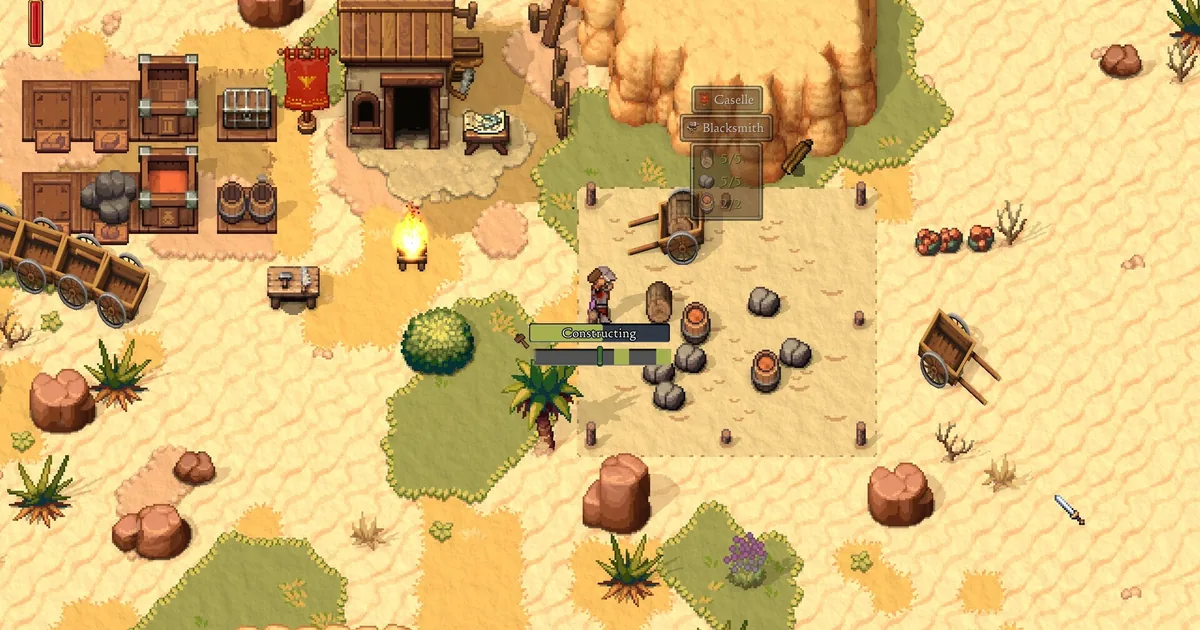
A fortified desert edge makes the raid-control tradeoff visible: less random pressure changes how much of this defense work a town practices.
GODEEPER: Before changing raid frequency, learn which buildings attract attacks and how torches, walls, and roles interact. Romestead Night Raid Defense Guide: Protect the Blacksmith →
Reference and settlement information
These are the lower-risk additions. They do not need to change the town's economy to be useful.
RomesteadWiki
RomesteadWiki is an offline in-game community guide. Its page says to press F7 to open a wiki window with search, categories, and wiki.gg links. That makes it useful when a player wants an answer without alt-tabbing away from a shared settlement session.
The listing showed version 0.1.0, last updated June 28, 2026, with 133 downloads. It depends on BepInExPack Romestead, ModSettingsMenu, and RomesteadLocalizationAPI. It does not claim 0.26.1_6, and wiki content can lag behind the game. Treat it as a reference layer, then confirm a changing number against the game's current updates tracker.
Why the list stops at ten
The catalog has more packages, but not all of them earn a general recommendation. SkillPoints and SmoothDash are live, yet their current package pages have small download signals and no strong current-build evidence. TributeMultiplier, ProsperityTweaks, and InstantConstruction alter favor, production, economy, or construction in ways that can flatten the intended progression. BepInExPack Romestead and RomesteadLocalizationAPI are dependencies, not extra picks.
That distinction is important for Romestead because a town's identity comes from its god choice, profession assignment, research, and defense priorities. If a mod changes all four at once, it becomes difficult to tell whether a settlement succeeded because of planning or because the economy was quietly replaced.
Before changing a working town, compare the Romestead professions guide, Denarius money guide, weapons tier list, Iron guide, and roadmap tracker with the version you are playing. Those baselines make it easier to tell a genuine quality-of-life improvement from a mod that quietly changes the intended economy.
Compatibility reality on version 0.26.1_6
The current Steam build is newer than every update date in this shortlist. BetterCarts was last updated September 2. The other Ice Box Studio player-facing packages in the first group were last updated September 1. The four burdock12 utilities were last updated June 28. None of the ten Thunderstore pages explicitly says 0.26.1_6.
One page has a more specific signal: the InventoryExpansion Nexus changelog mentions a fix after 0.26.1_2. SmartStorageLogistics and RaidControl have older Nexus compatibility notes in the 0.25.1 line. These are useful clues, but the September 4 0.26.1_6 patch is the version that matters for a new install.
Use this compatibility checklist:
- Export or copy the save before adding a package. Keep the backup outside the game folder.
- Create a clean Thunderstore profile with BepInExPack Romestead and only one player-facing mod.
- Launch to the settlement, open Settings, and confirm ModSettingsMenu appears if the package needs it.
- Test one feature: move a cart, route one storage rule, open the planning board, inspect a marker, or survive one night.
- Add the next package only after the first has saved and loaded correctly twice.
If a package fails after a Steam hotfix, remove it from the profile before diagnosing the base game. The Romestead complete guide hub remains the vanilla reference for a reason: it gives you a known-good set of mechanics against which to compare a modded settlement.
Step-by-Step: install Romestead mods safely
Thunderstore package pages list the exact loader and dependencies. Keep the first install deliberately small.
1. Back up the town: copy the current save to a separate folder and record whether the world is solo, host-based co-op, or a dedicated session.
2. Install BepInExPack Romestead: use the package's own Thunderstore page and follow its Romestead-specific file layout. Do not substitute a loader pack from another Unity game.
3. Create a clean profile: add ModSettingsMenu and RomesteadLocalizationAPI only when the selected package lists them as dependencies. Keep the loader, dependencies, and one player-facing mod visible in the profile.
4. Launch once without a large load order: reach the town, save, exit, and launch again. This confirms the loader path before a logistics tool adds more variables.
5. Test the smallest useful feature: try one cart route for BetterCarts, one chest rule for SmartStorageLogistics, or one map marker for BossMapMarkers. Do not begin with a full town conversion.
6. Copy the profile to every multiplayer participant: if the mod changes shared inventory, raids, logistics, or world state, the host and clients should use the same versions and dependencies. If the own page does not state multiplayer behavior, treat it as unverified.
7. Keep a rollback note: write down the package versions and the first save made after installation. When the next Early Access patch lands, that note tells you which file to remove first.
Recommended install order
For most towns, start with ModSettingsMenu, BetterCarts, and BuildLogisticsAutoZoom. They are easy to observe and do not rewrite the settlement economy. Add LogisticsPlanner when supply lines have become difficult to audit, then choose SmartStorageLogistics or InventoryExpansion based on whether routing or carrying is the bottleneck.
Add WellLogistics after you understand vanilla water demand. Add BossMapMarkers when the group has started exploring bosses. Reserve RaidControl for a deliberate world rule, and install RomesteadWiki whenever your group values a searchable reference window more than a second monitor.
The order follows a simple measurement rule: change the smallest system first, then compare the result with the Romestead survival tips guide. After tracking resource movement across several in-game days, you will know whether the next mod solves an actual problem or just adds another menu.
Common mistakes with Romestead mods
- Installing every package from the Thunderstore catalog before testing one save.
- Treating a September 1 package update as proof of compatibility with the September 4 hotfix.
- Adding ModSettingsMenu or RomesteadLocalizationAPI several times instead of letting one profile satisfy dependencies.
- Turning off raids before learning how the co-op roles and Blacksmith defense loop work.
- Combining auto-refill, storage rules, well logistics, and production-speed changes before checking one resource route.
- Joining an established multiplayer world with a different package version or a different save backup.
Romestead rewards a visible economy. The strongest modded town is still one where you can explain why food, water, research inputs, and defense materials arrive where they do.
Frequently Asked Questions
What are the best Romestead mods? The strongest current shortlist is BetterCarts, LogisticsPlanner, RaidControl, ModSettingsMenu, SmartStorageLogistics, InventoryExpansion, BossMapMarkers, BuildLogisticsAutoZoom, RomesteadWiki, and WellLogistics. They cover hauling, supply lines, storage, raids, map planning, construction, reference information, and water logistics.
What version of Romestead do these mods support? Romestead is on version 0.26.1_6 according to the latest official Steam patch checked on September 25, 2026. The ten package pages are live, but none explicitly claims 0.26.1_6 compatibility. The six newest listings were updated September 1 or 2, before the September 4 hotfix, so test on a copied save.
What is the best Romestead storage mod? SmartStorageLogistics is the best storage-first pick because its page lists one-click sorting, quick storage, storage rules, nearby workshop access, recipe auto-refill, and well-water logistics. InventoryExpansion is the better choice when the problem is backpack space or stack size rather than routing.
Do Romestead mods work in multiplayer? Do not assume multiplayer support. BetterCarts, logistics tools, raid settings, and storage rules can affect shared world state. Test the same profile on the host and every player, follow the package page requirements, and keep a clean save backup before joining an established eight-player world.
How do you install Romestead mods? Install the Romestead-specific BepInExPack from Thunderstore, create a profile containing the package and its listed dependencies, then launch once before adding more mods. ModSettingsMenu and RomesteadLocalizationAPI are dependencies for several picks, not extra recommendations in the ten-mod count.
Are Romestead mods safe? The ten picks here are quality-of-life, reference, logistics, map, or raid-control tools. Back up saves, install one package at a time, and avoid progression multipliers or instant-construction tools if you want the normal economy and research curve.
Related Reading
- Romestead Medusa Guide: Location and the Aegis Reward: Romestead Medusa guide covering her desert lair location, the petrification curse mechanic, and how to
- Romestead Iron: Where to Find It and How to Farm It: Romestead iron is reliably found only in the Volcanic biome (Desert has a rare trace).
- Romestead Villagers Guide: Recruit, Assign, Happiness: understand the citizens whose work powers every supply line.
- Romestead God System Guide: All 7 Deities: keep progression choices meaningful when testing economy helpers.
- Romestead Early Access Review: the broader verdict on the current builder and its co-op loop.
- Romestead Biome Guide: All 4 EA Biomes: route materials and bosses before using map markers.
References
- Romestead on Steam: live store page and game context.
- Romestead version 0.26.1_6 patch notes: official current-version check.
- Romestead Thunderstore community: populated catalog check.
- Romestead Thunderstore package API: package versions, update dates, and download signals.
- BepInExPack Romestead: loader used by the package dependencies.
- RomesteadLocalizationAPI: dependency page.
- BetterCarts: own package page and hauling description.
- LogisticsPlanner: own package page and planning-board description.
- RaidControl on Thunderstore: current package listing.
- RaidControl on Nexus Mods: own feature description and compatibility note.
- ModSettingsMenu: own package page and configuration-menu description.
- SmartStorageLogistics: own package page and storage feature list.
- InventoryExpansion: own package page and inventory feature list.
- BossMapMarkers: own package page and map-marker description.
- BuildLogisticsAutoZoom: own package page and camera description.
- RomesteadWiki: own package page and in-game guide description.
- WellLogistics: own package page and water-logistics description.
- Official Romestead Steam screenshot gallery: source for the hero and inline screenshots.
Was this guide helpful?
About the author

Senior Critic & Analyst
Former game data analyst turned critic with 11 years covering indie and mid-tier games. Based in Austin. Runs spreadsheets on games most people just play.
- 11 years games criticism
- Former game economy analyst
- Roguelike and strategy specialist
Keep reading
Disclaimer
This article is published for informational and entertainment purposes. It does not constitute professional financial, legal, or technical advice. Game performance, online services, patch schedules, and store listings change. Verify critical details (pricing, system requirements, regional availability) with publishers and storefronts before you buy. Affiliate links, where present, help support our editorial work and are labelled in our affiliate disclosure.
Comments
Loading comments…