
GuideRomestead
Romestead Trading Post: Logistics and Routes Guide 2026
The Romestead trading post is a late-unlock building that most players hit a wall trying to set up. The unlock chain is three steps deep, storage failures are not explained clearly in the UI, and the Logistics Tent mechanics that feed into it are distinct enough to deserve their own treatment. This guide covers both systems from scratch. The goal is to get you past stuck shipments and into a working multi-settlement economy.
Sponsored

About the game
Romestead
Updated 2026-10-05: Corrected the current unlock path and Logistics Tent reward, and replaced the old two-worker and universal five-item rules with the documented Carrier and storage requirements.
TL;DR: Complete Mercury's Significant Pursuit quest to unlock the University, then research the Trading Post for 30 Research Papers. Build a post in both towns, assign a Carrier at one end, and keep Material Storage open. The Logistics Tent handles local connections and is currently a Guardian of Minerva reward; the Trading Post handles town-to-town transfers.
Sponsored

How does the Romestead trading post work? (quick answer)
The Trading Post transfers resources and items between settlements. The wiki requires two constructed Trading Posts, one in each town, and a Carrier to conduct the delivery. Create a route, choose what to transfer from Material Storage, and set the amount and unit ratio. The University unlocks the Trading Post research for 30 Research Papers. The exact footprint and a universal five-item safe batch are not documented by the authoritative source checked here.
Romestead trading post and logistics: key takeaways
- Logistics Tent is currently a Guardian of Minerva reward; Trading Post unlocks via University research (30 Research Papers)
- Both systems are distinct: Tent = within one settlement, Trading Post = between settlements
- Test with small batches and keep the destination's Material Storage below capacity
- Assign a Carrier at one end; the source does not document a worker requirement at both posts
- Never automate food below buffer, first-copy boss drops, or active building materials
- Fuel for Bakeries and Blacksmiths still requires manual management in the current EA build
- Delete a route by clicking directly on the arrow line on the map
The Logistics Tent: local automation first
Before the Trading Post becomes useful, your within-settlement logistics need to work. The Logistics Tent is what makes that possible.
You get the Logistics Tent as a reward for defeating Guardian of Minerva. Before that fight, every resource transfer in your town is manual. After it, you can connect buildings so goods move on their own.
Setup is simple: place the Logistics Tent near your production core, open the logistics menu, and draw a connection line from one building's output to another's input. The most common first chain is:
Farmstead output connected to Watermill input, Watermill output to Bakery input, Bakery output to Food Storage input. Once that chain is live, wheat becomes bread without a single manual haul.
A few mechanics worth knowing before you start linking everything:
Farmers and carpenters automate without the Tent. Farmers auto-plant and auto-harvest crops placed inside their work area. Carpenters carry materials to build sites automatically when set to construction mode. Everyone else needs Logistics Tent links to move goods.
Fuel is the exception. Bakeries, Blacksmiths, and Pottery buildings can't pull fuel from nearby wood or coal storage automatically. Brick Furnaces are the only fuel-consuming buildings that auto-draw wood. For everything else, position a dedicated quarry output connected directly to the fuel input, or manage fuel by hand. This came up repeatedly in Steam discussions during the May 2026 build, and there's no workaround beyond direct logistics chains.
Editing and deleting routes. Open the logistics menu to adjust connections anytime. To delete a route, click directly on the arrow line visible on the map. A popup appears with a delete option. A lot of new players miss this and assume routes are permanent.
GODEEPER: The Logistics Tent is now tied to Guardian of Minerva. Romestead Biome Guide: All 4 EA Biomes Explained
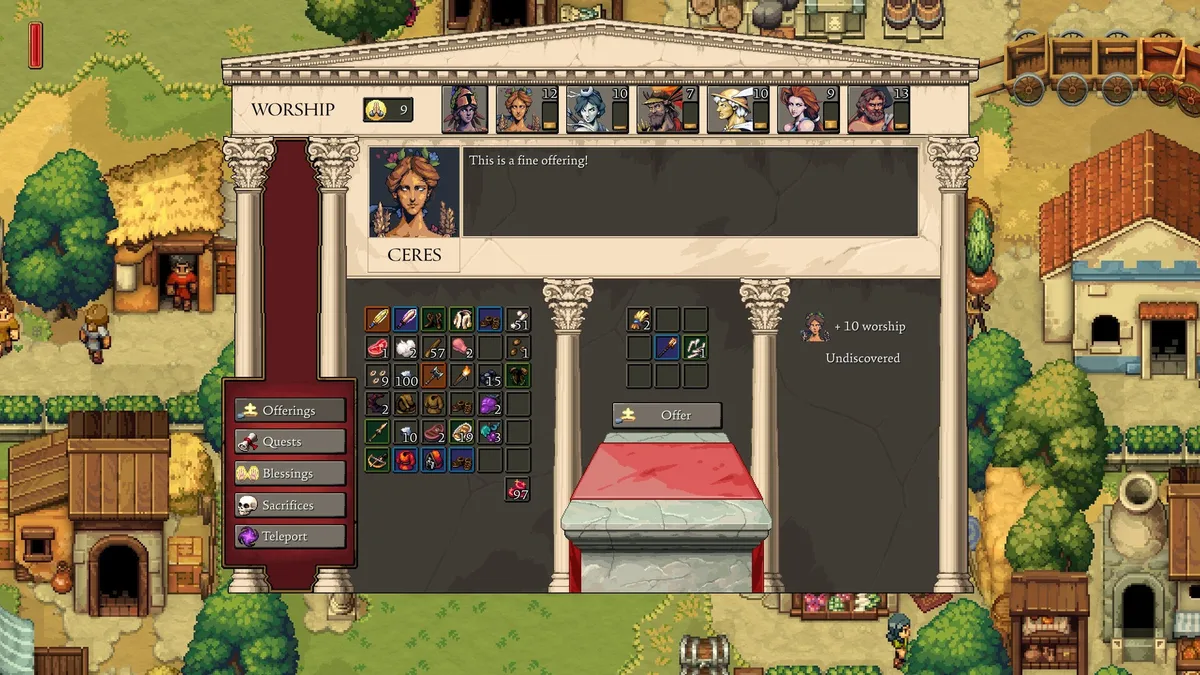 The Altar's worship menu. The documented first step is Mercury's Significant Pursuit quest, which asks for a Traveler's Coin and Research Paper and rewards the University.
Unlocking the Trading Post: three steps
The Trading Post sits behind a quest and research chain. The current wiki documents the quest and University unlocks, but does not document an Altar-level gate.
Step 1: Mercury's Significant Pursuit quest. At your Altar, offer 1 Traveler's Coin and 1 Research Paper. The quest rewards the University. The current source checked here does not require Altar level 3.
Step 2: University research. Build the University with 4 Lumber, 6 Stone, and 8 Brick after the quest, then assign a citizen as a Philosopher. Research the Trading Post in the University's technology list at a cost of 30 Research Papers.
After that research finishes, the Trading Post becomes a buildable structure. Build one in each settlement you want to connect, then assign a Carrier at one end. The source confirms that the other town must also have a Trading Post and that the Carrier moves resources and items held in Material Storage.
Step-by-Step: Setting Up Trade Routes Safely
Players figured this out through trial and error in Steam discussions. The short version: test small before automating at scale.
1. Verify local Logistics Tent links work first. If your within-settlement chain is broken, the Trading Post makes the problem harder to diagnose, not easier. Run one local production chain to completion before touching inter-settlement routes.
2. Pick one low-risk resource for the first route. Stone, Lumber, or surplus food after reserves are confirmed. Don't start with your primary food supply or rare materials.
3. Send a small test batch. The current sources confirm that the Carrier pauses when Material Storage is full, but they do not establish a universal five-item limit. Start small, watch the destination storage, and increase the transfer only after the route completes cleanly.
4. Check destination storage before routing. The receiving settlement needs available Material Storage to accept incoming goods. A full Material Storage pauses the Carrier regardless of the transfer size.
5. Name a route owner in co-op. Designate one player as the route owner for each connection. This is a coordination precaution, not a documented game requirement.
6. Save, quit, and reload after setting routes. Routes persist through a save-reload cycle. Confirm they do before relying on them for production.
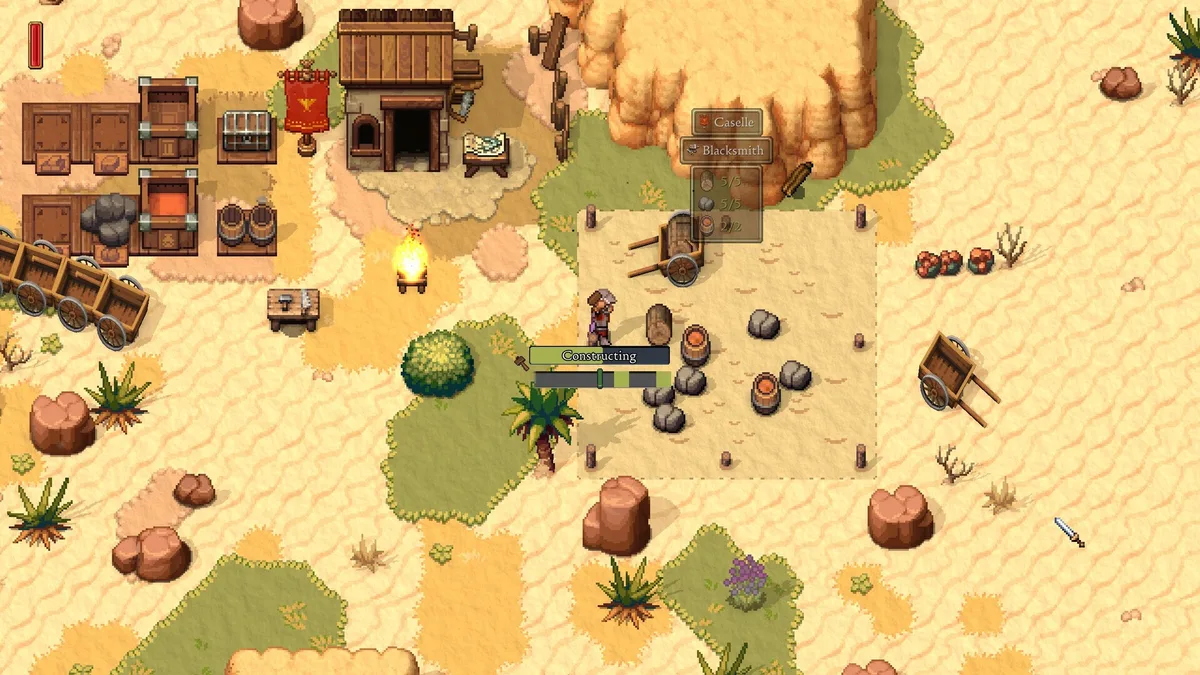 A Blacksmith going up in the desert biome. Buildings like this are exactly why the fuel automation gap matters: without a direct logistics chain, someone has to keep the furnace fed by hand.
What to export and what to protect
The Trading Post exports whatever you tell it to. A badly designed route can empty a settlement's food reserves while you're inside a dungeon.
Never export:
- Food below your buffer. Keep a two-day food reserve at the source settlement before any food routes run. If reserves dip below that floor, the route shouldn't be active.
- First-copy boss drops. New dungeon items may be needed for quests, god offerings, or building unlocks you haven't discovered yet. Store them manually until you understand each item's purpose.
- Active building materials. If you're mid-construction, keep that Lumber and Stone local. A route that exports your construction supplies stalls your build.
- God offering materials. These aren't surplus. Export them and you lose worship progress that takes days to rebuild.
Safe to export:
- Confirmed surplus after at least one full production cycle has run and reserves are intact
- Second and third copies of boss drops once you know what the first was used for
- Common materials that your source settlement regenerates faster than the route drains
GODEEPER: Understanding what each god wants keeps your offering materials safe from accidental export. Romestead God System Guide: All 7 Deities and Blessings
Common logistics mistakes
Linking everything before testing one chain. The appeal of a fully automated settlement is real. But build one chain, confirm it runs cleanly for three in-game days, then add the next. A broken link anywhere in a long chain is hard to locate when five routes are running simultaneously.
Sending full-stock batches. Setting a route to transfer "all available" Stone sounds efficient. If your second settlement's storage fills mid-delivery, the batch jams and subsequent routes on that connection stop. Cap transfers at a number your destination can actually absorb.
Forgetting the Carrier. Building the Trading Post isn't enough. One side needs a Carrier, both towns need a constructed Trading Post, and the route uses resources or items in Material Storage.
Treating the Trading Post as an emergency fix. If your main settlement is running out of food, routing food from a secondary settlement won't save it in time. The Trading Post handles planned, steady-state transfers. By the time you realize the main town is starving, the route cycle is too slow to help. It's a surplus-movement tool, not a crisis response.
Ignoring fuel chains. Because Bakeries and Blacksmiths don't auto-pull fuel, players who automate production chains without accounting for fuel end up with a Bakery that has wheat but no wood and simply stops. Set up a direct quarry-to-furnace logistics chain, or check fuel levels manually every session until the developers add automation for it.
Frequently Asked Questions
How do you unlock the Trading Post in Romestead? Complete Mercury's Significant Pursuit quest by offering a Traveler's Coin and Research Paper to unlock the University. Build the University, assign a Philosopher, and research the Trading Post for 30 Research Papers. Then build a Trading Post in each town you want to connect and assign a Carrier at one end.
How does the Logistics Tent work in Romestead? The Logistics Tent links building outputs to other building inputs so resources flow automatically without you hauling them. Open Logistics from the tent, Workbench, or Carpenter's Workshop, then drag one building's Output to another's Input. It is currently unlocked by defeating Guardian of Minerva.
Why are my trade routes getting stuck in Romestead? Check whether the destination's Material Storage is full: the current Trading Post source says the Carrier pauses until there is vacant space. Start with a small test transfer, add storage if needed, and remember that the latest official patch says a cancelled route dumps goods outside the Trading Post after a failed deposit.
What goods should I never export via trade routes in Romestead? Never export food below your settlement's buffer reserve, first-copy boss drops, current building materials mid-construction, fuel going to active Bakeries and Blacksmiths, and God offering materials. Export only confirmed surplus that the source settlement can replace within one game day.
Can citizens automatically haul fuel to Bakeries and Blacksmiths in Romestead? Not in the current Early Access build. As of May 2026, Bakeries, Blacksmiths, and Pottery buildings cannot automatically pull fuel from nearby wood or coal storage. You need to manage fuel manually or use a dedicated quarry-to-furnace logistics chain. Brick Furnaces are an exception and can pull wood fuel automatically.
What is the difference between the Logistics Tent and the Trading Post in Romestead? The Logistics Tent handles within-settlement automation: it connects buildings inside one town so resources flow from production to storage to the next production step. The Trading Post handles between-settlement automation: it creates routes that physically move goods from one town to another. You need both systems working for a fully automated empire.
Do I need a citizen assigned to the Trading Post in Romestead? The documented requirement is a Carrier at one end of the route, plus a constructed Trading Post in both towns. The source does not require a citizen at both ends. Make sure the route's resources or items are in Material Storage and that the destination has room.
Related Reading
- Romestead Buildings Guide: All Buildings and Build Order: covers the Logistics Tent's position in the build order and every production building you will be connecting.
- Romestead Denarius Guide: How to Make Money Fast 2026: explains the tiered coin system and how to test Olive Oil as one possible trade route.
- Romestead Research Papers Guide: How to Get Them Fast 2026: the 30 Research Papers for Trading Post unlock are the biggest bottleneck; this guide shows the fastest farming path.
- Romestead Biome Guide: All 4 EA Biomes Explained: the biome progression and Guardian of Minerva encounter tied to the current Logistics Tent unlock.
- Romestead Villagers Guide: Recruit, Assign and Keep Happy: how to recruit and assign citizens, including the Carrier role used by a Trading Post.
- Romestead Professions: All 8 Starting Classes Ranked: Romestead professions guide: all 8 starting classes ranked, what each gives at creation, and why.
- Romestead Bosses: All 5 Bosses and How to Beat Them: Romestead bosses guide: all 5 bosses ranked by order, from the Guardian of Minerva to.
- Romestead Roadmap 2026: What Beartwigs Has Confirmed: Romestead roadmap 2026: one more biome is confirmed for a winter release, still unnamed, plus everything else Beartwigs said.
- Romestead Review: Roman Survival That Earns the Raid: Romestead review: Beartwigs' Roman survival town-builder: undead night raids, god system tech trees, and 1-8.
- Romestead Complete Guide 2026: All Guides for EA Launch: the hub for buildings, research, bosses, and settlement progression.
- Romestead Updates Tracker: Every Patch Since Launch: current patch changes that can affect route and storage behavior.
References
- Romestead on Steam (app 1805320): store page, developer Beartwigs, publisher Three Friends, EA launch May 25 2026
- Steam discussion: How do I setup a trade route?: community-sourced batch-size fix and citizen assignment requirements
- Steam discussion: What exactly can NPCs move automatically?: NPC automation scope, farmer and carpenter behavior
- Steam discussion: Better logistics: fuel automation limitations confirmed
- Romestead Wiki: University: University build requirements and unlockable technologies list
- Romestead Wiki: Trading Post: the Carrier, two-town requirement, and Material Storage behavior
- Romestead Wiki: Logistics Tent: local connection mechanics and current Guardian of Minerva unlock
- Romestead Wiki: Significant Pursuit: Mercury quest requirements and University reward
- Romestead patch 0.26.1_4: cancelled-route behavior and Logistics Tent connections
Was this guide helpful?
About the author

Systems & Economy Desk
GameBrief's byline for roguelikes, strategy and simulation. Reads patch notes, wiki tables and Steam stats and puts the numbers on the page.
- Roguelikes, strategy and simulation
- Builds, progression and economy
- Sources listed per article
Keep reading
Romestead Updates: Every Patch Since Launch & What's Next
General · 4 min
Romestead Co-op Guide: 1 to 8 Players, Roles, Scaling
General · 9 min
Romestead Iron: Where to Find It and How to Farm It
Guides · 8 min
Romestead Villagers Guide: Recruit, Assign & Keep Happy
General · 9 min
Romestead Buildings Guide: All 25 Buildings & Build Order
General · 17 min
Romestead Roadmap 2026: What Beartwigs Has Confirmed
General · 7 min
Sponsored
More game deals
Disclaimer
This article is published for informational and entertainment purposes. It does not constitute professional financial, legal, or technical advice. Game performance, online services, patch schedules, and store listings change. Verify critical details (pricing, system requirements, regional availability) with publishers and storefronts before you buy. Affiliate links, where present, help support our editorial work and are labelled in our affiliate disclosure.
Comments
Loading comments…